

What the Firefly AI Assistant Does and How It's Structured
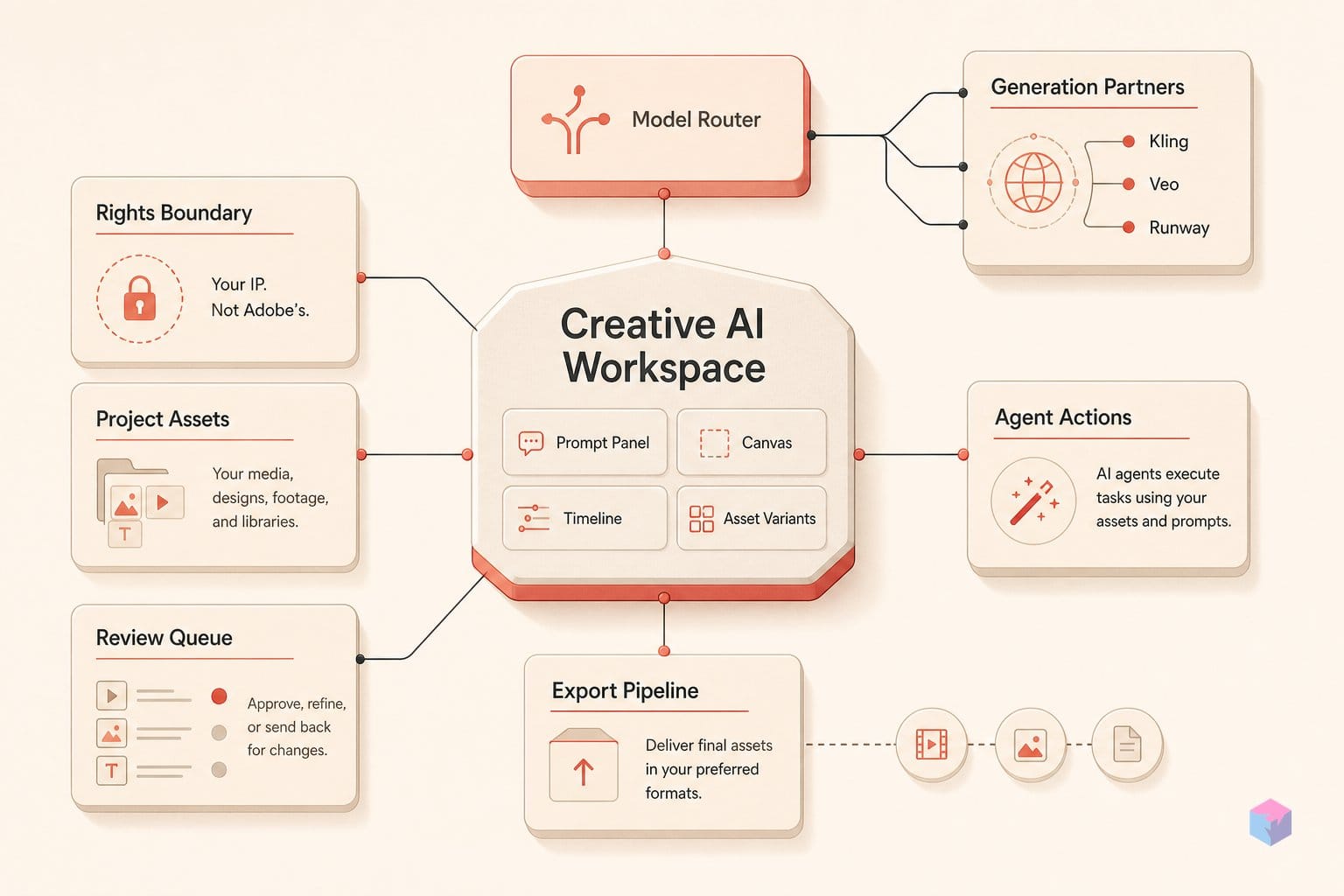
The Firefly AI Assistant is a conversational "creative agent" that plans and executes multi-step editing workflows from a natural-language prompt, chaining discrete operations in sequence while you keep the ability to refine or redirect at any step . Adobe structures it in two tiers. The Firefly-level assistant orchestrates workflows across multiple apps (Firefly, Photoshop, Premiere, Lightroom, Express, Illustrator and Frame.io), while each app-level specialist works inside its own context, with Premiere's oriented around the Project panel and Timeline and Photoshop's around image-editing tasks .
Quick Answer: The Firefly AI Assistant is Adobe's conversational agent that turns one prompt into a multi-step editing workflow. It has two tiers: a Firefly-level orchestrator across seven apps and per-app specialists. It reached public beta in the desktop apps on June 18, 2026.
The rollout came in stages. Adobe introduced the Firefly-level assistant on April 15, 2026, then opened the Firefly web app to public beta on April 27 . On June 18, 2026, it extended bespoke assistants directly inside Premiere, Photoshop, Illustrator, InDesign and Frame.io as public betas, with After Effects remaining in private beta .
The target is repetitive setup: ingest, sorting, preflight, resizing and batch export. This is the work professionals otherwise automate with actions, scripts and naming conventions, now driven by conversation . Outputs remain fully editable in native Adobe formats, so the agent assembles a starting point rather than a locked, flattened result .
What Premiere's AI Assistant Does with Ingest and Multicam Sync
Premiere's AI Assistant is an in-app specialist that automates project setup inside the Project panel and Timeline. From a natural-language prompt it sorts footage into bins, batch-renames clips by content, places markers from detected speech cues or keywords, syncs multicamera timecodes, stacks the synced clips, and assembles a rough opening cut: the ingest-and-organize work editors usually handle manually before the real edit begins . Adobe extended these app-level assistants on June 18, 2026, shipping Premiere's as a public beta .
Concretely, the assistant's documented Premiere tasks break down as follows :
- Bin sorting: organizing imported footage into bins instead of dumping everything into one folder.
- Content-aware renaming: batch-renaming clips based on what they show, replacing camera-default filenames.
- Marker placement: scanning for spoken cues or identified keywords and dropping markers at those points.
- Multicam sync: matching timecodes across cameras, then stacking the synced clips for multicam editing.
- Rough assembly: laying a starting opening cut on the timeline for the editor to refine.
The scope is deliberately narrow. Premiere's assistant works only against the Project panel and Timeline; it is the application-level layer, not the cross-app Firefly orchestrator that chains operations across Photoshop, Illustrator and Frame.io . No source documents a Premiere task handing off to another Adobe app — the editing assistant stays inside the editing environment and returns control between steps.
For developers reading this as automation, the practical read is that Premiere's assistant targets the same surface area scripting and templates already cover: organization, naming conventions, sync and a first-pass timeline. What changes is the interface: conversation instead of ExtendScript or saved presets. Because outputs land as native, editable Premiere assets rather than a flattened render, the assistant produces a starting point an editor can immediately rework rather than a locked deliverable . Adobe has not published latency, accuracy or failure-rate figures for these operations, so reliability rests on demos rather than third-party evaluation.
Illustrator, InDesign, and Frame.io: Variants, Preflight, and B-Roll
Beyond Premiere, Adobe extended app-specific assistants to Illustrator, InDesign and Frame.io as public betas on June 18, 2026 , each scoped to the production drudgery (preflight, variant generation and review triage) that professionals otherwise script or template by hand. The claim is the same as Premiere's: outputs stay native and editable, and the assistant targets repetitive setup rather than final creative decisions .
In Illustrator, the assistant flags color-mode errors and missing fonts, reorganizes layers, and automates repeated object variations; Adobe's demo duplicated a circle 100 times with randomized position, color and size . The data-merge claim is generating 50 versioned design files from spreadsheet or document data . For developers this maps onto what scripting and variable-data workflows already do; the open question is reliability, and Adobe has published no third-party accuracy figures for these operations as of June 2026.
InDesign's assistant runs print-readiness and preflight checks and applies style or copy updates across layouts, aimed at the production-handoff stage . Frame.io's works on the review side: surfacing revision feedback, organizing shoot assets, generating B-roll and assisting with creative direction — moving the agent off the editing canvas and onto the collaboration platform where notes and assets accumulate.
| App | Beta status (June 2026) | Representative tasks |
|---|---|---|
| Illustrator | Public beta | Color-mode/missing-font flags, layer reorg, 100× object variants, 50 data-merged files |
| InDesign | Public beta | Preflight/print-readiness, cross-layout style and copy updates |
| Frame.io | Public beta | Revision feedback, shoot-asset organization, B-roll generation, creative direction |
| After Effects | Private beta | Not detailed in current briefings |
Across all three apps, the assistant replaces actions, scripts and naming conventions with natural-language prompts . As with Premiere, the per-app details come from press reports and briefings rather than a single official release-notes matrix , so treat the variant counts as demo figures, not benchmarked throughput, until independent testing lands.
The Indemnity Line: Firefly-Native vs. Kling, Veo, and Runway
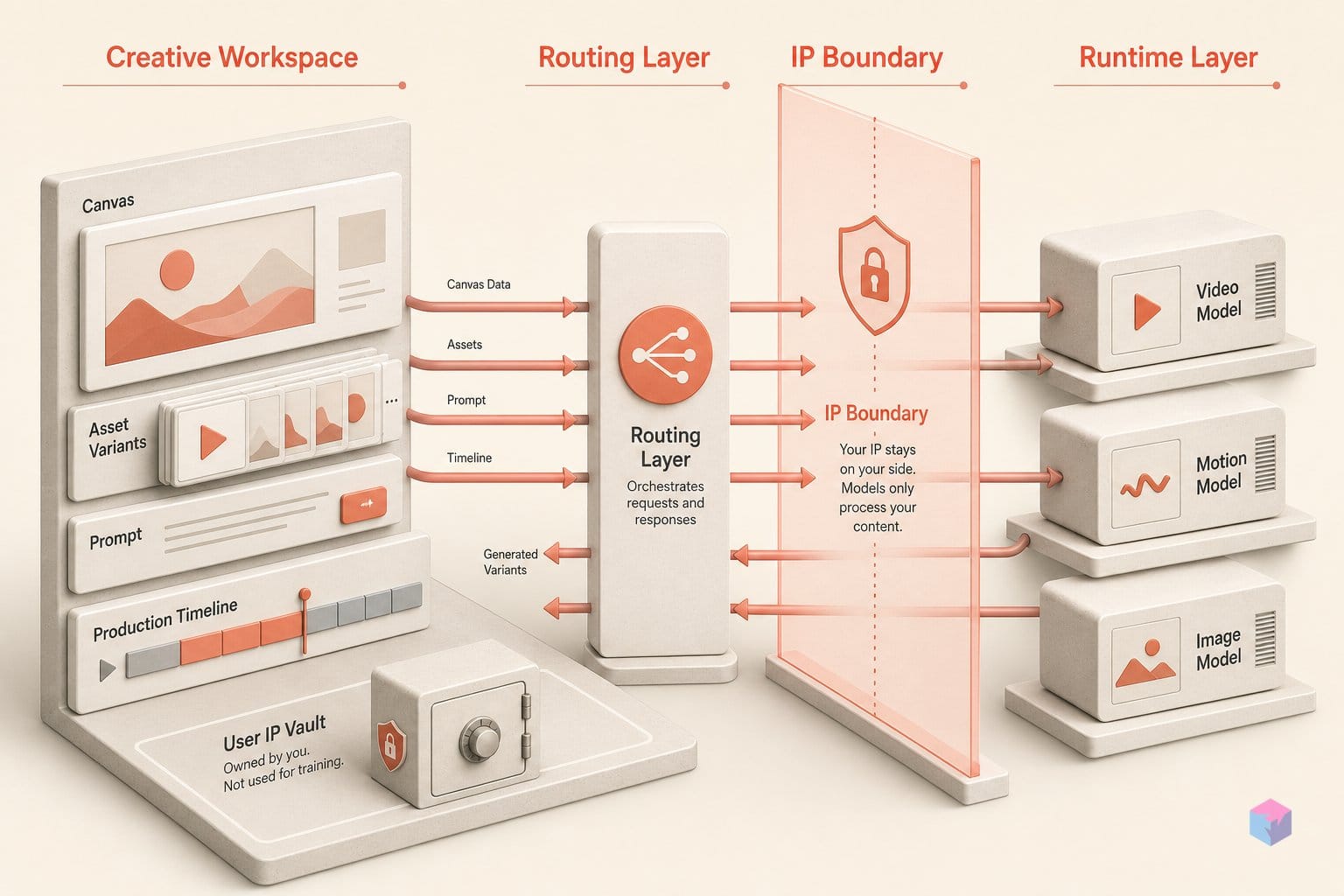
Adobe's commercial-use indemnity covers only outputs from its own Firefly models (Firefly Image 5 and the Firefly Video Model), which Adobe declares safe for commercial use under its IP policy . Everything produced by a partner model is the user's legal responsibility. That distinction matters because the assistant routes tasks across a platform Adobe describes as spanning 30+ models , and it picks which one runs each step for you.
Quick Answer: Adobe indemnifies commercial use only for native Firefly outputs (Firefly Image 5, Firefly Video). Outputs from partner models (Kling 3.0, Veo 3.1, Runway Gen-4.5, FLUX.2 [pro] and others among 30+ sources) carry no Adobe indemnity and remain the user's legal responsibility .
The platform's partner roster is where the liability gap opens. Press briefings list Kling 3.0 and Kling 3.0 Omni, Google Nano Banana 2, Veo 3.1, Runway Gen-4.5, ElevenLabs Multilingual v2, FLUX.2 [pro], Luma Ray3.14 and Topaz Astra among the third-party models the assistant can invoke . For each, Adobe's position is that the output is yours to clear: no model-provider indemnity flows through.
| Source | Examples | Commercial-use status |
|---|---|---|
| Native Firefly | Firefly Image 5, Firefly Video Model | Adobe declares safe for commercial use; covered by IP policy |
| Partner models (30+) | Kling 3.0, Veo 3.1, Runway Gen-4.5, FLUX.2 [pro], Luma Ray3.14, ElevenLabs Multilingual v2 | User's legal responsibility; no Adobe indemnity |
| Photoshop beta output | Generative features in beta build | Excluded from commercial use per Adobe FAQ |
There is a separate carve-out worth flagging: content generated by Photoshop's beta generative features may not be used commercially at all, per Adobe's own FAQ, and those features are cloud-based and require an internet connection . The cloud dependency is platform-wide; every Firefly generative feature needs connectivity, with no documented offline path .
The unresolved problem is provenance. Adobe markets the assistant as automatically choosing the right tool for each task with no app switching , which means in a multi-step session, you may not know whether a given asset came from Firefly Image 5 or from Veo, Kling or Runway. No source describes a mechanism for users to inspect which model generated a specific output. For a team that needs to certify which deliverables fall under Adobe's indemnity, that opacity shifts the burden of tracking provenance back onto the user, exactly where the legal responsibility already sits. Until Adobe documents per-output model attribution, treat any agent-assembled deliverable as mixed-provenance and clear partner-model content independently.
ChatGPT Now Hands Off to Firefly: the Connector Mechanics
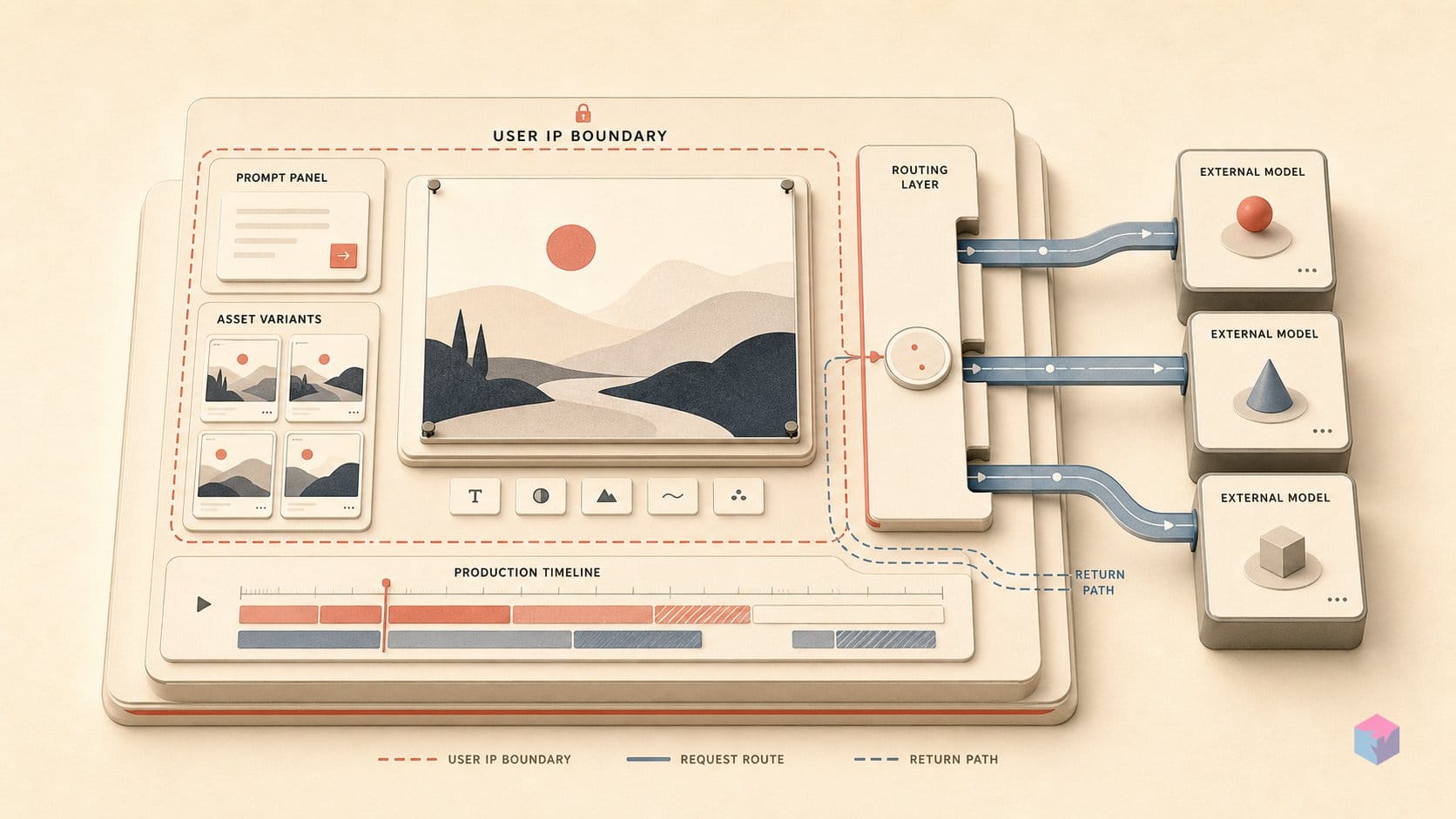
Firefly is an execution layer that external assistants can call into, not just a destination you open in a browser. Adobe describes integrations with OpenAI's ChatGPT, Anthropic's Claude, and Microsoft 365 Copilot as live today, with Google Gemini and Slack listed as planned . The pitch is that you can stay in the assistant where you already work and route the production step to Firefly without switching tools.
Adobe's April framing was explicit about the division of labor, singling out Anthropic with a "conceptualize in Claude, execute in Firefly" message . The idea: ideation happens in an AI-native chat surface, and Firefly becomes the hands that render the editable Adobe-format output. President David Wadhwani (Digital Media) framed the broader bet as Adobe "leading the shift into a new era of agentic creativity" .
What Adobe has not published is how the handoff actually works. None of the available sources specify the transport. Whether it runs over the Model Context Protocol, a native plugin API, or OAuth delegation is undocumented . For developers evaluating whether to wire Firefly into an internal toolchain, that absence matters: there is no public contract describing auth scopes, rate limits, or how a calling agent authenticates against a user's Creative Cloud entitlement.
Equally important is what the integration does not claim. No source describes shared session context or credential passthrough across the tool boundary. In practice, the Firefly assistant appears to receive an external assistant's output as a fresh prompt (text and assets in, a new task started) with no continuity of the originating conversation's reasoning, history, or state . So "conceptualize in Claude, execute in Firefly" is closer to a copy-paste relay than a stateful agent-to-agent session. If you build on it now, design for stateless calls: pack everything Firefly needs into each prompt, and don't assume the upstream assistant's context survives the crossing.
What the June Firefly Launch Left Unspecified
The gaps in Adobe's June rollout sit exactly where a developer would want hard numbers. The model orchestrating Firefly's cross-app workflows is unnamed: Adobe discloses the 30+ generative partner models the assistant routes to (Kling 3.0, Veo 3.1, Runway Gen-4.5, Google Nano Banana 2 and others) but never says which LLM plans and sequences the steps. Inference cost and latency for the orchestration layer are not published, and Adobe disclosed no separate pricing for the agentic features themselves .
Reliability is the larger blank. No source carries failure rates, accuracy figures, or latency data, and the most detailed app-by-app capabilities for the June 18, 2026 desktop betas come from press briefings rather than a single Adobe release-notes matrix . Every reliability claim rests on Adobe demos and early reporting, not third-party evaluation, so treat "removes the background, applies a color grade, exports three sizes" as a demoed path, not a measured success rate.
Operationally, the launch is still partial. There is no general-availability date, no enterprise admin controls, and no governance spec for teams that need audit trails or model-routing policies. The reimagined Firefly studio, including Elements (reusable characters, objects, locations) and Projects (assets and context kept together), remains waitlist or private beta , so eligibility, capabilities and usage rights can shift before release.
Adobe's own framing tempers expectations. As Forest Key, Adobe's agentic-AI lead, put it, the assistant "won't help every creator the same way," with impact varying between solopreneurs and high-volume production teams . That is the honest read: the value concentrates where the repetitive setup, preflight and batch-export work is heaviest.
The concrete takeaway: if you run high-volume production, pilot the public betas now against your actual ingest-and-export workload and log your own failure rates; Adobe hasn't published any. If you're evaluating it for a team, hold off on standardizing until admin controls, a GA date, and the orchestration model are named. And whatever you ship, keep the indemnity boundary in view: Firefly-native outputs are covered; Kling, Veo and Runway results are your liability.
Frequently asked questions
Does Adobe's IP indemnity cover outputs from Kling, Veo, or Runway inside Firefly?
No. Adobe extends its IP indemnity only to native Firefly model outputs (Firefly Image 5 and the Firefly Video Model), which Adobe states are designed to be safe for commercial use. Partner-model outputs routed through the same interface (Kling, Veo, Runway Gen-4.5, FLUX.2, ElevenLabs, Luma) are the user's legal responsibility . Separately, content generated in the Photoshop beta generative features may not be used commercially . The coverage boundary sits at the model, not the app.
Which Creative Cloud plans include access to the Firefly AI Assistant beta?
The official AI Assistant FAQ limits public-beta eligibility to Creative Cloud Pro (US$59.99/month, 4,000 Firefly credits and 20+ apps) and the Firefly Pro, Pro Plus, and Premium tiers . The Firefly Standard plan at US$9.99/month is excluded, despite carrying 2,000 generative credits . General-availability eligibility has not been announced, so the plan list could change before release.
How does the Firefly assistant select which partner model to run for a given task?
Adobe says the assistant auto-selects a model based on content type and task context, choosing across 30+ models with no app switching . The selection criteria and routing logic are not publicly documented, and Adobe has not specified the model that powers the orchestration agent itself . In practice, users cannot inspect which underlying model generated a specific output in a session, which matters given the indemnity boundary above.
What does Illustrator's AI assistant do that Actions and Scripts cannot?
The assistant accepts conversational direction without scripting syntax and chains multi-step sequences from a single prompt, for example generating 50 versioned design files from spreadsheet or document data, or duplicating an object 100 times with randomized position, color, and size . It also flags color-mode errors and missing fonts and reorganizes layers by prompt . Traditional Actions require preset recording, offer no conversational interface at this scope, and have no native data-merge or cross-prompt context retention within a session.
When do the Firefly app-level assistants exit beta?
No general-availability date has been given. The June 18, 2026 rollout put Premiere, Photoshop, Illustrator, InDesign, and Frame.io into public beta, with After Effects remaining in private beta . Adobe has not published enterprise admin controls, a governance specification, latency or failure-rate figures, or a GA timeline for any of these assistants . Treat current capabilities and eligibility as subject to change before release.