

Adobe spent the spring and early summer of 2026 turning Firefly from a generator that hands you a finished asset into an agent that runs the steps in between. The result is less a chat box and more a per-app specialist sitting inside the tools creatives already use.
How Adobe's Conversational Firefly Became a Per-App Specialist
Adobe's agentic Firefly arrived in two distinct waves. The first landed on April 15, 2026, when Adobe unveiled the Firefly AI Assistant inside the Firefly web app — a conversational creative agent that turns natural-language requests into multistep workflows and pulls tools from across Photoshop, Illustrator, Premiere, Lightroom, and Express from a single interface . Public beta opened on April 27, 2026 for the web app .
The second wave came on June 18, 2026, when Adobe pushed bespoke assistants directly into the desktop apps. Photoshop, Premiere Pro, Illustrator, InDesign, and Frame.io entered public beta, with After Effects held back in private beta . Each agent is an app-specific specialist, so you can delegate task-by-task rather than routing everything through one generalist .
The shift matters because of what changes under the hood. VentureBeat framed it as Adobe moving "from media generation to production orchestration" — the AI becomes a layer that chains multiple steps from a single requested outcome instead of emitting one flat asset . A prompt like "remove the background, apply a consistent color grade, and export at three different sizes" runs as a managed sequence, not three manual triggers.
Adobe's own framing leans into that direction of control. "We're entering a new era of agentic creativity, where you direct how your work takes shape," said David Wadhwani, President of Adobe's Creativity & Productivity Business (source: Adobe Blog, 2026-04). What the assistant actually executes inside each app — and how reliably — is where the detail gets interesting.
What Photoshop 27.9's Assistant Actually Handles
Photoshop's AI Assistant ships in the June 2026 desktop beta as version 27.9, opened from an AI Assistant icon in the top-right of the workspace and labeled an early beta by Adobe's own Help documentation . You describe a change in plain language and the assistant executes it across the composite — swapping backgrounds, resizing assets, organizing layers, and locating tools inside the app rather than handing you a flat generated asset .
Adobe's Photoshop AI Assistant Help page, last updated June 18, 2026, scopes the beta to quick edits: object removal, image variations, and selection-free refinements that skip the usual mask-and-select dance . The documented prompt examples are worth reading literally, because they signal what Adobe has actually wired up versus what it is gesturing at:
- Pixel edits: "remove the background," "make the sky more dramatic," "remove the wires"
- Document hygiene: "review my layers," "draft metadata text"
- Feedback loops: "run a critique session"
That last one is telling: "review my layers" and "run a critique session" treat the assistant as a document inspector, not just a generator. Combined with "draft metadata text," it reads as Adobe pushing the agent toward production housekeeping — the unglamorous steps that eat a working editor's day.
What the documentation does not establish is reliability. None of the cited Adobe pages specify retry behavior when a step fails, a success rate on chained multi-step sequences, or how the assistant performs on complex composites outside Adobe's own illustrative demos . The prompt list tells you what the assistant is asked to do; it does not tell you how often it lands the result on a real, messy file. For developers evaluating this as a workflow layer rather than a toy, that gap is the whole question — and the early-beta label is Adobe conceding it is still open.
Premiere, Illustrator, InDesign, Frame.io: What Each Specialist Does
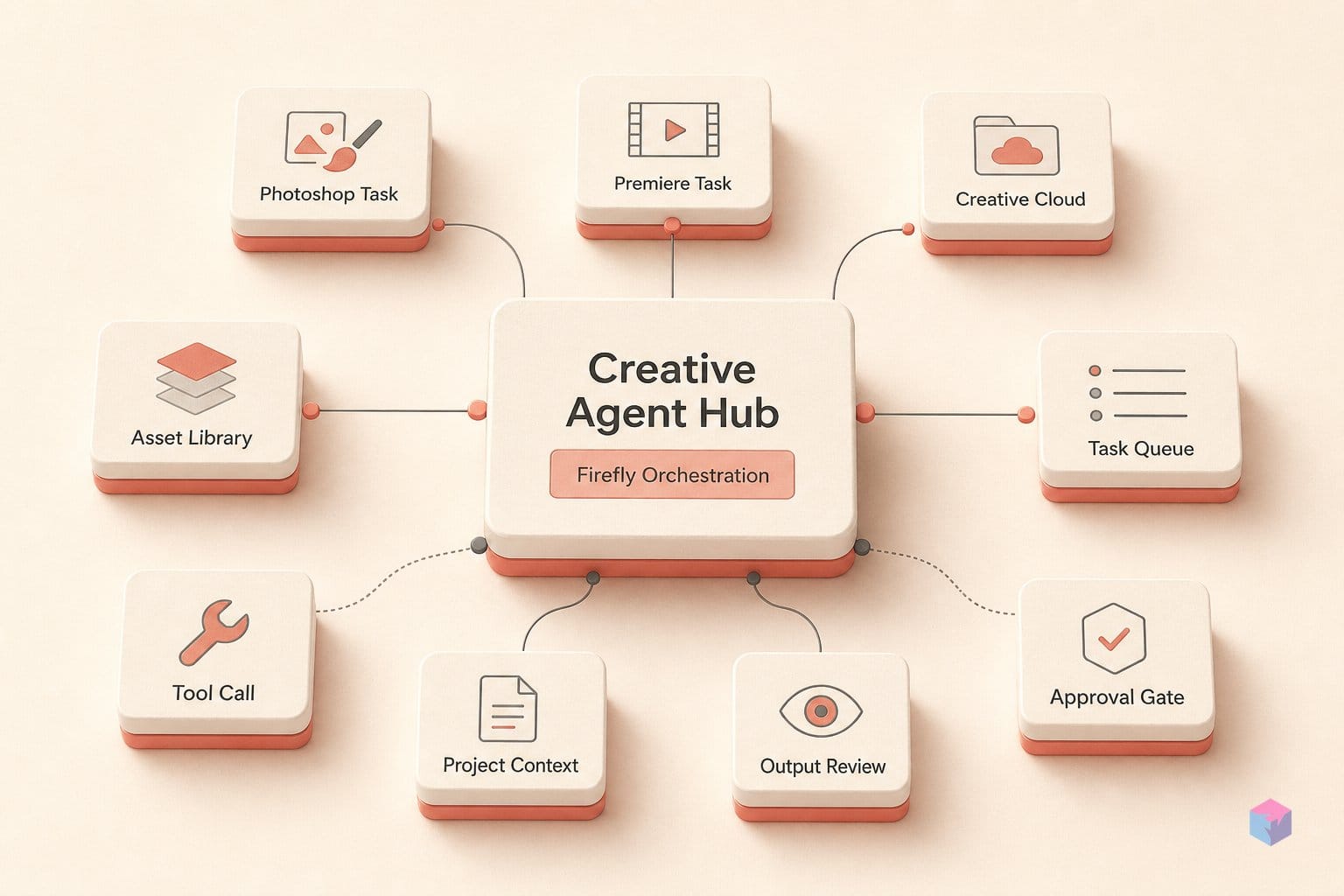
Beyond Photoshop, Adobe's June 18, 2026 public beta puts a distinct app-specific agent inside Premiere Pro, Illustrator, InDesign, and Frame.io, with After Effects in private beta . Each specialist targets the grunt work specific to its medium — ingest and assembly in video, file hygiene and batch output in vector and layout, review loops in post-production — so you delegate app-by-app rather than through one generic chat box .
The Premiere assistant ships in the June 2026 desktop release, version 26.3 . Secondary reporting lists its scope as sorting assets into bins, batch-renaming clips based on footage content, detecting speech keywords or questions, adding timeline markers, and laying out a starting sequence . The same 26.3 build also adds automatic Firefly Boards-to-Premiere sequence creation, turning a moodboard into an editable timeline . That is the pattern across the lineup: the agent handles the setup and triage steps an editor would otherwise click through manually.
| App | What its specialist handles |
|---|---|
| Premiere Pro (26.3) | Sort assets into bins, batch-rename clips from footage content, detect speech keywords/questions, add timeline markers, lay out a starting sequence |
| Illustrator | Color-mode error correction, missing-font resolution, layer reorganization, file variations generated from a spreadsheet |
| InDesign | Print-readiness checks, copy and style updates across layouts |
| Frame.io | Surface revision feedback, organize shoot assets, generate B-roll, assist with creative direction |
The Illustrator agent leans into file repair and scale: fixing color-mode errors, resolving missing fonts, reorganizing layers, and generating file variations from a spreadsheet — closer to a data-merge pipeline than a creative prompt . InDesign's specialist runs print-readiness checks and pushes copy and style updates across layouts, the kind of pre-flight task that scales badly by hand .
Frame.io is the notable extension: rather than authoring assets, its agent surfaces revision feedback, organizes shoot assets, generates B-roll, and assists with creative direction — pushing the assistant into the post-production review loop, not just the editing canvas . As with Photoshop, the per-app capability lists describe intent; Adobe has not published independent reliability data for any of these specialists outside its own demos, and exact release dates for Illustrator, InDesign, and Frame.io remain unstated beyond the June 18 public-beta framing .
What Powers Firefly: Kling 3.0, Veo 3.1, FLUX.2, and 27 Others
Firefly is a model-agnostic hub: Adobe routes work across its own models plus more than 30 third-party generative models from partners including Google, OpenAI, and Kling AI, all reachable from one interface . That positioning matters for the agentic story in earlier sections — when an assistant chains a multi-step job, it is also choosing which underlying model executes each generation, rather than locking the user into a single in-house engine.
The April 2026 release named a concrete roster of outside models, spanning image, video, and audio generation:
- Kling 3.0 and Kling 3.0 Omni (Kling AI) — video generation
- Google Nano Banana 2 and Veo 3.1 — image and video
- Runway Gen-4.5 — video
- ElevenLabs Multilingual v2 — audio/voice
- Black Forest Labs FLUX.2[pro] — image
- Luma AI Ray3.14 and Topaz Labs Topaz Astra — video and enhancement
Adobe's own Firefly models stay the default. Access to the non-Adobe models is gated behind subscription tier: it is bundled with Creative Cloud Pro and surfaced through Firefly's paid Pro-level plans rather than offered to every account . So the "30+ models" claim is real but conditional — the breadth is a paid feature, not a free-tier default.
For developers, the limit worth flagging is what Adobe has not exposed. There is no disclosed API surface for attaching your own model to the hub, no documented way to override Firefly's internal routing, and no published spec for how the agent decides which model handles a given step. The routing layer is Adobe-managed with no external configuration surface in current sourcing — you choose a model from Adobe's catalog, but you cannot extend that catalog or inspect the selection logic . Whether a partner-model is added is Adobe's decision, which makes the "model-agnostic" framing accurate at the consumption layer but closed at the integration layer.
Does Firefly Actually Chain Creative Jobs? The Fine Print
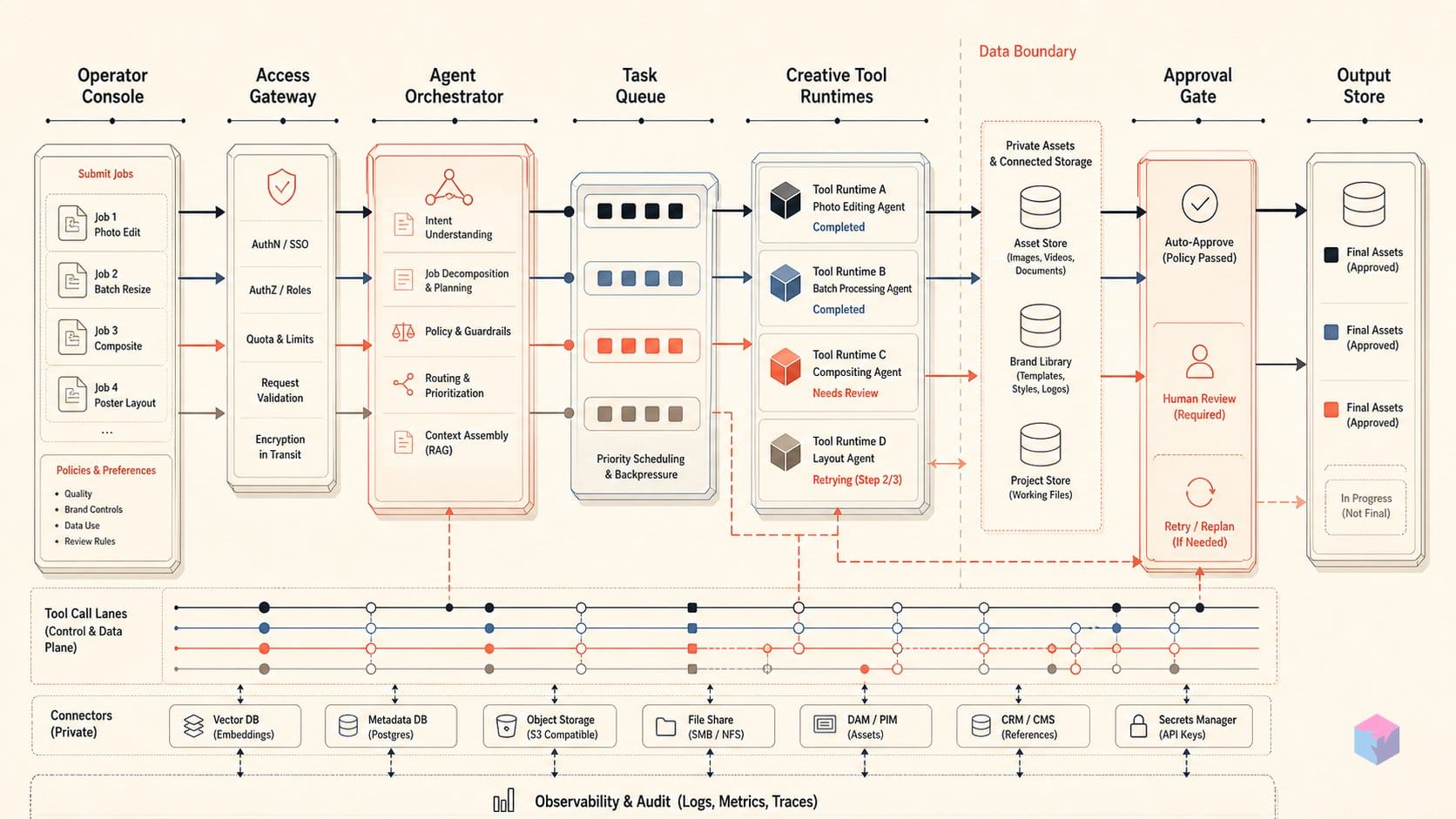
Firefly does execute multistep creative jobs from a single natural-language prompt, but Adobe's own documentation stops short of proving it works reliably at scale. The Photoshop AI Assistant Help page, last updated June 18, 2026, confirms that specific prompts — "remove the background," "make the sky more dramatic," "remove the wires," "review my layers" — are supported and execute against a composite. What it does not provide is any success-rate figure, retry behavior, or a documented list of failure modes. The capability is confirmed; the reliability is not quantified.
Adobe itself supplies the most useful caveat. Forest Key, who leads the agent effort, told reporters that the technology has limits worth stating plainly.
"The agent won't help every creator the same way," — Forest Key, leader of Adobe's agent effort (source: The Decoder).
That is an unusually candid qualifier against the marketing framing, and it points directly at the open question: non-uniform reliability. The flagship sequence Adobe uses to demonstrate orchestration — "remove the background, apply a consistent color grade, and export at three different sizes" — is Adobe's illustrative example, drawn from its launch materials (Adobe, VentureBeat). As of June 21, 2026, no independent replication of that end-to-end chain has been reported.
The deeper gap is comparative. No third-party benchmark measuring Firefly's multistep execution against other creative assistants has been published, so there is no neutral signal on whether its orchestration holds up across varied inputs or degrades on edge cases. For a developer or technical founder evaluating this, the honest read is that the feature set is documented and the demos are reproducible in concept, but "is it real at scale?" is still genuinely open. Treat the public beta as a capability preview, not a production-grade automation layer — and watch for independent testing rather than vendor demos before wiring it into a workflow you depend on.
Firefly's Cost Structure: $9.99/mo to $34.97/mo (What's Included)
Pricing decides who actually gets to test the agent. Firefly AI Assistant beta access is gated to Creative Cloud Pro subscribers or holders of a paid Firefly Pro, Pro Plus, or Premium plan — so the entry-level Firefly Standard tier, despite carrying credits, does not unlock the assistant. Adobe's product pages list Firefly Standard at US$9.99/month with 2,000 monthly generative credits, Firefly Pro at US$19.99/month with 4,000 credits, and Firefly Pro Plus with 10,000 credits, shown at a promotional US$34.97/month against a US$49.99/month regular price .
| Plan | Price/mo | Generative credits | AI Assistant beta |
|---|---|---|---|
| Firefly Standard | $9.99 | 2,000 | No |
| Firefly Pro | $19.99 | 4,000 | Yes (minimum tier) |
| Firefly Pro Plus | $34.97 (reg. $49.99) | 10,000 | Yes |
| Creative Cloud Pro | Bundle | 4,000 premium | Yes |
For developers wanting the full stack, Creative Cloud Pro bundles 20+ apps, unlimited standard creative AI image and vector features, 4,000 generative credits for premium AI video and audio, Firefly Boards, access to non-Adobe models in Firefly, Frame.io for Creative Cloud, and 100GB storage . Premiere standalone starts from US$22.99/month . The practical takeaway: budget for Firefly Pro at minimum, since the cheapest tier buys credits but not the orchestration layer this article is about.
How Firefly Will Reach Outside Adobe's Ecosystem
Adobe's next step pushes Firefly past its own apps: the company confirmed a lighter-weight assistant built to run inside external chatbots, with Anthropic's Claude named as the first integration . For developers, that signals creative tasks could one day be triggered from outside Adobe's surface — but the mechanism is the open question.
What Adobe has not disclosed matters as much as what it announced:
- Integration protocol: whether the Claude connection uses MCP, a proprietary REST surface, or some other standard is unspecified in any available sourcing. There is no public confirmation of an open agent-interop layer.
- Developer surface: no public SDK, no extension- or skill-authoring protocol, and no documented API for the per-app assistants has been announced as of June 2026 . The assistants ship as end-user betas, not a platform you can build on.
- Availability and region: general-availability timing beyond beta is unstated, and regional eligibility for the Illustrator, InDesign, and Frame.io assistants is absent from official documentation — secondary reporting carries the June 18 public-beta claim more confidently than Adobe's own pages do .
Forest Key, who leads Adobe's agent effort, conceded that the agent "won't help every creator the same way" — a rare bit of candor against the orchestration framing.
The takeaway for anyone building on or around this: treat Firefly's agentic layer as a consumer beta you can use, not a platform you can yet integrate against. The Claude integration is the one concrete external hook worth tracking, but until Adobe publishes a protocol — MCP or otherwise — and a developer surface, there is nothing to wire into. Watch for that documentation, not the next demo.
Last updated: 2026-06-21. Reviewed against Adobe's April 15 and June 18, 2026 announcements and Help Center documentation.
Frequently asked questions
What is the difference between the Firefly web app assistant and the new per-app assistants in desktop Creative Cloud?
The Firefly web app assistant is an orchestration layer: from one conversational interface in the Firefly web app, it chains tasks across multiple Creative Cloud tools and reached public beta on April 27, 2026 . The per-app assistants, opened to public beta on June 18, 2026 across Photoshop, Premiere Pro, Illustrator, InDesign, and Frame.io (After Effects in private beta), are embedded specialists that act inside one desktop app at a time . Both surfaces are powered by the same Firefly conversational creative agent; they differ only in where the work happens and how broadly it ranges.
Which subscription plans include Firefly AI Assistant access?
Beta access requires a Creative Cloud Pro plan or a paid Firefly Pro, Pro Plus, or Premium plan . Firefly Standard at US$9.99/month does not include the AI Assistant . Standalone Photoshop and Premiere subscriptions are packaged separately from Firefly tiers, so a single-app plan does not by itself grant assistant access — confirm your plan tier before assuming eligibility.
Can developers build on top of Firefly's creative assistants or extend them?
No. As of June 2026, Adobe has not disclosed a public SDK, an agent or skill-authoring protocol, or any documented extension surface for the Firefly assistants. The only confirmed external integration is a lighter-weight Firefly assistant being built for Anthropic's Claude , and even there the protocol details — whether it uses MCP or a proprietary interface — are undisclosed. There is currently nothing for third parties to wire into programmatically.
What is a 'Creative Skill' in Firefly?
A Creative Skill is a reusable workflow preset the creator defines once and reapplies through the Firefly AI Assistant without re-specifying each step. Named examples include Portrait Retouch, Social Media Assets, and Mockup Studio, stored in a customizable Creative Skills library . In practice it packages a multistep sequence — for example a retouching pass plus export variants — into a single callable instruction the assistant can run on a new asset.
When will Adobe's Creative Cloud AI assistants reach general availability?
Adobe has not announced a general-availability date as of June 21, 2026. Photoshop, Premiere Pro, Illustrator, InDesign, and Frame.io assistants are in public beta for eligible plan holders, while After Effects remains in private beta . GA timing, regional rollout details, and exact release dates beyond beta are unstated in Adobe's available documentation, so treat any current behavior as subject to change.