
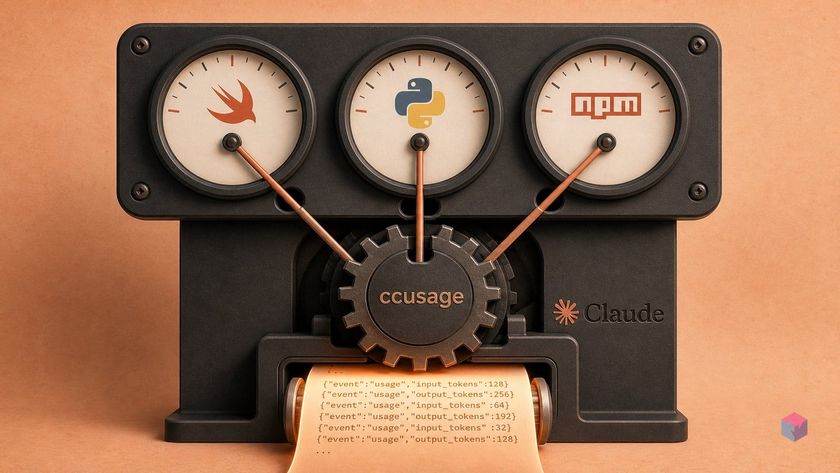
Every macOS menu-bar tool that puts your Claude Code spend one glance away — sangrokjung's Swift-native cc-menubar, AnkMister's SwiftBar plugin, calvindotsg's Python forecaster — leans on the same parser underneath. Before you pick a wrapper, it helps to know what it is actually wrapping.
ccusage: the 17k-star parser every tracker shells out to
ccusage (ryoppippi/ccusage) is the community-standard CLI that reads Claude Code's local JSONL session logs and computes spend — no API key, no proxy, no Keychain access. It watches ~/.claude/projects/, where Claude Code writes every API call, token count, and model selection, and prices those tokens from LiteLLM pricing snapshots with an --offline cached fallback so core figures never leave your machine . That passive, log-reading design is why the wrappers exist at all: the hard part is already solved.
As of July 2026, ccusage carries roughly 17.1k GitHub stars and reaches well beyond Claude Code, covering 10+ agents including Codex, Amp, Goose, OpenCode, Gemini CLI, and GitHub Copilot CLI . It's a TypeScript/bun tool run via npx ccusage@latest, producing daily, weekly, monthly, session, and 5-hour billing-window reports, plus per-model breakdowns and JSON export.
All three macOS wrappers ultimately shell out to ccusage --offline for the cost math. What separates them is purely the UI layer, the deployment method, and what each surfaces beyond raw spend. One shared caveat: the first invocation downloads ccusage via npx if it isn't cached, so expect a few-second delay on the initial menu-bar refresh.
SwiftBar, Xcode, or npx — choose your dependency
The dependency you take on is what actually separates these three wrappers, because the cost engine is identical. sangrokjung's cc-menubar is a native binary — 96.8% Swift — so building it requires the Xcode toolchain; there is no pre-built binary or Homebrew cask at launch, only git clone then bash build.sh. AnkMister's ccusage-menubar is 100% shell and runs as a SwiftBar plugin, so brew install swiftbar plus Node.js 14+ is the one prerequisite you cannot skip. calvindotsg's cc-menubar (v2.0.1, April 2026) is Python on SwiftBar and ships via brew install calvindotsg/tap/cc-menubar or uv tool install cc-menubar — no Swift toolchain at all.
| Tracker (org) | Stack | Install path | Prerequisite floor |
|---|---|---|---|
| sangrokjung/cc-menubar | 96.8% Swift, native | clone + build.sh + install.sh | Xcode |
| AnkMister/ccusage-menubar | 100% shell, SwiftBar | curl one-liner | SwiftBar + Node.js 14+ |
| calvindotsg/cc-menubar | Python, SwiftBar | brew / uv tool | Homebrew or uv |
Pay the Xcode cost only if you need what the Swift build uniquely surfaces: it monitors teamclaude account-rotation health — availability of rotated accounts, quota warnings, and reset timings — by querying a local status endpoint at http://localhost:3456 . One trap before you clone: sangrokjung/cc-menubar and calvindotsg/cc-menubar share a display name but are entirely separate codebases in different languages. Verify the GitHub org before running any install command.
curl, source, or brew: how to deploy each tracker
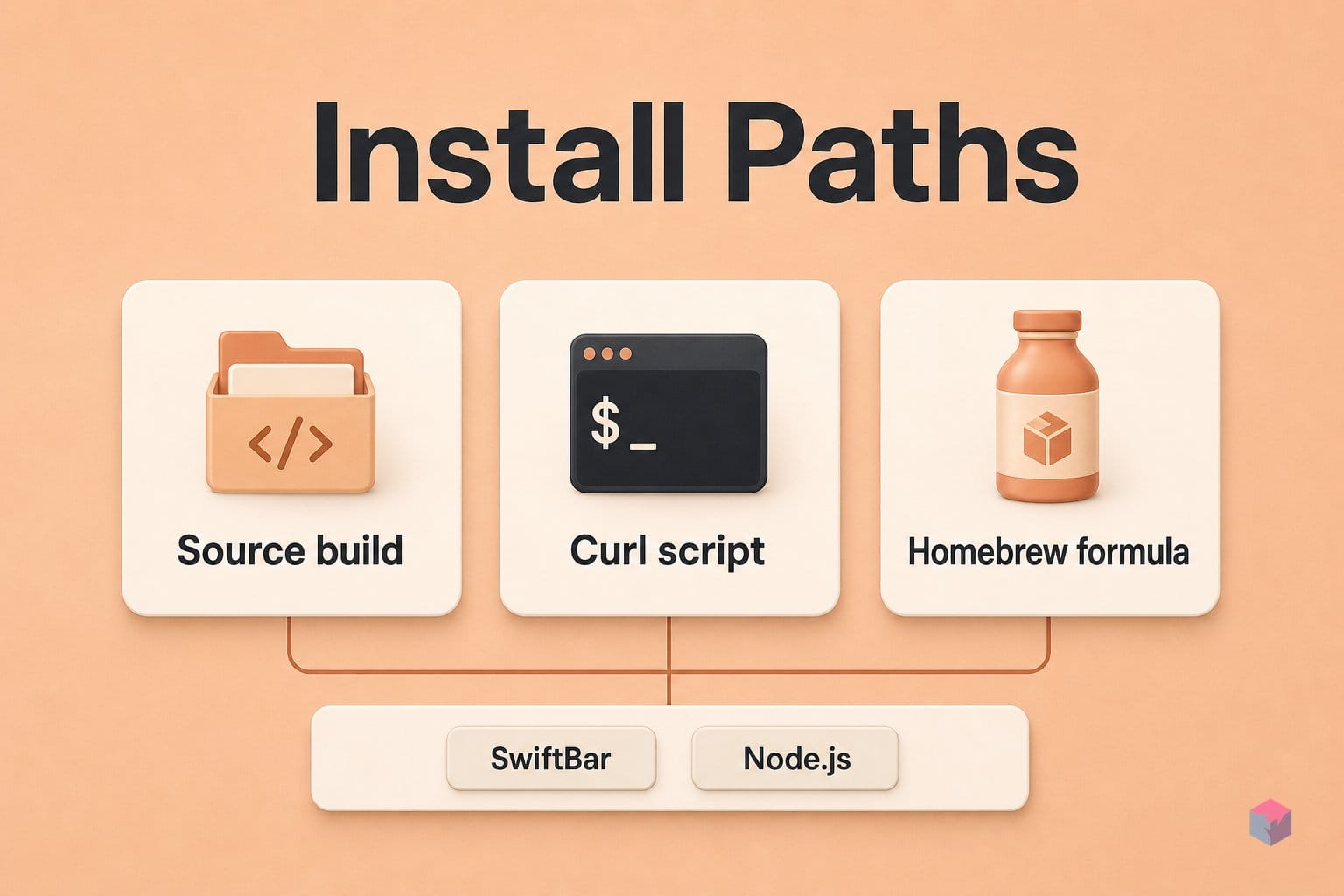
Deployment splits the three trackers cleanly: sangrokjung's app is source-only, AnkMister's ships a curl one-liner, and calvindotsg's is the sole Homebrew formula. Pick by how much you trust running an install script versus building locally, and by whether you already have the SwiftBar or Node.js prerequisites in place.
sangrokjung/cc-menubar has no one-liner yet — you clone and build the native Swift binary yourself. There is no Homebrew cask at research time, so the source path is the only path:
git clone https://github.com/sangrokjung/cc-menubar
cd cc-menubar
bash build.sh
bash install.sh
build.sh compiles the single native binary; install.sh drops it into place. See the repo for build requirements.
AnkMister/ccusage-menubar is a SwiftBar plugin, so its installer just places a shell script and sets its interval. The fastest route pipes the install script to bash:
curl -fsSL https://raw.githubusercontent.com/AnkMister/ccusage-menubar/main/install.sh | bashIf you prefer to inspect first, install SwiftBar and Node.js, copy ccusage.30m.sh into ~/Documents/SwiftBarPlugins, and mark it executable with chmod +x. Details are in the project README.
calvindotsg/cc-menubar — the separately-authored Python quota forecaster, v2.0.1 dated April 22 2026 — is the cleanest one-liner of the three:
brew install calvindotsg/tap/cc-menubar
# or
uv tool install cc-menubar
Refresh cadence differs by design. AnkMister's plugin polls every 30 minutes because SwiftBar reads the interval straight from the filename ccusage.30m.sh — rename it to ccusage.5m.sh for tighter updates. sangrokjung's app instead shows a live pulse during active sessions and rotates its summary across today, this week, this month, and all-time, so you get near-real-time feedback without a fixed poll.
When the cc-menubar tally diverges from the Console — and how far
A menu-bar tracker is an estimate, not an invoice. cc-menubar and every ccusage-based peer compute cost locally from JSONL logs, and Anthropic is explicit that these figures can drift from what you are actually billed. Its built-in /usage command shows a session block with a locally computed dollar amount, but the docs warn that number "may differ from the actual bill," excludes other devices and claude.ai, and points to the Console Usage page as the authoritative source . Treat the menu bar as an ambient warning light; reconcile against Console billing.
Three failure modes explain most of the gap:
- Cache-tier misclassification. Cache-write pricing is asymmetric — 5-minute writes cost 1.25× base input, 1-hour writes cost 2×, and cache reads drop to 0.1× . Any wrapper that folds these tiers together will systematically under- or overcount. This is why ClaudeUsageTracker bothers to group tool calls within a turn as one billable event; naive counting can inflate totals 2–3×.
- Multi-device blindness. Local JSONL watchers only see the machine where Claude Code wrote the logs. Switch laptops mid-day and the menu-bar total reflects one host, not your real spend.
- Model-pricing drift. ccusage prices from cached LiteLLM snapshots. With Sonnet 5 on a promotional $2/$10 through August 31 2026 and rising to $3/$15 on September 1 , a stale
--offlinecache will misprice the same tokens.
For a sanity baseline, Anthropic pegs enterprise Claude Code spend at roughly $13 per developer per active day and $150–$250 per month, with 90% of active-day users under $30 . If your menu bar reads $80 on a normal day, distrust it before you distrust the invoice. As Anthropic's cost documentation puts it, the local estimate "may differ from actual billing" — the Console remains the ledger of record (source: Claude Code costs docs).
CCSeva, CodexBar, and alternatives for richer dashboards
When a menu-bar tally is too thin for your workflow, four heavier trackers wrap the same local-log approach with more analysis. Pick by what you actually need to see: percentage-to-limit, multi-provider balances, billing accuracy, or terminal-native predictions.
- CCSeva (Iamshankhadeep) — a real-time tracker with a color-coded percentage indicator, plan auto-detection across Pro/Max5/Max20/Custom, 7-day charts, per-model breakdowns, and overage alerts at 70% and 90% of your limit . Best if you want a warning light tied to plan headroom, not raw dollars.
- CodexBar (steipete) — a macOS 14+ multi-provider app covering Codex, Claude, Cursor, Gemini, Copilot, and Grok in one menu, tracking credit balances and Admin API spend dashboards . The choice if your stack spans several assistants.
- ClaudeUsageTracker (masorange, v1.15.0, March 17 2026) — a Homebrew-cask native app that groups tool calls within a turn (under 10 seconds apart) as one billable event, avoiding the 2–3× inflation naive per-call counting produces . Note its non-commercial Personal Use License.
- Claude-Monitor (PyPI, v4.0.0) — terminal-first via
uv tool install claude-monitor, with real-time predictions, official statusline rate-limit capture, JSON/CSV export, and local warehouse retention.
The takeaway: these are ambient gauges, not accounting. Choose the lightest one that fits, and reconcile the real number in the Console.
Frequently asked questions
Does cc-menubar send my usage data anywhere?
No — core figures never leave your machine. cc-menubar reads the JSONL session logs in ~/.claude/projects/ and shells out to ccusage --offline, which prices tokens from a cached LiteLLM snapshot with no network call . Its one networked feature, the teamclaude account-rotation monitor, queries a local endpoint at http://localhost:3456 — loopback only, not a remote server. There is no Anthropic API call and no Keychain read.
Why does my menu-bar figure differ from the Anthropic Console?
Because the two numbers are computed differently. Local trackers estimate spend from JSONL logs using cached LiteLLM pricing, while the Console reflects actual API metering — Anthropic explicitly labels the local /usage figure as an estimate that may differ from your bill . The main divergence sources are cache-write tier differences (5-minute writes at 1.25× base input versus 1-hour writes at 2×) and sessions from other devices or claude.ai that never appear in your local log. Treat the menu-bar tally as an ambient gauge and reconcile in the Console.
What is SwiftBar and do I need it for cc-menubar?
SwiftBar is a macOS utility that turns a shell script's stdout into a menu-bar item, using filename intervals like ccusage.30m.sh to set the refresh cadence . Whether you need it depends on which tracker you pick: AnkMister/ccusage-menubar and calvindotsg/cc-menubar are SwiftBar plugins that require it, but sangrokjung/cc-menubar is a standalone native Swift app and does not .
Is ccusage the same project as cc-menubar?
No. ccusage (by ryoppippi) is the TypeScript/bun CLI that parses local JSONL logs and computes token costs; it is the shared engine underneath the menu-bar tools. cc-menubar and its peers are UI wrappers that shell out to ccusage to retrieve the figures and render them in the menu bar . In short, ccusage does the math; cc-menubar draws the widget.
Is there a Homebrew cask for sangrokjung/cc-menubar?
Not at launch. sangrokjung/cc-menubar installs from source: git clone, then bash build.sh and bash install.sh, with no Homebrew cask yet . If you want brew install, the similarly named calvindotsg/cc-menubar supports it — but it is a distinct Python codebase focused on quota forecasting, not the Swift app from the walkthrough .
Enjoyed this article? Subscribe to get new stories by email whenever they're published.