

A plain claude call assumes a human is watching the terminal. In a CI job, that assumption is exactly what hangs your pipeline.
How -p bypasses TTY and unblocks your CI
The -p flag (alias --print) switches Claude Code from its interactive REPL into a single batch invocation: read stdin, write the result to stdout, then exit. Without it, running in a non-TTY environment — a GitHub Actions runner, a Docker layer, a cron job — throws Error: stdin is not a TTY and the process waits for input that never arrives, so the job hangs instead of failing cleanly . With -p, the command composes like any Unix tool, e.g. cat build-error.txt | claude -p 'explain the root cause' > output.txt .
Quick Answer: claude -p turns Claude Code into a one-shot, stdin-to-stdout command that exits when done. Without it, a non-TTY environment throws Error: stdin is not a TTY and hangs the job indefinitely — so -p is the single flag that makes CI runs terminate.
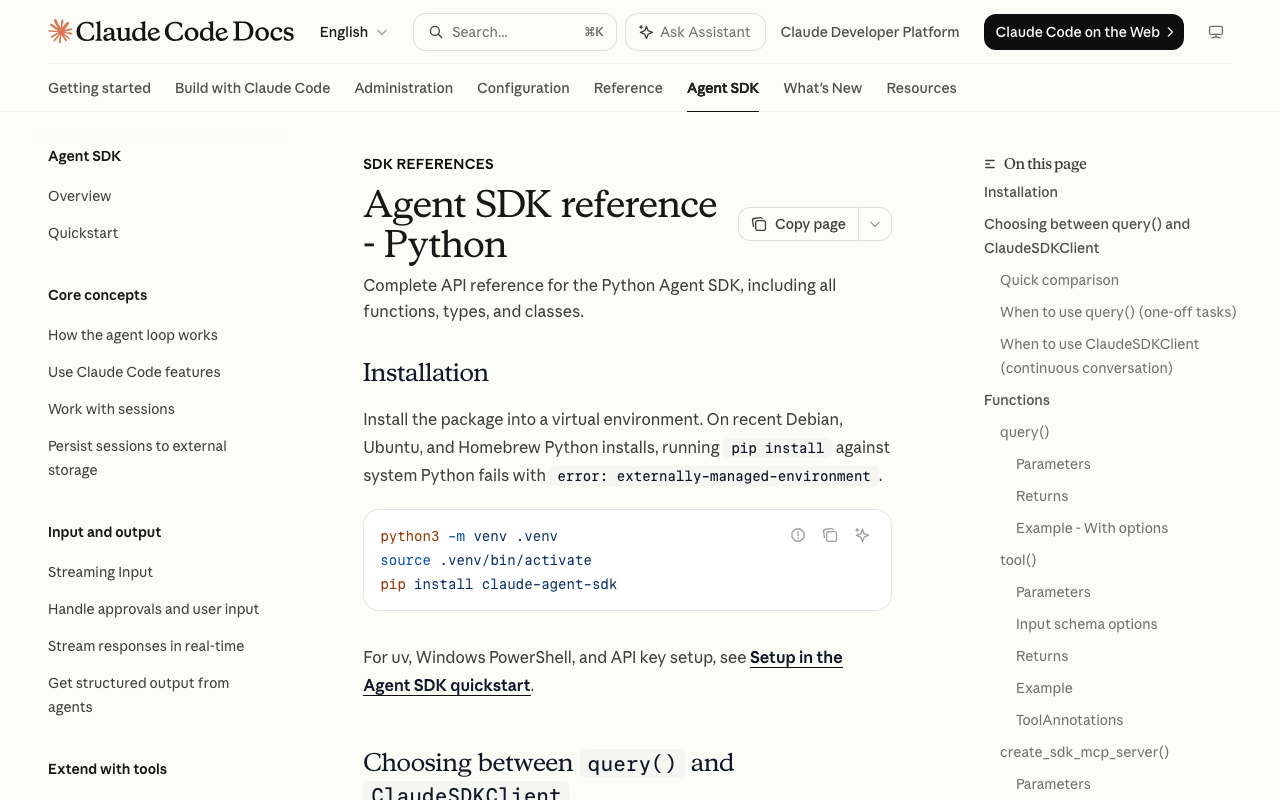
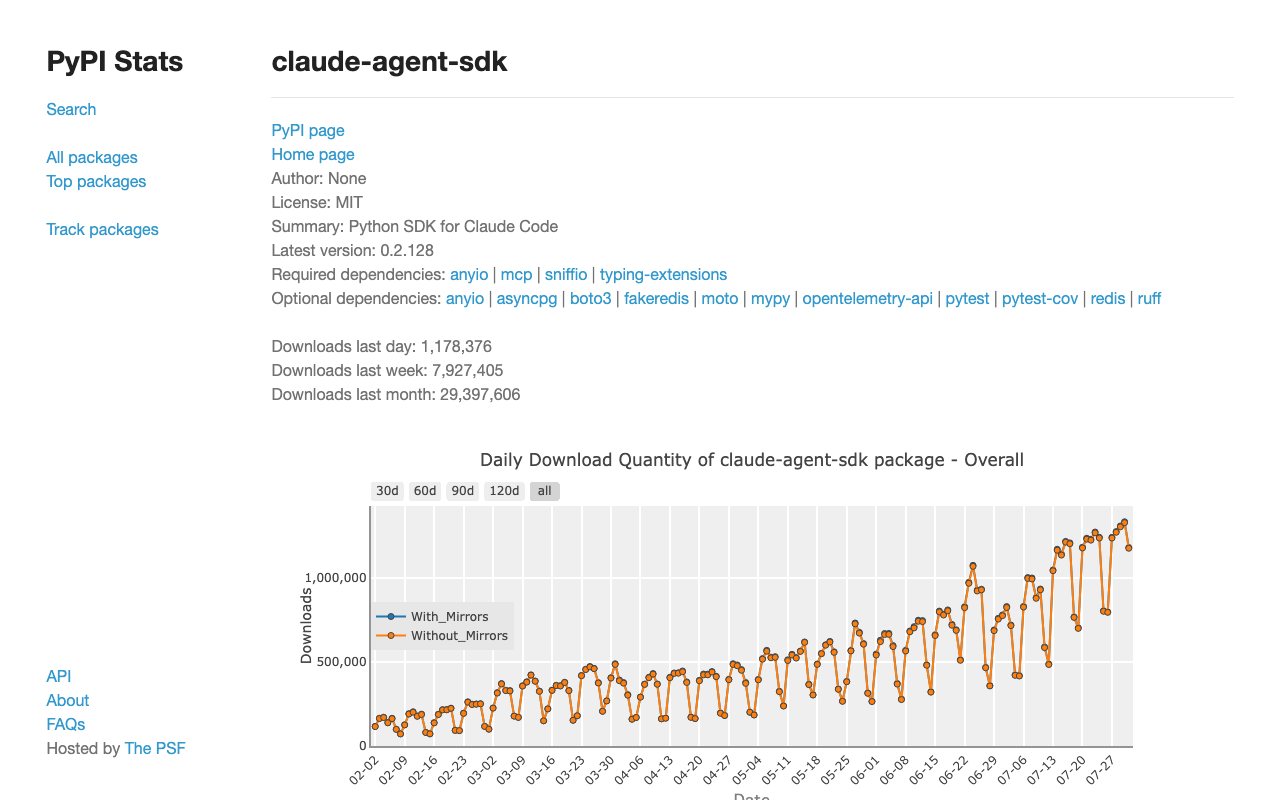
Some context on naming, because it changed recently. On September 29, 2025 the Claude Code SDK was renamed the Claude Agent SDK, exposing the same agent loop and tool set that power the terminal . The deprecated packages @anthropic-ai/claude-code and claude-code-sdk gave way to @anthropic-ai/claude-agent-sdk (npm v0.3.220, ~7.6M weekly downloads ) and claude-agent-sdk (Python v0.2.128 ). Migration is a package swap plus one type rename — ClaudeCodeOptions becomes ClaudeAgentOptions; the old packages still install but no longer get active development . The -p entry point, though, is unchanged by the rename.
Provisioning a scripted runner: what to supply before -p
Before a job can call claude -p, supply a matching runtime and a non-interactive credential. The CLI path needs Node.js 18+ and is installed with npm install -g @anthropic-ai/claude-code ; the Python SDK path needs Python 3.10+ . If you drive the loop through the TypeScript or Python library directly, a separate CLI install is not required — both SDK packages now bundle the native Claude Code binary .
Set ANTHROPIC_API_KEY in the environment, then add --bare. Anthropic calls --bare the recommended mode for scripted and SDK calls, and it will become the default for -p in a future release . It skips OAuth and keychain reads — hence the explicit API key — plus auto-discovery of hooks, MCP servers, plugins, and CLAUDE.md, so a call behaves identically on every machine. Omitting it is a reproducibility hazard: a runner that quietly loads a stray CLAUDE.md is not the runner you tested.
Two guardrails on install: do not sudo npm install -g , and pin a specific version — e.g. @anthropic-ai/claude-agent-sdk@0.3.220 — so a patch release cannot silently change agent behavior mid-sprint.
Pipe the query, cap the turns, parse -p stdout
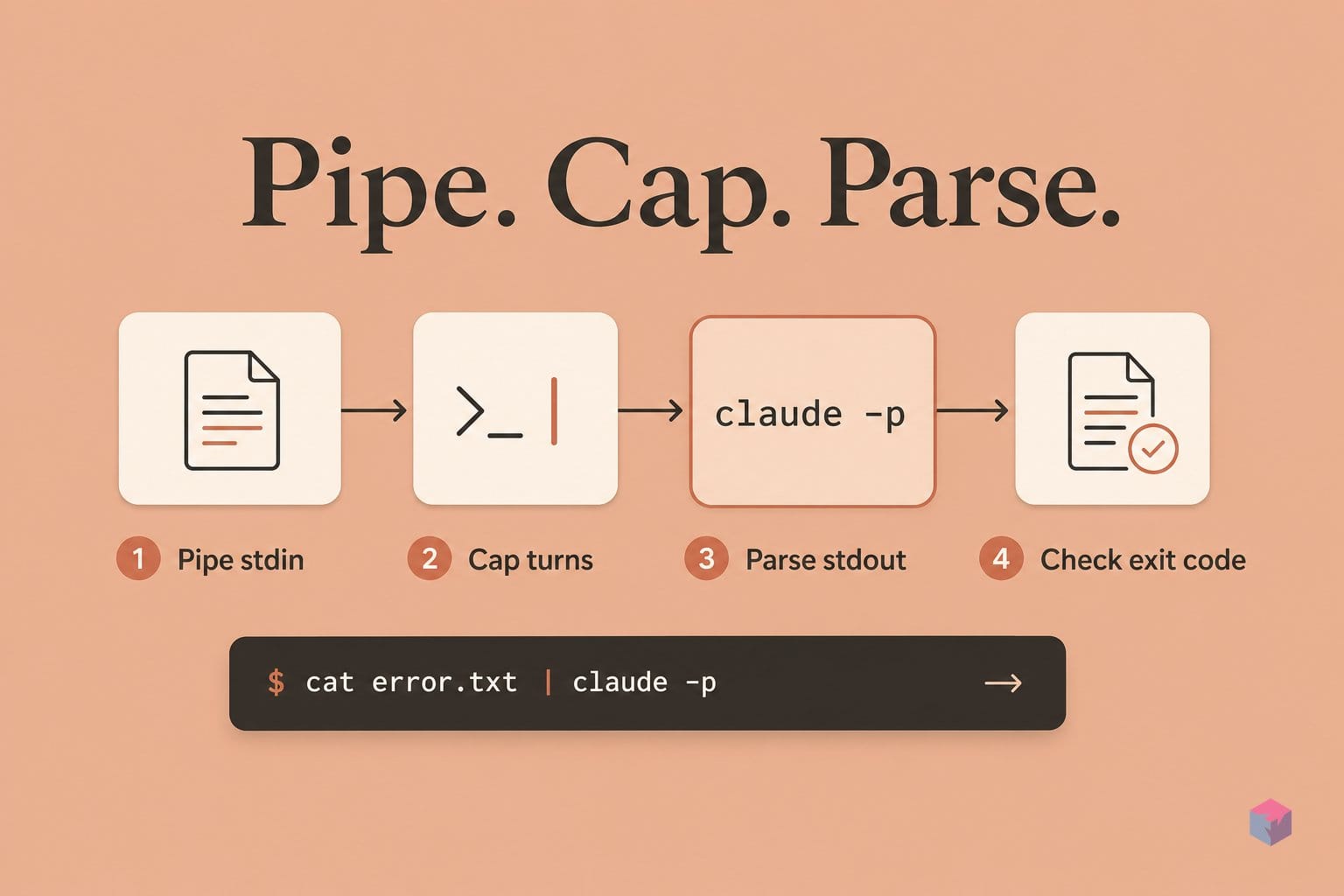
With the runner provisioned, the working loop is a single Unix-composable call: pipe context in, read the answer from stdout, check the exit code. Because claude -p reads stdin and writes stdout, it chains like any other tool — for example cat build-error.txt | claude -p 'explain the root cause' --bare > output.txt . Stdout is the response, and the exit code signals success or failure so a CI step can branch on it. The illustrative Python wrapper below shows the same call from a subprocess; it was not executed here, so treat it as a shape to adapt rather than a validated run:
import shutil
import subprocess

prompt = "Say ok, then exit."
claude = shutil.which("claude")

print("plain `claude` can wait for interactive input in CI")
print("$ claude -p " + repr(prompt))

if not claude:
    raise SystemExit("claude CLI not found")

result = subprocess.run(
    [claude, "-p", prompt],
    text=True,
    capture_output=True,
    timeout=30,
    check=True,
)
print(result.stdout.strip())
Plain text is the default output. Add --output-format json to get a structured object carrying session_id, usage, and a total_cost_usd breakdown; --output-format stream-json emits newline-delimited events for token streaming, combined with --verbose --include-partial-messages . When a downstream step needs a typed payload, prefer --json-schema, which forces output conforming to a JSON Schema and returns it in a structured_output field — more reliable than regexing free-form text. Cap iterations with --max-turns N to bound cost, and scope the tool surface with --allowedTools:
| allowedTools value | What Claude can do |
|---|---|
Read,Grep,Glob | Read-only analysis, no writes or shell |
Bash,Read,Edit | Run tests and edit files to fix them |
Bash(git diff *) | Glob syntax narrows Bash to diff only |
Reserve --dangerously-skip-permissions for controlled environments only; it removes every confirmation prompt . The same wiring runs on GitHub Actions via uses: anthropics/claude-code-action@v1 (MIT-licensed, ~8,500 stars ): set prompt for the task and forward --model, --max-turns, --allowedTools, or --json-schema through the single claude_args passthrough. That one input replaced the beta-era direct_prompt, mode, and every per-flag input at the v1 GA .
SIGTERM, overspend, and stdin limits: what to anticipate
Once claude -p runs unattended, the failure modes shift from "it hangs" to "it silently does the wrong thing." Piped stdin is capped at 10 MB as of Claude Code v2.1.128 , so streaming a large diff or a full file tree inline can truncate without warning — pass big inputs by file path and let Claude read them as a tool call instead of cramming them through the pipe.
Exit-code handling matters just as much. A SIGTERM aborts the current turn, terminates Bash process trees, runs SessionEnd hooks, and exits with code 143 . CI systems that send SIGTERM on timeout land squarely on this path, so treat 143 as a timeout signal, not a crash. Background Bash tasks are terminated roughly 5 seconds after the final result, and background subagents wait on a 10-minute ceiling from v2.1.182 — tunable via CLAUDE_CODE_PRINT_BG_WAIT_CEILING_MS . Long parallel sub-tasks can vanish silently if you never raise that ceiling.
Configuration errors hide too. The system/init stream event exposes plugin_errors and mcp_server_errors (added v2.1.219) ; gate your CI to fail on non-empty arrays, or a misconfigured MCP server degrades the agent without ever breaking the job.
"Every invocation consumes API tokens plus runner minutes," Anthropic notes in its GitHub Actions guidance, recommending you bound --max-turns, set timeouts, and use concurrency controls (source: Claude Code docs).Finally, version churn is fast: @anthropic-ai/claude-agent-sdk moved from 0.3.200 to 0.3.220 within days . Pin your action and package versions, and test upgrades in a canary job before rolling to production.
Extending -p: cron, --json-schema, and scripted continuations
Once a single claude -p call works, three patterns extend it into real pipelines. For multi-turn flows across separate process boundaries, capture the session with --output-format json | jq -r '.session_id', then feed that ID to --resume <session_id> in a later invocation — state survives even when each turn is its own process . When downstream code must parse the reply deterministically, pass --json-schema; Claude returns schema-conforming output in a structured_output field instead of free text .
For unattended jobs, a scheduled GitHub Action combines a cron trigger, an explicit prompt, and claude_args: "--model opus" to run daily reports; Bedrock users set use_bedrock: true and substitute region-prefixed model IDs such as us.anthropic.claude-sonnet-4-6 . In-process, reach for Python's ClaudeSDKClient only when you need explicit session control or interrupts; for fire-and-forget scripted calls, query() is the right primitive . The takeaway: treat claude -p as a composable Unix tool, bound its cost and tools, pin versions, and it slots into any runner without a human at the keyboard.
Frequently asked questions
What exactly does -p do that prevents a CI hang?
Without -p, the claude command checks whether stdin is a TTY and waits for interactive input. In a non-TTY shell — a Docker container, a GitHub Actions runner, or a cron job — that check fails and the process throws Error: stdin is not a TTY and blocks . The -p (or --print) flag bypasses the REPL entirely: it reads stdin as a single prompt, writes the result to stdout, and exits — no terminal required . That is what turns a hanging invocation into a clean batch call.
Do I need both the CLI and the Agent SDK installed, or just one?
It depends on the path. Both SDK packages — @anthropic-ai/claude-agent-sdk (TypeScript) and claude-agent-sdk (Python) — now bundle a native Claude Code binary, so no separate CLI install is required for in-process SDK use . For shell scripts that shell out to the subprocess, install the CLI globally with npm install -g @anthropic-ai/claude-code, which requires Node.js 18+ . You rarely need both.
How do I prevent -p from running forever and blowing my API budget?
Use --max-turns N to cap agent iterations, which bounds both runtime and token spend . Add --output-format json so every response carries a total_cost_usd field for post-run budget checks . For GitHub Actions, also set a job-level timeout-minutes as a hard outer bound and use concurrency controls, as Anthropic recommends for unattended runs .
What broke when claude-code-action moved from @beta to @v1?
The v1 GA of anthropics/claude-code-action introduced three breaking changes . First, the mode input was removed in favor of automatic mode detection. Second, direct_prompt was renamed to prompt. Third, the per-flag inputs — max_turns, model, custom_instructions, allowed_tools, mcp_config, and override_prompt — collapsed into a single claude_args string forwarded directly to the CLI . Update pinned references from @beta to @v1 when migrating.
Should I always pass --bare in scripted -p calls?
Yes, for reproducibility. The --bare flag skips auto-discovery of hooks, skills, plugins, MCP servers, auto memory, and CLAUDE.md, so a scripted call behaves identically on every machine . It also skips OAuth and keychain reads, forcing authentication through ANTHROPIC_API_KEY or an apiKeyHelper — which is what you want in CI . Anthropic calls it the recommended mode for scripted and SDK calls and has stated it will become the default for -p in a future release .
Enjoyed this article? Subscribe to get new stories by email whenever they're published.