

Every developer who runs Claude Code hits the same wall: the agent pauses for approval on every file edit, shell command, and network call. The reflex fix — --dangerously-skip-permissions — trades that friction for something you probably don't want to give up.
What bypassPermissions Actually Concedes
--dangerously-skip-permissions (alias --permission-mode bypassPermissions) disables every approval gate at once — file edits, arbitrary Bash, and network requests all run unprompted. The official docs are blunt about the cost: it "offers no protection against prompt injection or unintended actions," and Anthropic documents it only for isolated containers, VMs, or dev containers — not ordinary host machines running a live dev session.
The friction is real. As one engineer puts it in Anthropic's own seed video, having to "manually approve every single batch command" is "super annoying as an engineer" (source). But bypass is the wrong tool for that annoyance: it removes the gate you're tired of and every other gate along with it.
One thing does survive. Your deny rules stay enforced even under bypassPermissions — documented as deliberate behavior, so an org-level block like Bash(git push *) holds regardless (permissions docs). Everything else, though, is now open. The rest of this guide covers the narrower levers that cut prompting without that concession.
The Four Modes and When to Reach for Each
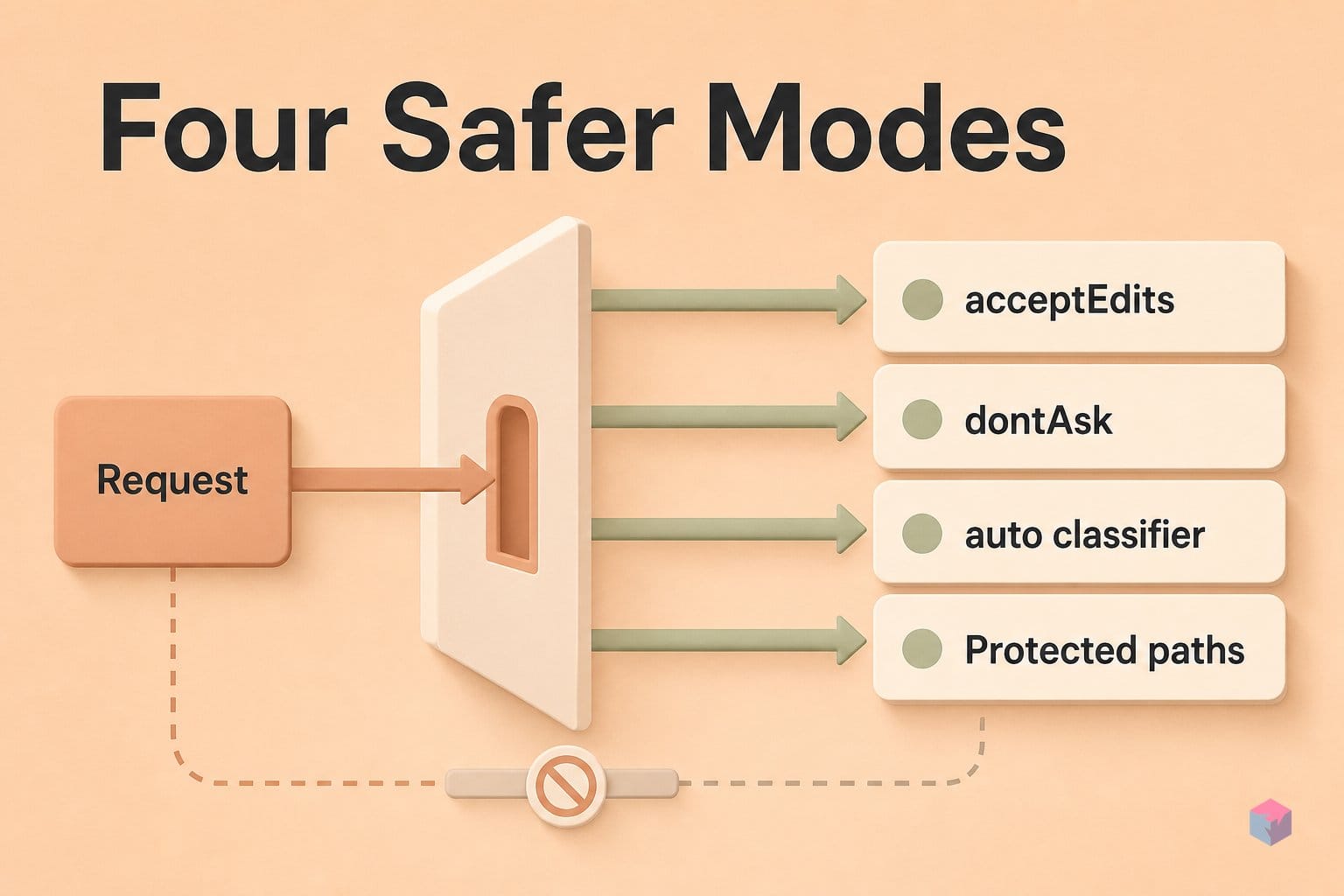
Four narrower levers replace the blunt bypass, and each cuts prompting for a specific kind of work. acceptEdits auto-approves file edits plus a fixed filesystem Bash set (mkdir, touch, rm, mv, cp, sed) for in-scope paths, while other Bash and protected paths like .git and .claude still prompt — best for edit-heavy local sessions. dontAsk runs only permissions.allow matches and built-in read-only Bash; everything else is silently denied with no wait for input , which makes it the fail-closed choice for CI and headless batches.
auto mode is the newer middle path, reaching general availability on July 10, 2026 . A separate classifier runs before each action and blocks escalations beyond your request — curl | bash, force pushes, terraform destroy, mass deletes, and secret exfiltration — while rm -rf / and rm -rf ~ prompt rather than routing to the classifier at all . After 3 consecutive or 20 total classifier blocks in a session, it falls back to prompting .
Underneath all of them sit allow rules, the lowest-risk baseline lever. Edit them via /permissions or settings.json using Tool(specifier) syntax — for example Bash(npm run lint), Write(src/**), or WebFetch(domain:docs.anthropic.com) . In the terminal UI, Shift+Tab cycles all six modes on the fly .
| Mode | Auto-approves | Still prompts | Primary use case |
|---|---|---|---|
acceptEdits | File edits + fixed filesystem Bash (mkdir, touch, rm, mv, cp, sed) | Other Bash; protected paths (.git, .claude) | Edit-heavy local sessions |
dontAsk | allow-rule matches + built-in read-only Bash | Nothing — unmatched is silently denied, no wait | CI and headless batches |
auto | Classifier-cleared actions | Explicit ask rules; root/home removals; after block threshold | Classifier-mediated autonomy |
| allow rules | Only your Tool(specifier) matches | Everything unmatched | Deterministic known-safe commands |
Picking the Right Lever for Your Scenario: allow, acceptEdits, dontAsk, auto
Match the mode to the job rather than defaulting to the broadest one. Four scenarios cover most real work: an edit marathon on your own machine, a headless CI batch, broad execution with a safety net, and network-sensitive contexts. Each maps to a specific lever that cuts prompting without conceding total trust.
Edit marathon (local). Enable acceptEdits so file edits and a fixed set of filesystem Bash commands (mkdir, touch, rm, mv, cp, sed) auto-approve for in-scope paths, while other Bash and protected paths like .git still prompt . Pair it with a narrow Bash allowlist for your test runner and formatter:
"permissions": {
  "allow": [
    "Bash(npm run test)",
    "Bash(npx prettier --write *)"
  ]
}
Headless CI batch. Run claude --permission-mode dontAsk with an explicit --allowedTools surface. In this mode only allow-rule matches, built-in read-only Bash, and PreToolUse-hook-approved calls execute; everything else is silently denied and never waits for input . Because a missing rule means denial, not a prompt, observe a manual session first to enumerate the real tool surface, then encode it — or build the allowlist incrementally with /permissions .
Broad execution with a safety net. Switch to auto mode, where a classifier vets each action. Personal plans need no flag since v2.1.207 dropped the earlier CLAUDE_CODE_ENABLE_AUTO_MODE=1 requirement; Team and Enterprise require owner enablement . Note that a repository cannot self-grant auto — v2.1.142+ ignores defaultMode: "auto" in project or local settings .
Network-sensitive context. Deny Bash network tools like curl and wget explicitly, then route outbound fetches through WebFetch(domain:...) allow rules. The docs flag URL patterns inside Bash allow rules as fragile, so domain rules, hooks, or sandboxing are the durable path .
One shortcut cuts noise across all four: approving a single compound command via "don't ask again" can encode up to 5 separate subcommand rules at once, since a rule must match every subcommand of the chain .
Gotchas: Where Naive Allow Rules Still Catch You Out
The most common surprise is evaluation order. Rules resolve deny → ask → allow, first category match wins, and specificity never overrides that order . A broad Bash(aws *) deny cannot be re-opened by a narrower allow, and deny rules stay in force even under bypass — so a tighter allow rule you add later silently loses. Write denies as your hard floor, not something an allowlist can negotiate around.
Spacing is load-bearing. Bash(ls *) matches ls -la but not lsof; the space is part of the pattern, not decoration . And Bash matching is best-effort pattern logic, not a kernel-level sandbox. cat .env through Bash trivially circumvents a Read(./.env) deny, and npm run * delegates arbitrary scripts — an allowlist for npm run is effectively shell-level trust in whatever the repo defines . For real containment, pair deny rules with OS-level sandboxing.
Don't over-trust auto mode either. On Anthropic's internal evaluation it showed a 17% false-negative rate on 52 real overeager actions and 5.7% on 1,000 synthetic exfiltration cases . It reduces friction but is explicitly not a formal safety boundary.
Finally, watch the persistence asymmetry: a "Yes, don't ask again" for a file modification lasts only until the session ends, while a Bash command approval is permanent per repository and command pattern . The takeaway: let deny rules and sandboxing set the boundary, and treat every allow entry as trust you're granting on purpose.
Frequently asked questions
What is the difference between dontAsk and bypassPermissions in Claude Code?
They fail in opposite directions. dontAsk fails closed: it runs only permissions.allow matches, built-in read-only Bash, and PreToolUse-hook-approved calls, and silently denies everything else without prompting . bypassPermissions fails open: it runs everything and, per the docs, "offers no protection against prompt injection or unintended actions" . That is why dontAsk is the recommended mode for CI and restricted environments, while bypass is documented only for isolated containers, VMs, or dev containers — never ordinary host use.
Can I use auto mode on a personal Claude Code plan in 2026?
Yes. Anthropic announced auto mode on March 24, 2026 and marked it generally available on July 10, 2026 . Version 2.1.207 removed the earlier CLAUDE_CODE_ENABLE_AUTO_MODE=1 requirement for several providers and personal plans, so older pages mentioning --enable-auto-mode are superseded . Team and Enterprise plans still require owner enablement, and repositories cannot grant themselves auto — v2.1.142+ ignores defaultMode: "auto" in project or local settings.
Do deny rules survive bypassPermissions?
Yes. Deny rules remain enforced even under bypassPermissions, and this is documented behavior rather than an accident . Rules are evaluated in strict category order — deny, then ask, then allow — with the first category match winning and specificity never overriding that order . A broad deny such as Bash(git push *) therefore cannot be re-opened by a narrower allow. It is the one boundary that persists, which is why non-negotiable limits belong in deny rules or managed settings.
How do I write an allow rule for a compound Bash command?
Approve the compound command once with "Yes, and don't ask again," which persists the necessary subcommand rules — a single approval can save up to five separate subcommand entries . A rule must match every subcommand of the compound command; the separators Claude recognizes include &&, ||, ;, |, |&, &, and newlines. Note that one wildcard can span multiple arguments, so Bash(safe-cmd *) deliberately will not match safe-cmd && malicious-cmd — matching is best-effort, not a sandbox.
Where should project-wide permission settings live for a CI runner?
Check .claude/settings.json into version control so every runner shares the same behavior; teams commonly do this for consistent CI results . Keep personal overrides in .claude/settings.local.json, which stays private and uncommitted. Rules merge across managed, user, project, and local scopes, but a more authoritative scope's deny cannot be loosened below — so org-wide managed-scope boundaries hold regardless of what a project or local file requests .
Enjoyed this article? Subscribe to get new stories by email whenever they're published.