

If you run Claude Code on your own machine, the repository never leaves it — but a readable record of every session does get written to disk. Here is where that record lives, how long it stays, and what actually crosses the network.
Where Does Claude Code Store Your Session Transcripts?
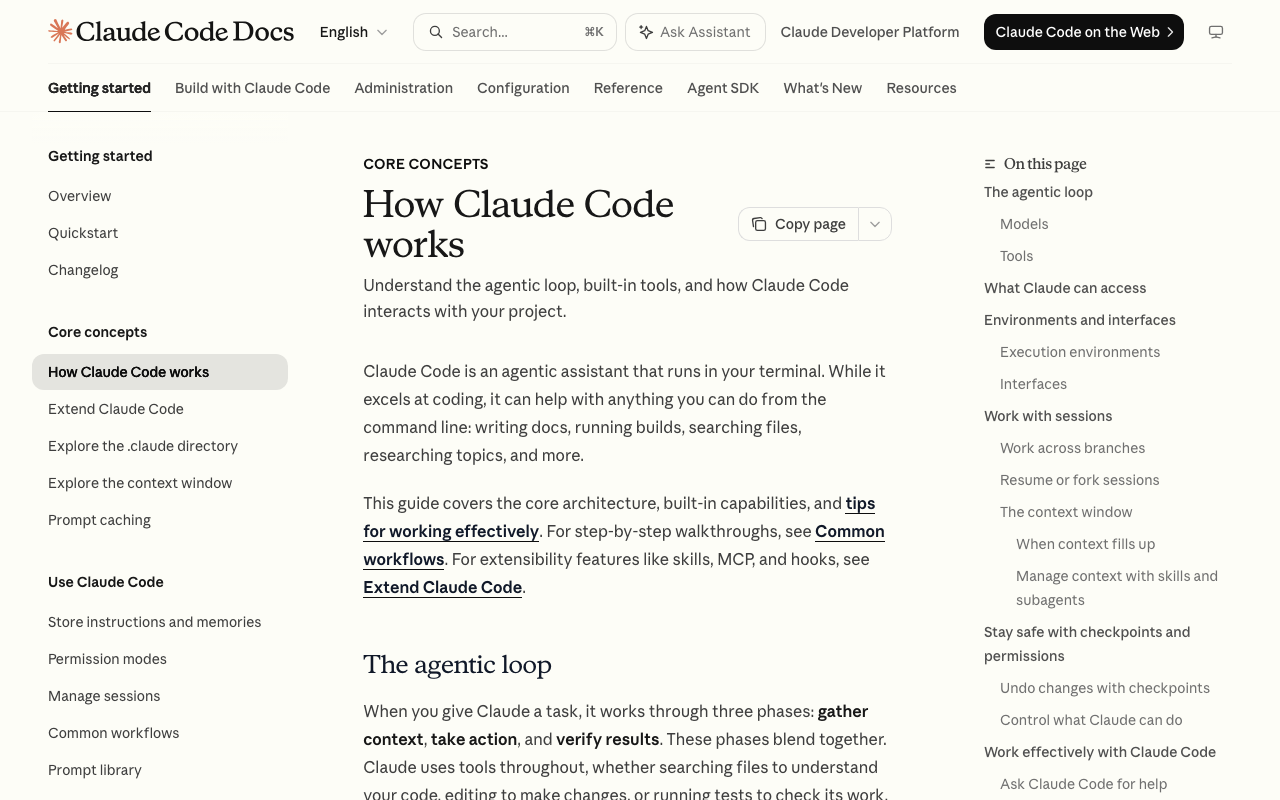
Claude Code writes session transcripts as plaintext files under ~/.claude/projects/, and Anthropic's data-usage documentation states they persist for 30 days by default unless you configure otherwise . That is a local file, not an encrypted store: anything the agent read, wrote, or reasoned about during a session is sitting on the same disk, readable by any process running as your user.
The network picture is separate from the disk picture. Claude Code runs the agent loop and every tool call locally in the directory you launch it from, reaching project files, the terminal, git state, CLAUDE.md, and configured MCP servers . Your repository is never cloned into a vendor VM. But prompts, model outputs, and the selected file context still travel to the API — Anthropic's framing is that only task-relevant portions are sent . So the exposure is two-sided: a partial context window over the wire, and a full-fidelity transcript on your laptop.
Credentials are handled differently from transcripts. API tokens live in the macOS Keychain or in file-permission-protected local stores, not inside the session logs themselves . That distinction matters when you decide what to prune: clearing ~/.claude/projects/ removes the readable history of your work, not your login.
Prerequisites: What Your Machine Needs Before You Touch Sandbox Settings
Before editing permission or sandbox config, confirm three things: a supported OS, a current CLI, and a working mental model of how permission rules are evaluated. Claude Code's documented runtime requirements are macOS 10.15+, Ubuntu 20.04+/Debian 10+, or Windows 10+ via WSL or Git for Windows, plus Node.js 18+, 4GB+ RAM, and an internet connection for authentication and model processing . Those are ordinary local-runtime requirements — nothing about them is sandbox-specific, which is exactly why the sandbox layer sits on top rather than replacing them (Anthropic docs).
Check your version next. The npm package @anthropic-ai/claude-code is public and showed version 2.1.220, 0 dependencies, 472 published versions and roughly 7.9M weekly downloads at crawl time . Sandbox flags and permission keys change across releases, so pin down what you're running before you copy a config snippet from anywhere (npm registry).
Finally, understand the permission model itself. Rules are declared per tool in settings.json across allow, ask and deny lists, and they are evaluated deny-first — a matching deny wins regardless of what an allow rule says. Grants are scoped rather than binary: Bash(npm run:*) permits that command family without handing over a general shell . A fixed allowlist of read-only commands such as ls, cat and git status runs unprompted, while state-mutating operations require explicit approval, and a working-directory boundary limits writes to the launch folder and its subtree (Claude Code security docs).
Steps: Find, Read, and Restrict Your Session Logs
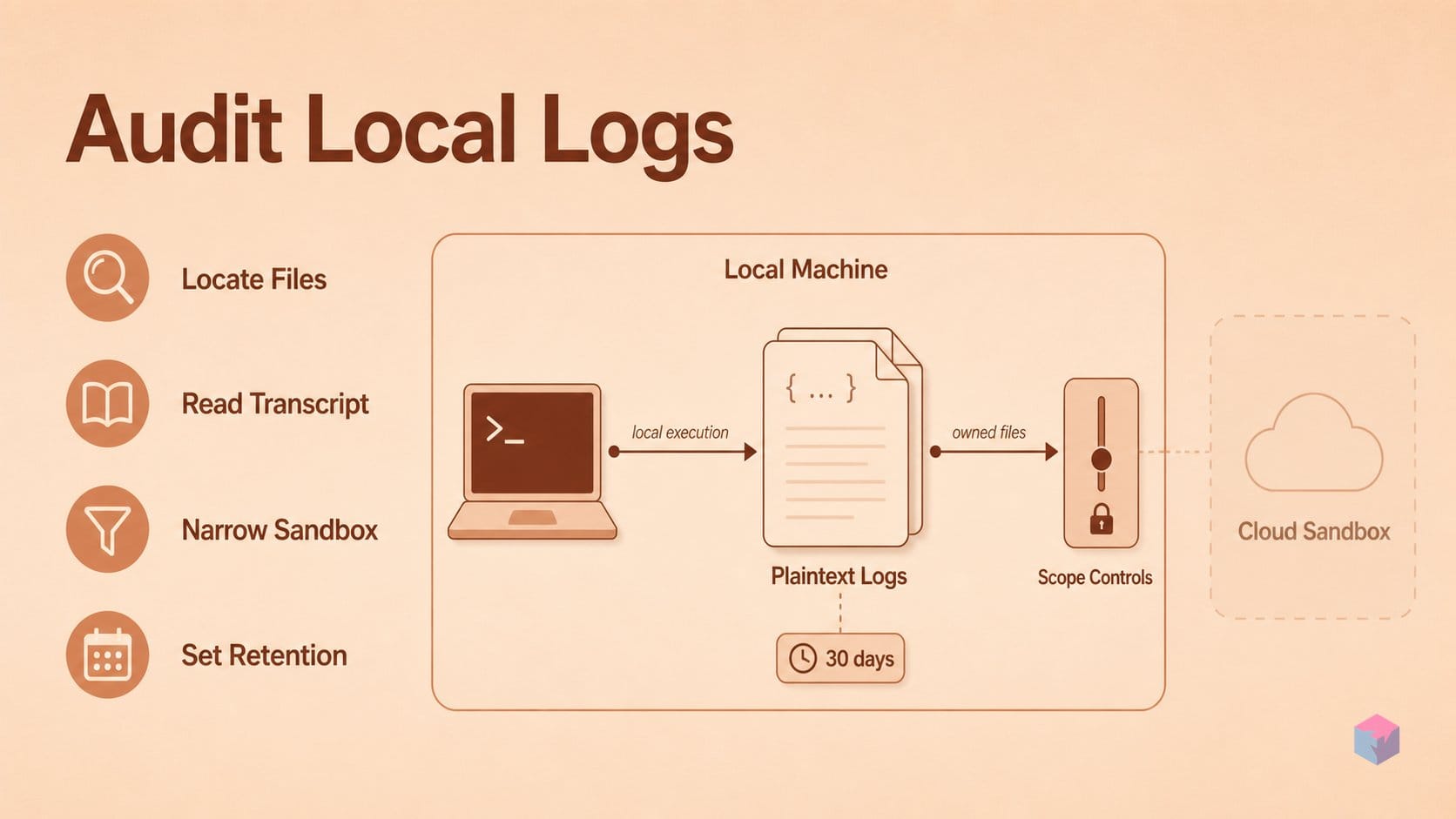
Auditing your transcripts is a four-step loop: locate the files, read one to see what actually got recorded, narrow the sandbox scope so future sessions capture less, then decide how long anything survives on disk. Anthropic stores local session transcripts in plaintext under ~/.claude/projects/ for 30 days by default unless configured otherwise , so every step below operates on files you already own.
Step 1 — list the transcript directory. Claude Code writes one subdirectory per project, keyed to the launch path. List it and match the encoded folder name to the working directory you started Claude Code in:
ls -la ~/.claude/projects/Step 2 — read one transcript end to end. Open the newest file in the subdirectory for your current project and check what it holds: your prompts, model outputs, tool calls, and the file paths touched during the session. You are looking for things that should never sit in cleartext — values pulled out of a .env file, internal-only hostnames, database connection strings. Claude Code reads those locally and sends only task-relevant portions to the model API , but "sent to the API" and "written to the transcript" are separate questions, and the transcript is the one on your disk.
Step 3 — set filesystem and network scope in settings.json. The sandboxed Bash tool scopes reads and writes with allowRead, denyRead and allowWrite, and restricts egress to an allowedDomains list routed through a proxy the sandbox cannot reconfigure . Put your secrets directory in denyRead and it never enters a tool call, so it never enters a transcript. Every child process inherits the sandbox, so an npm install that triggers a postinstall curl stays contained .
Step 4 — decide on deletion or a shorter window. Thirty days is a default, not a floor. Delete project subdirectories manually after sensitive work, or shorten retention in settings. Anthropic's own framing draws the line cleanly: permission rules describe what the agent should do; sandboxing enforces what it can do (Claude Code sandboxing docs). Retention is the third axis — what remains after both.
Gotchas: Local Plaintext Logs vs Manus and Genspark's Cloud Retention
Retention is where local and cloud agents diverge most sharply, and neither default is strictly safer. Claude Code leaves readable transcripts on your own disk for 30 days ; Manus recycles a free-tier task sandbox after 7 days of inactivity and a Pro sandbox after 21, at which point artifacts and important project files may be restored but intermediate code and temp files are not . One keeps the data where you can delete it; the other deletes it on a schedule you do not control.
Both Manus and Genspark run on E2B's Firecracker microVMs — one VM per task or session, with roughly 150ms sandbox startup versus the 10–20 seconds E2B measured for the Docker approach it tested . That granularity matters: isolation is per-task, not per-machine. A destroyed sandbox takes its scratch state with it, but Manus grants root inside the VM, so the agent is less constrained within its boundary than Claude Code is under Seatbelt or bubblewrap .
The gotcha for local users: the plaintext transcript is a permission-model gap, not something the OS-level sandbox closes. Sandboxing constrains what the agent can reach; it says nothing about what the client writes to ~/.claude/projects/ afterward. Genspark's consumer policy adds a third variable — prompts and outputs may be collected, stored on Microsoft Azure, and shared with third-party model providers to generate responses .
| Agent | Where session state lives | Default retention | Network egress control |
|---|---|---|---|
| Claude Code (local) | ~/.claude/projects/, plaintext on your disk | 30 days, user-deletable | allowedDomains allowlist via a proxy the sandbox cannot reconfigure |
| Manus | Per-task Firecracker microVM on Manus infrastructure | 7 days free / 21 days Pro after inactivity | Zero Trust at the VM edge; root permitted inside |
| Genspark | Per-session microVM; prompts/outputs stored on Azure | Account data deleted within 30 days of closure | Vendor-managed; enterprise tiers claim zero data retention |
No neutral third-party benchmark compares these postures under equivalent tooling, and every retention figure above is vendor-published. Treat them as commitments to audit, not measurements.
What to Try Next: Tightening the Sandbox Without Losing Local Tool Access
The practical next step is to move enforcement from permission prompts to the kernel by enabling Claude Code's sandboxed Bash tool. Anthropic's own framing is that permission rules describe what the agent should do, while sandboxing enforces what it can do . The sandbox uses macOS Seatbelt natively and bubblewrap plus an optional seccomp filter on Linux and WSL2; native Windows is not supported .
Three settings do most of the work:
- Filesystem scope — set
allowRead,denyReadandallowWriteso a session sees only the paths it needs, rather than the whole home directory. - Network egress — declare an
allowedDomainslist. Traffic is routed through a proxy the sandbox cannot reconfigure, and every child process inherits the sandbox, so annpm installthat triggers a postinstallcurlstays contained . - Fail closed — set
failIfUnavailableso unsupported platforms stop instead of quietly running unsandboxed, and keepdangerouslyDisableSandboxand broadallowUnsandboxedCommandsgrants to throwaway environments only.
That combination keeps what makes local execution useful — the real Xcode install, the VPN route, the database socket, the Docker daemon — while narrowing what a compromised or prompt-injected session can reach. Anthropic is explicit that no system is completely immune to prompt injection and recommends running untrusted-content tool calls inside VMs .
Concrete takeaway: enable the sandbox, scope allowWrite and allowedDomains to the project, set failIfUnavailable, and pair that with a retention policy for the plaintext transcripts under ~/.claude/projects/ . Containment and log hygiene are separate jobs; doing only one leaves the other open.
Frequently asked questions
Does Claude Code send my source code to Anthropic's servers?
Partially. Claude Code reads your files locally and, per Anthropic's data-usage documentation, sends only task-relevant portions of that context to the model API . The repository itself is never cloned into a vendor VM, which is the architectural difference from Claude Code on the web, where each session runs in an isolated Anthropic-managed VM into which the repo is cloned, with outbound traffic routed through a security proxy . So the artifact stays local; the selected context window does not.
How long are Claude Code session transcripts kept, and where?
Session transcripts are written in plaintext under ~/.claude/projects/ and retained for 30 days by default unless you configure a shorter window . Credentials are handled separately — they live in the macOS Keychain or in file-permission-protected local stores rather than in the transcript files . Treat the transcript directory as sensitive: it can contain pasted secrets, internal hostnames, and file contents from any session you ran in that project.
Is Manus's cloud sandbox more private than Claude Code's local execution?
It is a different tradeoff, not a strictly better one. Manus allocates each task a fully isolated cloud VM with its own networking, filesystem and browser, and applies Zero Trust at the VM edge while granting full control inside — including root access . But the entire task runs off your machine, and uploaded attachments plus created artifacts persist there: free-tier sandboxes are recycled after 7 days of inactivity, Pro after 21 . Local execution keeps the repository on-disk but leaves plaintext transcripts behind; cloud execution removes the local footprint but adds vendor-side retention.
Can I turn off local session logging in Claude Code entirely?
The cited Anthropic documentation describes a 30-day default retention that is configurable, but does not document a single switch that disables transcript writing outright . The practical workarounds are shortening the retention window in configuration or deleting the per-project directories under ~/.claude/projects/ on a schedule. Because the CLI ships frequently — the public @anthropic-ai/claude-code package showed version 2.1.220 across 472 published versions at crawl time — check the current data-usage page before treating any toggle's absence as permanent.
What's the difference between the sandboxed Bash tool and standard permission rules?
Permission rules are advisory; the sandbox is enforcement. Standard rules live in settings.json as allow / ask / deny lists evaluated deny-first, so a grant like Bash(npm run:*) can be issued without handing over a full shell . The sandboxed Bash tool moves the boundary into the kernel: macOS Seatbelt natively, bubblewrap plus an optional seccomp filter on Linux and WSL2, with no support for native Windows. Filesystem scope comes from allowRead / denyRead / allowWrite, network egress is limited to an allowedDomains list behind a proxy the sandbox cannot reconfigure, and every child process inherits the sandbox — so an npm install postinstall hook calling curl stays contained . Anthropic's own framing: permission rules describe what the agent should do, sandboxing enforces what it can do.
Enjoyed this article? Subscribe to get new stories by email whenever they're published.