
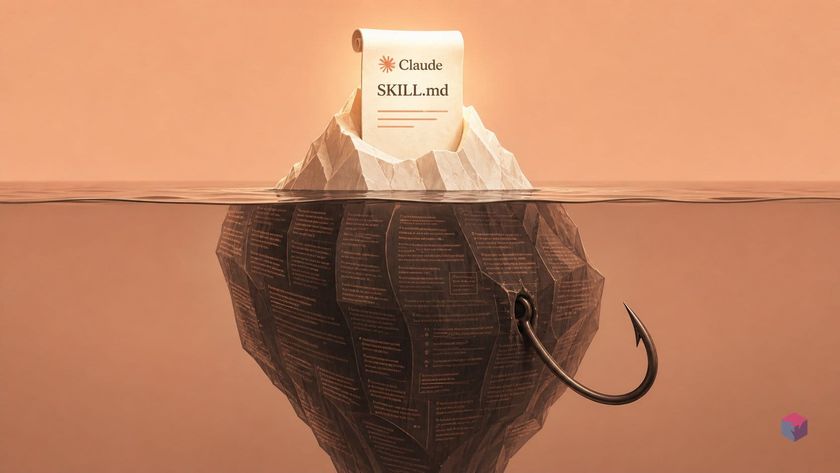
Install a Claude Code skill and almost nothing hits your context window — until the moment the work actually calls for it. That deferral is the whole point.
Only Frontmatter Lands Upfront — the Detailed Body Arrives When Relevant
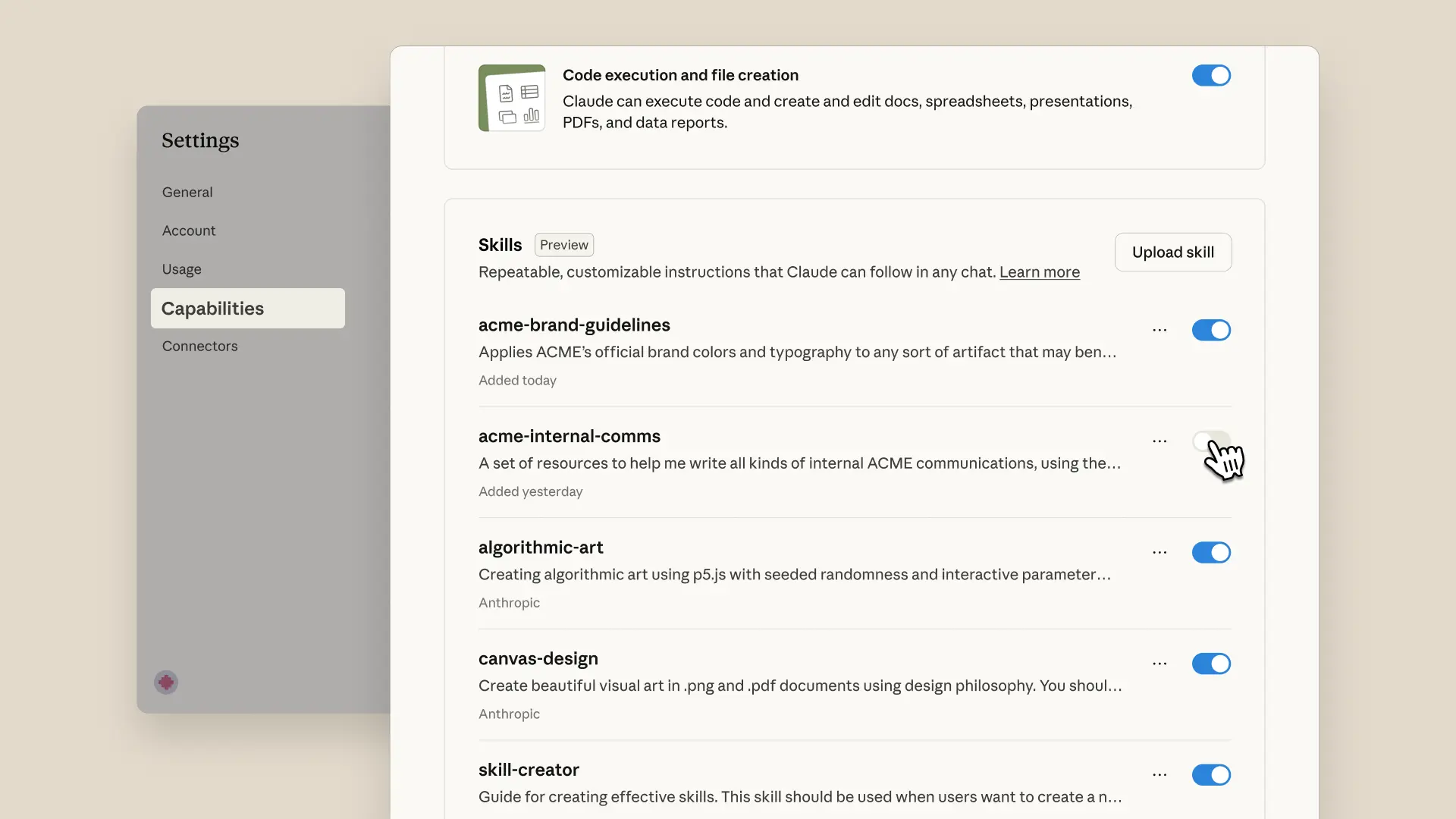
At session open, the only part of a skill that reaches the system prompt is its SKILL.md frontmatter — the name (capped at 64 characters) and description (capped at 1,024 characters) . That is roughly ~100 tokens per installed skill — enough for Claude to judge relevance, and nothing more. The full body stays on disk until a task matches the description or you invoke /skill-name directly. This progressive-disclosure model is defined in the Agent Skills specification, published as an open standard on December 18, 2025 .
| Tier | What loads | When |
|---|---|---|
| 1 | Frontmatter metadata (~100 tokens) | Session start, always |
| 2 | Full SKILL.md body | Task matches, or /skill-name invoked |
| 3 | Files in references/ and assets/ | On demand, as Claude reads them |
Because the agent reads tier three on demand rather than holding it in context, Anthropic states that "the amount of context that can be bundled into a skill is effectively unbounded" .
A pasted style spec cannot match this. It pays its full token cost every session, cannot auto-select itself by task relevance, and lives outside version control — so it can never be reviewed or improved as a repository artifact. A skill folder can be all three: cheap at rest, auto-loading when relevant, and team-reviewable in a repo.
SkillUI: npm Install (v18+) and Optional Playwright/Chromium for Deep Scraping

The clearest tool that produces such a folder is SkillUI, an MIT-licensed TypeScript CLI by developer Amaan (repo github.com/amaancoderx/npxskillui). The hard prerequisite is Node.js 18+ and npm ; install it globally with:
npm install -g skilluiDefault mode runs pure static DOM/CSS analysis — no AI model, no API keys — so it recovers color tokens, type scales, spacing grids, and component patterns from what is literally present in the source rather than heuristic guesses . Ultra mode adds Playwright to capture scroll-journey screenshots, hover/focus diffs, animation signals, and layout structure:
npm install playwright && npx playwright install chromiumNo live URL is required. --dir inspects local .css/.scss/.ts/.tsx files, and --repo reads GitHub-hosted Tailwind configs and CSS-variable definitions .
SkillUI Applied: Install Globally, Scrape a Site, and Activate the Operator
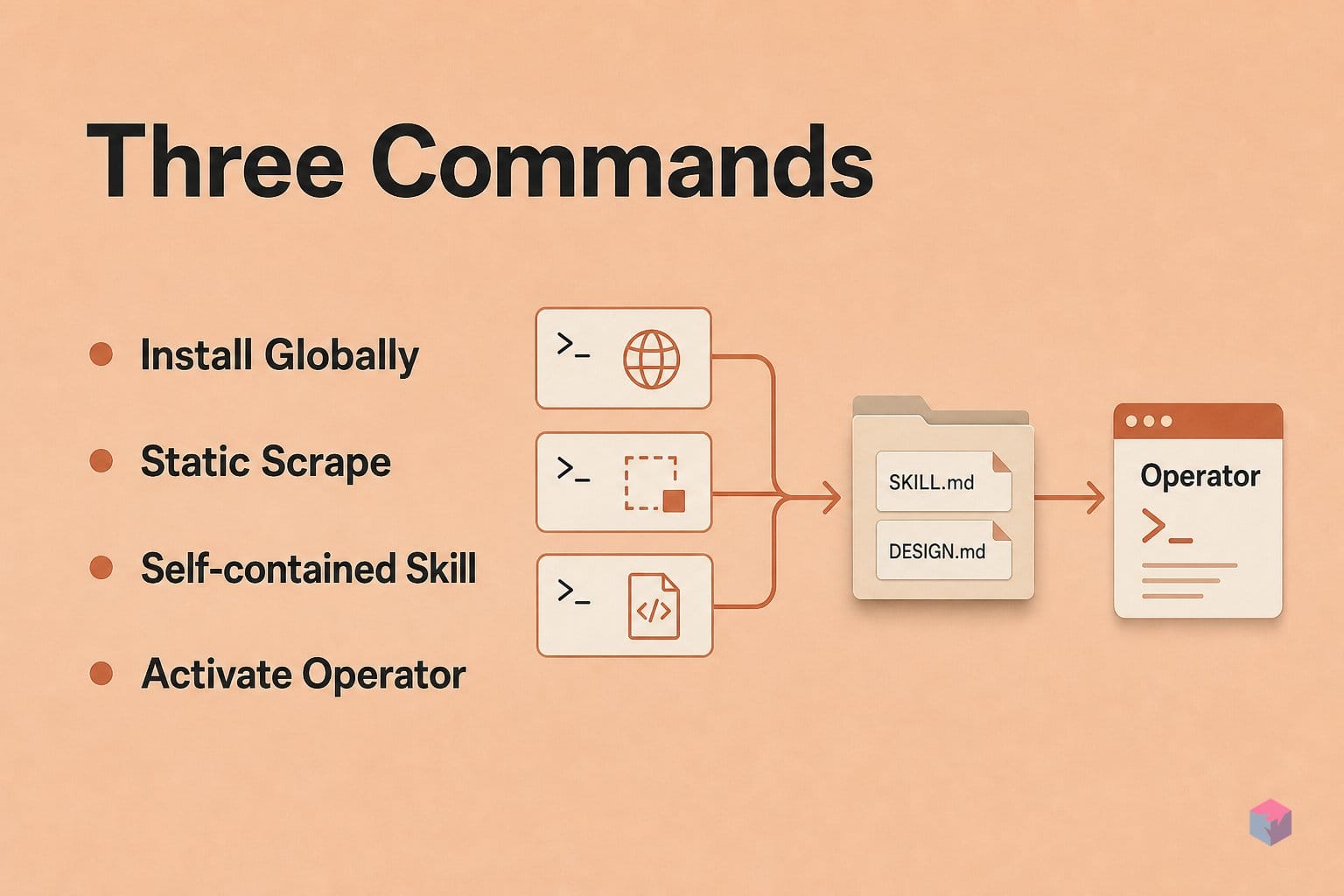
Running SkillUI end to end is three commands: install, scrape, activate. The tool requires Node.js 18+ and, as of this writing, ships at v1.3.2 . Because extraction is pure static DOM/CSS analysis, no API key or model call is involved during scraping .
Step 1 — Install globally and verify.
npm install -g skillui
skillui --version   # 1.3.2
Step 2 — Scrape a live site. Point SkillUI at any URL and it writes a self-contained folder — here notion-design/:
skillui --url https://notion.soThe folder bundles CLAUDE.md, SKILL.md, DESIGN.md, and the reference set ANIMATIONS.md, LAYOUT.md, COMPONENTS.md, INTERACTIONS.md, and VISUAL_GUIDE.md, plus token JSON, screenshots, locally bundled Google Fonts, and a .skill ZIP archive .
Step 3 — Activate the operator. Open Claude Code inside the generated directory:
cd notion-design && claudeClaude auto-reads CLAUDE.md and SKILL.md, exposing the extracted routine as a named slash operator for the session — ask it to build a page and it works from the concrete tokens rather than guessing .
To make the operator durable, move the folder to .claude/skills/<name>/SKILL.md inside a target repo and commit it — the skill then travels with git and is shared across the team. Placing it in ~/.claude/skills/ instead makes it available across every project on your machine . See the source walkthrough for a full run.
Body Truncation, Unsafe Frontmatter, and an Empirical 99% Smell Incidence
The convenience of auto-loading comes with hard budgets you should design around. During context compaction, reattached skills are trimmed to the first 5,000 tokens each, under a 25,000-token combined cap . Keep SKILL.md under 500 lines and push detail into references/ subdirectories, which load on demand rather than competing for that budget. The listing itself is also constrained: description plus when_to_use text is truncated at 1,536 characters , so front-load your strongest trigger signals in the first ~200 characters or Claude may never see them when deciding relevance.
Trust matters more than convenience. A 2026 supply-chain study reported 77.6% average selection for description-framed adversarial SKILL.md variants — the frontmatter is operational text that can bias which skill Claude picks, a prompt-injection vector. Anthropic's guidance is blunt: install only trusted skills, because a malicious one can direct Claude to run tools outside its stated purpose . Quality is thin too: a 2026 review of 238 real-world files found over 99% carried at least one 'skill smell' — vague instructions, missing examples, undefined scope . Read SkillUI's generated output before you commit it.
What Comes After SkillUI: Figma Dev, Responsive Breakpoints, and Visual Diffs
Once a generated skill is trustworthy, pair it with a design-metadata source to remove the last layer of guessing. Figma's Dev Mode MCP server entered beta in June 2025 , giving Claude exact colors, spacing, and values rather than tokens inferred from pixels — feed those into a SKILL.md that encodes your extraction checklist for fully grounded output.
Three additions close common gaps:
- Responsive breakpoints: list mobile and tablet constraints explicitly in the SKILL.md body so the writer cannot silently ship desktop-only fidelity.
- Screenshot comparison loop: after implementation, ask Claude to screenshot the result, diff it against the source, and fix each mismatch — the loop Anthropic documents for UI work .
- Manual DESIGN.md edits: SkillUI recovers only what lives in the DOM/CSS, so brand intent, missing tokens, and Storybook-only states need hand-adding before the operator is complete.
The takeaway: SkillUI bootstraps the skill; Figma Dev Mode, explicit breakpoints, and visual diffs make it accurate.
Frequently asked questions
What is a Claude Code skill file?
A skill is a folder containing a required SKILL.md entrypoint — YAML frontmatter (name, description) plus a Markdown body — with optional scripts/, references/, assets/, and templates/ subdirectories. Only the frontmatter metadata sits in the system prompt at startup, roughly ~100 tokens per skill , enough for the model to judge relevance. The full body loads only when the task matches the description or you invoke /skill-name directly.
How does SKILL.md differ from a custom slash command?
Both a .claude/commands/deploy.md file and a .claude/skills/deploy/SKILL.md file produce the same /deploy entry, but the skill form adds three things a plain command lacks : a supporting-file directory for references and scripts; invocation-control frontmatter such as when_to_use, allowed-tools, model, effort, hooks, and context: fork; and automatic model-driven loading when a task matches the description — not only on explicit /name invocation.
What does SkillUI actually extract from a website?
SkillUI performs pure static DOM/CSS analysis — no AI model and no API keys — so the recovered tokens are grounded in what is actually present in the source . Default mode scrapes HTML and CSS for color tokens, type scales, spacing grids, and component patterns. Its optional "ultra" mode drives Playwright to add scroll-journey screenshots, hover and focus diffs, and animation signals captured from a real Chromium browser .
Will the full SKILL.md body always be available during a long session?
No — it is not guaranteed. Loaded skill content stays in the session but may be truncated during context compaction: reattached skills are budgeted to the first 5,000 tokens each, with a 25,000-token combined cap . To stay within budget, keep SKILL.md under 500 lines and move longer detail into references/ subdirectories, which the model opens on demand rather than holding in context throughout the session.
Is it safe to install third-party SKILL.md files from npm or GitHub?
Only from trusted, audited repositories. Anthropic warns that a malicious skill can direct the model to run tools outside its stated purpose, because a SKILL.md is operational text, not enforced code . A 2026 supply-chain study reinforced the risk, reporting that description-framed adversarial skill variants achieved a 77.6% average selection rate — higher than honest alternatives. Read the frontmatter and body before installing, and prefer skills you can review and version-control yourself.
Enjoyed this article? Subscribe to get new stories by email whenever they're published.