
Your CLAUDE.md file is the first thing Claude Code reads every session — and if it has quietly grown into a 600-line style bible, much of it is being ignored. The fix is not better prose; it is brevity discipline and knowing which level of the hierarchy each instruction belongs to.
CLAUDE.md: The Inheritance Cascade, Brevity Discipline, and Selective Inclusion
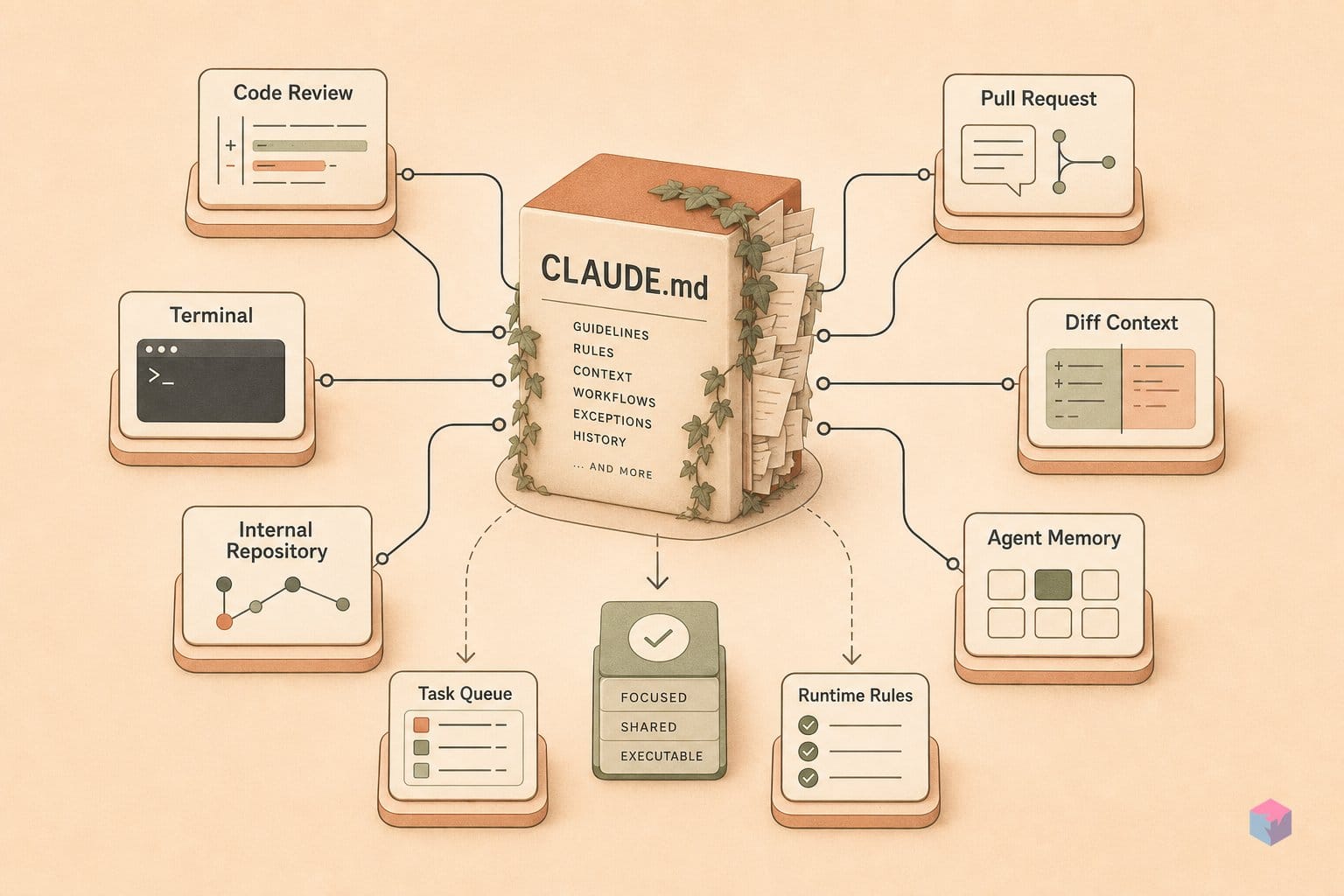
CLAUDE.md is the persistent memory file Claude Code reloads at the start of every session, and Anthropic describes generating one as the single biggest quality improvement you can make . Don't write it by hand first — run /init and let Claude analyze your build systems, test frameworks, and code patterns to draft it . Then prune. Keep only durable facts: build commands, coding standards, architecture decisions, workflow rules, and gotchas.
Instructions resolve through a four-level cascade, each with a different audience:
~/.claude/CLAUDE.md— user-wide preferences that follow you across every project../CLAUDE.mdor./.claude/CLAUDE.md— team rules, checked into git and shared../CLAUDE.local.md— gitignored personal notes for one machine.@path/to/docs.md— on-demand imports that pull reference files in only when relevant, instead of pasting them inline .
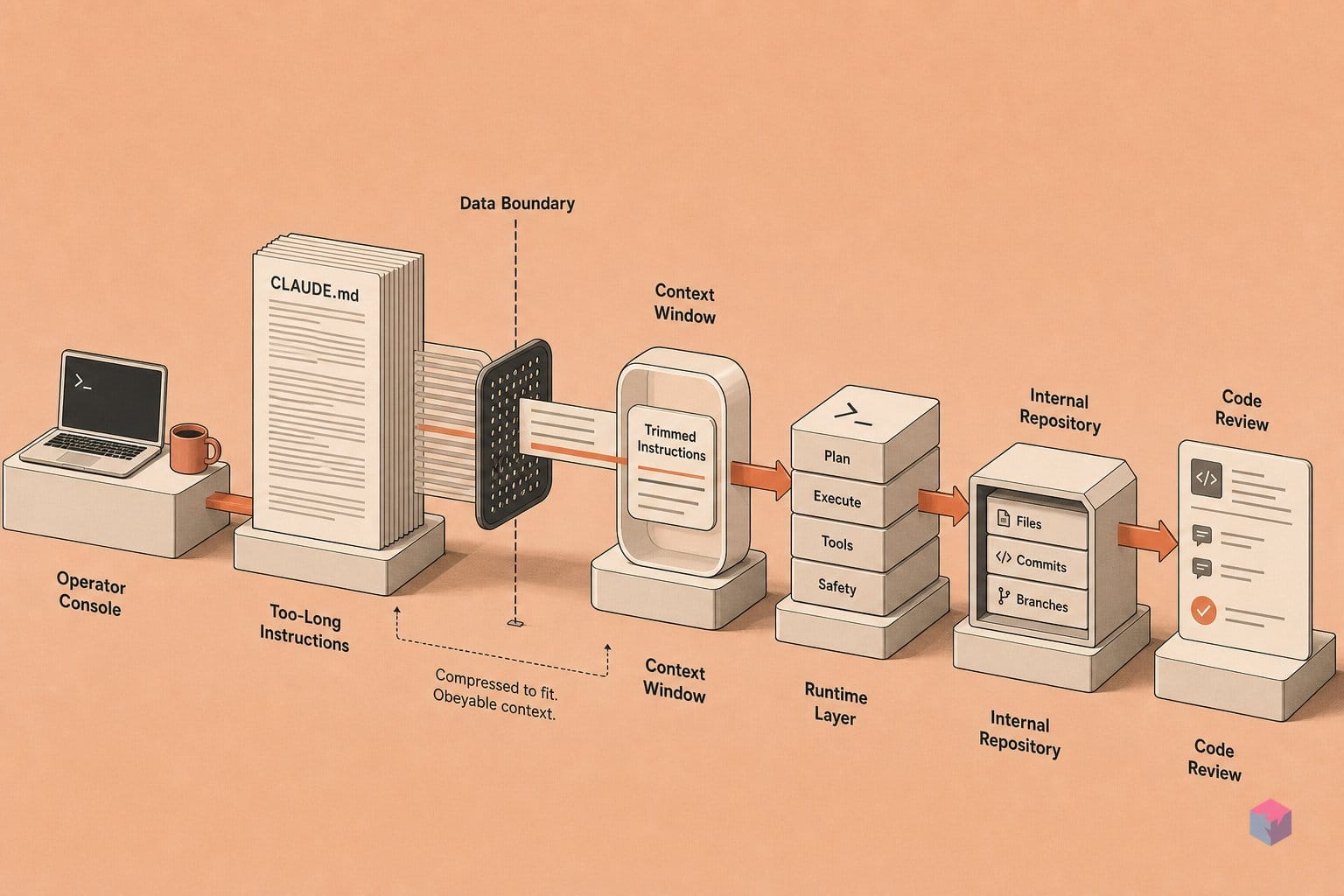
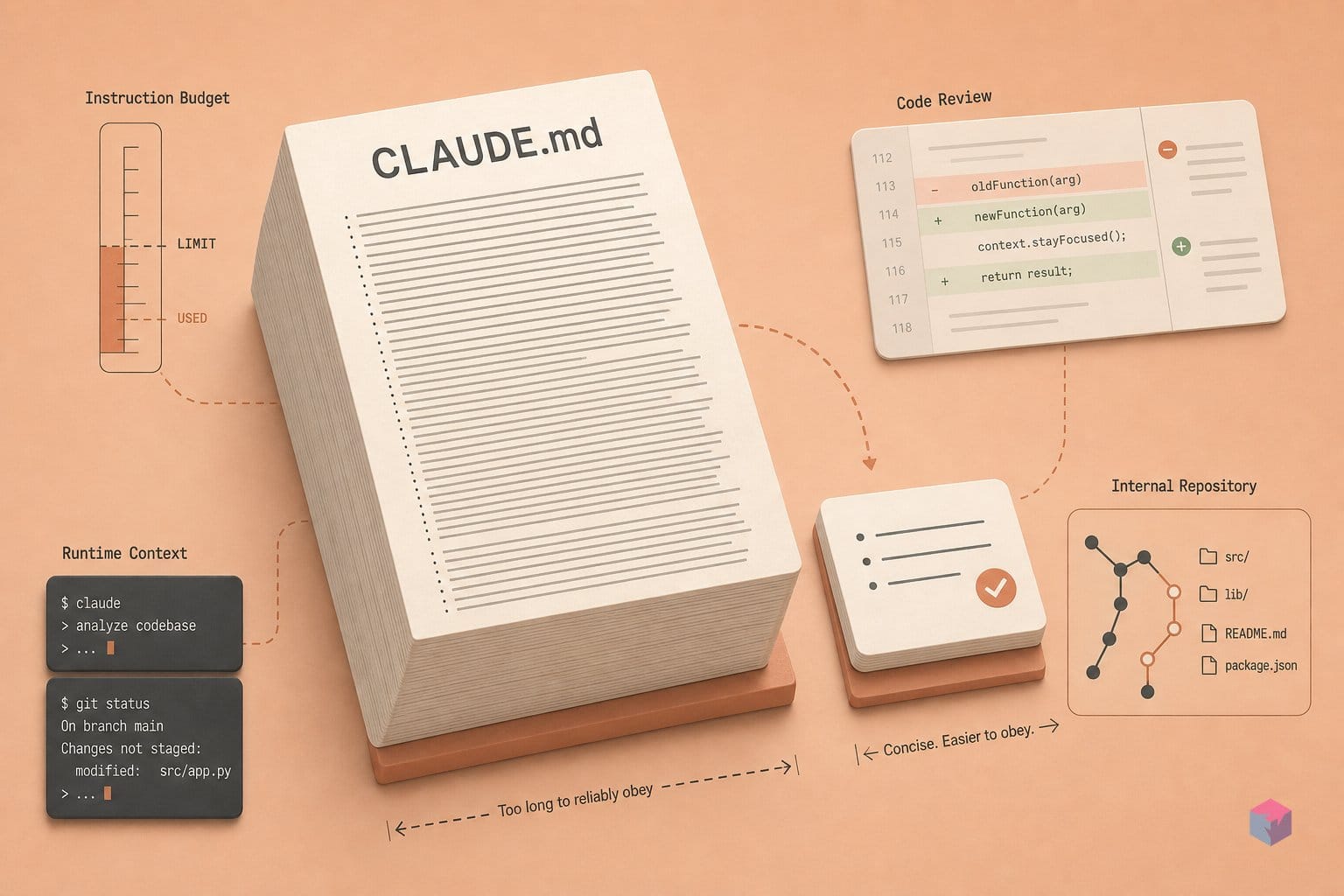
The hard ceiling is what trips most teams up. Auto memory reads roughly the first 200 lines or 25KB; past that, Claude starts silently ignoring instructions rather than warning you . A bloated file is therefore worse than a short one — it dilutes the rules that matter. Move multi-step procedures out of CLAUDE.md and into .claude/skills/, which load only when invoked . For monorepos, chain parent and child CLAUDE.md files per subdirectory so each package carries its own context without inflating the root .
Navigate Before Mutating: Read-Only Recon, Then an Approved Outline
Before requesting a single edit in an unfamiliar repository, ask Claude to find the relevant files and map the architecture, data models, auth, and execution flow. Edits grounded in real code paths regress far less often than edits made against assumptions. The recommended workflow is explicit — Explore → Plan → Implement → Commit — and the exploration step exists precisely so Claude solves the right problem instead of the wrong one .
Plan mode is the formal version of this discipline. It is read-only: Claude maps the change across files without executing anything, and you press Ctrl+G to open the draft outline in your editor and review a concrete plan before approving any mutation . Use it for multi-file, unfamiliar, or high-risk work. As one Meta staff engineer puts it: "I let Claude read the whole thing and propose a plan before it touches anything — that's where the regressions get caught" (video: John Kim).
Approval alone is not verification. Give Claude an exit condition it can evaluate itself — a test it runs, a lint pass, a build exit code, or a fixture diff — and phrase the instruction as "iterate until this passes," not "make it work" . You can escalate this to a /goal completion condition re-checked every turn, or a Stop hook that blocks the turn from ending until a script passes .
For debugging, the same loop applies in reverse. Supply the exact failure command, the stack trace, and the expected output, then ask Claude to write a failing test first, fix the code, and run only the targeted test . Running the scoped test rather than the full suite keeps the change contained and prevents the scope creep that derails autonomous edits. Ask for edge-case tests only after the fix is scaffolded and green.
Slash Definitions, Delegation, and Deterministic Callbacks
Once edits are scoped, the next leverage comes from packaging repeatable work into addressable units rather than re-typing prompts. A skill is a procedure stored at .claude/skills/<name>/SKILL.md and invoked with /name; it can bundle supporting scripts that load only when the skill is called, keeping them out of the session context until needed . Skills are the right home for deploy, review, migration, or issue-fix flows — exactly the multi-step procedures you want out of CLAUDE.md.
For anything with side effects, mark the skill disable-model-invocation: true so only a human can fire it, and pre-approve a narrow tool with allowed-tools such as Bash(git add *) . A deploy skill that Claude cannot trigger autonomously is the cheapest guardrail you can write:
---
name: deploy
disable-model-invocation: true
allowed-tools: Bash(git add *)
---
Run the staging deploy, then report the build exit code.
Delegation works the same way for context, not just safety. Define sub-agents in .claude/agents/ with a dedicated model and a narrow tool allowlist — Opus for an adversarial security review, Haiku for read-only codebase search — so expensive or context-flooding tasks never pollute the main session . The built-in Explore sub-agent already runs on Haiku and denies Write and Edit .
For actions that must happen every time, use hooks rather than instructions. Edited in .claude/settings.json or via /hooks, a hook runs a deterministic script on editor events — eslint after every edit, or a test suite gating turn completion .
Finally, connect external context with claude mcp add <server> for Jira, Sentry, GitHub, or databases; as of changelog 2.1.186 (June 22, 2026), claude mcp login/logout handles command-line MCP authentication . For most operations, though, CLI tools like gh, aws, and gcloud are more context-efficient than MCP API wrappers and should be your default integration .
Predictable Traps and Experiments Worth Pursuing
Context overflow is the failure mode that bites hardest because it is silent: long, uninterrupted sessions degrade output quality as the window fills, with no error to warn you . Manage it deliberately — /compact <instructions> summarizes the running session, /clear resets context between unrelated tasks, and Esc+Esc or /rewind restores a checkpoint. Note that checkpoints snapshot only Claude-made changes, not arbitrary external edits, so they are not a git substitute .
Treat Auto mode as research-preview safety infrastructure, not full authorization. A 2026 arXiv stress test (AmPermBench: 128 prompts, 253 state-changing actions) found 81.0% end-to-end false negatives on deliberately ambiguous DevOps prompts, largely because many state-changing file edits fell outside the classifier's scope . As the paper puts it, fewer prompts is not the same as safety. For high-blast-radius operations, prefer /sandbox OS-level isolation and explicit allowlists over the classifier alone .
For scale, headless mode is the lever. The following plugs into CI or a pre-commit hook:
claude -p "fix lint errors in changed files" --output-format json --allowedTools "Bash(eslint *),Edit"Fan out large migrations by generating a file list and looping scoped invocations, and run concurrent sessions in separate git worktrees so parallel agents never collide on the same files .
Worth experimenting with next: claude mcp login for command-line MCP authentication, added in changelog 2.1.186 on June 22, 2026 ; the Agent SDK query() interface for programmatic orchestration; GitHub Action scheduled jobs; and claude --continue or --resume to branch and resume named sessions like git branches . The takeaway is consistent with everything above: the highest-leverage controls are context, permissions, and repeatable infrastructure — not prompt phrasing. Keep CLAUDE.md short, verify before you mutate, and let deterministic callbacks gate the work.
Frequently asked questions
How long should my CLAUDE.md actually be?
Keep it under roughly 200 lines or 25KB — that is the window auto memory loads every session . Past that, Claude starts silently ignoring instructions, which is why Anthropic warns a bloated file degrades quality . Restrict it to durable facts: build commands, coding standards, architecture decisions, workflow rules, and known gotchas. Move multi-step procedures into .claude/skills/ files that load only when invoked, and use @path imports to reference long docs instead of pasting them.
When should I use plan mode instead of letting Claude edit directly?
Use plan mode for multi-file refactors, unfamiliar codebases, and any change touching auth, schema, or public API surfaces. Plan mode is read-only, so Claude maps the change and produces a concrete outline without mutating anything — you review it (press Ctrl+G to open the plan in your editor) before approving . The point is to stop Claude from confidently solving the wrong problem across files you cannot easily revert. For low-risk, single-file edits, skip it and let Claude work directly.
What is the practical difference between a skill and a sub-agent?
A skill is a reusable, slash-invoked workflow script (defined in .claude/skills/<name>/SKILL.md) that bundles a prompt plus supporting files and loads on demand — ideal for repeatable tasks like deploy, review, or migration . A sub-agent runs in an isolated context with its own model and tool allowlist . Reach for a sub-agent when a task would flood the main context or needs a different model — for example, an Opus-based security reviewer, or the built-in read-only Explore agent on Haiku.
Is Claude Code's auto permission mode safe for production?
Treat auto mode as a convenience layer that reduces prompts, not a security boundary. A 2026 arXiv stress test (AmPermBench, 128 prompts) found 81.0% end-to-end false negatives on deliberately ambiguous DevOps prompts, largely because many state-changing file edits fell outside the classifier's scope . Fewer prompts is not full-authorization safety. For any operation with real blast radius, prefer /sandbox OS-level isolation and narrow allowlists over relying on the classifier.
How do I run Claude Code non-interactively in CI?
Use headless mode: claude -p "prompt" --output-format json (or --output-format stream-json for streaming) plugs into CI, pre-commit hooks, and pipelines . For large migrations, generate a target file list and loop over scoped claude -p calls with --allowedTools to constrain what each run can touch . Add git worktrees so concurrent invocations operate on separate branches without edit collisions.