

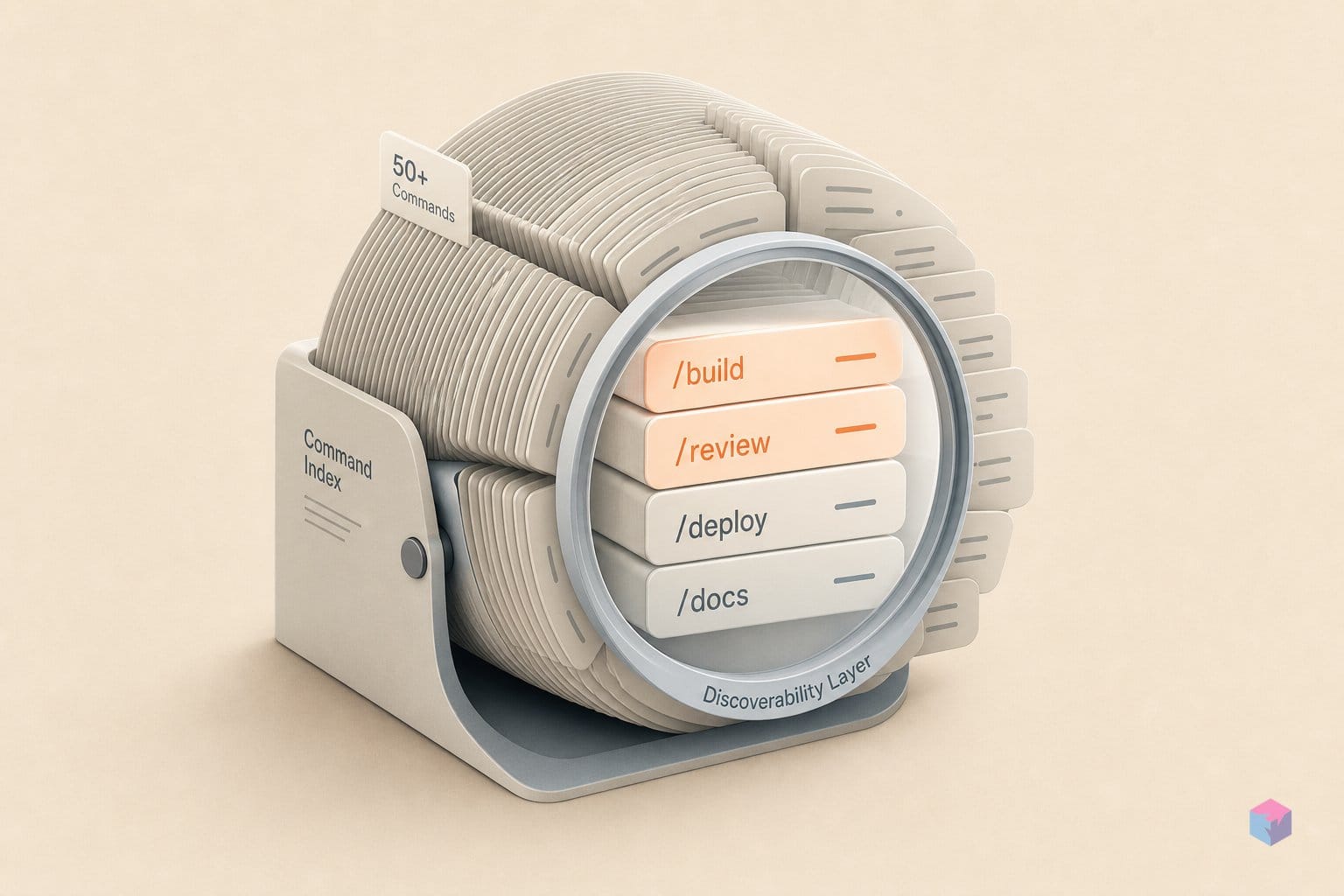
If you run Claude Code with a dozen plugins installed, the bottleneck stops being capability and starts being recall: you simply cannot remember which of 50+ slash commands does the thing you need right now. Lens is a tool built to solve exactly that retrieval problem.
What Is Creeta Lens and What Problem Does It Solve?
Lens is a skill navigator and multi-agent orchestrator for Claude Code that scans your installed plugins, finds the best skill for a task, and runs it from a single command — without hardcoded plugin dependencies. It is open source under the MIT license at github.com/livevil7/creeta-lens, currently at v3.18.1 . Instead of memorizing which plugin owns which command, you describe the task and Lens routes it.
Quick Answer: Creeta Lens is an MIT-licensed skill navigator for Claude Code (v3.18.1) that scans installed Skills, MCP tools, and LSP servers, recommends the best match across 8 languages, and executes it via commands like /c, /cc, and /cp. It targets users running 10+ plugins and 50+ slash commands.
The target user is explicit: someone running 10+ plugins, 50+ slash commands, MCP tools, and LSP servers who needs discovery, orchestration, planning, QA, and sync from one entry point . Stated requirements are minimal — Claude Code v1.0.33+ and at least 2 installed plugins . Lens is a meta-layer on top of the existing ecosystem; it does not replace individual plugins, it routes across them.
The command surface splits cleanly by intent: /c and /cc for execution, /cp and /cpp for planning, /ccp for QA, and /cr for self-audit . As the project README frames it, Lens "scans installed plugins, finds the best skill for a task, and runs it from a single command without hardcoded plugin dependencies" (source: creeta-lens README).
One disambiguation note before going further, because the phonetic space is crowded. Creeta — the developer-tools site at creeta.com and the creeta-lens repo — is not Creata AI (a consumer generative-art app), not Cresta Intelligence (enterprise contact-center AI), not CrewAI (an open-source multi-agent framework), and not Creta (a web3 gaming platform). Same sound, entirely different products.
Slash Command Reference: /c, /cc, /cp, /cpp, /ccp, /cr
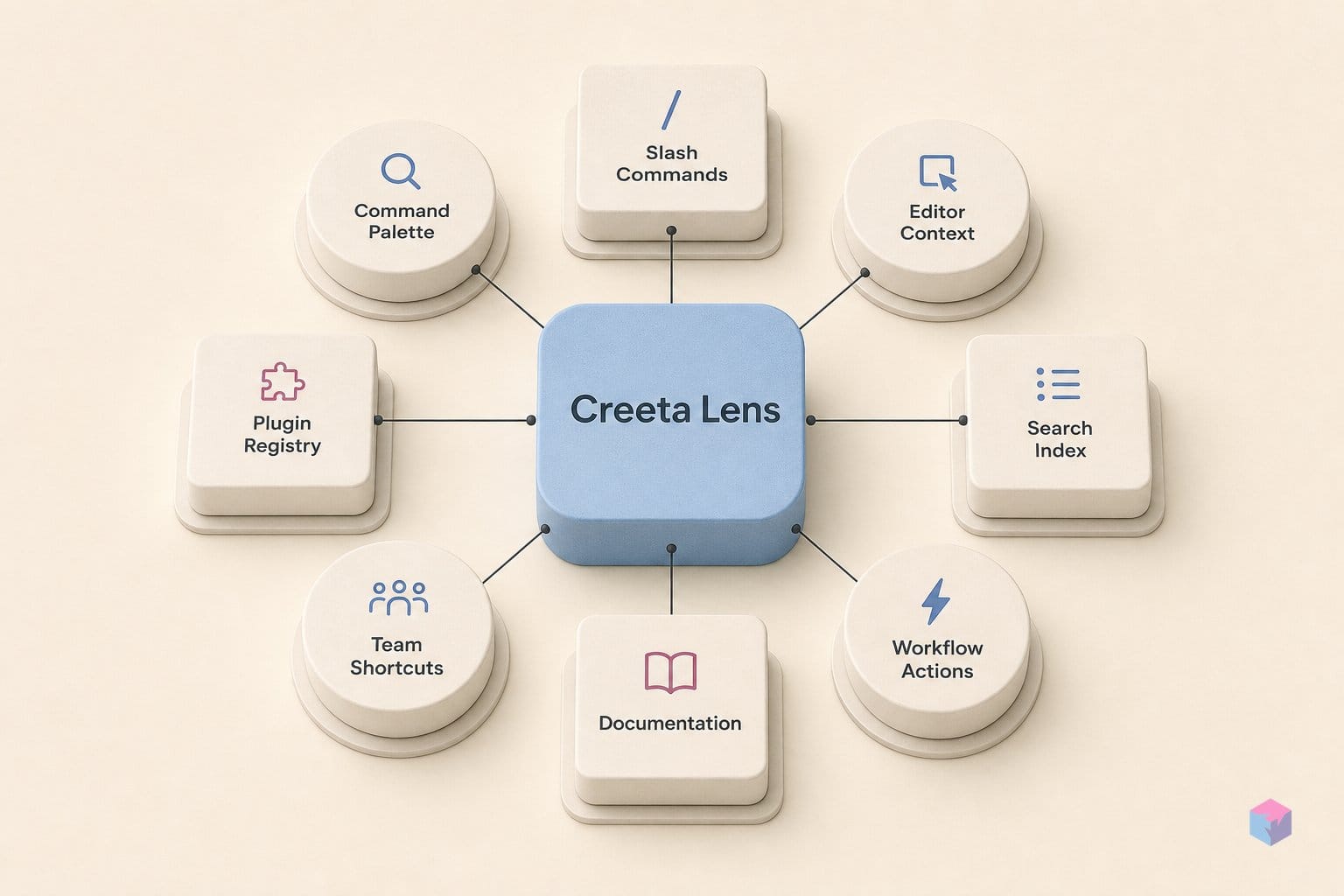
Lens exposes six commands that map to four axes of work: execution, planning, quality, and meta-maintenance. Rather than memorize plugin-specific syntax, you pick a command by intent — run a task, plan it, verify it, or audit Lens itself — and the navigator handles skill selection underneath. The table below summarizes the surface; the sections that follow unpack the pairs that matter most.
| Command | Axis | What it does |
|---|---|---|
/c | Execution (sequential) | One worker, deterministic lifecycle: analysis → planning → skill/model assignment → approval → execution → supervisor review → QA |
/cc | Execution (concurrent) | Multiple workers with Leader, Workers, Monitor, Supervisor, and QA roles; capped at 5 iterations |
/cp | Planning (fast/standard) | Routine planning and documentation lifecycle, split into Fast and Standard tiers |
/cpp | Planning (deep) | Build-ready planning: goal locking, six-axis fan-out research, Codex coordination, exact path/change/verification tasks, EARS verification |
/ccp | Quality | Post-build or mid-run QA and repair; proves function via Playwright, app execution, or curl, then applies four adversarial review lenses |
/cr | Meta | Self-modernization audit classifying each Lens feature as KEEP, THIN, OBSOLETE, or UNKNOWN — non-destructive |
Execution axis. /c is the sequential engine: a single worker moves a task through a fixed lifecycle of analysis, planning, skill and model assignment, user approval, execution, supervisor review, and QA verification . /cc is its concurrent counterpart, dispatching multiple workers at once under Leader, Workers, Monitor, Supervisor, and QA roles and capping the loop at 5 iterations .
Planning axis. /cp handles fast and standard planning plus the documentation lifecycle for routine work . /cpp is the deep, build-ready planner: it locks the goal, fans out research across six axes, mandates Codex coordination, emits exact path/change/verification tasks with EARS verification, and — as of v3.18 — drops the prior length cap .
Quality axis. /ccp is the entry point after a build completes or mid-run on already-running work. It proves real-world function by actually running checks — Playwright, app execution, or curl — then applies four adversarial review lenses before repairing what fails .
Meta axis. /cr turns the tooling on itself, comparing every Lens feature against current Claude Code and Codex native capabilities and tagging each KEEP, THIN, OBSOLETE, or UNKNOWN. It deliberately avoids auto-deleting code, leaving removal decisions to the developer .
/c vs /cc: Sequential vs. Concurrent Dispatch
The split between /c and /cc is the choice between sequential and parallel execution. /c runs a single worker through a fixed lifecycle — analysis, planning, skill and model assignment, user approval, execution, monitoring, supervisor review, and QA verification — where each stage gates the next and the model cannot skip ahead . /cc is the parallel variant: it deploys multiple workers at once under Leader, Workers, Monitor, Supervisor, and QA roles .
Under /cc, the Leader decomposes the task and assigns subtasks to Workers that run simultaneously, the Monitor tracks progress, and a Supervisor plus QA pass audit the combined result before it ships . That structure pays off only when subtasks are genuinely independent — refactoring five unrelated modules, or generating several files that never touch the same state. When order matters, the deterministic gating of /c is the point, not overhead.
The practical heuristic is concrete:
- Use
/cwhen step N depends on the output of step N−1 — interdependent work where order is correctness. - Use
/ccwhen subtasks can run at the same time without shared mutable state. - When unsure, default to
/c— the slower, ordered path is the safer one, since parallel workers touching the same files invite race conditions and merge conflicts.
/cc is capped at 5 iterations , a deliberate guardrail against runaway parallel cycles that would otherwise spin without converging. If a task looks like it needs more than five passes, that is a signal to scope it down before invoking /cc, or to break it into separate /c invocations you can sequence yourself. The cap enforces a discipline: parallelism is for work you can already partition cleanly, not for problems you are still figuring out.
/cpp: From Goal Locking to Exhaustive Research Handoff
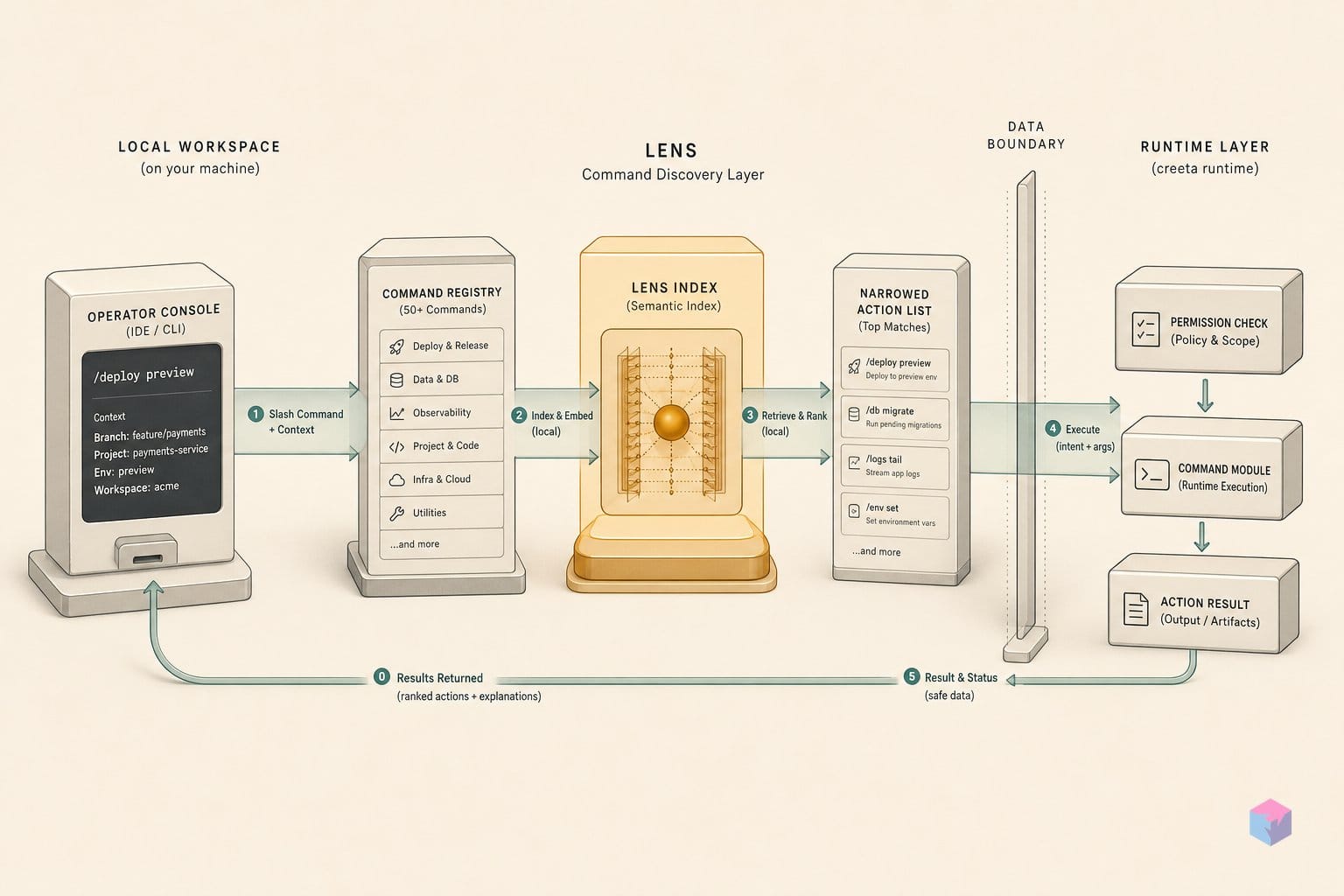
/cpp is Lens's deep, build-ready planning engine: it locks the goal before any research starts, fans research out across multiple dimensions, coordinates with Codex on implementation, and emits an exact path/change/verification plan complete enough to hand straight to a worker. It first shipped in v3.15.0 on 2026-06-11 as the deep build-ready planning lane . Where /cp does fast or standard planning, /cpp is the entry point you reach for when a task is large enough that scope drift would otherwise wreck it.
Goal locking is the first step, and it is the point. The goal is confirmed and frozen before research or planning begins, which closes off the most common failure mode in large LLM-assisted tasks: the objective quietly mutating halfway through a long plan. Lens calls this a zero-follow-up intent — the finished document should need no back-and-forth clarification before someone acts on it .
To reach that bar, /cpp runs a six-axis fan-out: several research passes across distinct dimensions, synthesized into one plan rather than a single shallow sweep . Codex coordination is mandatory, not optional — /cpp explicitly hands implementation steps to Codex, which is why it is the right tool for build tasks that generate code, not just planning prose.
"Mandatory Codex coordination, exact path/change/verification tasks, EARS verification, and zero-follow-up intent." — Lens /cpp skill specification (source: creeta-lens/skills/cpp/SKILL.md)
The output shape is deliberately concrete. Each task names an exact file path, the change to make, and how to verify it, paired with EARS-style verification — Event, Action, Result, State — so acceptance criteria are testable rather than vague. As of v3.18.0, released 2026-06-14, Lens removed the word and length caps on /cpp and its HTML output, repositioning it as the large-planning lane and adding a task-deep HTML format with unlimited slides . In practice that means a genuinely large plan can produce an arbitrarily large handoff document instead of being truncated to fit a budget.
The v3.18 /cpp Overhaul: Unlimited Length and HTML Deep-Dive Docs
The v3.18 line turns /cpp into Lens's dedicated large-planning lane. Released on 2026-06-14, v3.18.0 removed the word and length caps that previously bounded /cpp and its HTML output, and added a task-deep HTML format with unlimited slides . That is a structural change to the output contract: where the planner used to truncate to fit a budget, a genuinely large plan can now emit an arbitrarily large handoff document. If you built downstream tooling that parses or renders /cpp output on the assumption of a predictable length, that assumption no longer holds — review those consumers before upgrading.
Hours later the same day, v3.18.1 shipped as a drift-and-inconsistency follow-up with six targeted fixes . The most operationally significant is the Codex service_tier correction from priority to fast, which changes both the cost and the queue position of /cpp's mandatory Codex invocation — worth noting if you track Codex spend.
| v3.18.1 fix | What changed |
|---|---|
Codex service_tier | priority → fast (affects cost and queue position) |
| Release-guide version-file count | 9 → 13 |
| /cpp done-sweep docs | Documentation updated |
| Codex graceful-degrade | Conflict with the /cpp hard gate resolved |
| bump-version labels | Normalized to 13 steps |
| upgrade.py dry-run | Marketplace-behind state reporting corrected |
This pace is consistent with the surrounding releases. v3.17.0 (2026-06-13) added a mandatory Why section and standardized plan documents around What, Why, How, and Review; v3.16.0 (2026-06-11) introduced /ccp and the Power Verify flow; and v3.15.0 (2026-06-11) first added /cpp while splitting /cp into Fast and Standard tiers . In short, /cpp went from a new feature to the uncapped default for heavy planning in roughly three days. For developers, the takeaways are concrete: expect larger, slide-based HTML artifacts from /cpp, and account for the service_tier swap when budgeting Codex calls.
The autoRecommend=false, autoCommit=true Config and Its Implications
Lens ships with deliberate defaults that shape how it behaves in your repo. The live lens.config.json sets autoRecommend to false, autoCommitOnComplete to true, buildBoard to true, capabilityAuditNudge to true, and capabilityAuditIntervalDays to 30 . Each flag carries a tradeoff worth understanding before you leave it on.
autoRecommend: false means Lens does not push a skill suggestion on every invocation. You stay in control: call /c, /cc, or the others explicitly, or trigger the recommender on demand. The practical upshot is that Lens does not interrupt ordinary Claude Code interactions — it surfaces only when you ask it to.
autoCommitOnComplete: true is the flag to watch. When a task finishes, Lens commits the result to git with no manual commit step, and with buildBoard: true the task board stays current automatically. That is convenient, but note what it removes: there is no review gate between task completion and the commit landing in your history. If you want to inspect a diff before it is recorded, this default works against you.
The capabilityAuditNudge and capabilityAuditIntervalDays: 30 pair makes Lens prompt a /cr self-modernization audit every 30 days . Treat that prompt as a scheduled maintenance signal rather than noise to dismiss — it is how Lens flags features that may have been superseded by native Claude Code or Codex capabilities.
The combination that demands attention: v3.14.1 removed Lens's own secret-exclusion filter, so Lens now relies solely on each repo's .gitignore to keep sensitive files out of commits . Paired with autoCommitOnComplete: true, any file tracked despite a .gitignore gap will be committed automatically, with no human checkpoint to catch it. Before enabling or leaving this combination on, audit your .gitignore — the safety net Lens used to provide is gone.
The /cr Audit: How Lens Classifies Features as KEEP, THIN, or OBSOLETE
The /cr command is Lens's self-modernization audit: it compares every Lens feature against the current native capabilities of Claude Code and Codex, then labels each one KEEP, THIN, OBSOLETE, or UNKNOWN . KEEP means Lens still adds clear value over what the platform does natively. THIN means the value is marginal and the feature is worth simplifying. OBSOLETE means native tooling now covers it fully. UNKNOWN means there is not enough data to judge. The result is a classification report, not a deletion.
That non-destructive design is the point. /cr deliberately does not auto-delete classified code . The output is advisory — the author reviews the report and decides what to retire. For a plugin that wraps native behavior, this matters: a wrong OBSOLETE call that ran automatically could strip a workflow teams depend on.
The practical problem /cr targets is drift. As Claude Code gains native slash commands, MCP tool orchestration, and LSP integration, features that once justified Lens can quietly become redundant. Without a review mechanism, that redundancy turns into dead code and confusion about which path to use. /cr surfaces the overlap before it accumulates.
Lens schedules this hygiene on a cadence. The lens.config.json sets capabilityAuditIntervalDays: 30, so Lens nudges a /cr run monthly . Given how quickly the project itself moves — three minor releases between June 11 and June 14, 2026, including the v3.18 line — a 30-day self-audit is a reasonable interval for a layer sitting on top of a fast-moving platform.
The takeaway: Lens treats its own relevance as something to verify, not assume. If you run it, let the monthly /cr nudge do its job, read the KEEP/THIN/OBSOLETE report, and prune deliberately — that is how a wrapper around native tooling stays useful instead of becoming the clutter it was built to tame.
Frequently asked questions
What is the difference between /cp and /cpp in Creeta Lens?
/cp is the Fast/Standard planning tier for routine documentation and lighter planning work, while /cpp is the deep, build-ready planner. /cpp locks the goal up front, runs six-axis fan-out research, coordinates mandatorily with Codex, and emits a complete path/change/verification handoff document. As of v3.18.0 , /cpp carries no word or length cap, so the two commands now sit at clearly separate ends of the planning spectrum — quick docs versus an exhaustive, zero-follow-up brief (source: cpp SKILL.md).
Does Creeta Lens work with any Claude Code plugin, or only specific ones?
Any installed plugin. Lens is a router with no hardcoded plugin dependencies — it scans the Skills, MCP tools, and LSP servers you already have installed and recommends the best match for a task. The only hard requirements are Claude Code v1.0.33+ and at least 2 installed plugins . It does not ship its own catalog of supported tools; it orchestrates whatever is present, which is why it scales to setups running 10+ plugins and 50+ slash commands (source: README.md).
What exactly did v3.18 change about /cpp?
v3.18.0 (2026-06-14) removed all word and length caps for /cpp and its HTML output and introduced a task-deep HTML format with unlimited slides for large plans. The same day, v3.18.1 patched six drift items, including the Codex service_tier (priority → fast), the release-guide version-file count (9 → 13), updated /cpp done-sweep docs, a Codex graceful-degrade conflict with the /cpp hard gate, normalized bump-version labels, and an upgrade.py dry-run fix (source: CHANGELOG.md).
Is leaving autoCommitOnComplete=true safe?
It depends entirely on your .gitignore hygiene. Since v3.14.1, Lens no longer runs its own secret-exclusion filter and relies only on each repo's .gitignore . With autoCommitOnComplete set to true in lens.config.json , any tracked file — including a secret that was accidentally committed — will be staged and committed automatically when a task finishes. Audit your .gitignore and confirm no sensitive files are tracked before relying on this combination (source: lens.config.json).
Is Creeta the same project as Creata AI, Cresta Intelligence, or CrewAI?
No. Creeta (creeta.com, github.com/livevil7/creeta-lens) is a distinct project and the home of Lens. Creata AI is a consumer generative-art and text app; Cresta is an enterprise contact-center AI company; CrewAI is an open-source multi-agent orchestration framework; and Creta is a web3 gaming platform. The names are phonetically similar but the projects are functionally unrelated.