

Running a dozen coding agents against one repository fails for a boring reason: they all want the same working directory. Git's worktree command removes that constraint, and both Anthropic and Cursor have now built agent isolation on top of it — but isolation is a narrower guarantee than most operators assume.
What Does Git Worktree Isolation Actually Give Parallel Agents?
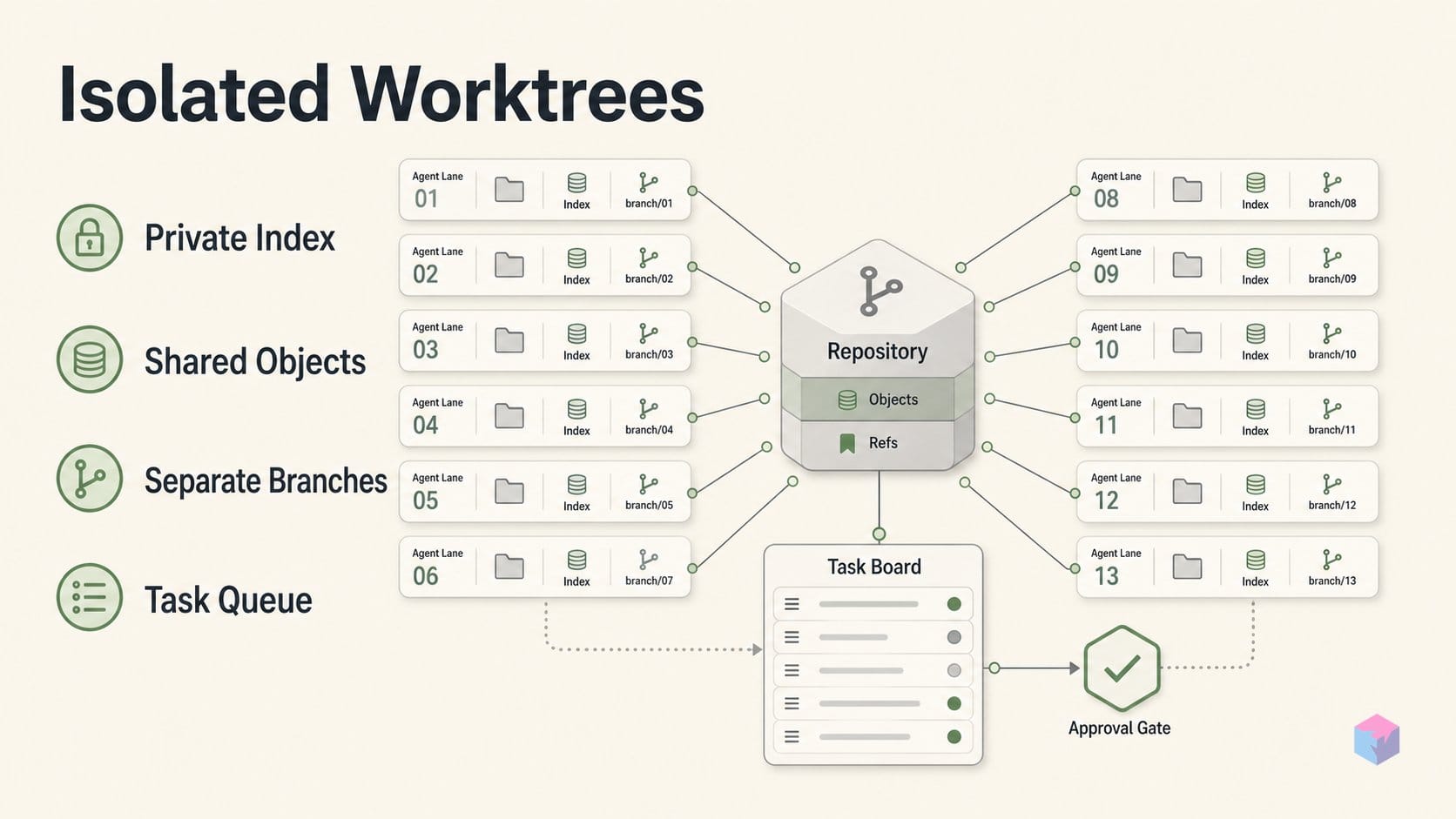
A linked worktree is a second working directory attached to the same repository, created with git worktree add, which lets more than one branch be checked out at a time . The split that matters for agents is what is shared versus private: the object store and refs/ are shared, while HEAD and the index are per-worktree, along with refs/bisect, refs/worktree, and refs/rewritten . Git's repository-layout reference says the same thing from the storage side — with multiple working trees most files in $GIT_DIR are per-worktree, and shared state is reached through $GIT_COMMON_DIR .
Quick Answer: git worktree add gives each agent its own working directory and index while sharing one object store and refs. N agents get N staging areas without N copies of history, so nothing contends on .git/index.lock — but worktrees do not stop two agents from solving the same task twice.
Mechanically, each linked worktree holds a .git file rather than a directory, pointing $GIT_DIR at a private path like /path/main/.git/worktrees/test-next . Git also enforces discipline: by default it refuses to check out the same branch in two worktrees, which forces branch-per-agent, and git worktree lock keeps a live worktree from being pruned .
So the collision-avoidance story is complete at the filesystem layer and stops there. Thirteen agents never fight over one checked-out branch or one staging area, and every commit still lands in a single repository lineage. What no worktree prevents is two agents independently writing the same fix on two branches, or ten of them binding the same dev-server port. Isolation is mutual exclusion over files, not over intent.
Git, Claude Code, and Cursor: What Parallel Agents Require
Running parallel agents in worktrees needs three things: a repo already cloned locally, a Git version with git worktree support, and an agent runner that knows how to create and stay inside a linked worktree. Git supplies the primitive — git worktree add creates a linked working tree on the same repository, with HEAD and index per-worktree while objects and refs/ stay shared . Everything above that is tooling.
- Claude Code:
claude --worktree <name>(or-w) creates a worktree under.claude/worktrees/<name>/on a branch namedworktree-<name>. Omit the name and Claude generates one, such asbright-running-fox. - Agent teams: the shared task list and mailbox layer is gated behind
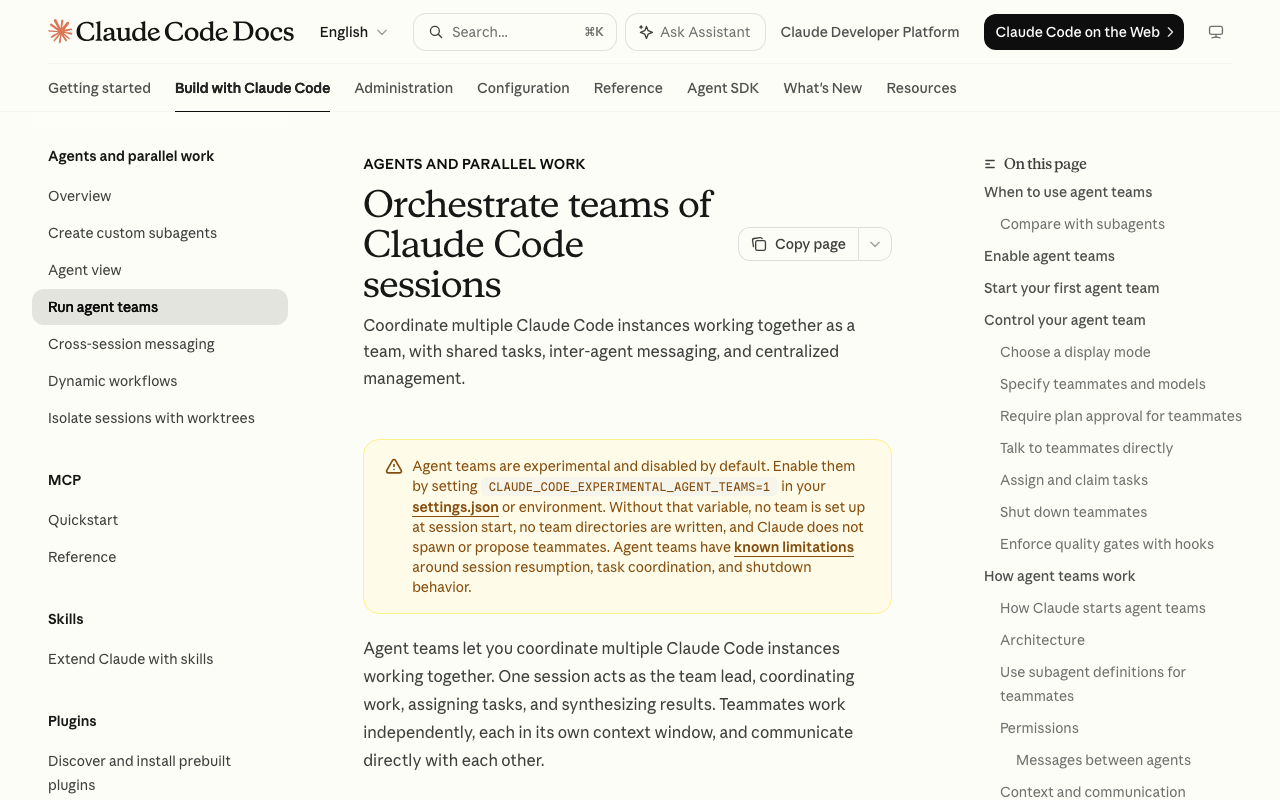
CLAUDE_CODE_EXPERIMENTAL_AGENT_TEAMS=1— an experimental flag, not default-on, and it does not put teammates in worktrees . - Cursor Background Agents: API access, since these run on isolated Ubuntu machines that clone the repo onto separate branches. Cursor's API docs list support for up to 256 active agents per API key .
One prerequisite is easy to miss: a fresh worktree is a clean checkout, so gitignored files do not come along. Claude Code reads a .worktreeinclude file in gitignore syntax to copy things like .env into each new worktree, and only copies files that both match and are gitignored .
Launching Parallel Claude Code and Cursor Agents in Worktrees
Launching a worktree-isolated agent is a single command: claude --worktree fix-auth creates a worktree at .claude/worktrees/fix-auth/ on a branch named worktree-fix-auth, and running it again with a different name gives you a second, fully separate session . Omit the name and one is generated for you (bright-running-fox, for example). By default the new branch starts from the repository's default branch on the remote (worktree.baseRef: "fresh"), refreshing origin/HEAD if it has not been fetched in 24 hours, capped at five seconds .
- Carry local secrets across. Add a
.worktreeincludefile in gitignore syntax so files such as.envland in each new worktree; only files that both match the pattern and are gitignored are copied, so tracked files are never duplicated . - Share a task list when the work is related. Start a lead session with agent teams enabled (
CLAUDE_CODE_EXPERIMENTAL_AGENT_TEAMS=1); teammates self-claim the next unassigned, unblocked task, and claiming uses file locking so two teammates cannot take the same task . - Fan out a large change.
/batchsplits one change into 5 to 30 worktree-isolated subagents that each open a pull request . For a subagent definition, isolation is one frontmatter line:isolation: worktree. - Or push it off your machine. A Cursor Background Agent clones the repo onto an isolated Ubuntu machine and works on its own branch .
Add a second agent from another terminal — a different name means a different checkout, branch, and index:
claude --worktree fix-billingOpen the first isolated session.
claude --worktree fix-authStep 4 carries a caveat worth internalizing before you scale it. Agent teams give you logical coordination, not filesystem isolation — teammates are not placed in separate worktrees:
"Two teammates editing the same file leads to overwrites." — Claude Code agent teams best practices, Anthropic (source: Agent teams documentation)
So partition file ownership when you use teams, and reach for --worktree or /batch when two agents will touch overlapping code. Anthropic suggests 3–5 teammates for most workflows with no hard cap .
The Gotcha: Isolation Doesn't Stop Duplicated Work or Resource Clashes
A worktree isolates two things and only two things: the working directory and the index. Everything else two agents can contend over — dev-server ports, local databases, caches, background processes, CI capacity, and your subscription quota — stays shared. That is why the third-party runner TaskYou hands every task its own WORKTREE_PORT, with examples in the 3100–4099 range, alongside WORKTREE_TASK_ID and WORKTREE_PATH (source: TaskYou, GitHub). Cline's Kanban goes further and symlinks gitignored directories such as node_modules into each ephemeral worktree, because a clean checkout otherwise means a fresh dependency install per agent (source: cline/kanban).
Cost is the collision people notice last. Background sessions draw down subscription quota the same way interactive ones do, so ten parallel agents burn quota roughly ten times as fast (source: Claude Code power user tips, Anthropic), and each teammate in an agent team is a full instance carrying its own context window (source: Agent teams). The dynamic-workflows runtime encodes a similar caution: it warns above 25 scheduled agents or 1.5M projected tokens, and caps concurrency at 16 simultaneous agents (1,000 per run) (source: Dynamic workflows).
| Contention source | Isolated by a worktree? | What actually fixes it |
|---|---|---|
Working directory + index | Yes | Per-worktree HEAD and index (git-worktree) |
| Same branch checked out twice | Yes | Git refuses by default; branch-per-agent |
| Dev-server ports, local DBs, caches | No | Explicit allocation, e.g. WORKTREE_PORT |
Dependency install (node_modules) | No | Symlink or per-worktree install |
| Duplicated or overlapping scope | No | Shared task list with claim locking |
| Quota and review throughput | No | Fan-out caps; 3–5 teammates recommended |
The semantic gap is the one worth planning around. Two agents on separate branches can still ship incompatible changes, flood CI, or produce more diff than one operator can review. Filesystem isolation buys you safety, not coordination.
Pair Worktrees With a Shared Task List, Not Just Isolation
Close the semantic gap with a task list that has claim semantics, and let worktrees handle the filesystem. Claude Code's experimental agent teams (enabled with CLAUDE_CODE_EXPERIMENTAL_AGENT_TEAMS=1) give a lead session and its teammates a shared task list with three states — pending, in progress, completed — plus declared dependencies: a pending task with unresolved dependencies cannot be claimed until they complete, and completion auto-unblocks dependents. Claiming uses file locking so two teammates can't grab the same task . Note the boundary: teams do not put teammates in worktrees, so you still partition files or launch each session with --worktree yourself .
Third-party boards do both halves in one motion. TaskYou runs each Kanban card in its own worktree under ~/.local/share/task/worktrees/{project}/task-{id} and hands each task a WORKTREE_PORT . Cline's Kanban gives every card its own terminal and ephemeral worktree, symlinks node_modules, and auto-commits per card .
Then size the fan-out honestly. Anthropic recommends 3–5 teammates for most workflows with no hard cap, and the dynamic-workflows runtime allows 16 concurrent agents and 1,000 total per run . Start at three worktrees behind one dependency-aware task list, measure merge and review throughput, and add agents only when that number stops being the bottleneck.
Frequently asked questions
Do Git worktrees stop two agents from editing the same file?
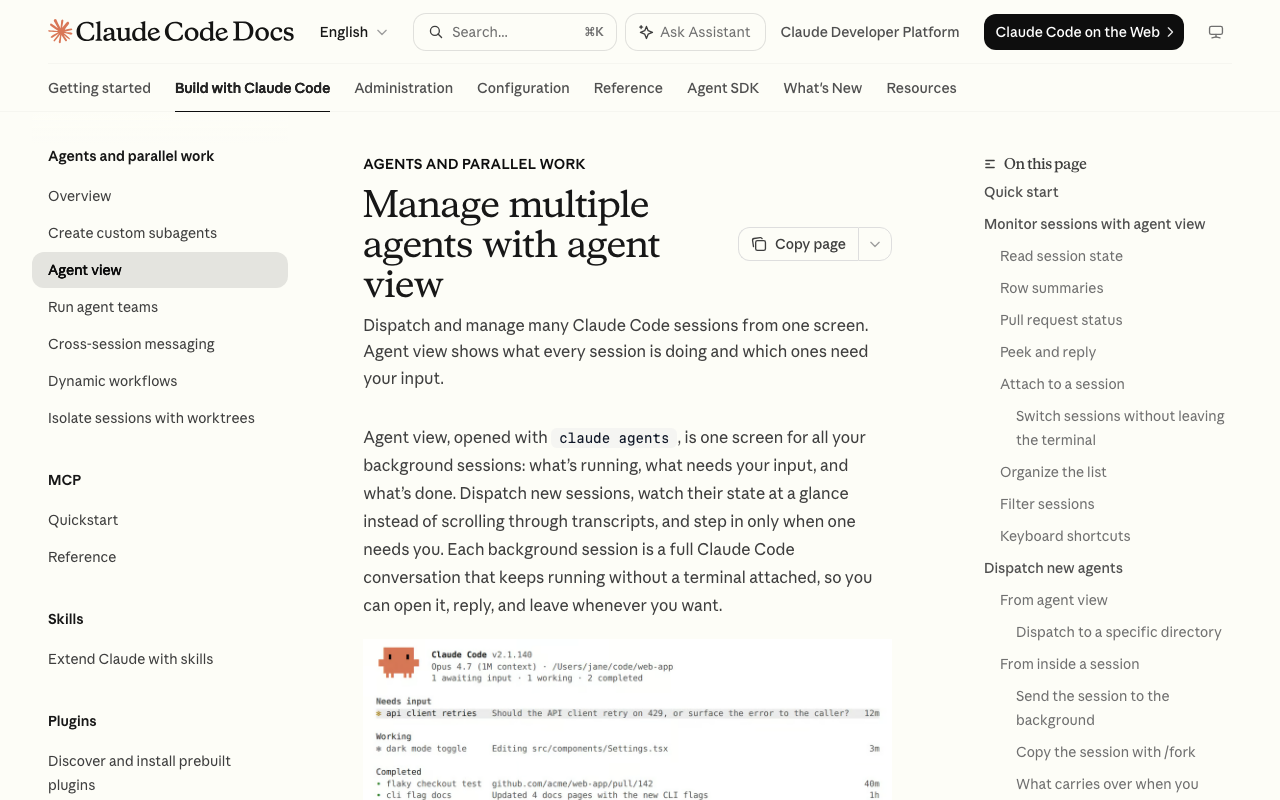
At the filesystem level, yes. Each linked worktree has its own checkout and its own index, and Git by default refuses to check out the same branch in two worktrees . What that does not prevent is two agents on separate worktrees both solving the same ticket, or writing changes that conflict logically once merged. Claude Code's own documentation separates the two concerns: worktrees give parallel sessions separate checkouts, while subagents, agent view, and agent teams are the coordination layer . Only a shared, dependency-aware task list stops duplicated scope.
Does Claude Code's agent teams feature isolate teammates in worktrees automatically?
No. Teammates in an agent team share one checkout by default, which is why Anthropic's guidance is to "partition the work so each teammate owns a different set of files," and the agent-teams best practices warn that "two teammates editing the same file leads to overwrites" . The team layer supplies logical mutual exclusion — shared task list, three task states, dependencies, and file-locked task claiming — not filesystem isolation. The first-party mode that combines both is /batch, documented as splitting one large change into 5 to 30 worktree-isolated subagents that each open a pull request . For a single subagent, isolation: worktree in its frontmatter does the same job.
How many parallel coding agents can I actually run at once?
Fewer than the tooling technically permits. Anthropic recommends 3–5 teammates for most workflows and states there is no hard limit, noting that 15 independent tasks split across 3 teammates is a reasonable start at 5–6 tasks each . The dynamic-workflows runtime allows up to 16 concurrent agents (fewer on limited CPU cores) and 1,000 agents total per run . Cursor's Background Agent API documents support for up to 256 active agents per API key . The practical ceiling is usually how much diff one operator can review, not the platform cap.
What doesn't a worktree isolate?
A worktree isolates the working directory, the index, and HEAD — not runtime resources. Dev-server ports, local databases, caches, and background processes are still shared, and each worktree also needs its own dependency install because a fresh checkout has no node_modules. Tools built on top of worktrees route around this explicitly: TaskYou allocates a per-task WORKTREE_PORT (examples fall in the 3100–4099 range) alongside WORKTREE_TASK_ID and WORKTREE_PATH , and Cline's Kanban symlinks gitignored directories such as node_modules into each ephemeral worktree . If you roll your own, allocate ports and databases per agent yourself.
Does running more parallel agents cost more?
Yes, and roughly linearly. Background sessions consume subscription quota the same way interactive sessions do, so ten parallel agents burn quota about ten times as fast as one . Each teammate in an agent team is a full instance with its own context window, so context cost does not amortize across the fleet either . The dynamic-workflows runtime surfaces this directly by warning above 25 scheduled agents or 1.5M projected tokens . Budget fan-out the way you would budget CI minutes.
Enjoyed this article? Subscribe to get new stories by email whenever they're published.