
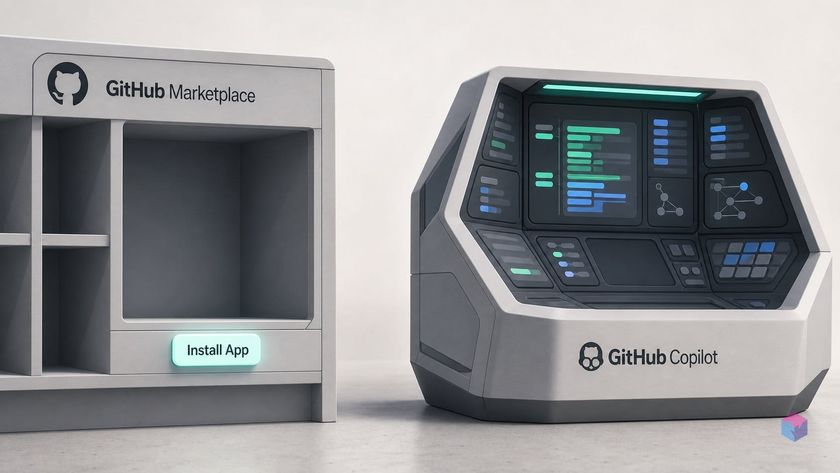
GitHub shipped the standalone GitHub Copilot app on June 17, 2026, and the name is doing some quiet work: despite a feature path that reads /features/ai/github-app, this is not the GitHub App you install from the Marketplace.
The GitHub Copilot standalone app: what it is and what it replaced
The GitHub Copilot app is a standalone desktop client for agent-driven development, built on the Copilot CLI rather than as a Marketplace "GitHub App" OAuth integration . That distinction matters because the URL path /features/ai/github-app implies a classic install-and-authorize integration. It isn't one. There is no marketplace install step and no per-repo OAuth grant; org-wide access is governed through Copilot plan policies instead . If you were expecting an app listing, you'll find a desktop download.
What it replaced is the more interesting shift. Until now, Copilot lived mainly as chat and autocomplete inside VS Code and other editors, with its cloud coding agent triggered by assigning GitHub Issues to Copilot . The standalone app reframes Copilot as a supervisory workspace, a control plane that takes work from issue to merge in a single window, where you inspect diffs, preview changes, run terminal checks, and open and merge PRs without leaving the app . The mental model moves from "autocomplete in my editor" to "dashboard over agents working my repos."
Practical details for anyone evaluating it:
- Platforms: macOS, Windows, and Linux, shipped publicly from the
github/apprepository (~1.7k stars at GA) . - Requirement: an active paid Copilot subscription; the app is excluded from the Free plan .
- Release pace: v1.0.0 went GA on June 17, 2026, and v1.0.3 (the latest at research time) landed June 20 .
Three patch releases in 72 hours is a signal worth reading. v1.0.3 alone fixed a bug where an in-app update could silently wipe workspaces and session history, the kind of issue that surfaces only once real users run it . The app is GA, but it is GA in the "shipping and hardening live" sense, not the "settled for a year" sense. Keep that in mind before a broad rollout.
Worktree-per-job isolation: how the Copilot app handles simultaneous work
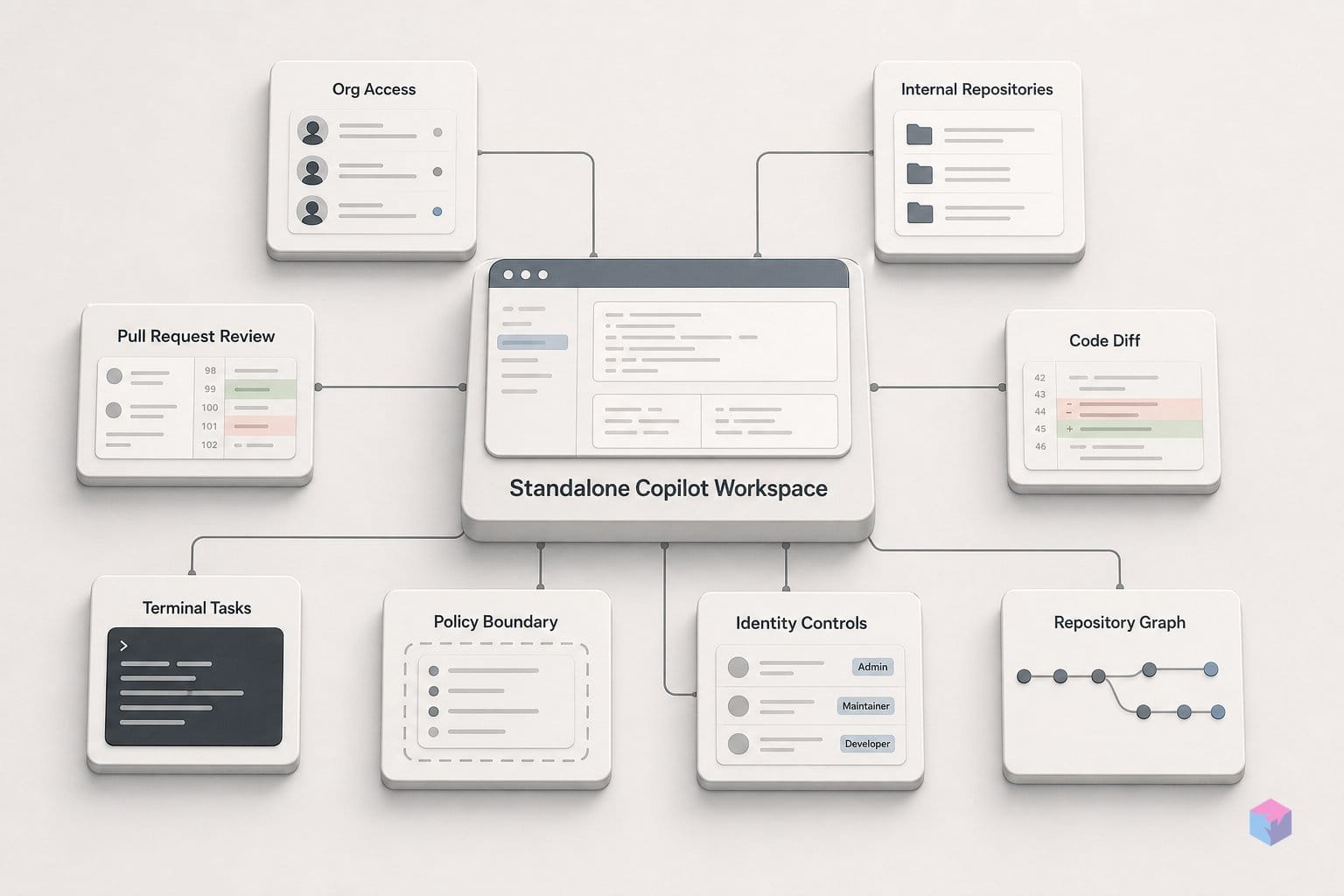
The Copilot app runs every agent session in its own git worktree, a separate branch copy of the repository, so several AI jobs can edit the same repo at once without overwriting each other. This is the core engineering shift: per-session isolation is a built-in primitive, not a manual setup you script yourself . Each session gets its own sandboxed workspace, which means parallel agents are safe to run by default rather than a race condition waiting to happen.
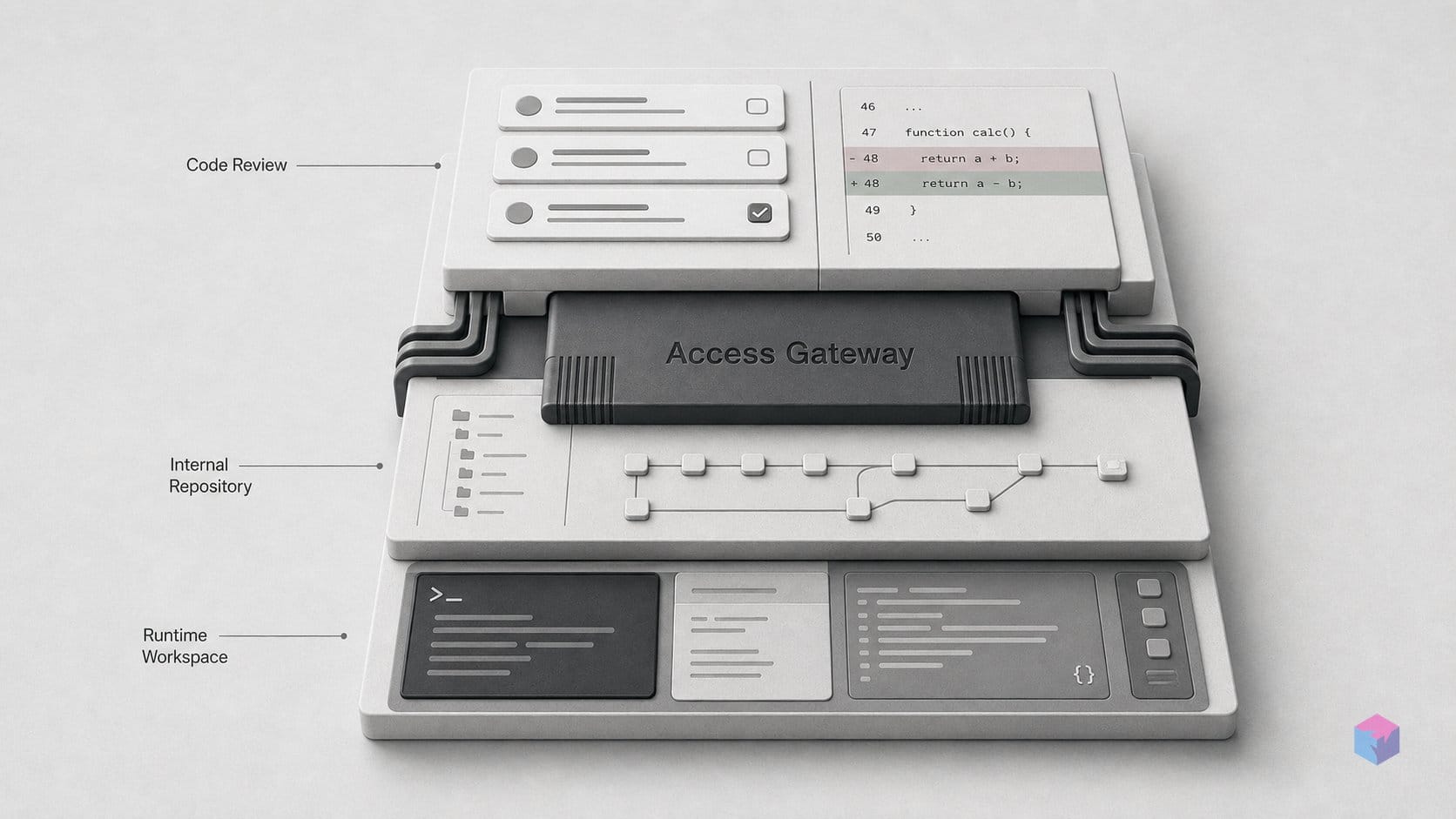
Sessions can start three ways: from a GitHub Issue, a freeform prompt, or an in-flight pull request . Multiple sessions run concurrently, each pinned to its own worktree, and within the app you can inspect diffs, preview changes in an in-app browser, run terminal checks, and create, review, and merge PRs without leaving the workspace . For anyone who has tried to run two coding agents against one checkout, the practical value here is obvious: no shared working tree, no clobbered files.
Two surfaces make that parallelism legible:
- "My Work" view: a single dashboard aggregating active agent sessions, issues, pull requests, and background automations across connected repositories, so you supervise a fleet instead of tab-hopping .
- Canvas surfaces: plans, terminals, browser previews, diffs, and workflow state exposed as inspectable panels rather than buried in a chat scrollback . This is the part that separates a supervisory workspace from a chat box: you can see what each agent is doing, line by line.
On top of the worktree model sits Agent Merge, which drives a PR through CI checks, reviews, and merge conditions toward completion. The agent doesn't just write the diff; it shepherds it to merge . Session history is tracked through /chronicle, and MCP (Model Context Protocol) server connections extend each workspace with external context and tools . MCP matters here because it means a worktree-isolated agent can pull in your own data sources or services rather than being limited to what's in the repo.
GitHub frames the result plainly. The app is, in its own words, "the only desktop experience for agent-driven development built natively on GitHub," pitched as taking work "from issue to merge, in one app", per the Copilot app feature page .
One security note worth flagging for anyone wiring up MCP: an earlier v0.2.33 release hardened the app so MCP-authored UI panels can no longer send chat messages or invoke tools without a user gesture, closing a server-authored-panel risk . If you connect third-party MCP servers, that gesture requirement is the boundary doing the work. Keep it in mind when reviewing what an external server is allowed to trigger.
Interactive and Autopilot: supervision levels annotated
The Copilot app exposes three documented session modes that set how much a human stays in the loop: Interactive, Plan, and Autopilot . They are a supervision dial, not separate products; the same agent runs the work, and the mode decides where it pauses for your approval. Pick the level that matches the blast radius of the task: tight oversight for anything touching critical paths, looser reins for well-scoped, low-risk changes.
| Mode | Human checkpoint | Best fit |
|---|---|---|
| Interactive | Approve each step before the agent proceeds | Unfamiliar code, risky refactors, learning what the agent does |
| Plan | Approve a plan once, before execution begins | Multi-step jobs where you want to vet the approach but not every edit |
| Autopilot | Minimal interruption; runs end to end | Well-scoped, low-risk jobs you trust the agent to finish unattended |
Mode is not the only lever. Each session also carries per-job model selection and reasoning-effort controls . Practically, that means you trade capability against token spend one session at a time: route a gnarly architecture task to a stronger model with high reasoning effort, and drop a routine doc fix to a cheaper model at low effort. Because credits are consumed per run, this is the knob that most directly shapes your bill, worth keeping in mind before the pricing section.
Where the agent executes is a separate axis from how closely you watch it. The app runs local sessions in on-device sandboxes, which are generally available, and cloud sessions in GitHub-hosted sandboxes, which remain in public preview as of June 2026 . The split matters for governance: local execution keeps code on the developer's machine, while cloud sandboxes shift it into GitHub's environment, convenient for long-running or scheduled jobs, but still preview-grade, so treat it as such for anything sensitive.
One supervision boundary sits below the mode selector entirely. As covered above, the v0.2.33 hardening that stops MCP-authored UI panels from sending chat messages or invoking tools without a user gesture is what keeps a connected server from quietly escalating its own privileges . Read the modes and that gesture rule together: Autopilot reduces how often you approve agent steps, but it does not hand an external MCP server a free pass to act on your behalf. If you lean on Autopilot for unattended runs, audit which MCP servers and agent skills a session can reach, because that is where the real trust decision is.
Who gets the standalone Copilot app: exclusions and enablement
The standalone Copilot app is excluded from the Free plan entirely and unlocks from Copilot Pro upward across every paid tier: Pro, Pro+, Max, Business, and Enterprise . GitHub lists individual entry at $10/user/month for Pro . But on a paid individual plan, "you have it" and "your org has it" are two different statements, and the gap between them is where most enablement confusion lives.
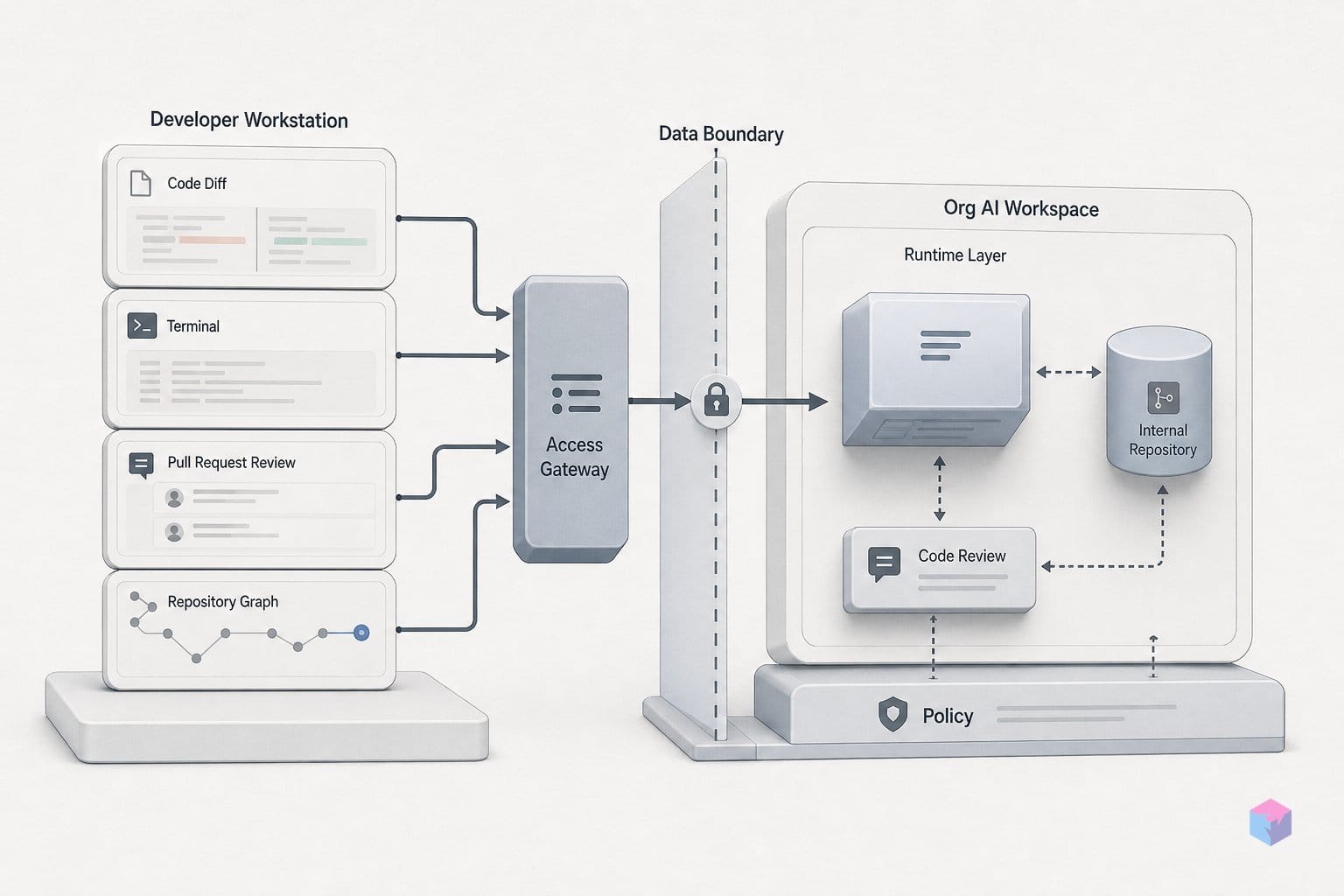
For Copilot Business and Copilot Enterprise, a paid seat is not sufficient on its own. Members get the app only if an administrator has enabled the Copilot CLI policy; the app is a desktop client built on that CLI, so the policy gate controls the whole experience . The cloud coding agent adds a second gate: Enterprise admins must enable the agent through org policy and then turn it on per repository, rather than flipping one global switch . If a developer reports the app or cloud sessions missing despite a Business seat, the policy layer is the first place to look, not billing.
"The only desktop experience for agent-driven development built natively on GitHub," per GitHub's product positioning (source: github.com/features/ai/github-app)
Provisioning at org scale follows two identity paths. You can invite personal GitHub accounts into the organization, optionally grouped into teams and optionally fronted by SAML SSO; or you can run Enterprise Managed Users provisioned via SCIM from your identity provider, so accounts are created, deactivated, and synced from the IdP rather than self-registered .
For cost-conscious teams: organizations wanting org-wide AI coding access do not have to buy full GitHub Enterprise licenses. GitHub documents a dedicated enterprise-account route for Copilot Business, with IdP integration for authentication and provisioning, letting you centralize license management for Copilot specifically while leaving the rest of your GitHub plan untouched . Enablement comes down to three decisions: pick a paid tier above Free, switch on the Copilot CLI policy, and choose between invited personal accounts or SCIM-managed users, before a single agent session runs.
How much Copilot costs: from individual to org-wide AI consumption
Copilot pricing splits into two layers: a flat per-seat subscription, and metered AI-credit consumption that kicks in once an agent does real work. Every paid tier from Pro upward includes the standalone app, so the entry cost is the subscription itself, but for organizations the seat price is only the floor, because advanced model runs and agent jobs draw down credits that can carry overage. The individual plans are priced at Pro $10/user/month, Pro+ $39/user/month, and Max $100/user/month, with the app bundled in from Pro on up .
Quick Answer: The standalone Copilot app is included on every paid plan: individual Pro ($10), Pro+ ($39), Max ($100), plus org tiers Business ($19/user/month, 1,900 AI credits) and Enterprise ($39/user/month, 3,900 AI credits). Credits pool across the org; overage defaults to $0.01 per AI credit unless budgets cap it.
For teams, the relevant numbers shift to the Business and Enterprise tiers, where each seat ships with a fixed credit allocation. Copilot Business is $19/user/month with 1,900 AI credits per user, and Copilot Enterprise is $39/user/month with 3,900 AI credits per user . Those credits are pooled across the enterprise rather than locked to a single developer, so a heavy agent user and a light one share the same bucket under admin-controlled spending caps .
| Plan | Price (/user/month) | Included AI credits | Standalone app |
|---|---|---|---|
| Pro | $10 | — | Included |
| Pro+ | $39 | — | Included |
| Max | $100 | — | Included |
| Business | $19 | 1,900 / user (pooled) | Included (CLI policy required) |
| Enterprise | $39 | 3,900 / user (pooled) | Included (CLI policy required) |
The metered layer is where org spend gets unpredictable. Advanced models and AI agents consume credits beyond the included allocation, and once a team exhausts the pool, overage defaults to $0.01 per AI credit unless an admin caps it with a budget . Because consumption tracks usage patterns and model choices, the same seat can cost very differently month to month, so budgets rather than seat math govern the real bill.
One figure to confirm before you model org spend: GitHub's release notes reference a billing change said to begin June 1, 2026, under which code-review and agent runs also consume GitHub Actions minutes alongside AI credits . This is unconfirmed against the official pricing page at publication, so treat any org-wide projection that ignores Actions-minute consumption as a floor, not a ceiling. Verify it directly with GitHub before committing budgets.
Gaps to address before expanding Copilot access org-wide
Before granting the Copilot app to a whole organization, treat three areas as open: execution maturity, code provenance, and undocumented governance rules. The app reached GA only on June 17, 2026, and its cloud sandbox sessions are still labeled public preview in GitHub's own docs. Production agent runs should stay on the on-device sandboxes, which are GA, until cloud execution exits preview .
- Execution surface: local on-device sandboxes are GA; cloud-hosted sandboxes remain public preview, so do not route regulated or business-critical work through them yet .
- Code provenance: GitHub warns the app may generate code matching or nearly matching public code even when the "Suggestions matching public code" policy is set to block, which means attribution review, security scanning, and human PR review remain your obligation, not the agent's .
- Product maturity: v1.0.3, released June 20, 2026, fixed a bug where an in-app update could silently wipe workspaces and session history; automatic recovery from backup now exists, but the incident, just three days after GA, is a signal the client is still hardening .
- Governance detail: per-seat credit pooling rules and per-repository policy granularity are not fully spelled out in the current official docs or the public repo, so the exact blast radius of an org-wide enablement is partly unknown .
Pilot before scaling. Enable the Copilot CLI policy for a single team or repository subset, watch credit consumption and Actions-minute draw against real workloads, confirm code-review and attribution controls behave under the autopilot supervision levels, and only then widen access. Copilot's standalone app is a credible agent control plane, but on June 22, 2026 it is a fast-moving GA, patched daily, with preview-grade cloud execution and thin governance documentation. Roll it out the way you would adopt any new build agent: scoped, observed, and reversible.
Frequently asked questions
Is the GitHub Copilot app a GitHub App installable from the Marketplace?
No. Despite the /features/ai/github-app URL path, it is a standalone desktop client built on the Copilot CLI, not a classic Marketplace OAuth integration. It runs on macOS, Windows, and Linux , and org-wide access is delivered through plan policies and admin configuration rather than a Marketplace install . There is no "install" button on a repository; you authenticate with a paid Copilot subscription instead.
Which Copilot subscription plans include the standalone app?
All paid plans from Pro upward include the app: Pro, Pro+, Max, Business, and Enterprise. The Free plan is excluded . Individual pricing runs Pro at $10/user/month, Pro+ at $39/user/month, and Max at $100/user/month . Business and Enterprise users gain the app only if an administrator has enabled the Copilot CLI policy; Enterprise additionally requires per-repository enablement for the cloud coding agent .
What is a git worktree and why does Copilot use one per AI job?
A git worktree is a separate branch checkout that lets multiple versions of a repository coexist on disk at the same time. Copilot assigns one worktree per session so several agents can edit the same repository concurrently without overwriting each other's changes . This per-session isolation is what makes safe parallel agent execution a first-class primitive rather than a manual setup, so multiple in-flight tasks stay independent until you review and merge each diff.
How does org-wide AI credit pooling work for Copilot Business?
Each Copilot Business seat includes 1,900 AI credits per month and each Enterprise seat includes 3,900, with credits pooled across the organization . Advanced model runs and agent jobs consume credits. Overage is billed at $0.01 per AI credit by default unless an administrator caps it with org spending budgets . Business list pricing is $19/user/month and Enterprise is $39/user/month .
Are Copilot cloud sandbox sessions production-ready?
No. GitHub marks cloud sandbox sessions as public preview as of June 2026, while on-device local sandboxes are generally available . Evaluate the cloud option on a non-critical project before relying on it in production workflows. Note also that GitHub warns the app may generate code matching public code even when the "Suggestions matching public code" policy is set to block, so code review and security scanning remain necessary regardless of where a session runs .