

xAI's new plugin format answers a question every agent platform eventually faces: once your coding agent supports skills, commands, subagents, hooks, and protocol servers, how does anyone share a working bundle of them? Grok Build's answer is a single versioned package installed through one GitHub pull request.
What the Grok Build plugin format actually ships
A Grok Build plugin is one installable, versioned unit that bundles up to six optional component types: skills, slash commands, subagent definitions, lifecycle hooks, MCP servers, and LSP servers . xAI shipped the format with the Grok Build Plugin Marketplace beta on June 11, 2026, an in-terminal catalog built into its CLI/TUI coding agent . The practical effect: a vendor's setup, debug, and deploy logic travels as one package instead of a README full of copy-paste steps.
Quick Answer: A Grok Build plugin packages up to six component types (skills, slash commands, subagents, hooks, MCP servers, and LSP servers) into a single versioned unit installed through one GitHub PR. xAI launched the marketplace in beta on June 11, 2026 with six day-one partners.
The format generalizes Grok Build's earlier "skill" primitive. A skill was a self-contained folder of markdown instructions, scripts, and resources, discoverable from .grok/skills/ and surfaced as a slash command /<skill-name> . Plugins keep that primitive but wrap it (alongside the other five component types) into a shareable, multi-component bundle. Grok Build itself entered early beta in late May 2026 (between May 14 and May 25, based on available sources) as a terminal agent with subagents, hooks, skills, and MCP support already built in , so the plugin format is the distribution layer over capabilities the agent already had.
An optional manifest carries metadata (name, description, category, homepage, keywords) plus path overrides. But a marketplace entry needs only two required fields: name and source . Everything else is recommended, not mandatory.
| Component type | What it does | How it surfaces at runtime |
|---|---|---|
| Skill | Markdown instructions, scripts, and resources for a reusable task | Loaded from .grok/skills/; invoked as /<skill-name>, listed in the /skills modal |
| Slash command | Custom command the agent exposes in the TUI | Available as /<command> |
| Agent | Subagent definition for delegated work | Registered as a callable subagent |
| Hook | Lifecycle hook that fires on agent events | Inspected via the /hooks modal |
| MCP server | Model Context Protocol server exposing tools/data | Managed via the /mcps modal |
| LSP server | Language Server Protocol integration | Active during code editing in the session |
Plugin code installs under ~/.grok/plugins/marketplaces/ for catalog sources, with project-local plugins kept in ./.grok/plugins/ . The result is one PR-installable artifact that can carry an entire vendor's agent integration: the building block the rest of this guide unpacks.
MongoDB, Vercel, Sentry, and the rest: what each day-one extension covers
xAI's June 11 launch named six plugins, each wrapping a vendor's agent integration into one installable unit: MongoDB, Vercel, Sentry, Chrome DevTools, Cloudflare, and Superpowers . They cover different layers of the build-debug-deploy loop rather than overlapping: a database explorer, a deploy/observability pair, a browser controller, an edge platform, and a workflow toolkit. CryptoBriefing separately confirmed the MongoDB and Sentry entries as live in the catalog rather than announcement-only .
| Plugin | What it gives the agent |
|---|---|
| MongoDB | Database exploration, collection management, query optimization, code generation, best-practice skills, plus the MongoDB MCP server |
| Vercel | Deployments, build status, logs, domain management, and frontend infrastructure control |
| Sentry | Production debugging, stack traces, issue search, alerts, and SDK setup |
| Chrome DevTools | Live-browser control, inspection, performance traces, network requests, source-mapped console errors, and browser automation |
| Cloudflare | Workers, Durable Objects, the Agents SDK, Wrangler, and web-performance and platform skills |
| Superpowers | Agent-driven workflows: test-driven development, systematic debugging, planning, review, and verification |
The split is deliberate. Chrome DevTools turns the agent into something that can drive a real browser session and read source-mapped errors, while Sentry feeds it production stack traces, so a debugging loop that starts in the browser can end at the deployed crash without leaving the terminal . Superpowers is the outlier: it ships no vendor API at all, only opinionated process skills (TDD, planning, verification), which makes it the closest thing to a methodology package in the catalog.
There is a discrepancy worth flagging. The launch post lists six partners, but the live xai-official catalog (owner xAI) currently contains eight entries, the six above plus Neon and Firecrawl . The cleanest reading is that six were announced on day one while the published catalog now also carries Neon and Firecrawl; the available evidence does not establish whether those two were day-one inclusions omitted from the blog or added afterward. Treat the eight-entry count as a present-day snapshot, not a confirmed June 11 inventory.
The same caveat applies to component totals. The live index currently exposes 113 skills, 10 commands, 3 agents, 11 MCP servers, and 3 hooks across all eight entries . Restricted to just the six launch-announced plugins, the index shows 100 skills, 9 commands, 3 agents, 9 MCP servers, and 3 hooks . Because the marketplace is in beta, those counts move whenever a publisher merges a PR: the catalog is the source of truth, and the numbers here describe what it held at the time of writing, not a fixed release manifest .
How to submit your extension to the Grok marketplace via GitHub PR
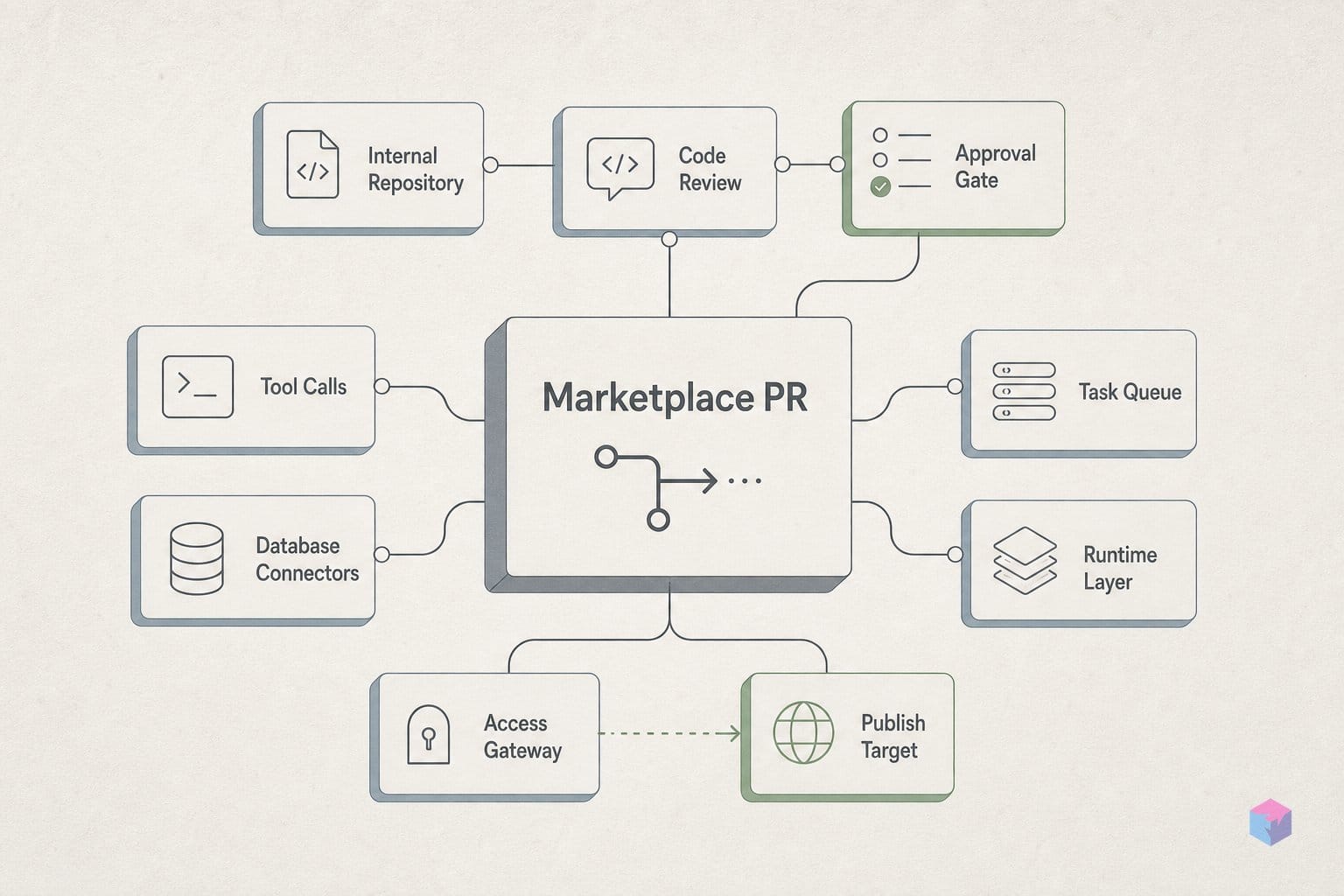
Publishing to the Grok Build marketplace is a GitHub pull request against one repo: xai-org/plugin-marketplace, the source-of-truth index that Grok Build reads for browsing, install, and update . There is no separate submission portal and no upload step: you add your plugin to the catalog file, regenerate the index, and open a PR. A code owner has to approve it before it merges .
Every listing is one entry in .grok-plugin/marketplace.json. Where the entry points depends on who owns the code:
- First-party xAI plugins live under
plugins/in the repo itself. - Vendored third-party plugins live under
external_plugins/— a local copy committed into the repo. - Remote third-party plugins point to an upstream HTTPS Git repo you control .
Only two fields are required: name and source. The recommended metadata — description, category, homepage, keywords, domains, version, author, and tags — is what makes your plugin findable in the catalog, so treat it as effectively mandatory even though the validator does not .
The one hard rule for remote sources: the URL must use HTTPS and pin a full 40-character lowercase commit SHA (not a branch, not a tag, not a short SHA) . The current catalog shows what that looks like in practice: Vercel pins 61f1903b…, MongoDB pins 9ea7387c…, and Sentry pins 2c3b6c74… . Neon is the exception — it is vendored at ./external_plugins/neon, a local source that is not SHA-pinned because its code already lives in the repo .
After editing the catalog, two scripts close the loop:
python3 scripts/generate-plugin-index.py
python3 scripts/validate-catalog.py
The first regenerates .grok-plugin/plugin-index.json; the second checks your entry against the schema and SHA-format rules. CI then re-runs the generator with --check, fetches every pinned remote source with retries, and fails the build if the committed index is stale or any pinned commit is unreachable . Forget to regenerate the index, point at a deleted commit, or short-hand the SHA, and the pipeline rejects the PR before a human looks at it.
Shipping an update follows the same path. For a remote plugin you bump the pinned SHA to a newer commit and open a PR; for a vendored plugin you commit the changed files under external_plugins/ directly . Either way the code-owner review gate applies again. Because the marketplace is still in beta, confirm the field names and script paths against the live repo before you submit — the schema and publish mechanics can change without notice .
SHA pinning: what xAI's supply-chain model actually covers
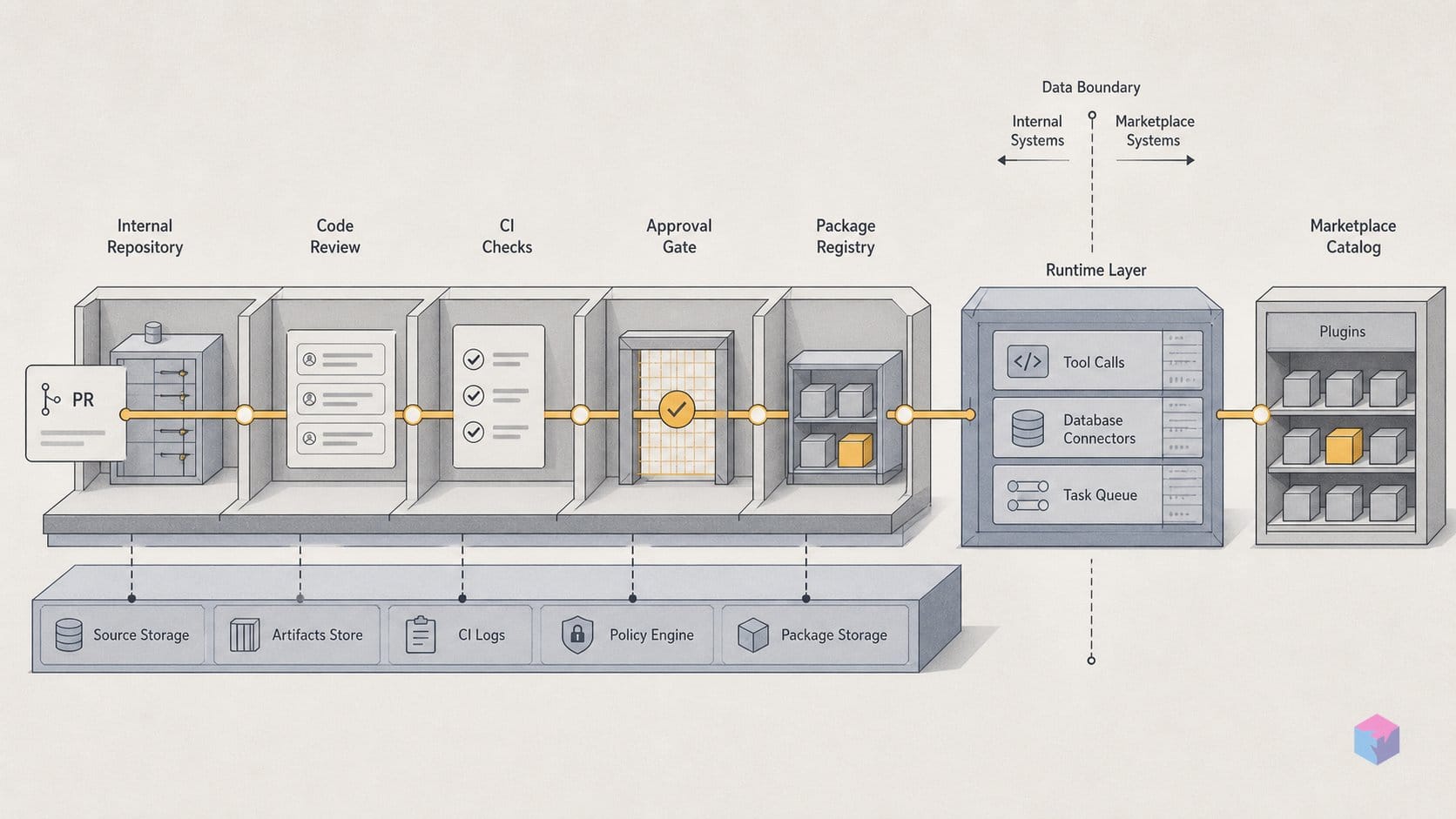
SHA pinning is the marketplace's core trust mechanism: every remote extension in the catalog is locked to a full 40-character lowercase commit SHA (not a branch, tag, or short hash), and Grok Build re-verifies that pin when you add the extension . After cloning the upstream repo, the agent effectively checks that git rev-parse HEAD equals the recorded SHA, so a force-push or a compromised upstream cannot silently change what lands on your machine. If the pinned commit no longer matches, the add fails rather than installing altered code.
That guarantee is enforced twice. The CI validator checks the SHA format and fetches each pinned source with retries; a missing, malformed, or unreachable commit fails the pipeline before the pull request can merge, and the index is rejected if it is stale . Code-owner review is required on top of that automated gate. The practical effect is that what reaches the live catalog is byte-for-byte the commit a reviewer approved, and what reaches your terminal is byte-for-byte what the catalog points at.
What SHA pinning does not do is easy to overlook, because content-addressing can look like endorsement. Pinning proves integrity (you got the exact commit) but says nothing about intent or quality. The primary sources disclose no cryptographic signing scheme beyond the SHA, no published review SLA, no takedown policy, and no per-version compatibility matrix . xAI explicitly disclaims ownership and verification of third-party extensions:
"Third-party plugins are authored by their owners, are not controlled or verified by xAI, may execute code and access local data, and are used at your own risk." — xai-org/plugin-marketplace repository (source: xai-org/plugin-marketplace)
This is where the --trust flag fits. At add-time, grok plugin install <name> --trust requires you to explicitly opt in because extensions execute code and read local system data . The friction is intentional: xAI surfaces the execution risk rather than granting it silently. Read together, the model covers the supply chain (you receive the reviewed commit, unaltered) but pushes the trust decision about what that commit actually does onto you. For internal or vendored extensions you control the upstream, so the pin is mostly a tamper seal; for third-party remote sources, treat --trust as the moment to read the code, not a checkbox. Because the marketplace is still in beta, the validator rules and flag behavior can change .
The /marketplace command: browsing and adding extensions from the terminal
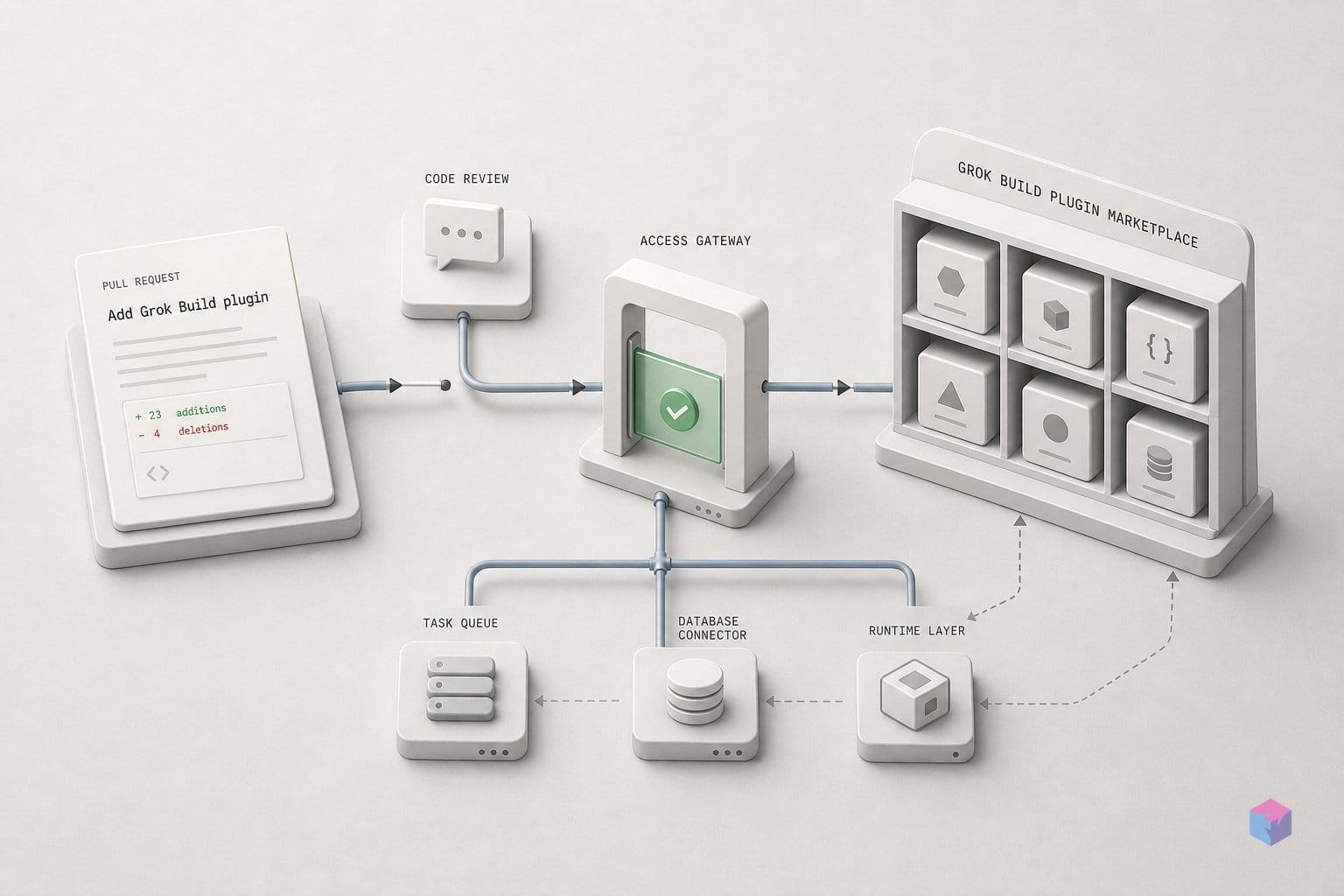
Inside Grok Build, the catalog lives one slash command away: type /marketplace to open the TUI browser, then press i to add the highlighted extension . The same action is available from a regular shell without entering the interactive UI — grok plugin marketplace list prints the available entries, and grok plugin install <name> --trust installs one by name . The --trust flag is mandatory because an extension executes code and reads local data; carrying it over from the publish workflow, it remains the point where you decide a remote source is safe, not a formality to clear.
Where the agent looks for catalogs is configurable. Marketplace sources are read from the [[marketplace.sources]] table in ~/.grok/config.toml and from ~/.grok/plugins/known_marketplaces.json . Anything you install from a registered catalog lands under ~/.grok/plugins/marketplaces/, keeping marketplace-sourced extensions separate from the ones you author yourself .
Not every extension has to come through the catalog. Project-local extensions live in ./.grok/plugins/, so a repo can ship its own agent setup that activates when you run Grok Build inside that directory. For something you have not registered anywhere — a local checkout you are testing, or a vendored copy — --plugin-dir <PATH> loads it ad hoc for the session . That path matters for builders iterating on an extension before opening a marketplace PR: you can exercise the real install behavior without touching the public index.
The browsing surface is also more granular than a single screen. The extensions modal opens with /plugins, and you can jump straight to a component type with /hooks, /skills, or /mcps to inspect what a bundle actually contributes . Since the marketplace is still in beta, treat these command names and paths as provisional and confirm them against the docs before scripting around them.
What the publisher workflow leaves open
The publish workflow is functional but deliberately unfinished, and a few gaps matter before you build around it. Grok Build stays behind paid tiers, available only to SuperGrok and X Premium Plus subscribers , yet the marketplace itself carries no standalone pricing and no extension fees. Every listed plugin is a free, open-source contribution in the GitHub catalog, so the cost question today is about who can run Grok Build, not about what the extensions charge.
Just as notably, nothing layers a business or trust model on top of that catalog. xAI disclosed no revenue share, no paid-listing tier, and no signed-package requirement beyond the commit-SHA pinning covered earlier at the June 11 beta launch . The repository is explicit that the rest is on you:
"Third-party plugins are authored by their owners, are not controlled or verified by xAI, may execute code and access local data, and are used at the user's own risk." — xai-org/plugin-marketplace repository notice (source: xai-org/plugin-marketplace)
That governance vacuum extends to process. No review SLA, takedown policy, or plugin-signing scheme beyond SHA pinning appears in the primary sources . The publish mechanics (the manifest schema, the CI scripts, the .grok-plugin/marketplace.json format) are all flagged as beta and subject to change. Treat them as provisional: verify against launch coverage and the live xai-org/plugin-marketplace repo directly rather than against this article.
One last gap to flag for compatibility planning: no Grok Build version number was attached to the marketplace beta in the reviewed sources . There is no version matrix to pin a plugin against today, so a manifest that validates this week carries no guarantee across future agent releases. The concrete takeaway: ship to the marketplace now if a free, GitHub-PR distribution channel serves you, but pin your expectations as loosely as the schema is pinned, and re-check the repo before you depend on any of it.
Frequently asked questions
How do I publish an extension to the Grok Build marketplace?
You submit a GitHub pull request to the official xai-org/plugin-marketplace repository, the source-of-truth index for browsing, install, and update. Add an entry to .grok-plugin/marketplace.json with at minimum name and source; first-party plugins live under plugins/, vendored ones under external_plugins/, and remote ones point to an upstream HTTPS Git repo. Remote sources must pin a full 40-character lowercase commit SHA, not a branch, tag, or short SHA. Regenerate the index with python3 scripts/generate-plugin-index.py, validate with validate-catalog.py, and pass code-owner review before merge.
What does the --trust flag mean when adding a Grok plugin?
The --trust flag is a required acknowledgment that the extension executes code and can read local system data. xAI surfaces it as intentional friction: grok plugin install <name> --trust will not proceed without it, because installing a plugin means running third-party code on your machine. According to xAI's plugin-marketplace repository, no sandboxing or isolation model is disclosed. The flag is effectively the entire gate between browsing the catalog and executing untrusted code.
Do I need a SuperGrok subscription to use the marketplace?
Yes. Grok Build, and therefore its plugin marketplace, is gated to SuperGrok and X Premium Plus subscribers. No separate marketplace pricing or per-extension fees were disclosed at launch on June 11, 2026; the listed extensions are free, open-source packages contributed to the public GitHub catalog. The subscription gates the agent itself, not the plugins.
What is the difference between a Grok plugin and a skill?
A skill is a self-contained folder of markdown instructions, scripts, and resources, discoverable from .grok/skills/ and surfaced as a /<skill-name> slash command, per the Grok Build docs. A plugin is the marketplace-installable, versioned format that can bundle up to six component types — skills, slash commands, agents, hooks, MCP servers, and LSP servers — into one package. In short, a skill is one component type inside a plugin, not a synonym for it.
Does xAI review third-party extensions before they appear in the catalog?
SHA pinning and CI validation are the only disclosed technical gates. CI runs generate-plugin-index.py --check, fetches each pinned remote source, fails if the index is stale or a pinned commit is unreachable, and requires code-owner review before a PR merges. But xAI explicitly states in the repository README it does not control or verify third-party plugins, which may execute code and access local data at the user's own risk. No security audit, review SLA, or takedown policy was announced at launch.