
xAI's Grok Imagine 1.5 lands as an image-to-video model with a deliberate trade-off: tighter fidelity to your source frame, new audio prompting, and a hard requirement that you bring a still image to start. Here's what actually changed from the original, and the one constraint that reshapes how you build with it.
1.5 vs the original: fidelity, audio, and the image-only constraint
Grok Imagine 1.5 is xAI's image-to-video model, announced on June 3, 2026 and exposed through the API as grok-imagine-video-1.5-preview (alias grok-imagine-video-1.5-2026-05-30) . It takes a still starting frame plus a motion prompt and preserves the source image's lighting, composition, and subject identity more faithfully than a pure text reinterpretation . Practically, that means your prompt only drives what changes — a camera push-in, drifting embers, a product rotation — not what the subject looks like.
Audio prompting is new. xAI advises describing sound design, ambient room tone, and pacing in the same prompt as camera motion, and the model is benchmarked in audio-enabled tracks .
The key constraint: grok-imagine-video-1.5-preview does not support text-to-video. You must supply or generate a starting image first . For text-to-video, extension, or editing, the standard grok-imagine-video model remains the option . Output tops out at 720p and 15 seconds, with 5–8 seconds noted as the sweet spot for motion stability .
Creating your source frame
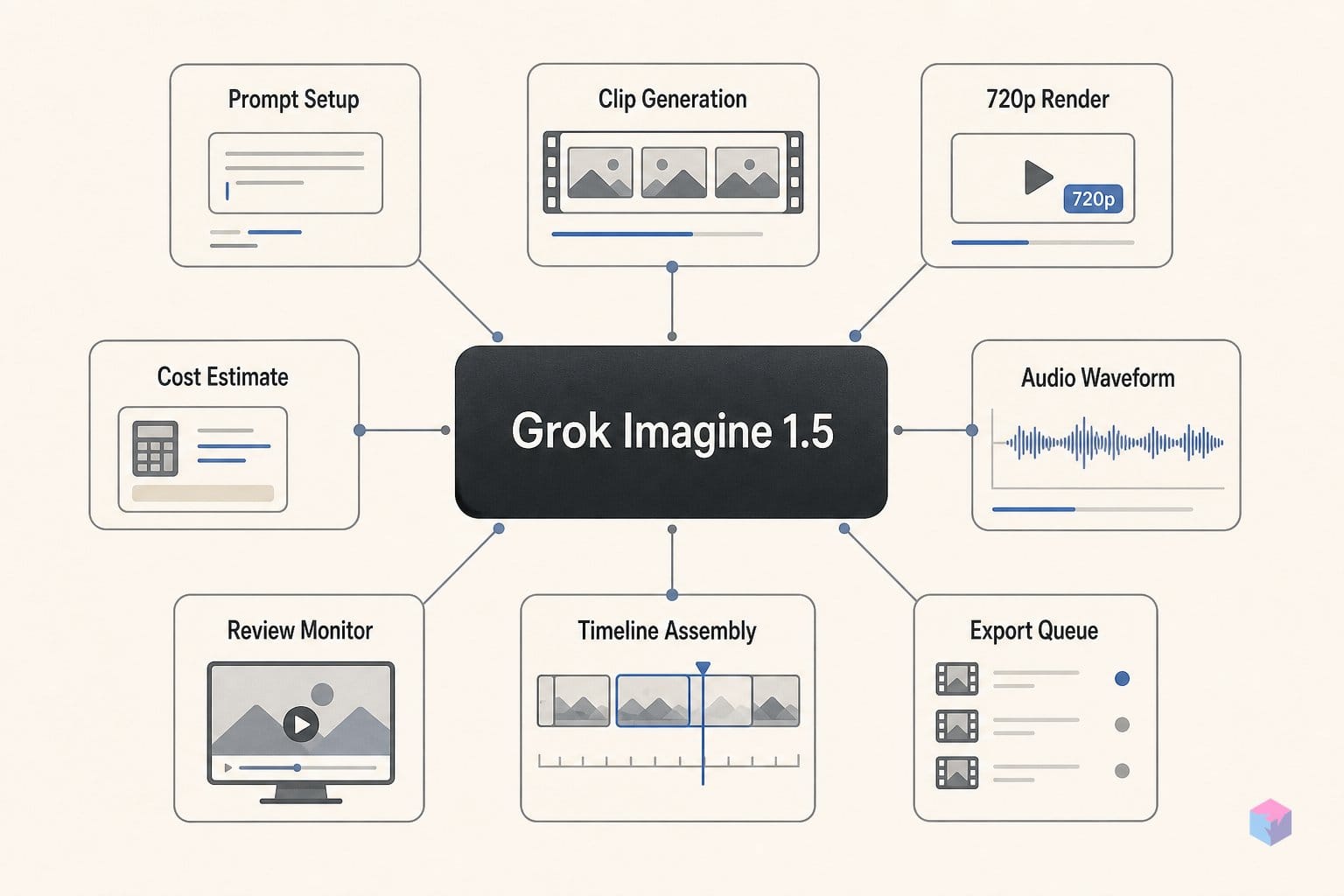
Because 1.5 animates a still rather than inventing one from text, your first job is to produce that starting frame. If you already own a photograph or a rendered asset, skip generation entirely — host it at a stable public URL and pass that straight into the video call. When you need to synthesize one, the companion Imagine image API is the tool, and for new work you should call grok-imagine-image-quality; grok-imagine-image-pro was scheduled for deprecation on May 15, 2026 .
The image API is built for iteration. A single request supports generation or editing with up to 3 reference images, returns up to 10 generated images per call, and outputs at 1K or 2K resolution, with image URLs returned by default and base64 optional .
Budget for this step on top of the video job. Pricing is $0.05 per 1K image and $0.07 per 2K, plus $0.01 per image input . So a 2K frame plus one reference edit adds roughly $0.08 before you ever touch the video generation cost — small per asset, but worth tracking when you batch dozens of shots.
Animating a clip, end to end
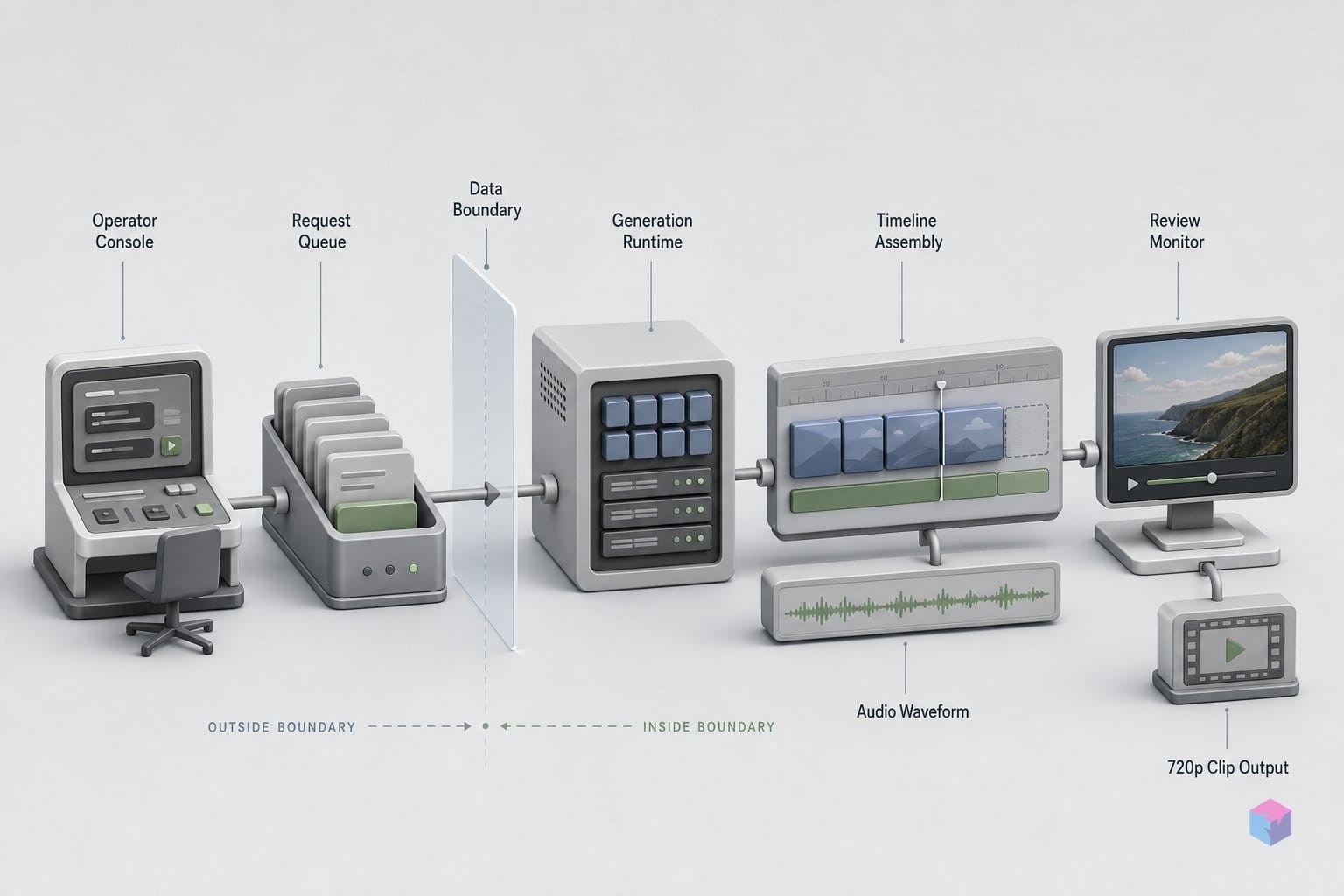
With a source frame hosted, animating it is a six-step async job: create a key, host the image, write a shot-direction prompt, call the API, poll, and download. Start by generating an API key in the xAI console, then put your starting frame at a stable, publicly accessible URL — the API fetches image_url over HTTP, so a transient or auth-gated link will fail the job before generation begins .
Write the prompt like shot direction, not a still caption. Name four things: subject motion, camera motion (e.g. "slow handheld dolly-in"), environmental motion, and audio cues, plus timing. Composition and identity already carry from the source frame, so the prompt only specifies what moves. xAI's launch example: "Slow cinematic push-in as embers drift across the battlefield and the helmet crest stirs in the wind" .
The Python SDK call is the shortest path. Instantiate xai_sdk.Client(api_key=os.getenv('XAI_API_KEY')), then call client.video.generate(...) with the model id, your image URL, duration, and resolution:
client.video.generate(
    prompt='Slow cinematic push-in as embers drift across the battlefield and the helmet crest stirs in the wind',
    model='grok-imagine-video-1.5-preview',
    image_url='https://your-host.com/frame.jpg',
    duration=10,
    resolution='720p',
)
On REST, POST to https://api.x.ai/v1/videos/generations and capture the returned request_id. The model is served from us-east-1 with a 60 requests-per-minute rate limit .
Generation is asynchronous and can take up to several minutes depending on prompt complexity, duration, and resolution, so you poll for completion . The SDK auto-polls with documented defaults of a 10-minute timeout and a 100 ms interval. On raw REST, GET https://api.x.ai/v1/videos/{request_id} roughly every 5 seconds until status becomes done; failed and expired are terminal failure states, so treat either as a stop condition rather than retrying in place .
When the job finishes, the response carries a temporary video URL. Download it immediately — these URLs expire, and an expired status means re-running the generation, not just re-fetching. For a quick cost sanity check before you batch jobs, this verified snippet prints the per-clip spend at the 720p ceiling:
from decimal import Decimal

seconds = Decimal("10")
price_per_second_720p = Decimal("0.141")
total = seconds * price_per_second_720p

print(f"A {seconds:.0f}-second Grok Imagine 1.5 clip at 720p runs ${total:.2f}.")
Running it prints A 10-second Grok Imagine 1.5 clip at 720p runs $1.41. — bundling the $0.14/sec output and the $0.01 input image into one figure so you can multiply across a shot list .
What 1.5 constrains: resolution, duration, and spend
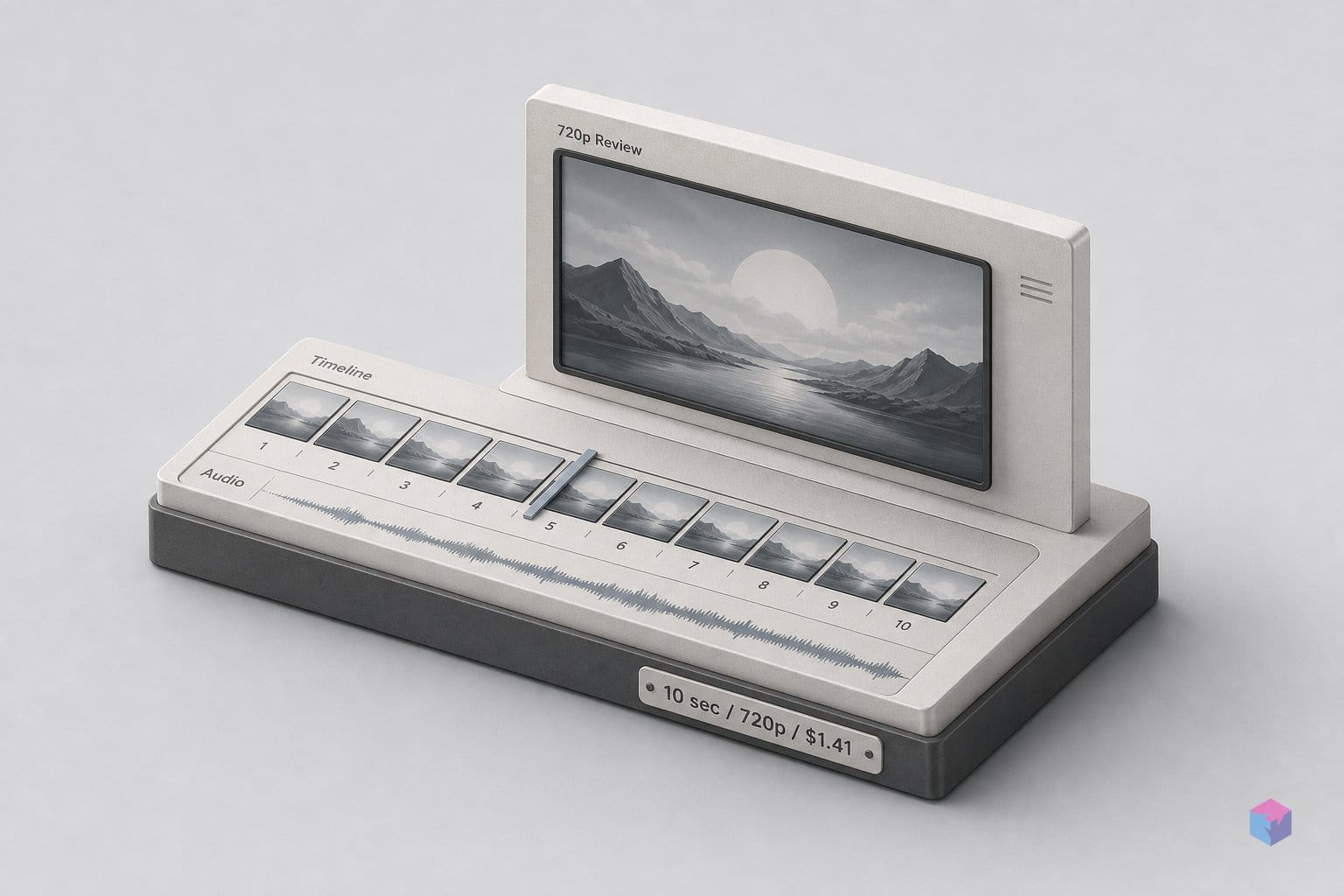
The pricing is simple enough to budget in your head. Grok Imagine 1.5 preview bills output at $0.08 per second at 480p and $0.14 per second at 720p, plus $0.01 per input image . A 10-second 720p clip lands at $1.41 ($1.40 output + $0.01 image) before any account-level fees. The standard, non-1.5 grok-imagine-video model is meaningfully cheaper at $0.05/sec (480p) and $0.07/sec (720p) .
| Model | 480p / sec | 720p / sec | 10s @ 720p | Text-to-video? |
|---|---|---|---|---|
grok-imagine-video-1.5-preview | $0.08 | $0.14 | ~$1.41 (+$0.01 image) | No |
grok-imagine-video (standard) | $0.05 | $0.07 | ~$0.70 | Yes |
The decision rule follows the price gap: reach for 1.5 when source-frame fidelity — lighting, identity, fine detail — is the priority, and fall back to the standard model when you only need text-to-video or a lower per-clip cost. Two operational constraints matter in production. The model runs in us-east-1 with a 60 requests-per-minute rate limit, and its preview status means pricing and availability may shift before GA . Pin the versioned alias grok-imagine-video-1.5-2026-05-30 in production jobs so a silent model swap doesn't change your output or bill.
If you'd rather not call xAI directly, 1.5 is also hosted on Replicate (xai/grok-imagine-video-1.5) and fal.ai, which expose eight aspect ratios — auto (match input), 16:9, 9:16, 1:1, 4:3, 3:4, 3:2, and 2:3 .
Chaining shots for longer sequences
To build a sequence longer than a single clip, treat each shot as its own image-to-video job rather than asking for one long take. Stage each frame separately, animate it with a per-shot motion prompt, then cut the results into a continuous scene. Because every clip starts from a still you control, subject identity, composition, and lighting carry across shots — the consistency you can't reliably get from a single 15-second generation .
Keep each prompt scoped to that shot. The starting frame already fixes composition and lighting, so describe only what changes in this clip — camera move, subject motion, environmental drift, timing — and don't re-describe static elements. Re-stating the framing wastes prompt budget and invites the model to reinterpret what should stay locked.
Draft at 480p before committing to 720p. Validating motion and timing at draft resolution drops the cost from $0.14 per second to $0.08 per second, so a 10-second test runs $0.80 of output instead of $1.40 . Only re-render the shots that survive review at full resolution.
Fold policy compliance into the pipeline, not the end of it. xAI's Acceptable Use Policy prohibits violating privacy or publicity rights and sexualized depictions of real people . Use owned or consented source images, avoid real-person sexualized transformations, and label AI-generated output before publication. The takeaway: stage, draft cheap, review, then finalize — that loop is what turns a 720p preview model into a usable production tool.
Frequently asked questions
Does Grok Imagine 1.5 support generating video from a text prompt alone?
No. The grok-imagine-video-1.5-preview model is image-to-video only and requires a source frame — if you start from a text idea, you must first generate or upload a starting image, then animate it . For text-to-video, editing, or extension workflows, use the standard grok-imagine-video model, which remains the general-purpose option .
How much does a 10-second 720p clip cost with Grok Imagine 1.5?
About $1.41. The 1.5 preview bills $0.14 per second at 720p, so 10 seconds is $1.40 of output plus $0.01 for the input image . A 480p draft is cheaper at $0.08 per second. The standard grok-imagine-video model undercuts 1.5 at $0.07 per second for 720p — pick 1.5 when source-frame fidelity matters most.
How do I check whether a video generation job has finished via REST?
Poll the job by its request_id: send a GET to https://api.x.ai/v1/videos/{request_id} roughly every 5 seconds until status becomes done. The terminal failure states are failed and expired . The Python SDK polls automatically, with documented defaults of a 10-minute timeout and a 100 ms interval . Download the returned temporary video URL promptly, since it expires.
What is the maximum output resolution and clip length for Grok Imagine 1.5?
Output tops out at 720p, and clip length is configurable up to 15 seconds . Platform UIs note roughly 5–8 seconds as the sweet spot for stable motion . The model is listed in region us-east-1 with a 60 requests-per-minute rate limit . As a preview model, its specs and pricing may change before GA.
Can I reach Grok Imagine 1.5 through third-party platforms instead of the xAI console?
Yes. Both Replicate (xai/grok-imagine-video-1.5) and fal.ai host the model . These hosts add 8 supported aspect ratios — auto (match input), 16:9, 9:16, 1:1, 4:3, 3:4, 3:2, and 2:3 — which is handy when you need a specific frame shape without cropping the source image yourself.