
Nous Research has given its open-source Hermes Agent a face. After roughly a year as a terminal-and-messaging tool, the project now ships a native desktop app — and the timing matters more than the marketing around it.
What Hermes Desktop Adds
Hermes Desktop is the first official graphical front end for Nous Research's Hermes Agent, announced in public preview on June 2–3, 2026 at version v0.15.2 and already iterated to v0.17.0 (build v2026.6.19) by June 19 . Until now, Hermes ran as a CLI and messaging gateway reachable through Telegram, Discord, Slack, Signal, WhatsApp, email and the terminal . The desktop release removes the terminal requirement for Mac and Windows users without forking into a separate product.
The desktop surface adds capabilities the CLI gateway never had: native streaming responses with a live tool-activity display, a side-by-side preview pane for web pages, files and tool outputs, plus a file browser, voice input/output and a settings UI, according to MarkTechPost. None of these existed in the messaging-only experience. What it does not add is a second binary — the same agent core powers CLI, gateway and desktop, which is the architectural point we cover in the next section.
| Aspect | Hermes CLI / Gateway | Hermes Desktop |
|---|---|---|
| Interface | Terminal + Telegram/Discord/Slack/Signal/WhatsApp/email | Native GUI window |
| Streaming tool output | Text only | Live tool-activity display |
| Preview pane | None | Side-by-side (web, files, tool output) |
| Voice I/O | None | Built in |
| Platforms | macOS, Windows, Linux (terminal) | macOS, Windows, Linux |
Distribution is straightforward: a .dmg installer for macOS, an .exe for Windows, and an --include-desktop flag on the Linux shell installer to bolt the GUI onto an existing setup . Adoption has moved quickly — the GitHub repository carried roughly 180K stars at preview and about 201K by mid-June 2026, one of the faster accumulation rates for an open-source agent project this year . The live count sits on the nousresearch/hermes-agent repo.
Hermes's Shared State Between Frontends
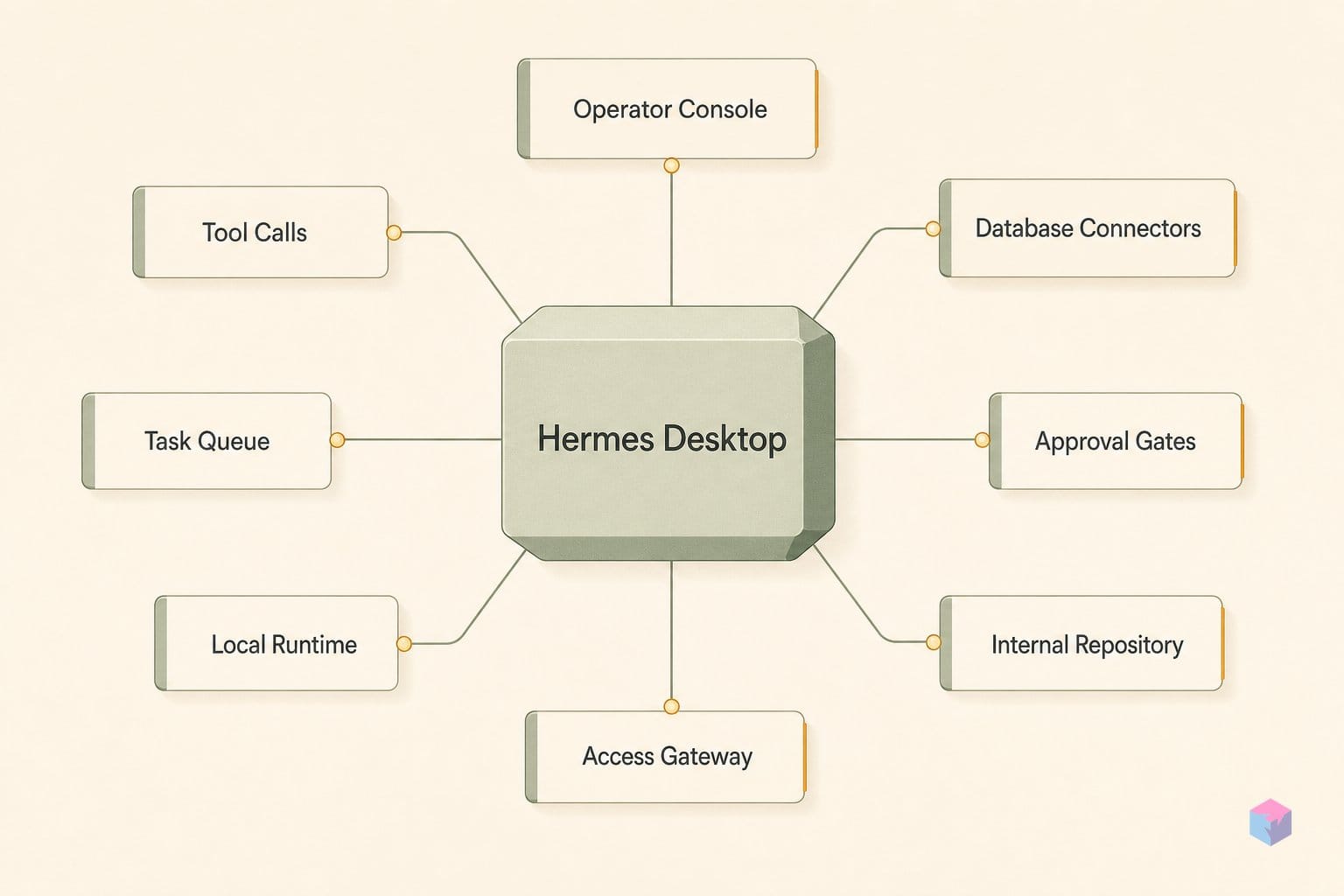
Hermes Desktop is not a separate application with its own data store — it runs the identical agent core used by the CLI and the messaging connectors, so API keys, session history, skill definitions, memory, and cron automations persist identically across the GUI, terminal, and chat surfaces . Switching from a Telegram thread to the desktop window mid-task requires no re-configuration; the same session resumes with its state intact rather than being duplicated per frontend.
That shared core is what makes the search story work. Hermes indexes prior interactions with FTS5 full-text search layered with LLM summarization, and because every surface writes into the same session store, a query run from the desktop spans conversations that originated in the CLI, in email, or in any of the messaging gateways — Telegram, Discord, Slack, WhatsApp, Signal . There is no per-frontend silo to reconcile; history is unified by construction.
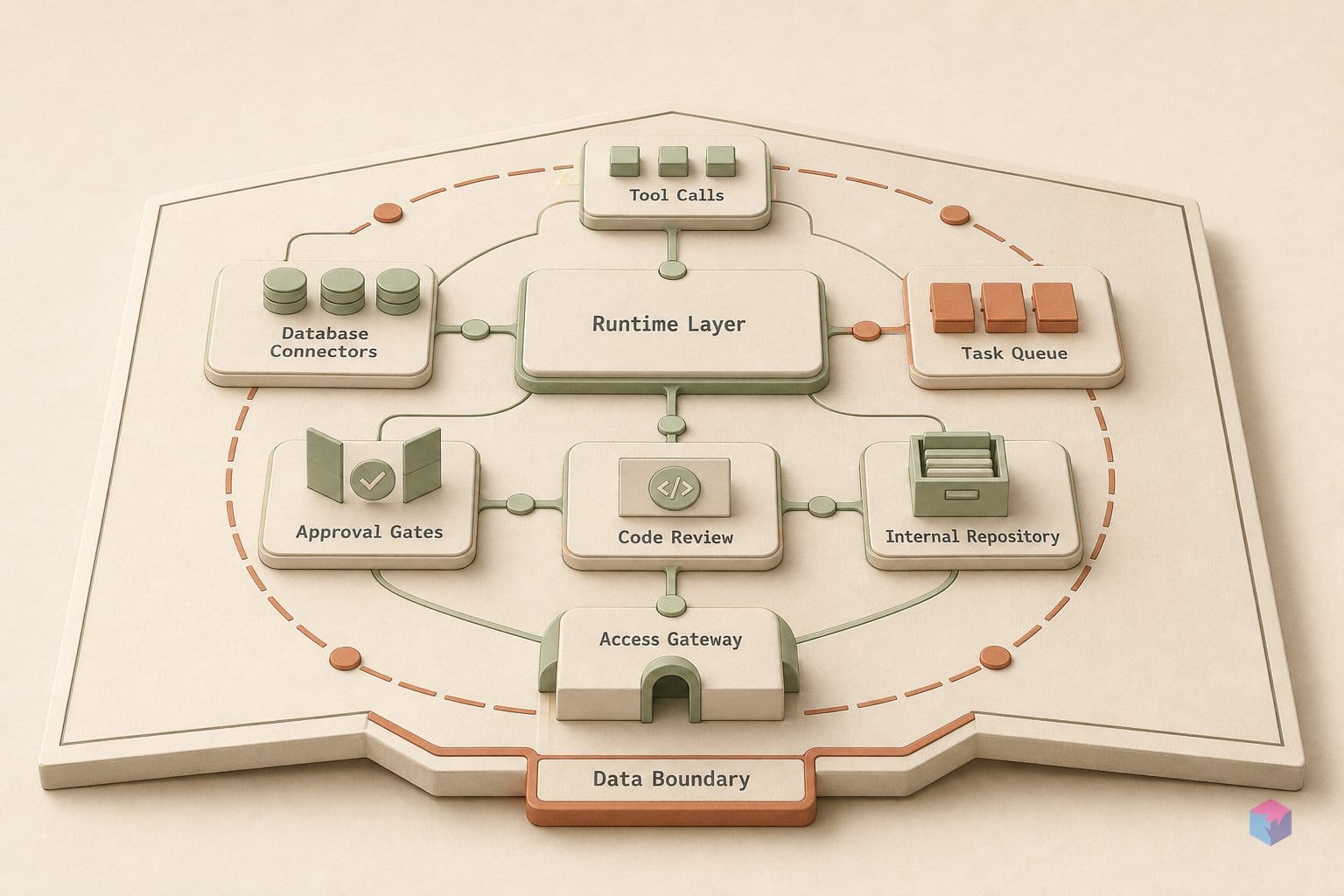
The same property governs how the agent's capabilities evolve. Because the GUI reuses the agent core rather than reimplementing it, a core-level fix or a new tool propagates to every frontend at once — desktop, messaging, and terminal parity is structural, not something Nous maintains by porting features three times. The 40-plus integrated tools, cron-scheduled automations, parallel sub-agent delegation, and the agent's self-improving skill loop are all properties of that one shared runtime .
For a developer, the practical consequence is that the frontend becomes a presentation choice, not an architectural commitment. You can schedule a cron job from the CLI, watch it stream live in the desktop preview pane, and follow up over Signal — all against the same memory and skill set. The fast release cadence reinforces the point: the project moved from v0.15.2 at the early-June preview to v0.17.0 (build v2026.6.19) by June 19, 2026 , and each core bump lands on every surface together rather than fragmenting behind a GUI-only or CLI-only feature gap.
Subprocess Backends: Docker, SSH, and Modal
Hermes executes generated code through pluggable backends, and the backend is chosen per session rather than baked into the agent's logic. The repo and launch coverage list six execution targets: local, Docker, SSH, Singularity, Modal, and Daytona . Local runs code directly on the host; Docker, SSH, Singularity, and Modal hand it off to a subprocess, container, remote machine, or serverless sandbox. The point of the abstraction is that switching from local to Docker requires no prompt rewrite and no change to the agent's reasoning — only a configuration change on the session.
Isolation is where the backend choice earns its place. Docker adds container hardening and Linux namespace isolation, and Singularity brings the same namespace isolation in HPC contexts . For builders, that means agent-authored code runs without contaminating the host filesystem or process space — useful when an agent writes a throwaway script you have not audited. Modal extends this to serverless execution, so a sandboxed run scales out without provisioning a machine, while SSH targets an existing remote host you already trust.
| Backend | Execution model | Isolation |
|---|---|---|
| Local | Direct on host | None (host process) |
| Docker | Container | Hardening + namespace isolation |
| SSH | Remote host | Separate machine |
| Singularity | HPC container | Namespace isolation |
| Modal | Serverless sandbox | Managed isolation |
| Daytona | Serverless (repo-listed) | Managed isolation |
The backend model also underpins Hermes's parallel delegation. When the agent fans work out to sub-agents, each parallel sub-agent gets its own subprocess or Docker context, with its own terminal and Python scripts . Concurrent tasks therefore produce no cross-contamination: two sub-agents editing files or running installs in parallel cannot clobber each other's state, because each holds a distinct execution context. That separation is what makes the parallel sub-agent delegation safe to use by default rather than a footgun.
Practically, this is the layer to evaluate first if you intend to let Hermes run untrusted or model-generated code. Start a session on Docker for namespace isolation, push compute-heavy or burst workloads to Modal, and reserve local for trusted, low-risk tasks — all without touching the agent's instructions .
How Hermes Writes and Reuses Procedures
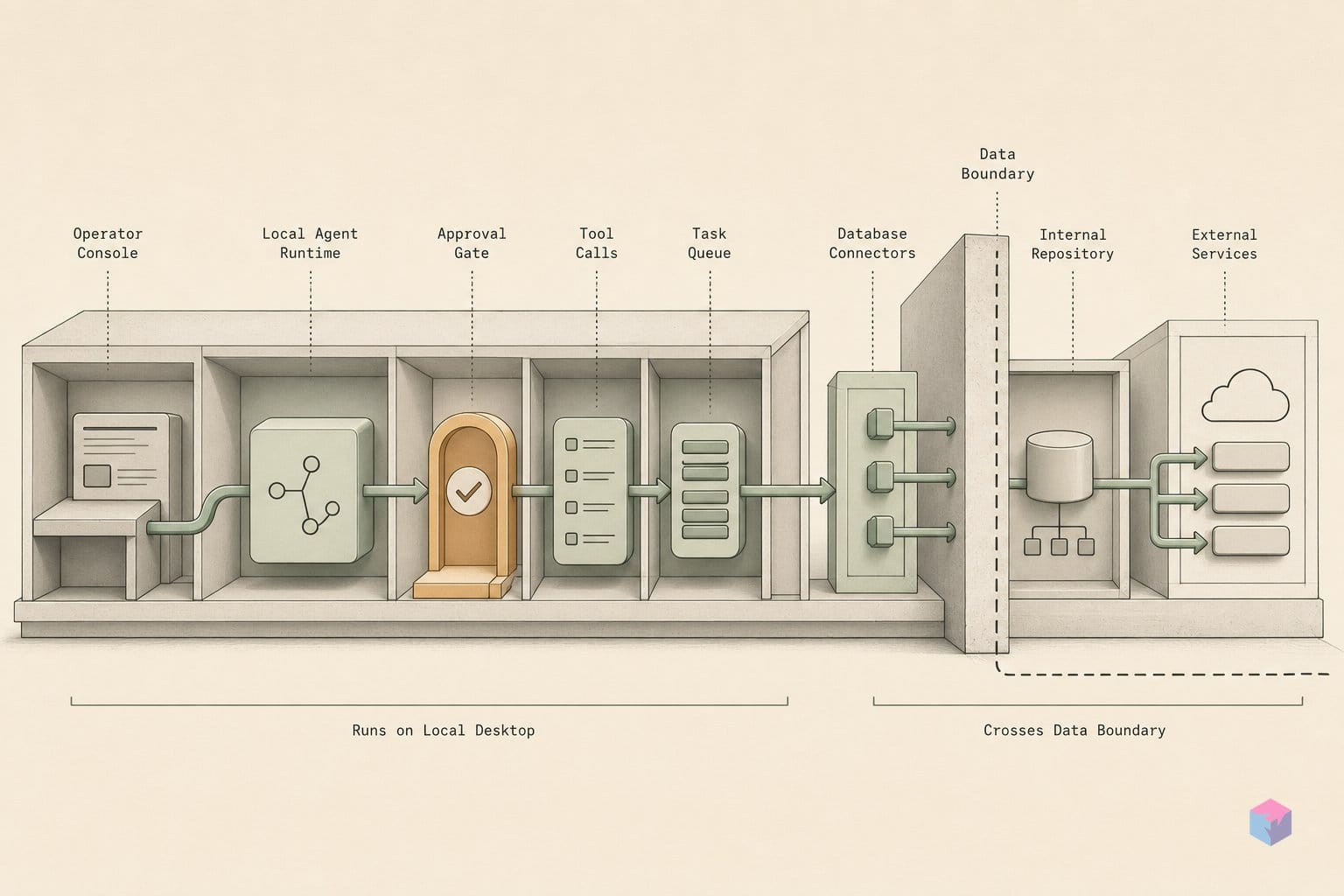
Hermes turns successful task runs into reusable assets through a "closed learning loop": when an agent completes a task, it writes the working procedure as a skill stored locally, then retrieves and applies that skill on later similar tasks without manual re-prompting . The practical effect is shorter prompts and more consistent behavior over time: the agent does not re-derive a solved workflow from scratch on every run, it loads the procedure it already proved out.
This skill reuse sits on top of a searchable history layer. Hermes maintains an FTS5 session index with LLM summarization, so the agent can query prior sessions by content rather than scrolling raw logs . Because the summaries capture reasoning, not just final outputs, the agent can recall why it chose a given approach — which tool it used, which path failed, and what it settled on. That distinction matters: an index of outputs alone would let Hermes repeat answers, but an index of reasoning lets it avoid repeating mistakes.
Cron-scheduled automations compound the effect. Hermes supports cron-scheduled jobs, so recurring tasks run repeatedly against the same skill store and session history . Each invocation can accumulate procedural knowledge, so a recurring job's second and third runs draw on skills written during the first. In token terms, later runs are materially cheaper than the cold-start run, because the expensive exploration is amortized into a stored skill rather than re-paid every cycle.
For developers, the design implication is concrete. Skills and session summaries are stored locally under the same shared agent core, so the procedural knowledge an agent builds is inspectable, portable across CLI, messaging and desktop surfaces, and not trapped in a hosted assistant's opaque memory . The value shows up on the second and third encounters with a workflow, not the first — so the loop is best judged on tasks you expect to repeat.
Avoiding Lock-In: BYOK and the Nous Portal
Hermes is model-agnostic, so the procedural knowledge an agent accumulates is not bound to any single provider's models. The GitHub repository lists support for 200+ models reachable through Nous Portal, OpenRouter, NovitaAI, NVIDIA NIM/Nemotron, Xiaomi MiMo, Kimi/Moonshot, MiniMax, Hugging Face, OpenAI and custom endpoints , while the product site and the-decoder cite access to 300+ models via the Portal . The count varies by source and date; treat it as "hundreds, across most major providers" rather than a fixed number.
The bring-your-own-key path is the practical hedge against lock-in. Supply any OpenAI-compatible or OpenRouter key in the settings UI and the agent routes inference to your endpoint without touching the Nous Portal at all . For teams with existing provider contracts, billing and rate limits stay where they already are; Hermes is just the runtime in front of them.
For the strongest isolation, Hermes supports Ollama and vLLM, which enables fully local, offline operation with no network egress for inference . That matters for regulated data or air-gapped environments where sending prompts to a hosted API is not an option. Combined with the MIT license, the inference layer is something you can audit and fully self-host.
If you do use the hosted route, the Nous Portal offers tiered subscriptions — Free, Plus, Super and Ultra — with paid tiers including monthly credits . One caveat for budgeting: exact USD pricing is not stated in the primary sources, which describe credits qualitatively rather than in dollars. As the project's own docs frame it, builders can "bring your own keys or run fully local," and the Portal is one option rather than a requirement — confirm current tier costs at hermes-agent.nousresearch.com before committing.
Why the Computex Partnership Story Warrants Skepticism
The widely repeated claim that Hermes Desktop co-launched at Computex 2026 with NVIDIA and Microsoft as named partners — and signed up 40,000+ beta users in its first week — is unverified and should not be treated as fact. These specifics appear only in lower-authority trade and SEO coverage . None of the primary or higher-authority sources — Nous Research's own product site, the GitHub repository, the-decoder, or MarkTechPost — mention a Computex partnership or that user count at all .
The pattern is worth naming for developers who evaluate vendor news. High-specificity partner names and round user-count figures ("40,000+ in week one") that carry no primary citation are a recognizable SEO-amplification shape: precise enough to read as authoritative, untraceable enough to avoid scrutiny. The corroboration test is simple — does the vendor's own announcement, repo, or a reputable outlet repeat it? Here, it does not. Until Nous Research issues a primary statement, the prudent default is to treat the Computex/NVIDIA/Microsoft framing and the 40K figure as unconfirmed.
This skepticism does not extend to the project itself, which is well documented. What primary sources do confirm:
- Hermes Agent and Hermes Desktop ship under the MIT license, permitting audit, self-hosting and forking .
- The desktop entered public preview as v0.15.2 on June 2–3, 2026, with the repo showing v0.17.0 (build v2026.6.19) by June 19 .
- The repository carries roughly 201K GitHub stars and exposes 40+ integrated tools .
- The Nous Portal lists four tiers — Free, Plus, Super and Ultra .
The-decoder, which covered the launch directly, frames Hermes as "an open-source AI agent for every platform" without invoking a hardware-vendor partnership — a useful reminder that the verifiable story (an MIT-licensed, multi-backend agent with a new GUI) stands on its own and needs no unconfirmed launch-partner narrative to be worth your evaluation.
Who Should Evaluate Hermes Desktop (and Who Should Wait)
Hermes Desktop is worth a serious look if you want a self-hostable, auditable agent runtime with a GUI and you refuse to be locked to a hosted assistant. Because Hermes Agent and Hermes Desktop ship free under the MIT license, with full source on GitHub, you can audit, fork, self-host and modify the runtime rather than trusting a black box . That, plus bring-your-own-key flexibility and a native app for macOS, Windows and Linux, makes it a strong fit for builders who value provider neutrality and inspectable execution .
Teams already running Ollama or vLLM are another clear fit. Hermes can run fully local through those backends, so you get GUI-accessible agent orchestration — streaming tool output, a preview pane, session search and skill reuse — without any cloud dependency . If your model serving already lives on-prem, Hermes Desktop slots a frontend on top of it rather than asking you to re-architect.
Hold off in two cases. First, production workloads that need enterprise SLAs: Hermes Desktop is in public preview on a fast pre-stable cadence — it moved from v0.15.2 at launch (reported June 2–3, 2026) to v0.17.0 (build v2026.6.19) by June 19, two minor versions in under three weeks , and no formal support tier is confirmed in the readable sources . Second, wait if the Computex/NVIDIA/Microsoft integration story is material to your decision — those partnership and 40,000-beta-user claims still lack primary-source confirmation as of late June 2026 .
Concrete takeaway: if you want a forkable, MIT-licensed agent with a GUI and you can tolerate preview-grade churn, install it now behind the --include-desktop flag and test it against your own keys or a local model. If you need contractual support or are betting on the hardware-vendor narrative, watch the release notes until a stable tag and confirmed support tier land.
Frequently asked questions
What is Hermes Desktop and how does it differ from the Hermes CLI?
Hermes Desktop is a native graphical front end for the open-source Hermes Agent, launched in public preview at the start of June 2026 . It is not a separate product: the desktop reuses the same agent core as the CLI and messaging gateway, so it is the same binary with a GUI layered on top. The difference is the interface — Desktop adds native streaming tool output, a side-by-side preview pane for web pages and files, a file browser, voice input/output and a settings UI, while the CLI keeps everything in the terminal . Install is a direct .dmg (macOS) or .exe (Windows) installer, or the --include-desktop flag on an existing setup; session state, keys and skills are shared across both surfaces .
Can I use Hermes Desktop without a Nous Portal subscription?
Yes. Hermes is model-agnostic and supports bring-your-own-key, accepting any OpenAI-compatible endpoint or an OpenRouter key, so you can run it entirely on your own provider account without a Nous Portal tier . Fully local, offline operation is also supported via Ollama or vLLM, which means no network egress is required if you self-host the model . The Portal's Free, Plus, Super and Ultra tiers are one path for credits, not a requirement.
What backends does Hermes use for sandboxed code execution?
Hermes runs execution across six backends: local, Docker, SSH, Singularity, Modal and Daytona . Docker and Singularity add container hardening and namespace isolation for sandboxed code, which matters when parallel sub-agents — each of which gets its own terminal and Python scripts — execute untrusted code . SSH and Modal extend execution to remote and serverless targets.
Is the NVIDIA and Microsoft Computex 2026 partnership confirmed?
No. The claim that Hermes Desktop launched at Computex 2026 with NVIDIA and Microsoft as partners, alongside a figure of 40,000+ beta users in the first week, appears only in secondary trade and SEO coverage . Nous Research's official site, the GitHub repository, the-decoder and MarkTechPost do not reference any such partnership or user count. Treat the partnership and beta-user figures as unverified until a primary-source announcement confirms them.
What license is Hermes Desktop under, and can I self-host it?
Both Hermes Agent and Hermes Desktop are released under the MIT License, which permits free use, modification, forking, redistribution and self-hosting . The source is available at github.com/nousresearch/hermes-agent, so you can audit the agent core, run it on your own infrastructure and fork it without a hosted dependency .