
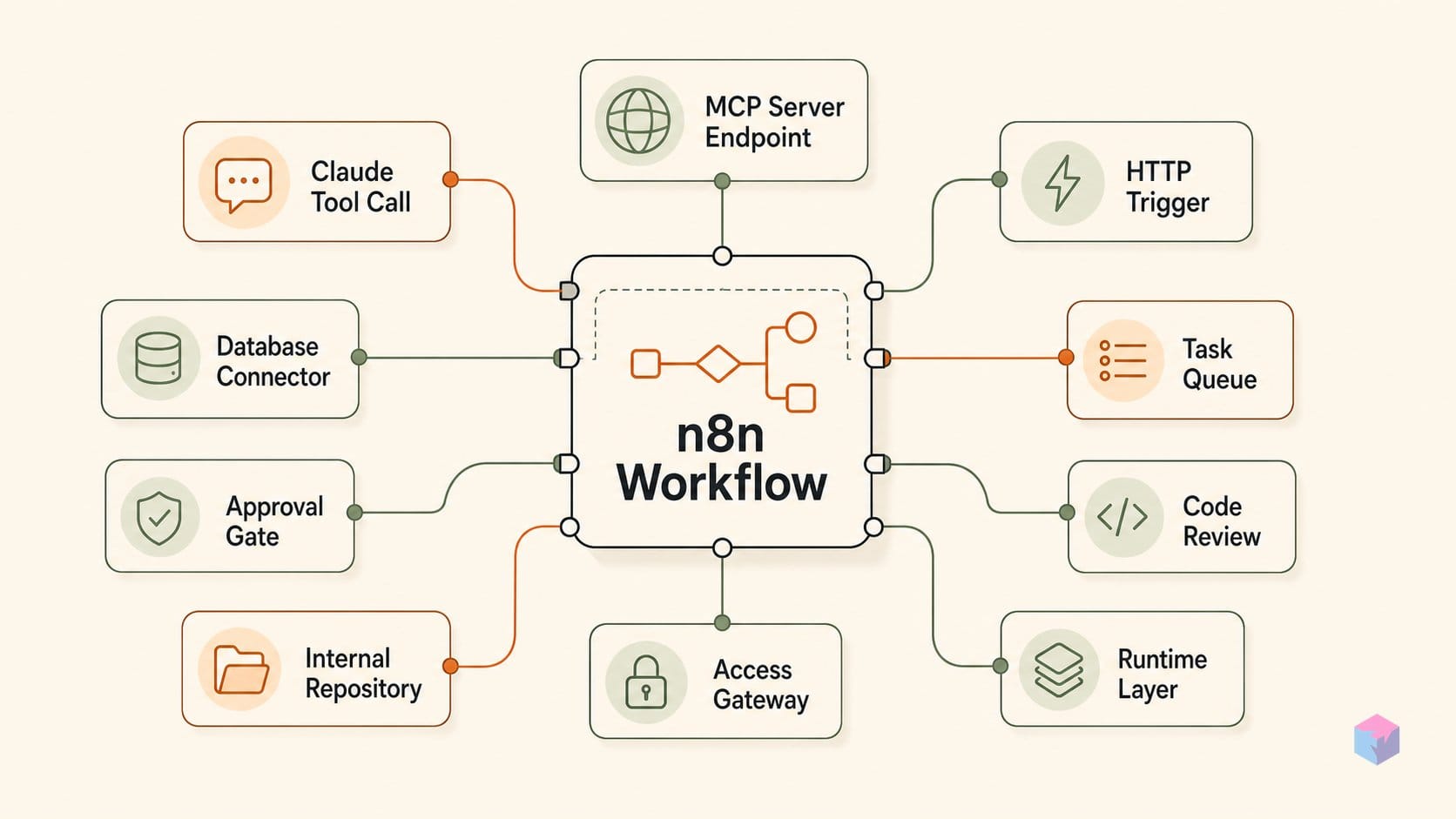
n8n's MCP Server Trigger flips the usual client-server relationship: instead of your workflow calling an AI, your workflow becomes the thing Claude calls. The catch is transport — stdio never enters the picture.
What the MCP Trigger node actually does
The MCP Server Trigger turns a running n8n instance into a Model Context Protocol server, exposing tools and workflows to any external MCP client through a single URL . Unlike a normal trigger, it only connects to and executes tool nodes — every tool node you attach becomes a callable MCP tool that Claude, Cursor, or any other client can discover and invoke. Workflows are surfaced by attaching them through the Custom n8n Workflow Tool node.
Transport is the constraint worth internalizing: the node speaks SSE and Streamable HTTP only. Local stdio is structurally excluded because SSE needs a persistent HTTP connection, and there is no built-in local proxy . To wire this into Claude Desktop — which expects a stdio command — n8n documents a gateway using npx mcp-remote <SSE-URL> --header 'Authorization: Bearer <token>', bridging stdio-style config to the remote SSE endpoint (video: NetworkChuck).
Native MCP nodes shipped around April 2025 , and the reverse direction exists too: the MCP Client Tool node lets n8n AI agents consume external MCP servers. Both directions can coexist in one instance — n8n as server and as client simultaneously.
What to have ready: n8n instance, HTTPS, Bearer header
Before you wire anything up, four prerequisites decide whether the connection works at all. Claude's MCP connector cannot reach private or localhost endpoints — it needs a publicly resolvable HTTPS address for your n8n instance over Streamable HTTP or SSE, because local stdio servers cannot be connected directly .
- Public HTTPS URL — expose the MCP Server Trigger's production URL; a tunnel or reverse proxy is fine, localhost is not.
- Auth on the trigger — configure Bearer or a custom header on the MCP Server Trigger. The same token feeds both
npx mcp-remote --header 'Authorization: Bearer <token>'and the Claude APItype: 'mcp'server block . - Queue deployments — pin all
/mcp*routes to one dedicated webhook replica; SSE needs a persistent connection to a single replica, not round-robin load balancing . - Claude access — the Messages API path needs the
anthropic-beta: mcp-client-2025-11-20header (the earliermcp-client-2025-04-04is deprecated), or use Claude Desktop for thenpx mcp-remoteroute .
From blank canvas to live Claude connection: four numbered ops
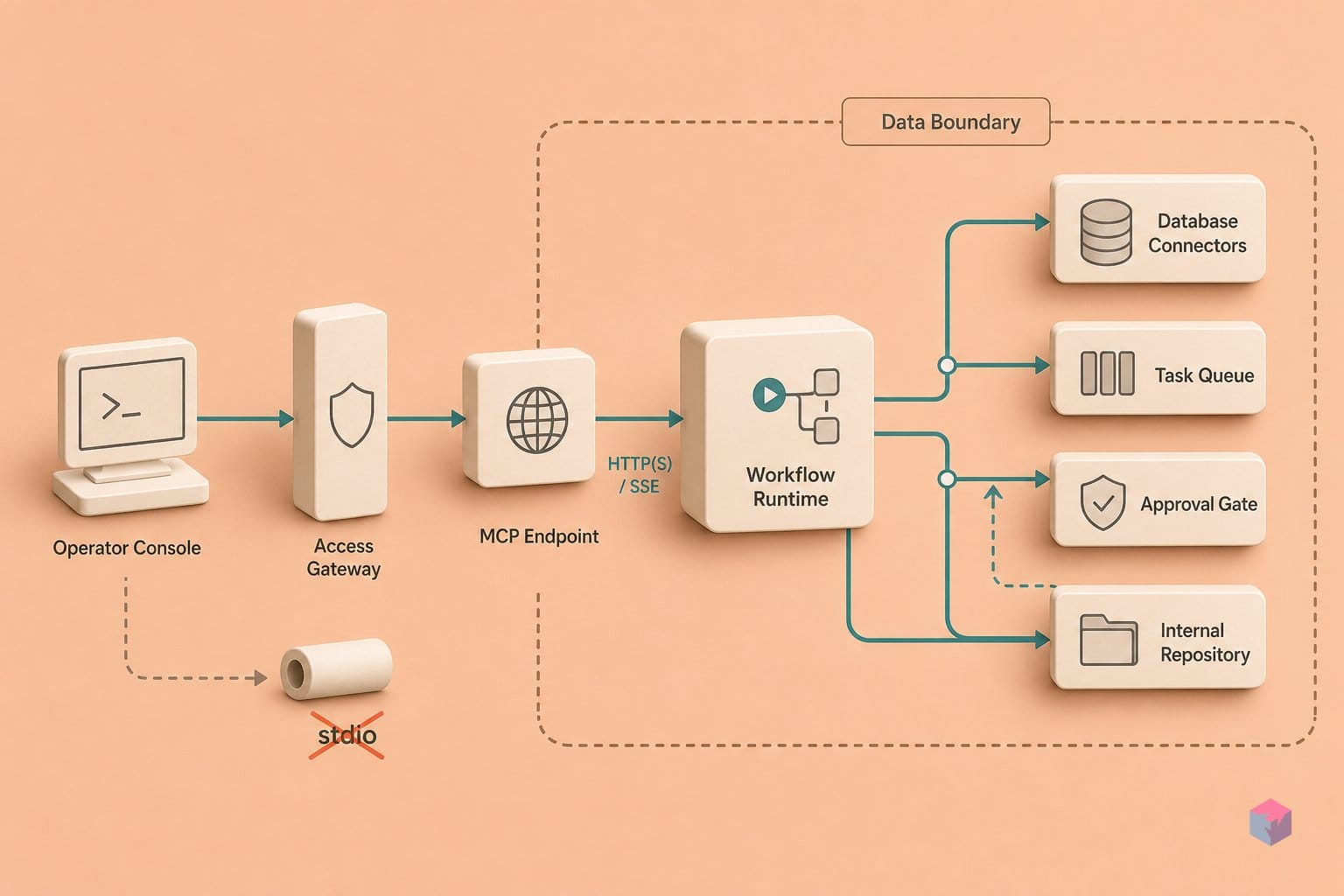
With the prerequisites in place, the wiring is four discrete operations: drop the trigger, attach tools, activate, then point Claude at the endpoint. Each op maps to one decision, and none requires touching n8n's internals.
Op 1 — Drop the MCP Server Trigger. On a new canvas, add the MCP Server Trigger node. Unlike normal triggers, it only connects to and executes tool nodes — it does not run a linear flow (source: n8n docs). Open the node panel and copy the test URL. It is session-scoped and dies with your browser tab, which makes it ideal for a smoke test and useless for anything Claude should reach tomorrow.
Op 2 — Attach the tools. Connect tool nodes to the trigger: a Custom n8n Workflow Tool pointing at a sub-workflow you built around one concrete operation, or any native tool node. The agent's only routing signal is each tool's name and description — treat them as typed contracts, not README prose. "query_orders — returns open orders for a given customer_id (integer)" routes; "helper" does not.
Op 3 — Activate and switch URLs. Flip the workflow to Active. The production URL now persists independently of your browser session; retire the test URL and use production for every real client (source: n8n docs). This is the endpoint you hand to Claude (video: NetworkChuck).
Op 4 — Wire Claude. For Claude Desktop, add an entry to claude_desktop_config.json that proxies remote SSE into stdio with npx mcp-remote:
{
  "mcpServers": {
    "n8n": {
      "command": "npx",
      "args": ["mcp-remote", "https://your-n8n.example.com/mcp/<id>/sse",
               "--header", "Authorization: Bearer <token>"]
    }
  }
}
For the Claude API, add a type: "mcp" server block pointing at the production HTTPS endpoint (source: Claude MCP connector docs):
{
  "type": "mcp",
  "url": "https://your-n8n.example.com/mcp/<id>",
  "name": "n8n"
}
Finally, in the sub-workflow's input fields, use $fromAI() expressions so Claude supplies parameter values at call time instead of you hard-coding them (source: Call n8n Workflow Tool docs). That closes the loop: Claude names the tool, fills the schema, and n8n executes.
Queue gotchas and the sticky-replica trap
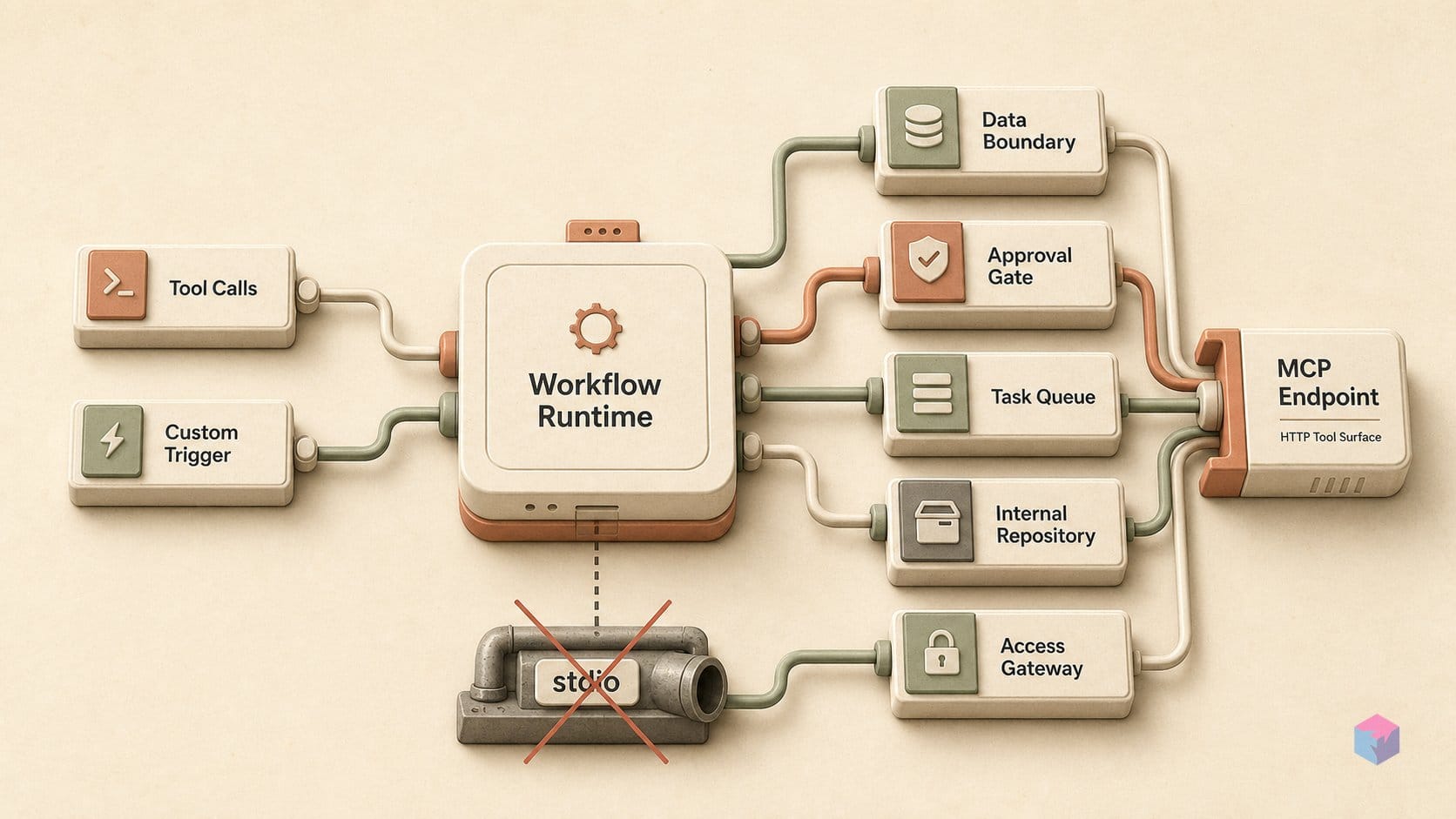
The failure that costs the most time is invisible: run n8n in queue mode and Server-Sent Events (SSE) break unless every /mcp* request lands on one dedicated webhook replica. SSE needs a persistent connection, so if a load balancer spreads /mcp* traffic across replicas, sessions silently die mid-conversation with no clean error (source: MCP Server Trigger docs). Pin all /mcp* routing to a single sticky replica before you debug anything else.
Header hygiene is the next silent killer. The connector beta header anthropic-beta: mcp-client-2025-04-04 is deprecated; update to mcp-client-2025-11-20 or the MCP server block is ignored without complaint (source: Claude MCP connector docs).
Know the connector's ceiling too. It is tools-only — MCP resources and prompts are not supported — it is not eligible for Zero Data Retention, and it runs on the Claude API, AWS Claude Platform, and Microsoft Foundry only, not Amazon Bedrock or Google Cloud Vertex AI (source: Claude MCP connector docs).
Finally, vague tool descriptions make the model call the wrong sub-workflow or skip the tool entirely; write a precise trigger sentence per tool. A June 27, 2026 arXiv study of 6,003 public n8n LLM workflows found reliability mechanisms like repair loops and approval gates remain uncommon (source: n8n community).
Where to go from here: supervised Claude ops and the czlonkowski builder
The next step is governance, not more tools. On January 26, 2026, n8n added human-in-the-loop control that requires explicit human approval before an AI Agent executes specific tools — including MCP Client tools or sub-workflows exposed as tools — with approval requests routed through Slack or email integrations already wired into your instance . That turns "Claude can call this" into "Claude can propose this, a person confirms it." Pair it with the registry-native MCP connections n8n shipped on May 19, 2026 for Apify, Linear, monday.com, Notion, and PostHog, which cut setup below manual server configuration while leaving manual config intact for everything else .
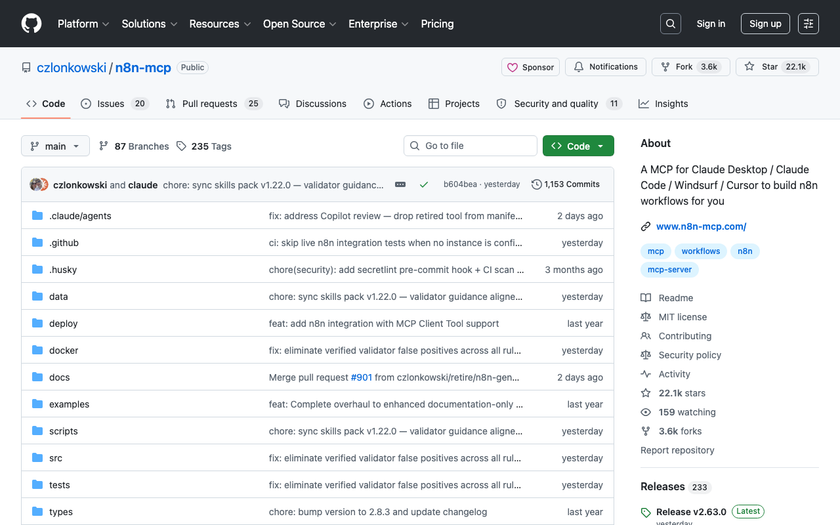
To have Claude build n8n workflows rather than just call them, add czlonkowski/n8n-mcp. As of v2.63.0 (July 3, 2026, ~22.1k GitHub stars), it feeds Claude accurate schemas for 2,063 nodes so it authors n8n JSON with real node names instead of guesses .
"Workflow creation dropped from ~45 minutes with ~6 errors to ~3 minutes with 0 errors," reports the project author (source: n8n community) — single-author figures, not benchmarked, and conditional on strong models and tailored prompts.
Two things stay unsettled: Claude's connector may later expose MCP resources and prompts beyond today's tools-only surface, and n8n's transports may grow past SSE and Streamable HTTP (source: Claude MCP connector docs). The takeaway: ship the MCP Server Trigger, then turn on approval gates and schema tooling — safety depends on whether you actually use them.
Frequently asked questions
Can I use stdio instead of SSE with n8n's MCP Server Trigger?
No. The MCP Server Trigger exposes tools only over SSE and Streamable HTTP, not stdio (source: n8n MCP Server Trigger docs). If your client — Claude Desktop, for example — expects a local stdio command, run a bridge on the machine: npx mcp-remote <SSE-URL> --header 'Authorization: Bearer <token>'. That proxy turns the remote SSE endpoint into the stdio-style config Claude Desktop reads, passing your Bearer token through unchanged.
Does n8n's MCP Trigger work with Claude on Amazon Bedrock or Google Vertex AI?
Not currently. Claude's MCP connector is available on the Claude API, the Claude Platform on AWS (hosted-on-Anthropic), and Microsoft Foundry deployments only; Amazon Bedrock and Google Cloud are explicitly excluded . Your n8n Server Trigger is transport-agnostic on its side — it just serves SSE — but the calling model has to sit on a platform where the connector is supported, so route Claude requests through the API or AWS Claude Platform rather than Bedrock or Vertex.
What is the difference between the MCP Server Trigger and the MCP Client Tool in n8n?
They point in opposite directions. The MCP Server Trigger makes n8n the server: Claude calls into your n8n workflows as tools (source: MCP Server Trigger docs). The MCP Client Tool makes n8n the consumer: an n8n AI Agent reaches out to external MCP servers, exposing all, selected, or all-except-denylisted tools with Bearer, header, or OAuth2 auth (source: MCP Client Tool docs). Both can run in one instance — n8n serving tools to Claude while its own agents consume other MCP servers.
How does $fromAI() work in sub-workflows exposed as MCP tools?
It lets the model fill inputs at call time instead of hardcoding them. Mark a sub-workflow field with the $fromAI() expression, and Claude supplies that value when it invokes the tool; the parent MCP Trigger passes the model-specified value into the called workflow (source: Call n8n Workflow Tool docs). Pair it with an Execute Sub-workflow Trigger that defines a narrow input schema, and the required fields are pulled in automatically — you get a typed tool contract with no static input baked in.
What Claude API beta header is required for the MCP connector?
Send anthropic-beta: mcp-client-2025-11-20. The earlier mcp-client-2025-04-04 value is deprecated . Without the correct header, the MCP server block in your Messages API request is silently ignored, so calls succeed but no tools appear. Note the connector currently supports MCP tool calls only — not resources or prompts — and requires a publicly reachable HTTPS server over Streamable HTTP or SSE (source: Claude MCP connector docs).
Enjoyed this article? Subscribe to get new stories by email whenever they're published.