
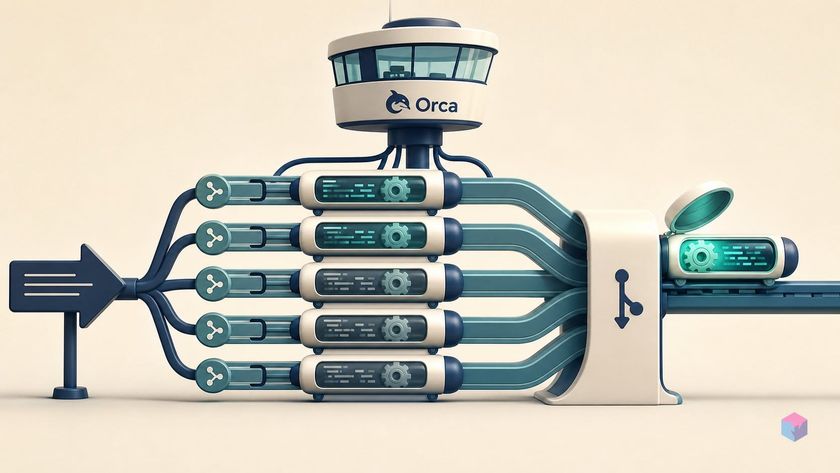
The standard way to work with a CLI coding tool is a queue of one: prompt, wait, review, repeat — and every cycle burns wall-clock minutes while a single agent thinks in a single checkout. Orca's premise is that there is no reason to wait in line.
What Orca Solves: N Concurrent Branches, No Branch Juggling
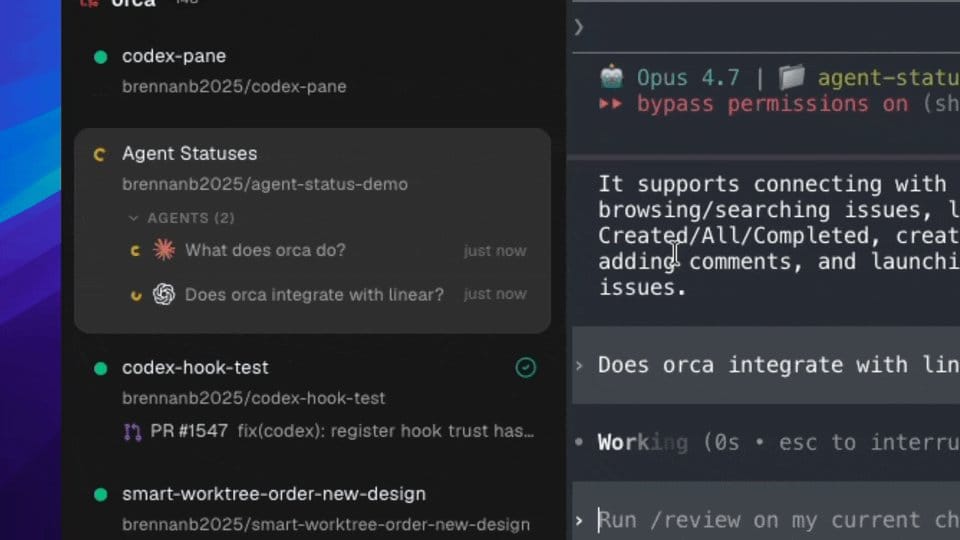
Orca is a free, open-source Agent Development Environment from Stably AI that runs many CLI coding agents in parallel, each isolated in its own real git worktree . Instead of the sequential prompt-wait-review loop, it spins up N branches concurrently from the same base ref — each a genuine git checkout owned by exactly one agent, with its own terminal, embedded Chromium tab, Monaco editor, and context. That gives filesystem-level concurrency with zero shared state, so agents cannot overwrite each other's work mid-task .
The project ships under an MIT license and, as of July 2026, showed roughly 16k GitHub stars, ~800 releases, and 6,300-plus commits . There is no per-seat fee and no proxy layer: you bring your own agent subscriptions and API keys, and Orca calls provider APIs directly from your local machine .
A practitioner review frames the tradeoff plainly: Orca "wins the moment you want two agents, mobile notifications, or vendor-neutral choice — and its bring-your-own-subscription model means you're not paying twice."
Orca Has No Seat Charge; Your CLI Billing Does
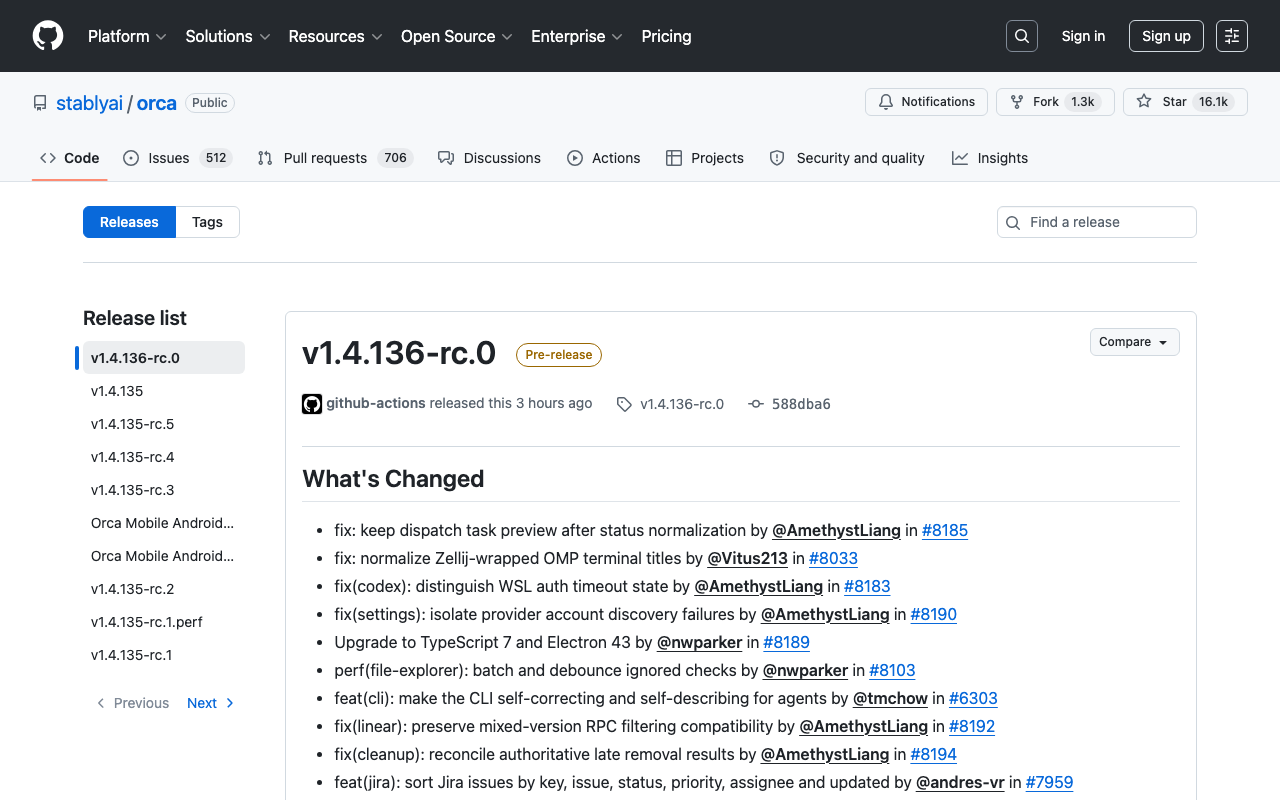
Orca is the orchestration layer only. You supply your own Claude Code, Codex, Gemini CLI, or any supported CLI license; Orca adds no markup and calls provider APIs directly from your machine, so there is no proxy layer skimming your traffic . The platform itself is MIT-licensed and costs $0. Your real bill is the agent subscriptions and model credits you already pay for — Orca just runs them in parallel.
The pricing contrast makes the "bring your own subscription" model concrete:
| Product | Range (official) | Note |
|---|---|---|
| Orca | $0 | MIT, orchestration only |
| GitHub Copilot | $0–$100/mo | Free → Max |
| Cursor | $0–$40/user/mo | Hobby → Teams |
| Devin | $0–$200/mo | Free → Max |
| Claude Max | $100/mo | 5× Pro usage |
Installing it is a one-liner. On macOS use Homebrew, on Arch use the AUR, or grab a build from onorca.dev or GitHub Releases:
brew install --cask stablyai/orca/orca   # macOS (Homebrew)
yay -S stably-orca-bin                    # Arch (AUR)
Under the hood it is an ordinary Electron app — Electron 43, Node 24, TypeScript 7 . Telemetry collects anonymous usage events keyed by a random local ID — no prompts, terminal output, file contents, branch names, or repo paths — and disables via Settings or ORCA_TELEMETRY_DISABLED=1 (vendor PostHog, US region) .
Create Branches, Spawn N Concurrently, Compare Diffs: Orca From Scratch
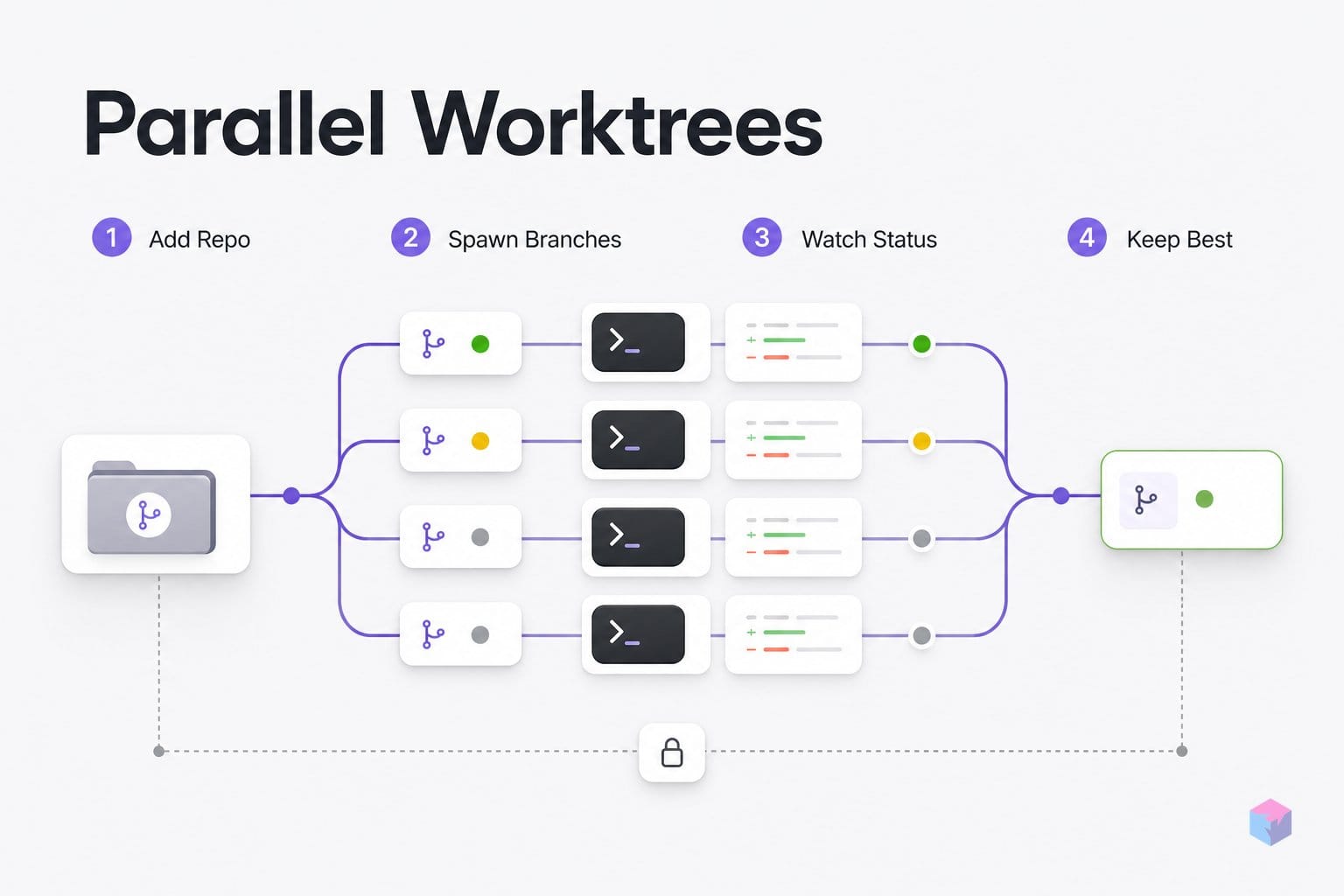
Orca's first-session flow is a fixed sequence: add a repo, fan one prompt across several isolated worktrees, watch live status, then keep the best branch. Each worktree carries its own branch, terminal, and context, so the base ref stays untouched until you merge .
- Add your local repository from Orca's sidebar to register it as a workspace source .
- Create a branch — a real
git worktree— from a base ref, then assign a CLI tool (Claude Code, Codex, Gemini CLI, and others) to it . - Repeat per branch, pasting the same task description into each terminal. Practitioners typically run three to five agents, with claims of up to 50 .
- Watch the dashboard. Each branch shows a live status dot — green (executing), yellow (awaiting input), gray (idle) — inferred from OSC terminal-title signals emitted by Claude Code, Codex, and others .
- Review inline diffs. Markdown comments dropped on a diff line are shipped back to that branch's CLI tool for another iteration .
- Commit and push the winner, delete the rest, and the base ref remains untouched throughout .
One default deserves attention before you spawn anything. Orca launches supported agents with high-autonomy flags — Claude Code with --dangerously-skip-permissions, Codex with --dangerously-bypass-approvals-and-sandbox, and Gemini CLI with --yolo — treating the worktree as the sandbox . Filesystem isolation does not stop harmful shell commands, install scripts, or secret access, so override these launch arguments in Settings before running on machines with shared credentials or production access .
Sessions also survive the window. A background PTY daemon owns the terminals, so closing the app does not kill running agents; on relaunch Orca reattaches to the same branches, scrollback, splits, and focused tab .
Merge Complexity and Multiplied Consumption: Orca's Hard Problems
Parallelism moves the hard work downstream. Branch isolation prevents filesystem collisions between concurrent checkouts, but it does not prevent logical ones: two branches refactoring the same abstraction in different directions produce valid, individually correct diffs that only collide at review time. As one practitioner review puts it, agents produce "valid diffs that only collide at review time," which shifts effort into a harder merge phase rather than eliminating it .
Consumption multiplies the same way. Three concurrent branches burn roughly 3× your Anthropic (or other provider) quota, since each agent calls the vendor API independently . The common mitigation is to race cheaper models on exploratory branches and reserve a stronger model for the merge branch only. Remember the autonomy trade-off too: high-autonomy launch flags let CLI tools execute arbitrary shell commands, install packages, and read environment variables. The branch is a filesystem sandbox, not a security boundary .
A few operational limits round out the picture:
- Reviewers report a ~250 MB install footprint and 400–800 MB idle RAM .
- The daily-ship cadence occasionally introduces regressions, though fixes typically land within 24 hours .
- Status tracking fails silently for CLI tools that do not emit the expected OSC title signals, so unsupported agents run without full dashboard state .
After the Experiment: Orca Serve, Linear Integration, and Mobile Monitoring
Once the race-and-merge loop feels natural, Orca's surrounding features scale it beyond a single laptop. The orca serve command (beta) relocates the full runtime to a remote host: the server owns the repositories, worktrees, terminals, provider checks, and CLI agent processes, while a desktop or browser client attaches over LAN, Tailscale, SSH port forwarding, or a tunnel . That decouples where agents run from where you watch them.
Integration removes the copy-paste tax. Orca connects natively to GitHub and Linear, so you can open a worktree straight from a PR, issue, or ticket and the task context passes to the assigned agent automatically . iOS and Android companion apps let you watch live status dots and send follow-up messages without the desktop, though they require an active desktop session to stay alive . For repeated patterns, the Orca CLI scripts the setup with commands like worktree create, snapshot, click, and fill .
Contributing is a standard Electron/TypeScript loop: pnpm install && pnpm dev, on TypeScript 7.0.2, Electron 43, and React 19.2.5 . Takeaway: start with three local worktrees racing one prompt, then reach for orca serve and the mobile app only when concurrency outgrows a single machine.
Frequently asked questions
Does Orca support Claude Code, Codex, and Gemini CLI at the same time?
Yes. Orca is tool-agnostic — "if it runs in a terminal, it runs in Orca" — so you can assign Claude Code to one branch, Codex to another, and Gemini CLI to a third within the same session . The supported set also includes GitHub Copilot, Cursor CLI, Cline, Continue, Amp, Kilocode, Qwen Code, Grok, OpenCode, Pi, and Devin . One caveat: the live green/yellow/gray status dots depend on OSC terminal-title signals, so a tool that doesn't emit them still runs but shows no dashboard state .
What does running five concurrent branches actually cost?
Orca itself is $0 under an MIT license — it proxies nothing and adds no per-seat fee . The real cost is N× your existing provider consumption: five concurrent Claude Code branches burn roughly 5× your Anthropic quota, because each agent calls the vendor API directly from your machine . Practitioners mitigate this by racing cheaper models on exploratory branches and reserving a stronger model only for the merge step .
Is it safe to let CLI tools run with --dangerously-skip-permissions?
Branch isolation protects the filesystem, not your shell. Orca launches agents with high-autonomy flags by default — Claude with --dangerously-skip-permissions, Codex with --dangerously-bypass-approvals-and-sandbox, Gemini with --yolo — treating the worktree as the sandbox . That prevents concurrent checkouts from overwriting each other, but it does not stop harmful shell commands, dependency-install scripts, secret access, or network calls . For any repo holding production credentials or shared secrets, override these launch arguments in Settings before spawning a branch.
What happens to running branches if I close the Orca window or restart my machine?
A background PTY daemon owns the terminals, so closing the app window does not kill running agents — on relaunch, Orca reattaches to the same processes, scrollback, worktrees, splits, and focused tab . The exception is a harder failure: if the host reboots or the daemon process itself dies, your layout and last scrollback return on next open, but in-progress agent sessions are gone .
Can I run Orca on a remote machine rather than locally?
Yes, via orca serve (beta), which runs the full runtime server-side — the server owns repositories, worktrees, terminals, provider checks, and agent processes . A desktop or browser client then connects over LAN, Tailscale, SSH port forwarding, or a tunnel . This is the practical path for keeping long-running branches alive independent of your laptop's uptime, and it pairs with the iOS and Android companion apps for monitoring and follow-ups .
Enjoyed this article? Subscribe to get new stories by email whenever they're published.