
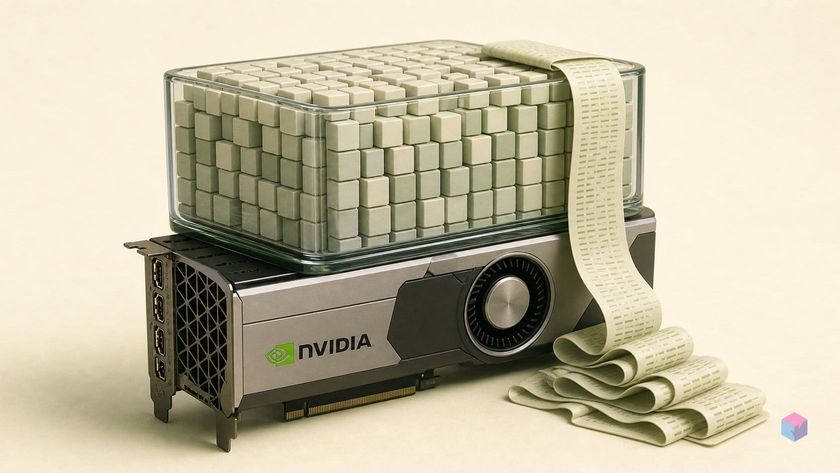
Before downloading a multi-gigabyte model, one question decides everything: will it actually fit in your GPU, and how fast will it run? A new class of hardware-aware calculators answers that in the browser — the workflow surfaced by a Korean walkthrough that benchmarks an RTX 3090 Ti against a Qwen model and reads an estimated tokens/second off such a site .
What a VRAM calculator tells you that guesswork doesn't
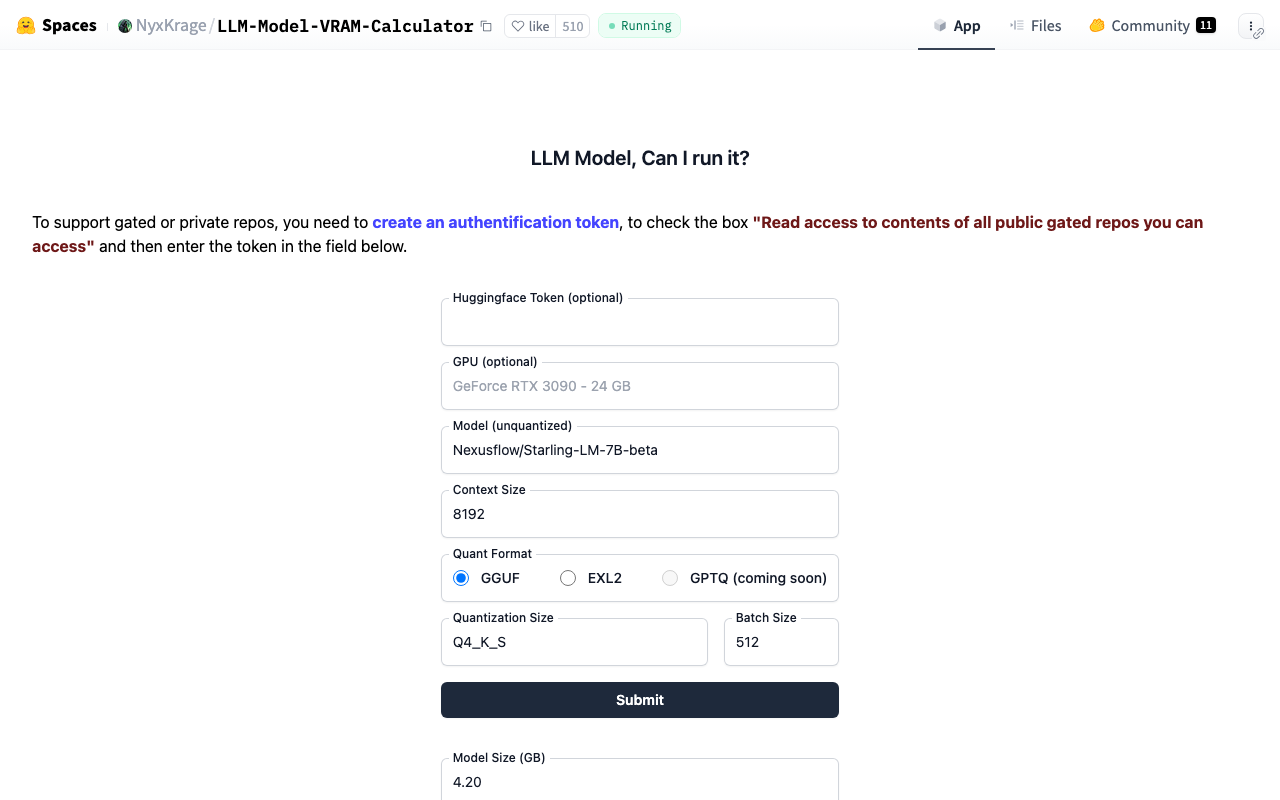
A VRAM calculator estimates whether a specific model fits your GPU and how memory splits between weights and context — the two figures no model card publishes. NyxKrage's LLM Model VRAM Calculator, a Hugging Face Space with roughly 510 likes and 11 community discussions , takes a Hugging Face model ID, a quantization format, and a context length, then returns how much VRAM the weights need versus the KV cache. That split is what guesswork misses: a model that loads at 4k context can overflow at 128k as the cache grows.
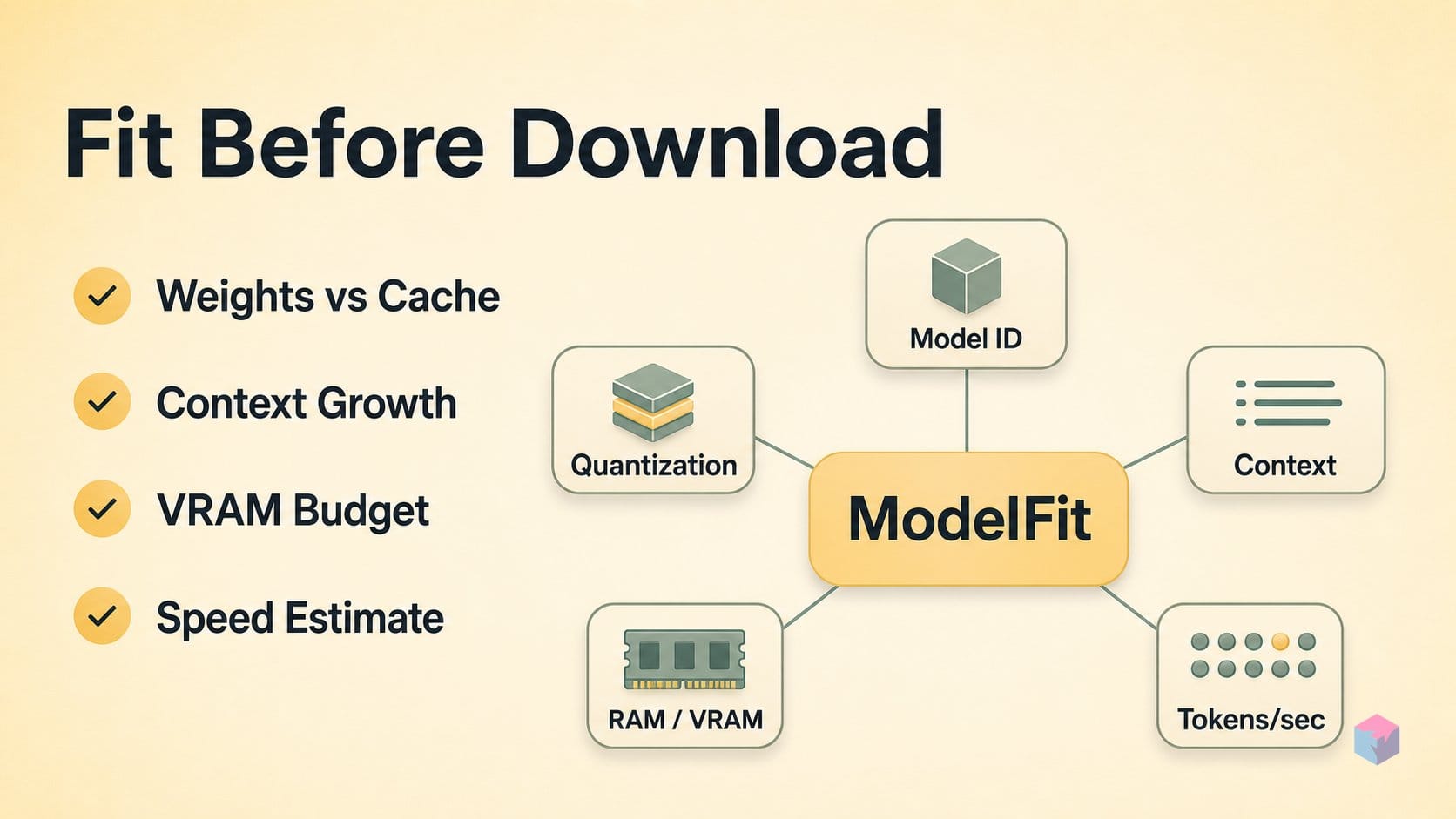
Recommenders go further, turning "does it fit" into "which one and how fast." ModelFit takes your RAM or VRAM, checks a 75-model catalog, and returns a single best pick plus estimated tokens/second — entirely in-browser, no signup, with its compatibility dataset released under CC BY 4.0 and an npm CLI shipped alongside . LLMfit.io spans NVIDIA consumer (RTX 3000–5000), datacenter (A100/H100/H200), Apple Silicon (M1–M4), and AMD RX 7000, returning tok/s, a fit verdict, and a usability rating for each combination .
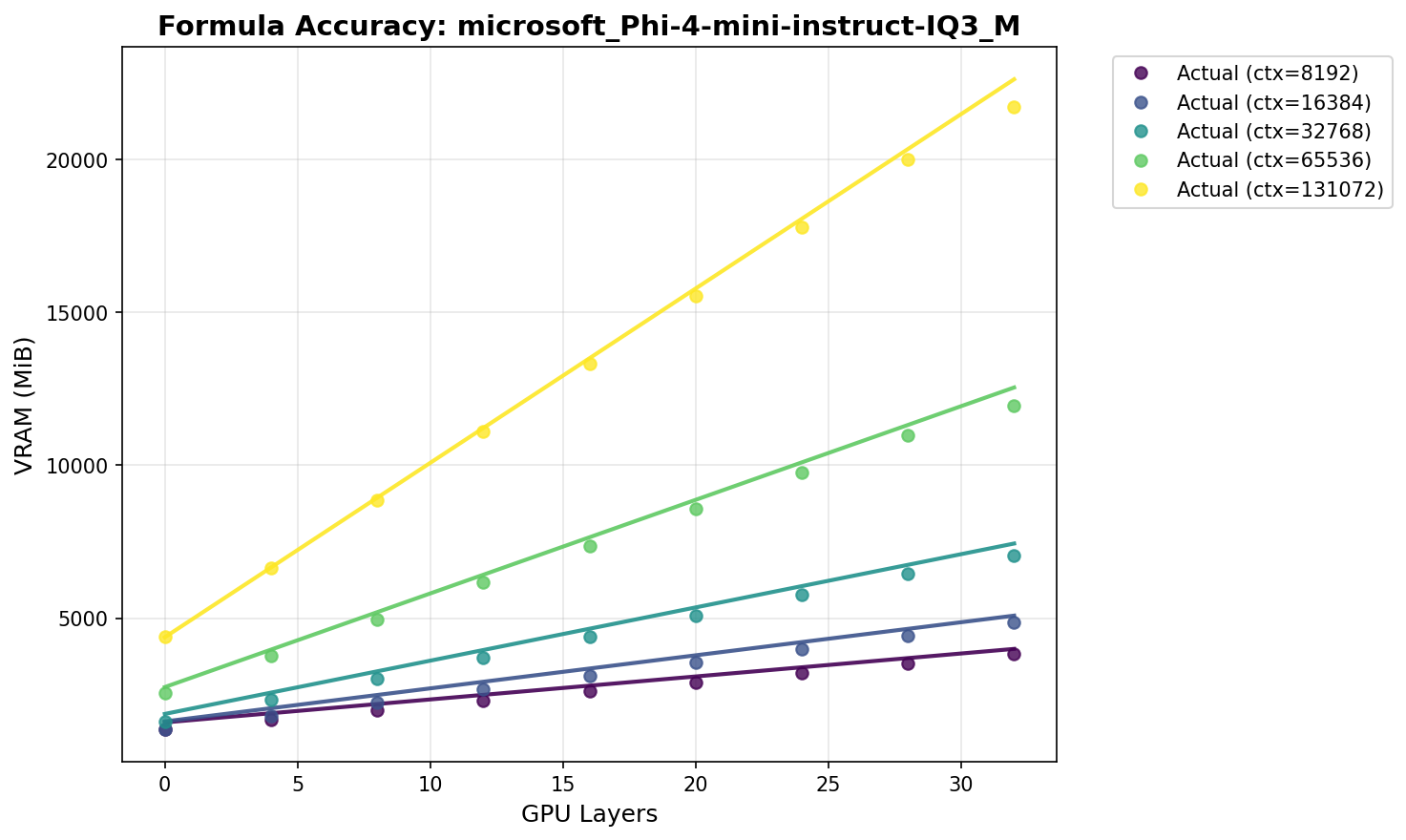
The precision now comes from measurement, not rules of thumb. Oobabooga's GGUF VRAM formula reports a median absolute error of 365 MiB across 19,517 real llama.cpp measurements over 60 model quantizations, and adds a 577 MiB safety buffer for 95% load confidence . That replaces the old "2 GB per billion parameters" heuristic with empirical calibration.
| Tool | Input | Returns |
|---|---|---|
| NyxKrage (HF Space) | Model ID, quant, context | Weight vs. context VRAM split |
| ModelFit | RAM / VRAM | Best pick + tok/s, 75-model catalog |
| LLMfit.io | Hardware, model, quant | tok/s, fit verdict, usability rating |
What to gather before starting: card name, VRAM, and LLM
Before opening any recommender, collect four inputs: your GPU's exact VRAM, your target model and parameter count, the quantization you plan to run, and your context ceiling. Read VRAM directly from nvidia-smi or GPU-Z rather than trusting spec memory. Common consumer figures: RTX 3090 and 3090 Ti both carry 24 GB, RTX 4090 24 GB, RTX 4070 Ti 12 GB, and RTX 3080 10 GB.
For weights, ModelFit's calibrated ratio of roughly 0.6 GB per billion parameters at Q4 gives fast napkin math: 8B ≈ 4.8 GB, 14B ≈ 8.4 GB, 27B ≈ 16.2 GB, 34B ≈ 20.4 GB . Q8 runs near 1 GB per billion and fp16 near 2 GB per billion.
Context length adds KV-cache cost on top of weights — jumping from 4k to 128k can add several gigabytes — so decide your ceiling first. System RAM matters too: llama.cpp splits inference across CPU and GPU for models larger than total VRAM , making your RAM a fallback threshold, not a footnote.
How to interpret an estimate from ModelFit, NyxKrage, or LLMfit.io
Read an estimate as an answer to a specific question, because each tool asks a different one. Recommenders like ModelFit start from your hardware and hand back candidates; per-model calculators like NyxKrage's Space start from a model you already picked and show whether it fits. Match the tool to your stage.
ModelFit takes total RAM or VRAM and returns a ranked list drawn from a 75-model catalog, a single best pick, and an estimated tokens/sec, all in-browser with no signup . Its compatibility dataset ships under CC BY 4.0 and an npm CLI exposes the same lookups for scripted or CI queries . Use it when you have hardware but no shortlist.
NyxKrage is the opposite entry point: paste a Hugging Face model ID, choose a quantization format (GGUF, EXL2, GPTQ) and context length, and it splits the estimate into separate bars for weight VRAM and KV-cache VRAM . That separation is the point — it shows how much of your budget context is quietly consuming. Best used once a candidate is identified.
LLMfit.io combines hardware tier, model, and quantization into a three-state verdict — fits, fits with context reduction, or exceeds VRAM — plus a usability rating from 'poor' to 'interactive', across NVIDIA, Apple Silicon, and AMD in one UI . Local AI Master's Model Recommender is closest to the pick-and-install workflow: choose a task and hardware to get ranked picks with VRAM needs, benchmark notes, and copy-paste Ollama and llama.cpp commands .
When a model lands just over your card, GPUforLLM's calculator computes the exact context-window reduction needed to make it fit by adjusting GQA-ratio KV-cache allocation — the difference between abandoning a model and running it at 8k instead of 32k.
Where estimates mislead — KV growth, LoRA multipliers, and OS reservation
An estimate is only as honest as the context length you feed it. KV cache scales with tokens, and oobabooga's GGUF VRAM formula is calibrated across 512 to 131,072 tokens — at the top of that range a 128k window can rival or exceed the weights themselves on a 24 GB card. Always enter your actual intended context, not the model's advertised maximum.
Three more blind spots recur across tools:
- Fine-tuning is out of scope. These calculators size inference only. LoRA adds roughly 1.5× inference VRAM and full fine-tuning runs about 4–6× , so a model that loads for chat can fail outright on a training pass.
- OS and driver reservation is real but unmodeled. oobabooga adds a 577 MB safety buffer for 95% load confidence because point estimates consistently undershoot; measured median error was 365 MiB across 19,517 measurements . Actual overhead shifts with the inference engine, flash-attention path, and resident processes.
- Catalog freshness varies. Qwen3 32B, Llama 4 Scout, or DeepSeek V3 may be absent from a given tool. Treat that as catalog lag against the tool's last-updated date , not a compatibility verdict.
From estimate to observed tok/s: profiling with quantest
Close the gap between a static verdict and a measured one with quantest, a Go tool (MIT) that queries Ollama or Hugging Face for a GGUF model and returns estimated VRAM and tok/s across every quantization and context length in one command . When two calculators disagree on fit, cross-check with GPUforLLM/llm-vram-calculator, which computes GGUF sizes plus GQA-ratio KV cache and credits NyxKrage .
Then verify on your own box. Run ollama ps to read the real GPU-versus-CPU split — 100% GPU, 100% CPU, or a mix like 48%/52% — and raise the ceiling from the 4096-token default via the OLLAMA_CONTEXT_LENGTH environment variable . Flags matter: llama.cpp's guide shows a 30B Q4 model on an A6000 moving from under 0.1 tok/s to 9.1 once n_gpu_layers and thread count are tuned, with 60 layers offloaded consuming 17,223 MB. The takeaway: estimate to shortlist, profile to trust.
Frequently asked questions
What is the difference between ModelFit and NyxKrage's LLM VRAM Calculator?
They solve different halves of the same problem. ModelFit is a recommender: you input total VRAM or RAM and it returns which of its 75-model catalog you can run, a single best pick, and estimated tokens/second, running entirely in-browser with a compatibility dataset released under CC BY 4.0 . NyxKrage's LLM Model VRAM Calculator is a calculator: you name a specific Hugging Face model, quantization, and context length, and it returns the exact split between weight VRAM and context VRAM . Use ModelFit for discovery, then NyxKrage to verify a specific candidate before downloading.
How accurate are the tok/s figures these sites show?
Treat them as directional, not guaranteed. Tokens/sec is a bandwidth-derived approximation — roughly memory bandwidth divided by weight size times an efficiency factor — because token generation is memory-bandwidth-limited. The most rigorous benchmark is oobabooga's measured GGUF VRAM formula, which hit a median absolute error of 365 MiB across 19,517 real measurements and still adds a 577 MB safety buffer for 95% load confidence . Even with that calibration, observed tok/s varies with driver version, batch size, and whether you are measuring the prefill or decode phase, so use published figures to shortlist and then profile locally.
Does system RAM matter if my GPU VRAM is not enough?
Yes. llama.cpp supports hybrid CPU+GPU inference, splitting transformer layers across VRAM and system RAM so you can run models larger than total VRAM . Ollama surfaces this as a GPU%/CPU% split — 100% GPU, 100% CPU, or a mix like 48%/52% — visible via ollama ps . Expect tok/s to drop sharply once layers spill to RAM, because system RAM bandwidth is roughly 10–20× lower than GPU memory bandwidth, which throttles the per-token weight read.
Will a VRAM calculator tell me if I can fine-tune a model?
No — every current calculator covers inference only. Fine-tuning carries a different memory profile: LoRA runs at roughly 1.5× inference VRAM, and full fine-tuning at about 4–6× . A model that loads comfortably for inference may not fit a training pass on the same card. For training budgets, use dedicated tools such as Unsloth or axolotl, which estimate fine-tune memory rather than inference footprint.
What does 'fits with context reduction' mean on LLMfit.io?
It means the model's weights fit in VRAM at your chosen quantization, but the KV cache for the full requested context length does not. LLMfit.io reports a VRAM-fit verdict and usability rating across NVIDIA, Apple Silicon, and AMD tiers , and tools like GPUforLLM's calculator compute the exact maximum context window that does fit . In practice this means running at 4k–8k context instead of 128k — enough for most chat and coding tasks.
Enjoyed this article? Subscribe to get new stories by email whenever they're published.