

Vercel Labs' skills.sh homepage flashes a headline number north of 900,000 — but the catalog anyone would actually trust is 342 entries long. That gap is the whole story.
What 900K Counts vs. What 342 Counts
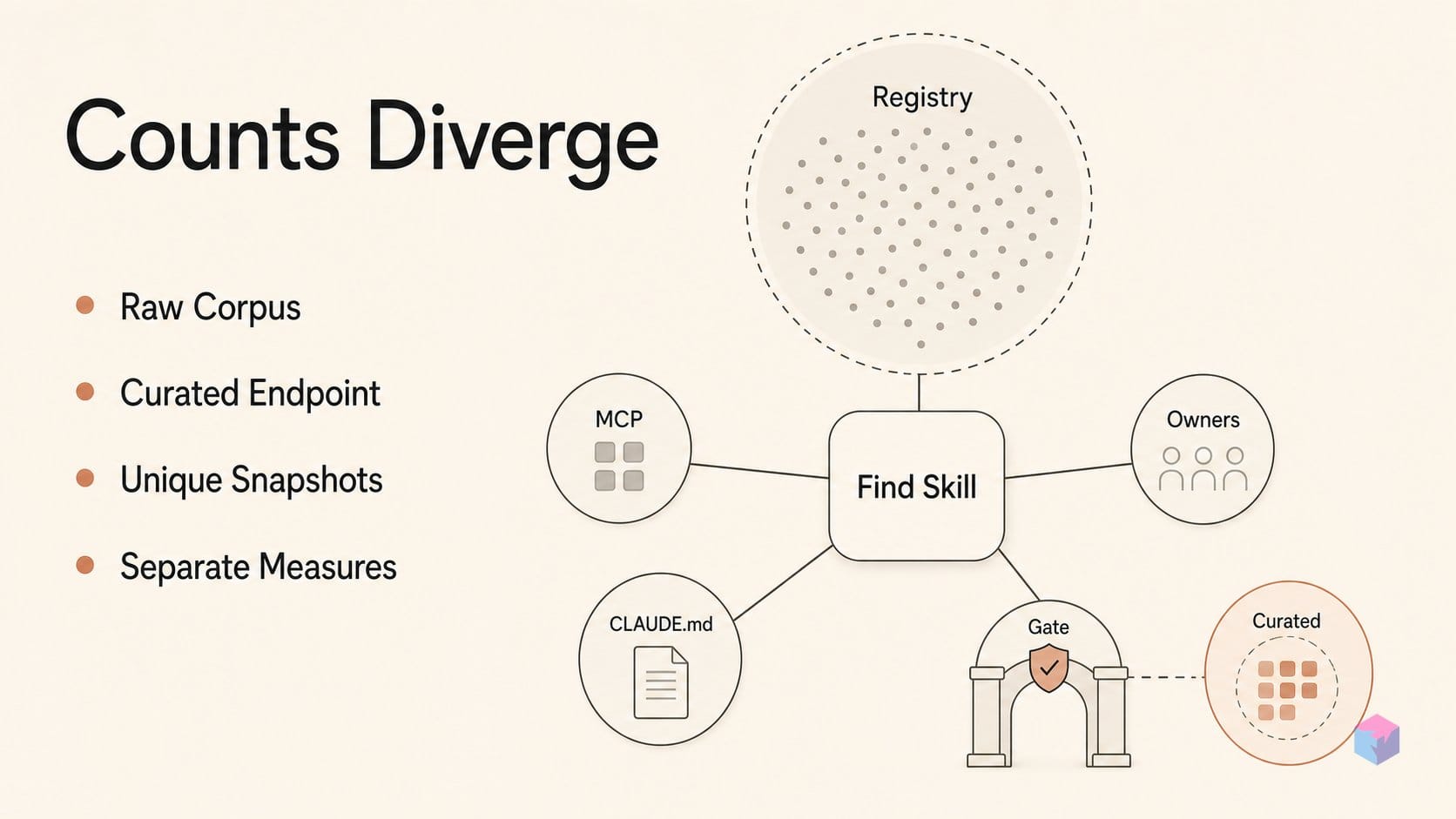
The two numbers measure different things. The skills.sh homepage leaderboard has displayed an "All Time (908,452)" label — a raw corpus figure that aggregates every tracked listing and install across the full, unreviewed directory. There is no vetting gate behind it. By contrast, the curated endpoint /api/v1/skills/curated returns exactly 342 skills across 87 owners as of 2026-03-31 — a hand-selected subset with a meaningful bar to entry.
Muddying things further, intermediate trackers report their own denominators: roughly 87,000 unique skills at one snapshot and around 670,000 in a June 2026 count . None of these are directly comparable — all-time activity, install tallies, and deduplicated unique skills are separate measures.
| Number | What it counts | Vetting gate |
|---|---|---|
| 908,452 | All-time listings + installs, full directory | None |
| ~670,000 | June 2026 tracker snapshot | None |
| ~87,000 | Unique skills (one tracker's dedup) | None |
| 342 | Curated endpoint, 87 owners (2026-03-31) | Editorial selection |
The gap exists because curation requires selection criteria, while the 900K+ figure reflects raw activity across the corpus with no editorial floor. When you read "700K skills" in the wild, you're reading directory volume — not a count of things worth installing.
find-skills Is a Bootstrap SKILL.md — Not an MCP Protocol
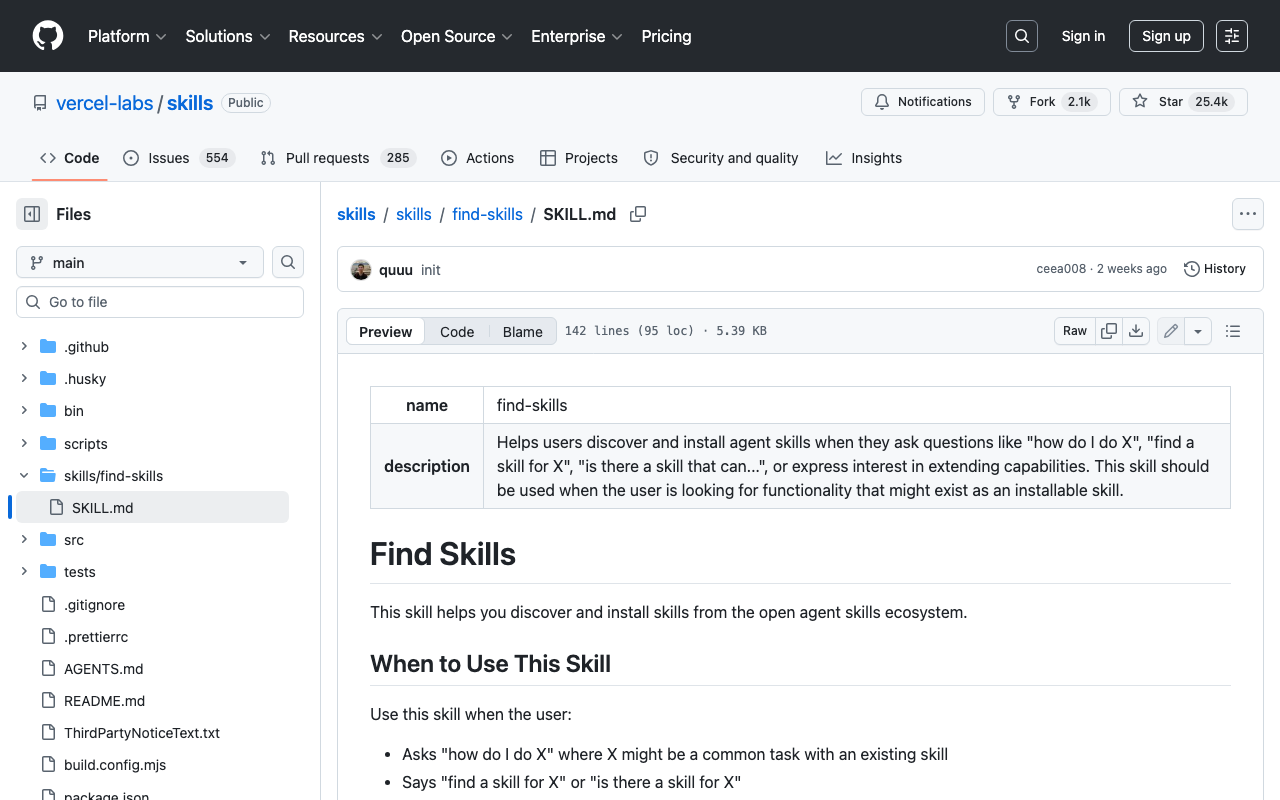
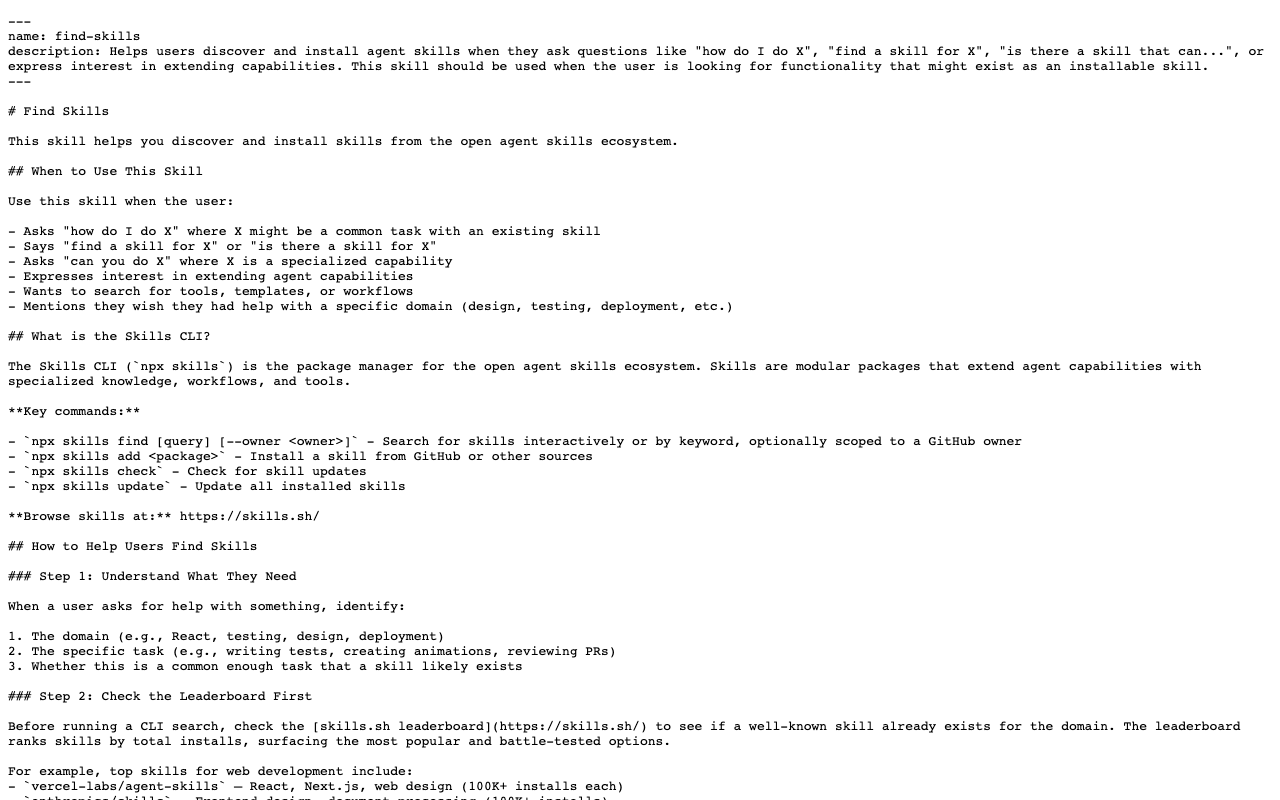
Despite the "auto-discovery" framing, find-skills is not an MCP server and never loads the full corpus into context. It ships as a single SKILL.md — a YAML-plus-Markdown instruction package installed once into .claude/skills/ — that teaches Claude Code when and how to query the skills.sh ecosystem on demand . There is no persistent service, no daemon, and no protocol handshake; the file is static text that stays dormant until a query activates it.
Activation is conversational. When a user asks "how do I do X," "find a skill for X," or requests a specialized capability, the agent reads the instructions, consults the skills.sh leaderboard, runs npx skills find [query] (optionally with --owner), and evaluates the results before recommending anything .
The quality gate is a set of heuristics baked directly into the file, not a verification step:
- Prefer skills with 1K+ installs; treat anything under 100 with caution.
- Prioritize reputable owners such as
vercel-labs,anthropics, andmicrosoft. - Treat repositories under 100 GitHub stars skeptically .
The design is deliberately self-referential: find-skills is itself the top-listed skill on skills.sh by install count . Its own ranking demonstrates the leaderboard-first pattern it instructs the agent to follow — a bootstrap that ranks first on the metric it tells you to trust.
Putting find-skills Into Claude Code
Installing find-skills takes one command and no configuration. You need Node 18 or newer, npm, and Claude Code already on your machine. The skills npm package is at version 1.5.15, MIT-licensed, and ships two binaries (skills and add-skill) that run through npx without a global install.
To add find-skills at the project level, run:
npx skills add https://github.com/vercel-labs/skills --skill find-skillsThis drops SKILL.md into .claude/skills/find-skills/ in the current repository, scoped to that project [1]. To make it available across every Claude Code session instead, append the agent flag:
npx skills add https://github.com/vercel-labs/skills --skill find-skills --agent claude-codeThat places the file in ~/.claude/skills/, the global path [2].
Verify the install with npx skills list, which should show find-skills present. To exercise live discovery against skills.sh directly, run npx skills find [topic] — for example npx skills find "content writing" — and the CLI returns ranked matches from the directory. Beyond add, list, and find, the CLI exposes use, remove, update, and init, so the same tool manages the full lifecycle of a skill once it lands as a static file in your repo [1].
Why 900K Doesn't Mean Vetted
The nine-figure number on skills.sh measures adoption, not approval. The all-time leaderboard ranks by anonymous CLI telemetry — install pings, with no submission form, no human review, and no editorial gate between a published repo and its ranking . A high position means many agents ran npx skills add against that repo, which correlates with usefulness but certifies neither correctness nor safety. skills.sh states the caveat itself, warning that it cannot guarantee the quality or security of every listed skill .
The risk is concrete because of what a skill is. Installing an arbitrary SKILL.md injects instructions directly into your agent's context window, and Claude Code's own documentation warns that project skills can grant tool access and should be reviewed before you trust a repository . A malicious or careless skill body is prompt-injection with a package manager in front of it.
"Prefer skills with 1K+ installs, exercise caution below 100, prioritize reputable owners, and treat repos under 100 GitHub stars skeptically," — the find-skills quality heuristics (source: find-skills SKILL.md).
Those heuristics — install count, star count, owner reputation — are a reasonable proxy, not a vetting certificate . They filter noise; they do not read the file. Open the SKILL.md, check what tools it requests, and commit it deliberately before adopting anything.
Where to Go From the 342 Curated Catalog
Start with the curated set, not the all-time firehose. The /api/v1/skills/curated endpoint returned 342 skills across 87 owners in its documented sample, and skills.sh lets you filter by domain and owner. Search uses fuzzy matching for single-word queries and semantic search for multi-word queries, with limit up to 200 and optional owner filtering (source: skills.sh API).
To build your own, npx skills init scaffolds a new SKILL.md; the Agent Skills spec requires only name and description in YAML frontmatter plus a Markdown body, keeping the format portable (source: Agent Skills spec).
What is still missing: native runtime auto-discovery. Feature request anthropics/claude-code #38253 proposes a skill:// MCP resource URI for exactly that, but it is not available today. And the discovery layer is fragmenting, not consolidating — K-Dense-AI's vector-search MCP and VoltAgent's 1,000+ catalog compete with skills.sh rather than merging into it. The takeaway: treat skills.sh as one discovery source among several, browse the curated 342 first, and keep reviewing each SKILL.md before you commit it.
Frequently asked questions
Why does skills.sh show 900K+ but the curated list is only 342?
They count different things. The 900K+ figure is an all-time listing and install-telemetry number across the full, unreviewed corpus — the skills.sh homepage has displayed an "All Time (908,452)" label . The 342 comes from the /api/v1/skills/curated endpoint, a hand-picked subset spanning 87 owners as of 2026-03-31. One measures raw volume and popularity; the other measures a reviewed shortlist. They are not comparable denominators.
Is find-skills an MCP server?
No. find-skills is a single SKILL.md file installed locally into .claude/skills/, not a persistent service or protocol . It instructs Claude Code to query skills.sh on demand by running npx skills find [query]. There is no MCP handshake and no background process — the agent simply reads the skill's instructions and shells out to the CLI when you ask it to find a capability.
Can I trust a skill with high install counts on skills.sh?
A high install count reflects popularity, not safety. skills.sh ranks entries by anonymous CLI telemetry with no submission gate or human review, and the site itself warns it cannot guarantee the quality or security of every listing . Always read the SKILL.md before adopting it, since its content is injected into your agent's context. Prioritize reputable owners such as vercel-labs, anthropics, and microsoft, and treat repos under 100 GitHub stars skeptically .
What is the difference between project-level and global find-skills?
Scope. A project-level install lives in .claude/skills/ and applies only inside that repository; a global install lives in ~/.claude/skills/ and applies across all your Claude Code sessions . Use the global path for general-purpose discovery you want everywhere, and the project path for domain-specific tooling you want committed and shared with a single codebase. Claude Code resolves personal scope over project scope when both define the same skill.
When will Claude Code support native skill auto-discovery?
Not yet. There is no native runtime auto-discovery in Claude Code today. The open feature request anthropics/claude-code #38253 proposes a skill:// MCP resource URI to load skills automatically , but it is not shipped. Until then you still install the find-skills SKILL.md bootstrap once and let it run npx skills find on demand.
Enjoyed this article? Subscribe to get new stories by email whenever they're published.