
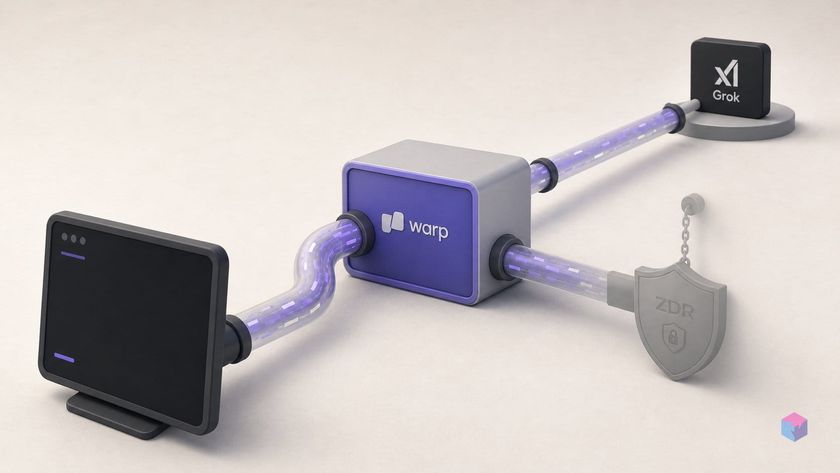
Warp now lets you run xAI's Grok models as a native option inside its agentic terminal, and the bill lands on your xAI plan, not Warp's credit meter. The catch is in the routing, but first, what the connection actually buys you.
What the SuperGrok connection actually gives you
Linking a SuperGrok subscription makes Grok a first-class model inside Warp's native Agent, not the standalone grok CLI binary running as a plain shell process. Each request bills against your own xAI subscription instead of consuming Warp's metered AI credits . The integration shipped in mid-June 2026, with Warp's SuperGrok documentation last updated June 15, 2026 .
Running Grok this way is different from spending credits on a Warp-offered model or shelling out to xAI's standalone Grok Build CLI inside the terminal. Once connected, Grok inherits Warp's full agentic toolset: codebase awareness over your local files, code generation and editing, shell command and test execution, and multi-language support spanning Python, TypeScript, Go, and Rust, among others . You get xAI's model with Warp's harness wrapped around it.
Eligibility is broad. The SuperGrok connection is available on Warp's Free tier and all eligible paid plans, for individuals and organizations with 10 or fewer employees, subject to Warp's Terms of Service . Larger teams fall under different routing rules.
One step trips people up: connecting the subscription does not switch your active model. Authorization and model selection are separate actions; after linking, you still have to pick a Grok model (marked with a key icon) in Warp's model picker, or your prompts keep going to whatever was already selected .
Linking SuperGrok: Settings, consent, and the picker icon
Linking SuperGrok is a two-part OAuth flow with no API key to paste: you authorize once in your browser, then explicitly select a Grok model in Warp. Open Warp Settings, search for SuperGrok, and click Connect. Warp launches xAI's consent screen in your default browser, where you approve access; Warp then receives a token tied to your xAI subscription rather than a key you copy by hand .
Where that token lives matters. Warp stores the resulting xAI access token only on the local device (in the OS keychain or platform-equivalent secure storage) and says it never keeps it on Warp's servers . That on-device placement is also why the connection behaves differently for cloud-hosted runs, a constraint the next section covers.
After approving, return to Warp and open the model picker. Grok models appear with a small key icon, indicating that requests will bill against your own xAI plan instead of consuming Warp's metered credits . The exposed options include grok-build-0.1 (the coding-tuned model that also powers xAI's standalone Grok Build CLI) and Grok 4.3 in three reasoning levels: grok-4-3-low, grok-4-3-medium, and grok-4-3-high .
Selecting one of those key-marked models commits the session to your xAI plan. Connecting the subscription alone does not switch your active model; authorization and model selection are separate actions . Skip it and Warp keeps routing prompts through whatever was already selected, drawing on its own inference and credits. The practical checklist:
- Settings → search
SuperGrok→ Connect - Approve xAI's consent screen in the browser (OAuth, no pasted key)
- Return to Warp, open the model picker, and choose a Grok model with the key icon
The integration shipped in mid-June 2026, with Warp's SuperGrok documentation last updated June 15, 2026 . Confirm the icon is present before you start a long session, as it is the only on-screen indicator that your prompts are leaving Warp's credit pool.
Which Grok variants Warp exposes and what they cost
Warp exposes two distinct Grok families behind the key icon: grok-build-0.1, the coding-tuned model that also drives xAI's Grok Build CLI, and Grok 4.3 at three reasoning depths with the IDs grok-4-3-low, grok-4-3-medium, and grok-4-3-high . Because the requests are billed against your linked xAI subscription, the per-million-token economics are xAI's, not Warp's metered credits, so the variant you pick changes both behavior and cost.
grok-build-0.1 is the fast agentic-coding option, carrying a 256,000-token context window and priced at $1.00 per 1M input tokens, $0.20 per 1M cached input, and $2.00 per 1M output . Grok 4.3 is the larger, configurable-reasoning model with a 1,000,000-token context window and pricing of $1.25 per 1M input, $0.20 per 1M cached input, and $2.50 per 1M output . The reasoning level you select (low/medium/high) trades latency and token spend for deeper deliberation on harder tasks.
| Model | Context window | Input / cached / output (per 1M) | Best-fit workload |
|---|---|---|---|
grok-build-0.1 | 256k tokens | $1.00 / $0.20 / $2.00 | Fast iterative edits, shell-driven agentic loops |
grok-4-3-low/medium/high | 1M tokens | $1.25 / $0.20 / $2.50 | Large-repo reasoning, multi-file refactors, hard debugging |
Rate limits do not come from Warp. They inherit from your own xAI plan tier, so a connected SuperGrok subscription is governed by xAI's quotas rather than Warp's credit ceilings . xAI keys those tiers to cumulative spend since January 1, 2026: Tier 0 at $0, Tier 1 at $50, Tier 2 at $250, Tier 3 at $1,000, and Tier 4 at $5,000, with Enterprise on request . Warp publishes no separate ceilings for the SuperGrok path, so check your personalized xAI console limits; the Warp-linked numbers may not match raw API limits.
For most coding sessions, grok-build-0.1 is the cheaper, lower-latency default; reach for Grok 4.3 when the context window or reasoning depth actually pays for the higher output rate.
The privacy split: on-device storage, Warp's backend relay
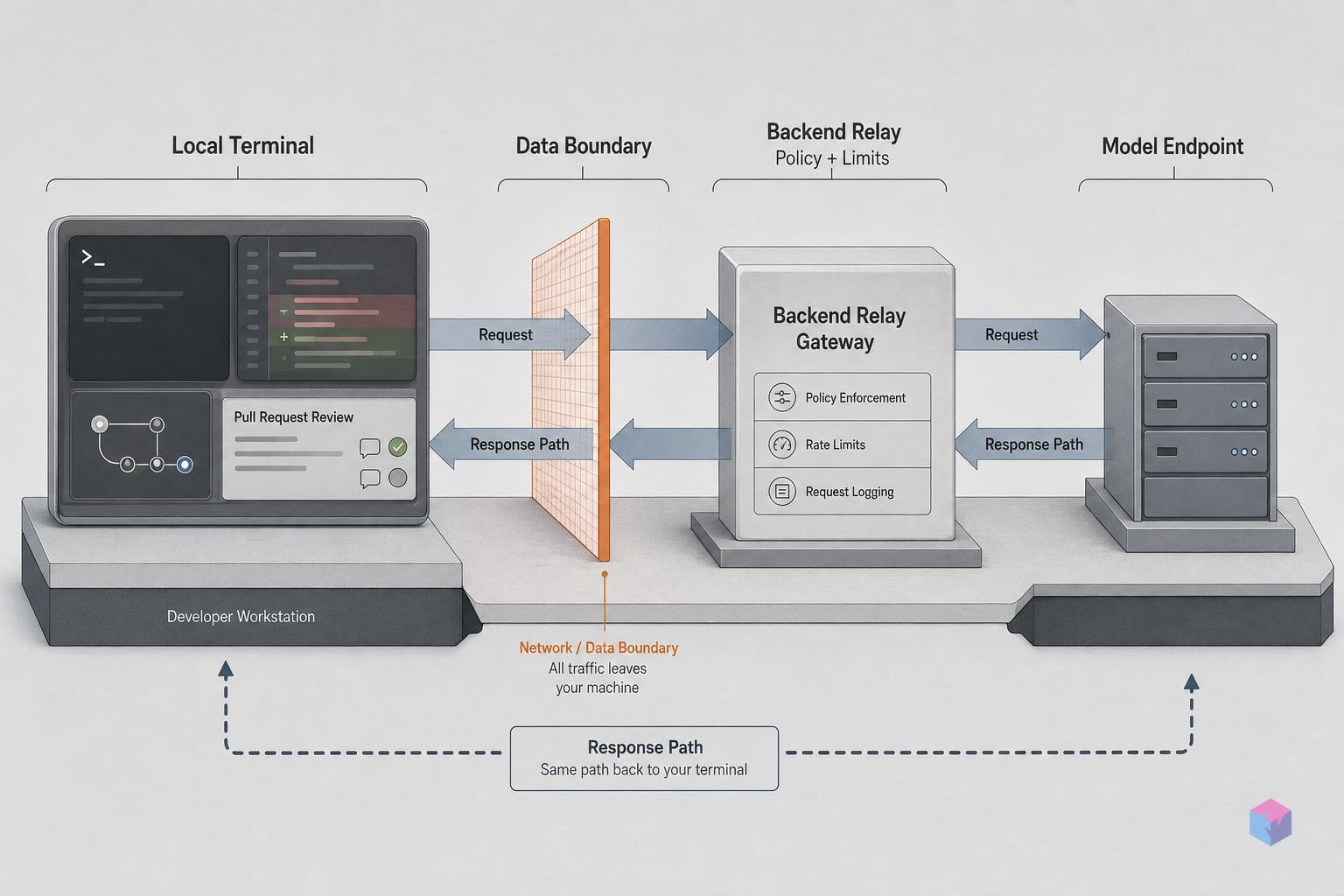
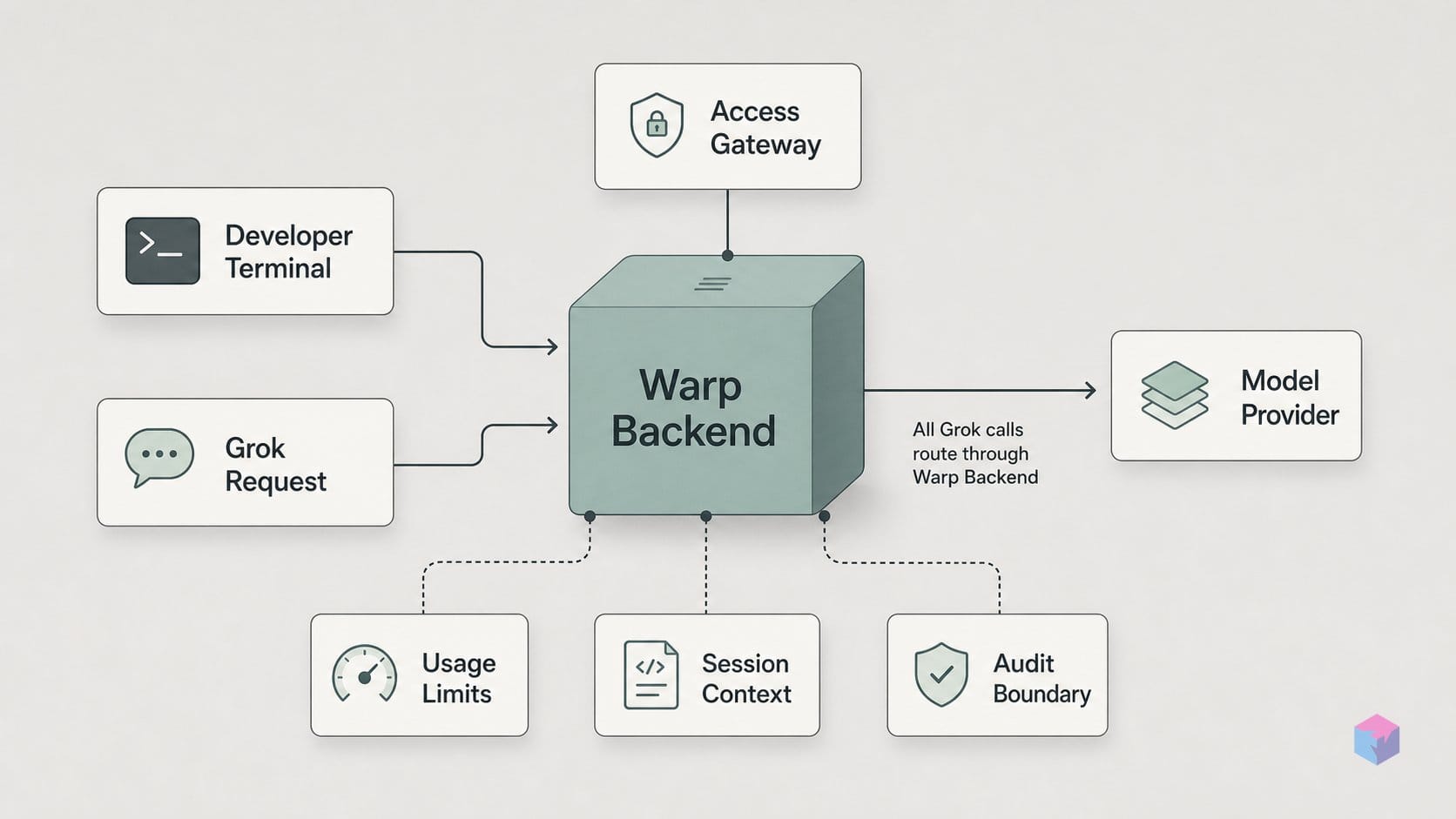
"Stored locally" and "called directly" are two different claims, and the SuperGrok connection only satisfies the first. Warp keeps your xAI OAuth token on the device (in the OS keychain or equivalent secure storage) and says it never persists the token on Warp's servers at rest . What it does not do is route your prompts straight from your machine to xAI. Every Grok call still transits Warp's backend.
The local client sends the xAI access token plus your prompt to Warp's backend. The server-side agent harness assembles system instructions, conversation context, and tool definitions, then uses your token in-flight to call xAI as your own account. It streams the response back to the client and discards the token after the request completes . The practical consequence: your token is present on Warp's server for the duration of every single call, even though it is never written to disk there.
This is not a Grok-specific quirk. It is architecturally identical to Warp's bring-your-own-key path for Anthropic, OpenAI, and Google, where locally stored keys also pass through Warp's backend for the same reason: the agent harness that does context assembly and tool orchestration is server-side by design . If you assumed BYOK meant a direct client-to-provider connection, that assumption was already wrong before Grok arrived.
"For each request, your client sends the access token and prompt to our backend, which uses the token to call xAI on your behalf and discards it afterward; the token is never stored on Warp's servers." (Warp documentation, SuperGrok subscription; source: docs.warp.dev)
The retention story changes the most. For Warp-managed inference, Warp states it holds Zero Data Retention (ZDR) agreements with its contracted providers: OpenAI, Anthropic, Google, xAI, and Fireworks AI . But when you connect your own SuperGrok subscription, xAI-side retention is governed by your xAI account and its terms, not by Warp's ZDR contract. Warp cannot enforce ZDR on subscription-routed calls, because xAI is processing those requests as your account, not as Warp's contracted provider .
So the privacy posture splits cleanly. Token confidentiality improves (nothing is stored on Warp's servers at rest), while the transport model stays a server-side relay, and prompt retention moves out of Warp's ZDR umbrella and onto whatever your personal xAI terms allow. If ZDR is a compliance requirement for your team, subscription-routed Grok does not give it to you; Warp-managed inference does.
Which Warp features bypass SuperGrok and draw from Warp's AI pool
Linking a SuperGrok subscription does not reroute everything in Warp through your xAI account; several paths keep drawing from Warp's own AI credit pool by design. Warp's Auto model always uses Warp's own inference and consumes Warp credits; it never routes to a connected SuperGrok subscription even when one is linked and active . To bill against xAI, you have to explicitly pick a named Grok model (the one with the key icon in the picker) every time.
The split matters most in three places. First, Auto, as above, is a Warp-credit path regardless of what you've connected. Second, Cloud Agents run on Warp's infrastructure and cannot reach your locally stored OAuth token: because the xAI token lives only in your device keychain, cloud-hosted runs have no access to it, so every Cloud Agent job consumes Warp credits even with an active SuperGrok link . Third, fallback is not automatic. If your xAI plan hits a usage or rate limit and returns HTTP 429, Warp will not silently retry with Warp credits unless you explicitly enable credit fallback in settings . Left off, a subscription limit means the request fails rather than quietly costing you credits.
In practice, Warp credits are the default billing source unless you have deliberately selected a key-icon Grok model in an interactive, non-cloud session. The matrix below maps each feature to where the request is actually billed.
| Warp feature | Routes to SuperGrok? | Billing source |
|---|---|---|
| Auto model | No (always Warp inference) | Warp credits |
| Named Grok model (key icon) | Yes, in interactive sessions | Your xAI subscription |
| Cloud Agents | No (token unavailable to cloud runs) | Warp credits |
| Custom OpenAI-compatible endpoint | No (separate path, not Grok-specific) | Your endpoint/provider account |
| 429 limit reached, fallback off | Request fails | None (unless fallback enabled) |
Note that the custom inference endpoint option can connect any OpenAI-compatible provider (OpenRouter, LiteLLM, and similar), but Warp's Grok documentation does not confirm a direct api.x.ai key path through it and instead points Grok users to SuperGrok . So a custom endpoint is its own billing lane, not a backdoor into your xAI subscription.
The grok binary in Warp: plain shell process, not a first-class partner
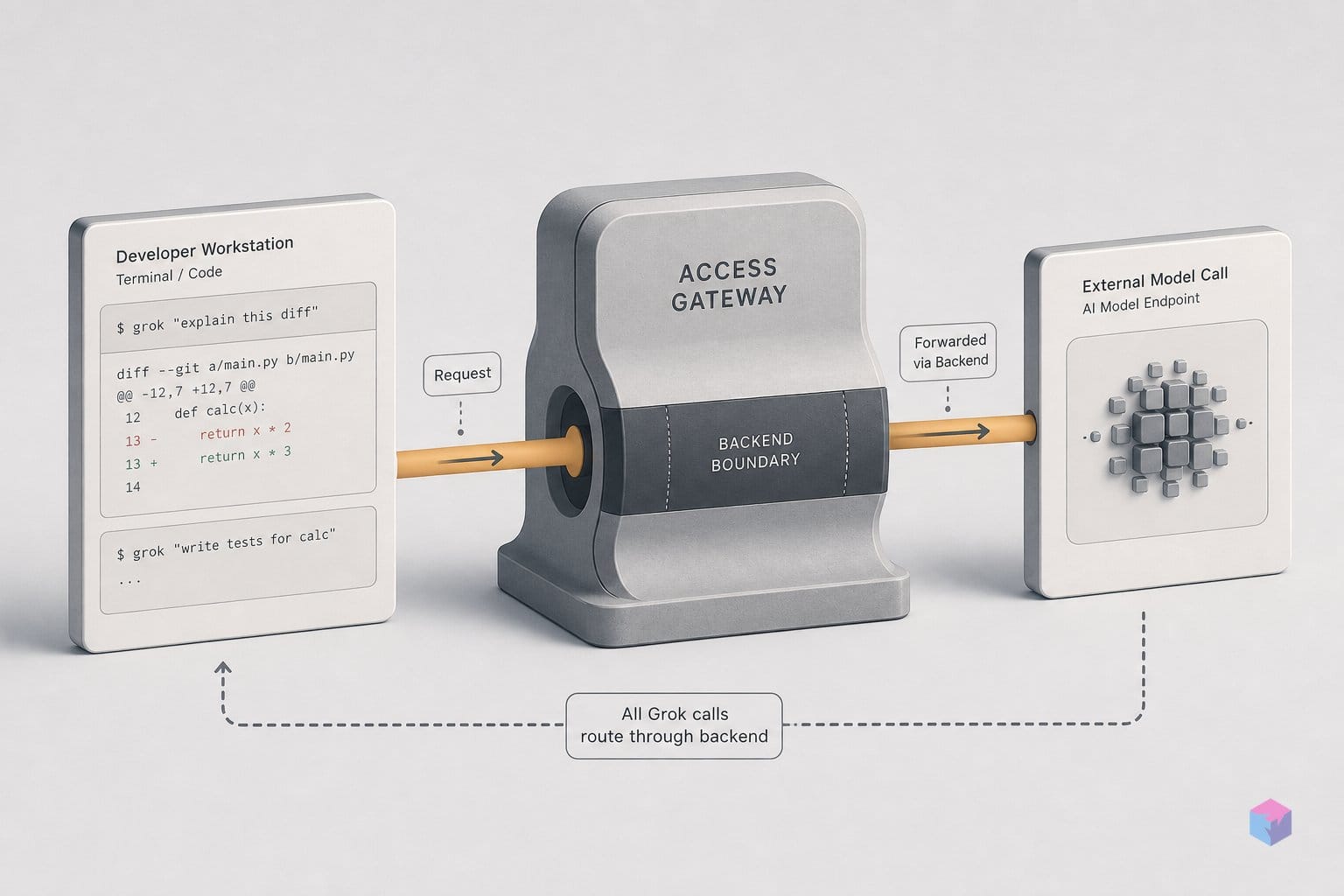
The SuperGrok connection and xAI's standalone grok CLI binary are two separate products with very different integration depths. SuperGrok wires a Grok model into Warp's own Agent, so requests run through Warp's server-side harness with codebase awareness and tool use. The grok binary, which is the same coding-tuned model exposed as grok-build-0.1 and also powers xAI's standalone Grok Build CLI, is a third-party command-line program. Launch it in a Warp tab and it runs like any other process.
That distinction has practical consequences. When you run the grok binary inside Warp, you get none of Warp's first-class agentic CLI affordances: no rich input editor, no inline code-review annotations on its output, and no session management comparable to what Warp grants its supported third-party CLI agents. It behaves like a plain terminal process (text in, text out) even though Warp is the surface it happens to be running on.
Closing that gap is an open request, not a shipped feature. GitHub issue warpdotdev/warp#11727, filed May 27, 2026, asks Warp to auto-detect the grok binary and grant it the same toolbelt treatment (input editor, code-review comments, session handling) that Warp's other supported CLI agents receive. As of June 19, 2026 the issue remains open and unresolved, so there is no native bridge between the binary and Warp's agent UI today.
Keep the two paths in their lanes. If you want Grok driving a Warp Agent session (codebase context, multi-file edits, shell and test execution), use the native SuperGrok connection and pick a Grok model from the picker. If you specifically want xAI's grok CLI, run it, but treat it as a plain shell tool with no Warp-side integration until #11727 lands.
When to link SuperGrok vs keep Warp's built-in AI pool
Link SuperGrok when you already pay for an xAI plan and want Grok requests billed against that subscription instead of Warp's metered credits. The connection is the only documented bring-your-own-Grok path in Warp today, set up through OAuth rather than a pasted API key . It is the right call in three cases: you want grok-build-0.1 for fast agentic coding sessions, you run high-volume workloads and need to conserve Warp credits, or you simply prefer Grok 4.3's reasoning levels driving a Warp Agent.
Stay on Warp's built-in pool when the work depends on features the SuperGrok path cannot reach. A connected subscription does not apply to Cloud Agents, because the xAI token lives only on the local device and is unavailable to cloud-hosted runs; those consume Warp credits . Warp's Auto model likewise always uses Warp's own inference and never routes through SuperGrok . If you require Warp-enforced Zero Data Retention, keep Warp-managed inference: ZDR covers contracted providers including xAI for Warp-managed calls, but subscription-routed Grok requests are governed by your own xAI terms, which Warp cannot enforce .
Organization size also decides this. The SuperGrok connection is available on Free and eligible paid plans for individuals and organizations of 10 or fewer employees; larger teams need Business or Enterprise for BYOK and custom-endpoint alternatives .
One gap to plan around: holders of a raw xAI API key have no direct bring-your-own-key field in Warp, since BYOK covers Anthropic, OpenAI, and Google but not xAI . An OpenAI-compatible custom endpoint (OpenRouter, LiteLLM) can proxy Grok-model calls, but that is not the documented Warp + Grok route and carries no official support or ZDR guarantee .
If you already hold a SuperGrok plan, are a team of ten or fewer, and want Grok in interactive Agent sessions, link it and pick a key-icon model. If you lean on Cloud Agents, Auto, enforced ZDR, or run a larger org, keep Warp's built-in pool for now.
Frequently asked questions
Does SuperGrok work on Warp's free plan?
Yes. The SuperGrok connection is available on Free and all eligible paid plans for individuals and organizations with 10 or fewer employees, subject to Warp's Terms of Service . The constraint is org size, not plan tier; a solo developer on the $0/month Free plan can link SuperGrok the same way a $20/month Build subscriber can . Note that Warp's separate BYOK path (Anthropic, OpenAI, and Google API accounts) is what requires Business or Enterprise for larger organizations, not the SuperGrok OAuth link .
Can I use an xAI API key in Warp instead of a SuperGrok subscription?
No. Warp's bring-your-own-key (BYOK) feature covers Anthropic, OpenAI, and Google accounts, but it has no xAI API key field today . The only documented bring-your-own-Grok route is the SuperGrok OAuth connection . A custom OpenAI-compatible endpoint (for example via OpenRouter or LiteLLM) could in principle proxy calls to xAI, but Warp's Grok documentation does not confirm direct api.x.ai key setup through that path and instead points Grok users to SuperGrok, so treat it as unsupported and without a ZDR guarantee .
Do Cloud Agent runs in Warp use my connected SuperGrok subscription?
No. Cloud Agents execute on Warp's own infrastructure, where the locally stored xAI OAuth tokens are inaccessible; the tokens live only in your device's OS keychain or equivalent secure storage . Because cloud-hosted runs cannot reach those tokens, they always consume Warp credits regardless of whether SuperGrok is connected . A connected subscription only applies to interactive Agent sessions on your local machine.
Is my xAI account data covered by Warp's Zero Data Retention guarantees when using SuperGrok?
No. Warp's Zero Data Retention (ZDR) agreements apply to Warp-managed inference with its contracted providers: OpenAI, Anthropic, Google, xAI, and Fireworks AI . When you bring your own SuperGrok subscription, retention on xAI's side is governed by your own xAI account and terms, and Warp cannot enforce ZDR for those subscription-routed requests . If enforced ZDR matters for your work, the Warp-managed pool is the path that carries it.
What is the difference between using Grok in Warp Agent and running the grok CLI binary in Warp?
The SuperGrok connection makes Grok a first-class model inside Warp's native Agent: it gains codebase awareness over local files, code generation and editing, tool use for shell commands and tests, and billing against your xAI plan rather than Warp credits . Running xAI's standalone grok binary inside Warp is just a plain terminal process; it gets none of Warp's rich input editor, code-review comments, or session management . Deep toolbelt integration for the CLI is tracked in GitHub feature request warpdotdev/warp#11727, filed May 27, 2026, which remains open .