
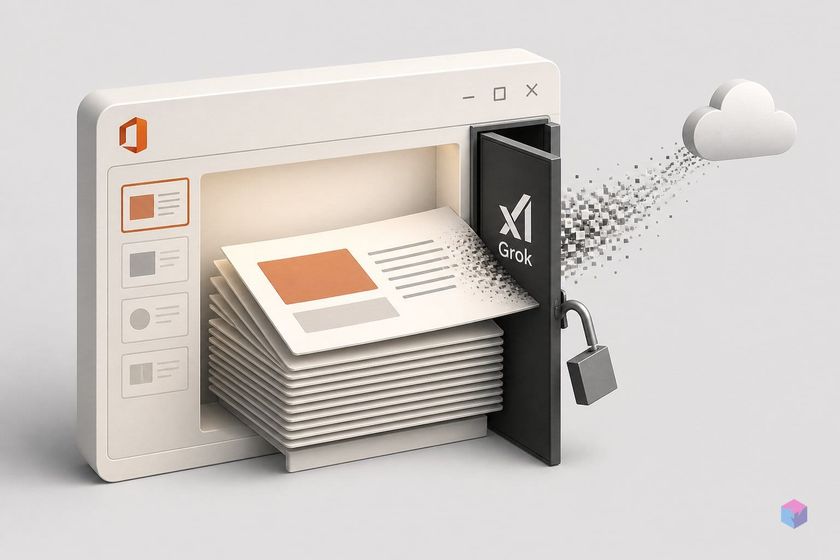
What xAI's Office sidebar does in PowerPoint, Word, and Excel
xAI's Office sidebar is a set of three Microsoft 365 add-ins, published as "Grok by SpaceXAI for Office" and distributed free through the Microsoft Marketplace, that run as a docked, conversation-based panel inside PowerPoint, Word, and Excel. The products carry distinct IDs: WA200011057 (PowerPoint), WA200011055 (Word), and WA200011056 (Excel). The clearest dated launch marker is xAI's "Grok for Word" announcement on June 18, 2026, which notes the add-in is also live for PowerPoint and Excel.
Each app gets a generation-focused agent that works in the open file:
- PowerPoint turns outlines into slides, expands existing decks, applies deck styles, restructures sections, and generates speaker notes. Via live Grok search, it can embed web-sourced facts with citations directly into slides rather than relying solely on training data .
- Word drafts, rewrites, and summarizes documents .
- Excel analyzes spreadsheet data and generates charts .
For the data-routing question this article unpacks, the most important detail is the one disclosure xAI has issued for every Office add-in. Microsoft's Marketplace listing for all three states that each add-in "can read and make changes to your document" and "can send data over the Internet" . That single line (not a data-flow diagram, not an endpoint list) is the only public scope statement covering what the sidebar touches and where it sends it.
The inference architecture: how content leaves your org
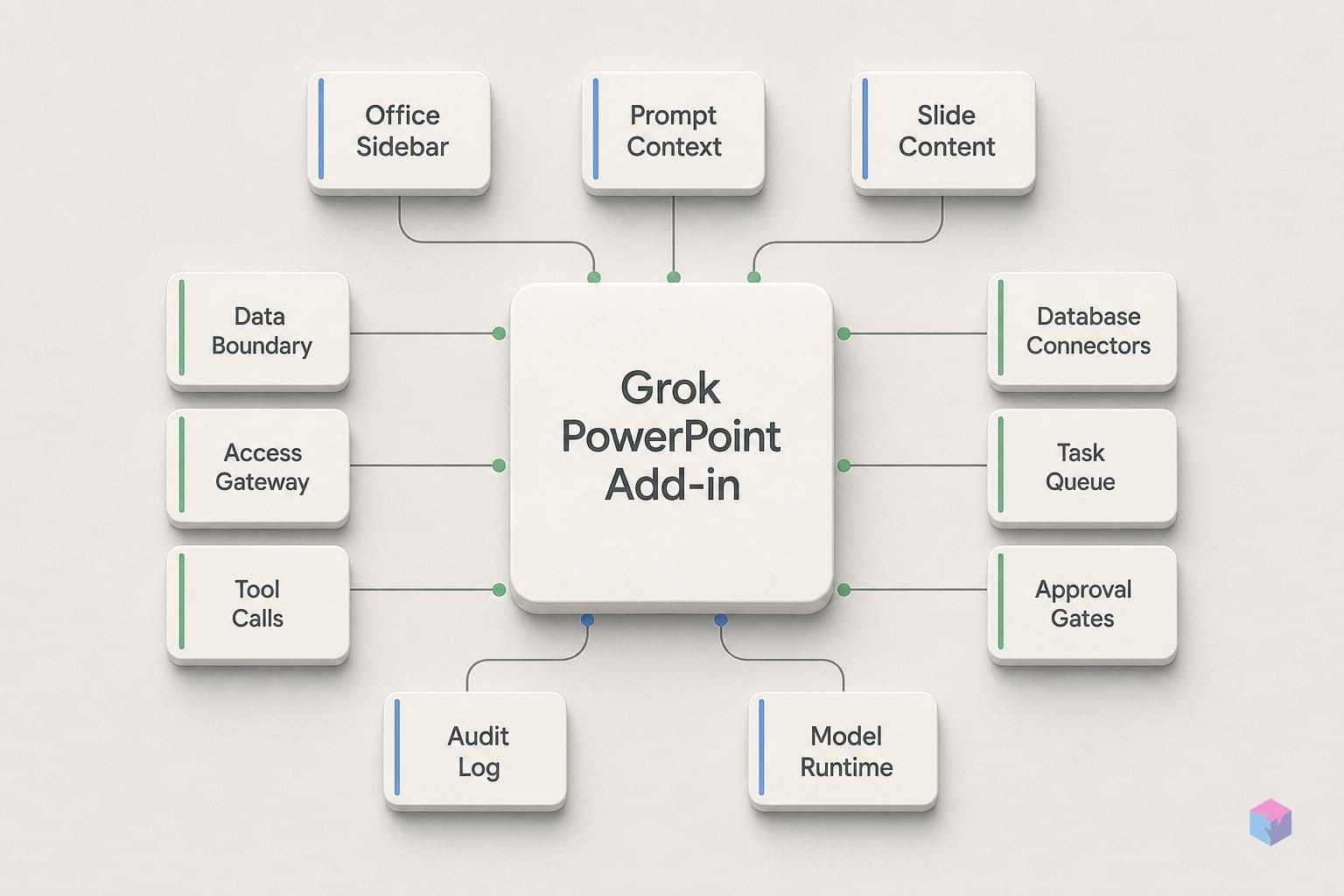
That disclosure makes more sense once you know how Office add-ins are built. An Office add-in is not a native plugin; it is a web application that runs inside a browser control or iframe embedded in Word, Excel, or PowerPoint, and Marketplace-distributed add-ins can be operated by a party external to your organization by design . The sidebar you see docked in PowerPoint is a remote web surface talking to xAI-operated servers, not code confined to your tenant.
The permission level all three Grok add-ins request is the consequential part. Outside Outlook, a single read/write document permission unlocks the entire set of application-specific APIs (full document reads, writes, data bindings, and event subscriptions) rather than a narrower, scoped grant . Grok's Marketplace text does not expose a more granular manifest breakdown, so the practical floor is broad: the add-in can read and rewrite the open file in its entirety.
Microsoft puts guardrails around the distribution channel. It enforces SSL for data in transit, requires developer proof of identity, a contractual agreement, and a compliant privacy policy before a listing goes live, yet the same documentation still advises administrators to vet an add-in before enabling it and warns against starting unknown ones . Encryption protects the pipe; it does not decide what travels through it or where it lands.
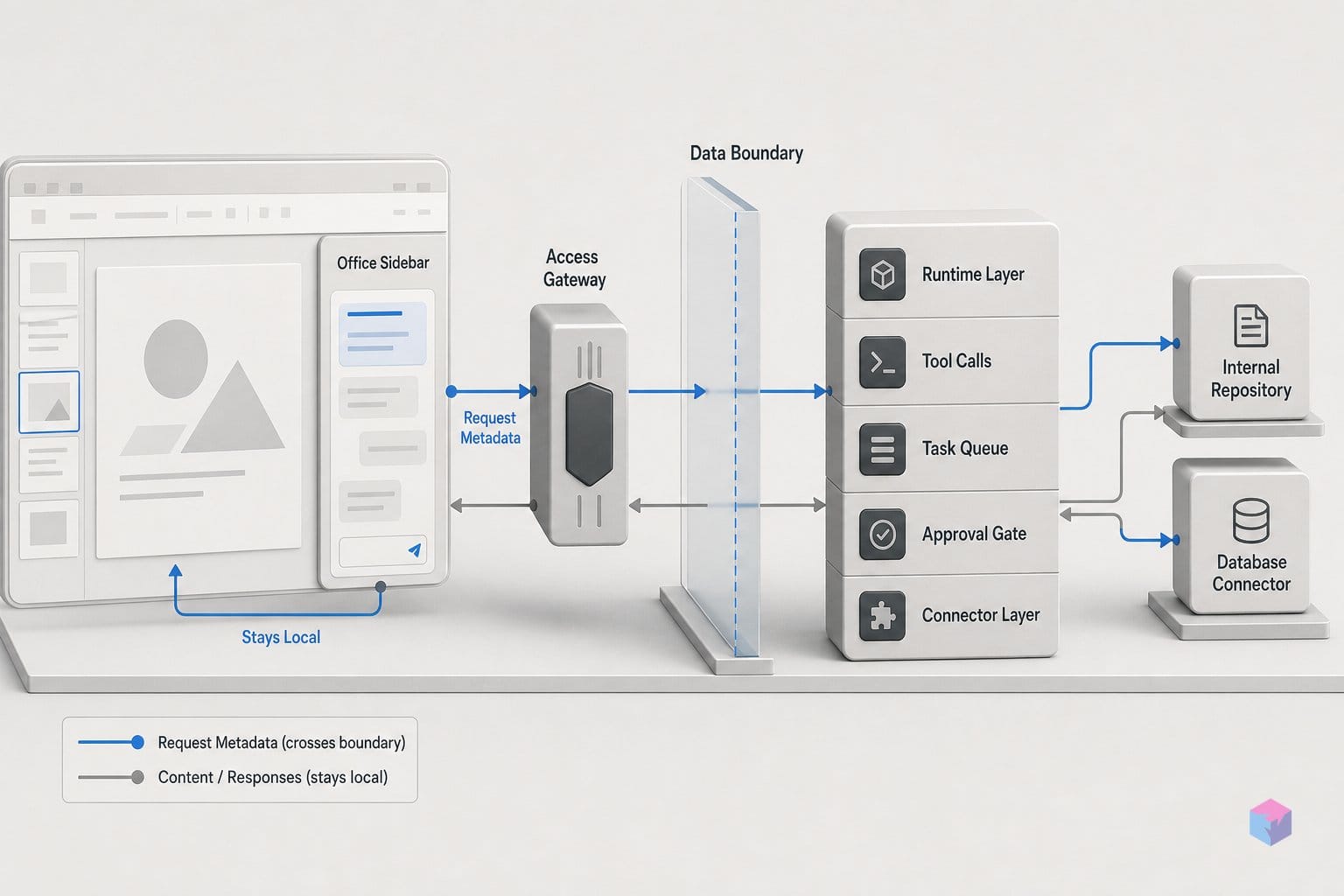
The conclusion follows directly from the architecture, not from anything specific to xAI's engineering choices. On any sidebar invocation, document content can leave the tenant boundary and reach xAI's inference infrastructure. This is the standard reality for every external Marketplace add-in, the same model that would apply to any third-party panel you install. What differs across add-ins is not whether content can leave, but what the operator does with it after it arrives, which the next section takes up.
What reaches xAI's servers when you invoke the sidebar
When you invoke the sidebar, the content that reaches xAI's servers is whatever Grok is pointed at, and that scope is broad by default. xAI's PowerPoint product page states the panel can "review the whole deck at once," and no manifest-level scope limit caps extraction to a single slide, selection, or section . The Marketplace listing confirms only the coarse permission: the add-in "can read and make changes to your document" and "can send data over the Internet" . There is no public per-invocation statement that narrows this.
The surface also extends well beyond the open file. Reporting describes Grok connectors that let users build slides from recent emails or from files stored in SharePoint or Google Drive, so the content flowing to xAI can include documents you never opened in PowerPoint .
A second outbound path runs the other direction. Live grounding has Grok execute web and X searches at inference time and embed up-to-date facts with citations directly into slides, rather than relying solely on training data . Those search calls originate from xAI's infrastructure, not the Microsoft tenant, meaning the grounding step is a server-side action outside your org's network controls.
As of June 2026, xAI has not published an Office-specific data-flow diagram, an endpoint list, or a per-invocation content-scope statement. The generic Marketplace capability text is the only public disclosure, so the practical assumption is that any reachable content (open deck, connected files, or live search results) can transit xAI services once the sidebar is engaged.
Individual vs. business account protections
The protection you get depends entirely on which account tier invokes the sidebar: business plans carry contractual no-training and short-retention guarantees, while consumer accounts default to a policy that lets xAI use your content to improve its models unless you opt out. xAI's Enterprise Terms (updated May 12, 2026) state the customer retains ownership of inputs and owns outputs, and that xAI will not use business User Content to train foundation models, LLMs, or other AI systems . For non-ZDR business content, deletion follows no later than 30 days after the session.
Quick Answer: Business and Enterprise plans get contractual no-training terms plus optional Zero Data Retention (content deleted within one hour of response delivery, confirmed via an x-zero-data-retention header). Consumer accounts default to xAI using content for research and model improvement unless the logged-in user opts out in settings.
Zero Data Retention (ZDR), available only on Business and Enterprise tiers, processes content transiently: it is deleted by the earlier of one hour after completion or response delivery, with no durable logs, backups, or persistent copies . On the API, ZDR is surfaced through an x-zero-data-retention response header, giving developers a programmatic check that the mode is active.
"xAI shall not use business User Content to train foundation models, LLMs or other AI systems." xAI Enterprise Terms, updated 2026-05-12 (source: xAI / Remio)
| Dimension | Consumer / individual | Business / Enterprise |
|---|---|---|
| Training on your content | Permitted by default; opt out in account settings | Contractually prohibited |
| Retention | Up to 30 days for deleted/Private Chat content | ≤30 days; ZDR deletes within one hour |
| Input/output ownership | Broad license granted to xAI | Customer retains input, owns output |
| Governing terms | Privacy Policy (eff. 2026-04-04) | Enterprise Terms (upd. 2026-05-12) |
For consumer use the posture is weaker: xAI's Privacy Policy (effective April 4, 2026) permits the company to use User Content to develop, improve, and research its services, with disclosures to service providers and related companies . Logged-in users can decline model-training use through account settings, but it is a default-on arrangement, not a default-off one.
The unresolved gap matters for the Office surface specifically. These terms govern xAI's services and API; xAI has not published an explicit statement that ZDR or custom retention applies to the PowerPoint, Word, and Excel add-ins. Until that parity is confirmed in writing, treat the strong enterprise guarantees as documented for the API and unverified for the sidebar.
How administrators can scope or block the sidebar
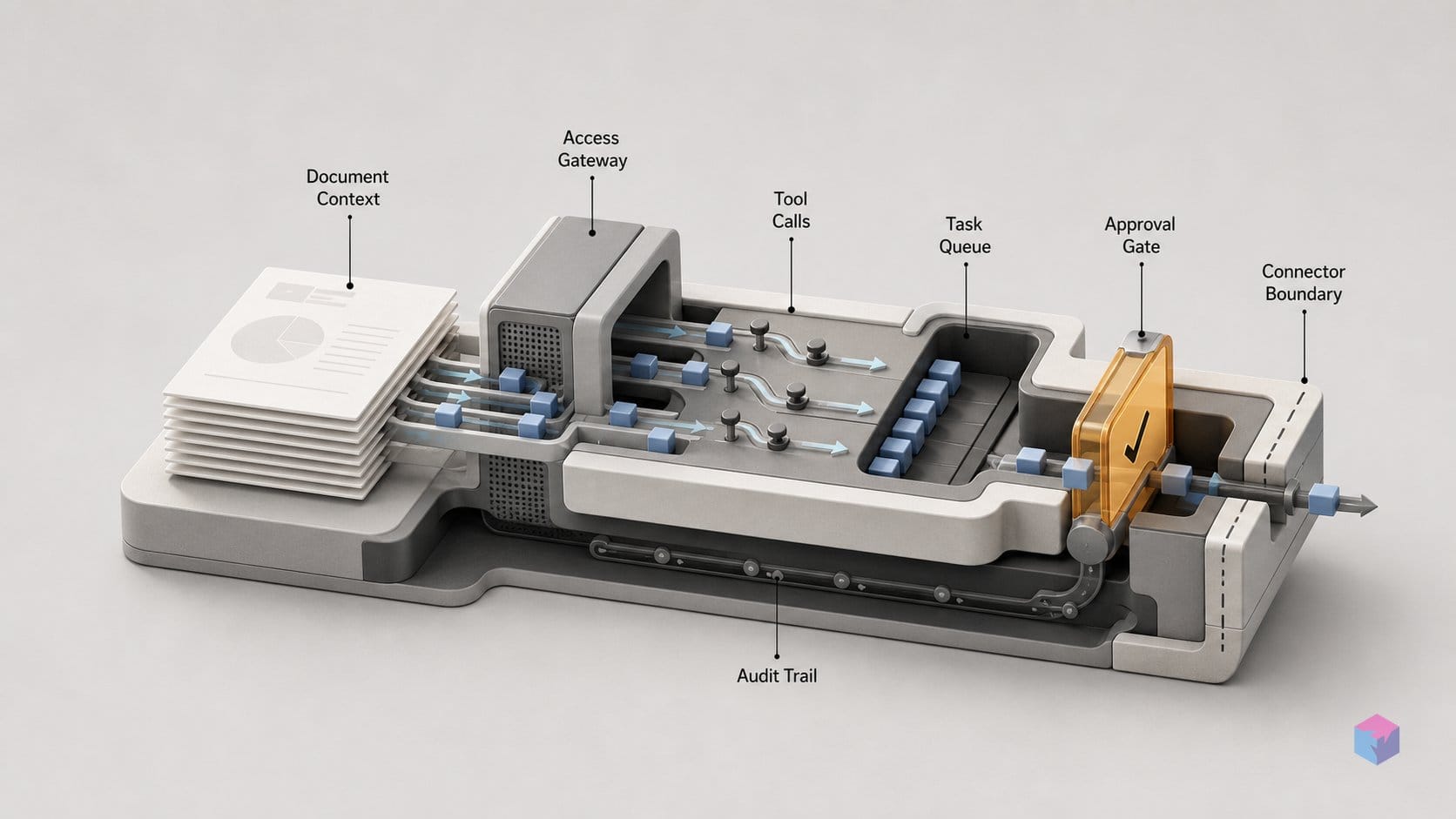
Microsoft 365 administrators control the Grok sidebar before any user content can reach xAI. The admin center exposes three states for each add-in (Enabled, Unassigned, and Removed), and assignment can be scoped to specific users or groups rather than the whole tenant . That means you can pilot the PowerPoint, Word, and Excel add-ins with one team while keeping the rest of the organization off the path entirely.
Self-installation is governed separately. The "Let users access the Office Store" setting allows or blocks user-initiated Marketplace downloads; disabling it prevents individuals from adding the sidebar without admin approval . xAI's product page confirms admins can also deploy the add-in organization-wide .
The control surface stops there. There is no published documentation of conditional access integration, DLP trigger support, or sensitivity-label awareness for the Grok add-ins, so a labeled or DLP-protected file is not guaranteed to block the sidebar's read/write access on its own.
The conservative posture follows directly: block the add-in at the admin level by default, and require written ZDR confirmation in your enterprise order before enabling it for any group that handles regulated or confidential content. Scoped assignment plus a contractual retention guarantee is a safer combination than relying on tenant defaults alone.
Which subscription level unlocks the PowerPoint sidebar
The PowerPoint sidebar installs free from the Microsoft Marketplace on any account, but invoking it inside PowerPoint requires a paid Grok plan. Per the Marketplace listing, PowerPoint generation is gated to SuperGrok, Heavy, Business, and Enterprise subscribers, with usage limits applying . The Word and Excel add-ins are reported as more broadly available, so the hard paywall is specific to deck generation, not the suite as a whole .
SuperGrok sits at $30/month and bundles Grok 4 access, connectors for SharePoint and Google Drive, higher usage limits, SOC 2 compliance, and image and video generation . Business and Enterprise tiers layer on the controls that matter for regulated workloads: a no-training clause, custom data retention, SSO/SCIM, advanced audit controls, customer-managed encryption keys, a dedicated data plane, and data residency options .
| Tier | Price | PowerPoint sidebar | Key additions |
|---|---|---|---|
| Free | $0 | Install only, no generation | — |
| SuperGrok | $30/mo | Yes | Grok 4, connectors, SOC 2, image/video |
| Business / Enterprise | Custom | Yes | No-training, custom retention, SSO/SCIM, CMEK, dedicated data plane, residency |
The pricing collision is the strategic point. Copilot for Microsoft 365 runs at roughly $30/user/month with native tenant data access and Microsoft's data-boundary guarantees . xAI now meets Copilot at the same monthly tier inside the same app, but trades in-tenant processing for an external inference path, so the $30 is buying generation capability, not the data-residency posture Copilot ships by default.
The missing pieces: xAI's Office-specific documentation
The gap between what xAI advertises and what it documents is the thing to track before deploying the sidebar at scale. As of June 2026, there is no published Office-add-in data-flow diagram, no endpoint list, and no granular manifest permission file. The Microsoft Marketplace disclosure is the full extent of what is committed in writing:
"Can read and make changes to your document" and "can send data over the Internet." Microsoft Marketplace capability disclosure for the Grok PowerPoint add-in (source: Microsoft Marketplace, WA200011057)
That single line is everything you get on scope. xAI has not published a per-plan retention or training matrix explicitly tied to Office add-in invocations, so enterprise buyers should treat the API-level and Office-level terms as separate documents until an addendum says otherwise. The relevant subprocessors (AWS, Google Cloud, Oracle Cloud, Cloudflare, and MongoDB among them) can each handle Office content in transit, and xAI targets only 15 days of notice before adding a new one.
The concrete takeaway: before treating the sidebar as enterprise-safe, wait for three artifacts: an Office-specific DPA addendum, a published manifest permission breakdown, and explicit Zero Data Retention confirmation scoped to add-in invocations. Until those exist, the safe default is to assume document content leaves your tenant the moment a user opens the panel.
Frequently asked questions
Is the xAI Grok Office add-in free to use?
Installation is free from the Microsoft Marketplace (AppSource), but the PowerPoint features are gated. The Marketplace listing limits PowerPoint use to SuperGrok, Heavy, Business, and Enterprise plans, with SuperGrok starting at $30/month, and usage limits apply at every paid tier . The Word and Excel add-ins are more broadly available; xAI's June 18, 2026 announcement describes the Word add-in as free from the Marketplace . Treat "free to install" and "free to use at full capacity" as different claims.
Does xAI train on content processed through the Office sidebar?
It depends on your account type. xAI's Enterprise Terms, updated May 12, 2026, state that xAI shall not use business User Content to train foundation models, LLMs, or other AI systems . For consumer accounts, the Privacy Policy (effective April 4, 2026) allows User Content to be used to develop and improve the service by default, though logged-in users can opt out of model-training use in account settings . The strongest no-retention guarantee is Zero Data Retention on Business and Enterprise tiers, but as of June 2026 xAI has not published confirmation that ZDR applies specifically to the Office add-in surface.
Can M365 admins block the xAI sidebar org-wide?
Yes. The Microsoft 365 admin center supports an enabled, unassigned, and removed state for any Marketplace add-in, plus a "Let users access the Office Store" toggle that allows or blocks user-initiated downloads . Setting the Grok add-ins to Removed and disabling Store access gives admins full control over installation. The same mechanism applies to every Marketplace add-in, not just xAI's, so existing add-in governance policies extend to this case without new tooling.
What is Zero Data Retention, and does it apply to the Office add-ins?
Zero Data Retention (ZDR) means xAI processes content transiently: under ZDR, content is deleted by the earlier of one hour after completion or response delivery, with no durable logs, backups, or persistent copies . ZDR is enterprise-only and is surfaced via an x-zero-data-retention response header on the API. As of June 2026, xAI has not published explicit confirmation that ZDR covers PowerPoint, Word, or Excel add-in invocations. Verify the scope in your enterprise order terms before assuming it applies to documents routed through the sidebar.
How does the xAI Office sidebar differ from Microsoft Copilot for M365?
Both are priced around $30/user/month, but they differ in architecture and scope . Copilot has native tenant data access, Microsoft's data-boundary guarantees, and deep M365 licensing integration. xAI's offering is an external Marketplace add-in running on separate inference infrastructure under its own DPA, which Microsoft flags as able to "read and make changes to your document" and "send data over the Internet." Functionally, Copilot covers broad assistant tasks, while xAI's sidebar focuses on generation: building slide decks, drafting and rewriting documents, and analyzing spreadsheet data.