
YouMind is worth testing less as another model announcement and more as a searchable prompt library: a way to start from working examples instead of an empty prompt box.
How can YouMind prompts beat a blank canvas?
YouMind prompts beat a blank canvas by turning prompt writing into retrieval, evaluation, adaptation, and reuse. The public hub says it offers more than 30,000 prompts, is updated daily, and is free to browse , which makes the corpus the feature rather than a new foundation model claim.
Quick Answer: YouMind is useful because it lets creators search and adapt working image, video, and webpage prompts instead of composing from scratch. Its public prompt hub states 30,000+ prompts, updated daily, and free to browse .
The observed catalog is broader than a single prompt dump. During research, YouMind showed separate media buckets for image, video, and webpage prompts; those visible counts should be treated as page-level buckets, not a verified unique total, because dynamic catalogs can overlap or change between visits.
| Visible bucket | Observed count | How to read it |
|---|---|---|
| Image prompts | 29,400 | Useful for thumbnails, product visuals, portraits, infographics, and style matching. |
| Video prompts | 7,602 | Useful for motion direction, scene setup, ads, vlog formats, and cinematic clips. |
| Webpage prompts | 91 | Useful for layout, interface, and generated webpage exploration. |
"Pinterest, but for AI prompts," is how the source video describes YouMind’s browsing model, credited to the linked YouTube brief from the operator context (source: YouTube).
For developers and technical founders, the practical angle is workflow compression. Search for an output pattern, inspect the prompt and result, copy the reusable structure, then replace the subject, camera language, format, or motion direction with your own production constraints.
Before you copy a YouMind prompt
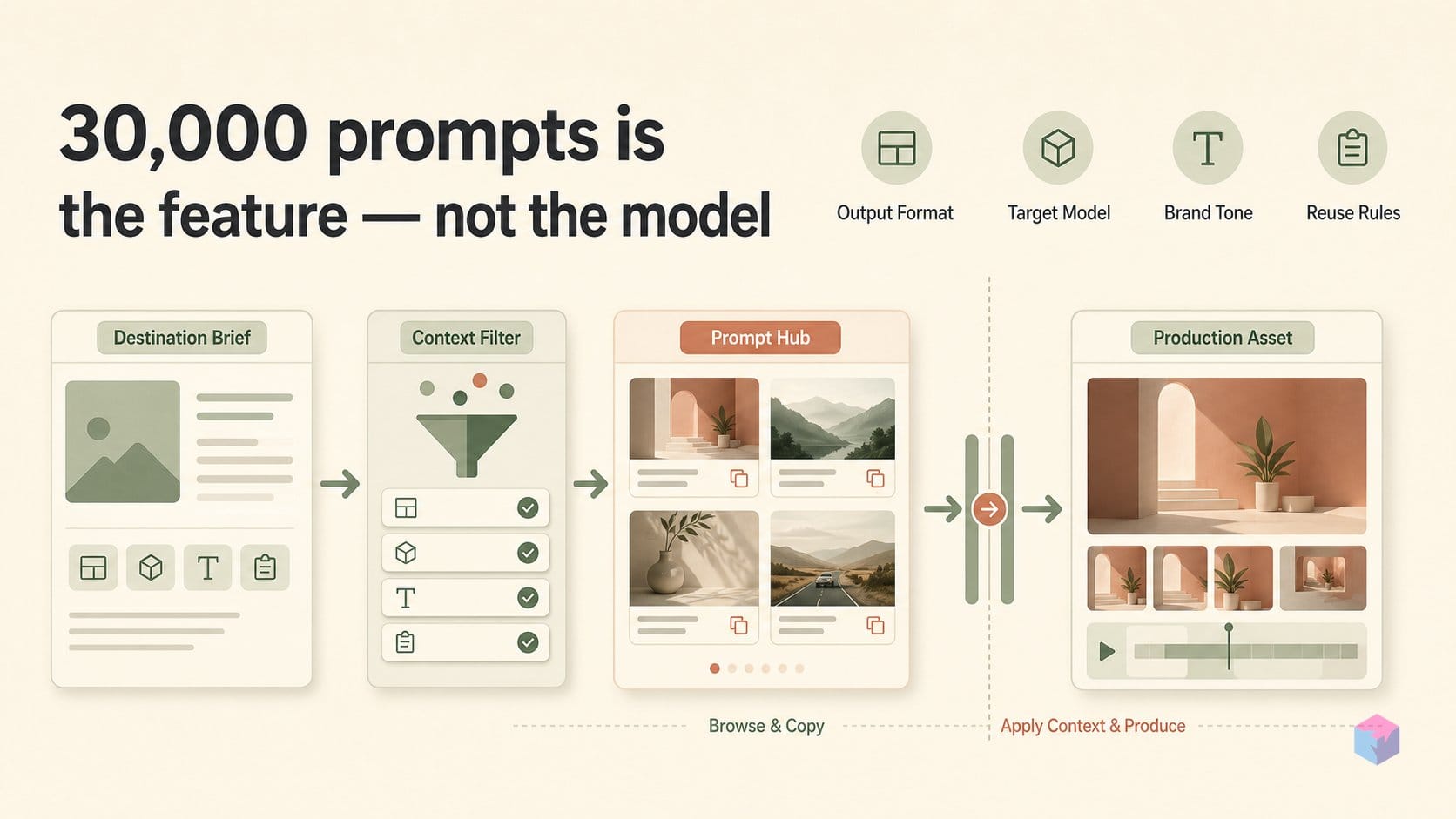
Before browsing YouMind prompts, define the asset you need: the output format, target model, aspect ratio, subject, brand tone, and reuse constraints. YouMind’s public prompt hub says it offers 30,000+ prompts and daily updates, but a reusable prompt still needs production context before it becomes useful for your own image, video, or webpage workflow .
Start with the destination, not the gallery. For an ecommerce hero image, your checklist might include product angle, background cleanliness, lighting, text-safe space, and whether the prompt assumes a reference image. For a short video, decide whether you need camera movement, character continuity, dialogue, motion transfer, or a specific ad format before copying anything.
- Use media type, model, category, use case, style, and subject filters to narrow the catalog before opening individual prompt pages.
- Use keyword search, time range, views, bookmarks, reposts, and other engagement signals to triage candidates faster.
- Treat visible performance signals as discovery metadata, not proof that the prompt is safe to reuse commercially.
The catalog includes model-specific prompt buckets for GPT Image 2, Nano Banana Pro, Seedream, Seedance, Grok Imagine, and Gemini webpage prompts, according to YouMind’s prompt hub and its image and video prompt pages . Those labels matter because prompt phrasing, aspect-ratio handling, safety behavior, and motion instructions often travel poorly between models.
Engagement metrics are useful for ranking candidates, but they do not verify rights, authorship, or reproducibility. A Seedance 2.0 dance-video prompt page, for example, was published on March 23, 2026 and displayed likes, views, shares, comments, bookmarks, and quotes . Use those signals to shortlist prompts, then run your own checks against brand rules, source permissions, reference assets, and target-model output quality.
A runnable YouMind prompt workflow
A runnable YouMind prompt workflow is a four-part loop: search for the output, filter by model and style, adapt the prompt variables, then test in the model you plan to ship from. The useful starting point is YouMind's searchable prompt catalog, which the public prompt page describes as having 30,000+ prompts and daily updates . Treat each prompt as a reusable production pattern, not as a finished asset.
Start by searching for the output you actually need: ecommerce hero, YouTube thumbnail, storyboard, product ad, app mockup, music clip, or tutorial visual. The image prompt page groups use cases such as profile/avatar, social post, infographic, ecommerce main image, game asset, poster, and app/web design, which makes the first search closer to a design brief than a keyword hunt .
| Step | Action | Decision checkpoint |
|---|---|---|
| Search | Query by desired output, such as product ad, thumbnail, storyboard, or tutorial visual. | Does the sample output match the job, audience, and format? |
| Filter | Narrow by model, media type, style, category, subject, and engagement signals. | Is the prompt close enough to adapt without rewriting from zero? |
| Adapt | Change subject, setting, format, camera language, lighting, identity details, and motion cues. | Which variables are essential, and which are just stylistic decoration? |
| Test | Run the adapted prompt in the target model and save the working version. | Can the result be reproduced well enough for your workflow? |
Next, compare prompt pages rather than copying the first result. YouMind exposes model and prompt metadata, and research examples included GPT Image 2 with 13,914 prompts, Nano Banana Pro with 14,954 prompts, Seedance 2.0 with 5,227 prompts, and Grok Imagine with 2,238 prompts . For video, the catalog emphasizes use cases including cinematic scenes, vlog/social clips, short films, music videos, product commercials, talking-head ads, explainers, channel intros, and game cinematics .
When you find a candidate, copy the prompt and edit only the variables that change the brief: subject, setting, aspect or format, reference-image instructions, camera framing, lighting, brand or identity details, and motion direction. A Seedance 2.0 dance-video prompt page published on March 23, 2026 showed creator attribution, categories, and engagement metrics such as 94 likes, 17.3K views, 18 shares, 5 comments, 79 bookmarks, and 2 quotes . Those signals help you rank examples, but your edit log is what makes the prompt useful later.
Finish by testing the adapted prompt in the target model, then save the exact prompt, model name, date, input assets, and output notes. If a lighting phrase, reference image, or motion cue changes the result materially, document it beside the prompt. That small record turns a copied prompt into a repeatable team asset.
Where YouMind fits in assistant workflows
YouMind fits into assistant workflows as a retrieval layer for visual direction, not just a browser-based prompt catalog. The YouMind-OpenLab repositories extend prompt search into developer tools including Claude, Cursor, Codex, Gemini CLI, Windsurf, and similar coding assistants, so a team can move from an article, script, or campaign brief to suggested image styles without manually browsing every prompt page.
The clearest example is the AI Image Prompts skill, which describes semantic search across 10,000+ curated image prompts with sample images and a content-remix mode . In practical terms, an assistant can read a draft blog post, pull out the theme, audience, and tone, then recommend prompt patterns that already encode composition, lighting, format, and visual genre.
"Semantic search over 10,000+ curated image prompts," — YouMind-OpenLab, AI Image Prompts skill maintainers at GitHub
The more model-specific path is the GPT Image 2 prompt recommender. Its README says it searches 1,000+ curated GPT Image 2 prompts, returns up to three recommendations with sample images and exact English prompts, and syncs prompt data twice daily at 00:00 and 12:00 UTC via GitHub Actions .
For developers, the useful pattern is simple: let the assistant inspect the working material, retrieve a small set of candidate prompts, then ask it to explain why each visual direction matches the task. That keeps YouMind’s 30,000+ public prompt library close to the production loop while still leaving the final edit, rights review, and model test in human hands.
The gotchas before production reuse
A YouMind prompt should be treated as reusable working material, not cleared production IP. The main risk is provenance: YouMind and YouMind-OpenLab expose useful prompt discovery, but the public materials reviewed do not provide universal per-prompt proof of authorship, image rights, source-platform terms, or commercial permission. The OpenLab skill describes semantic search over more than 10,000 curated image prompts , while the service terms from MIND MOTOR PTE. LTD. reserve rights around user-provided content and restrict systematic retrieval through the YouMind service.
Reproducibility is the other constraint. A copied prompt can drift when the target model changes, when seed behavior is unavailable, when safety filters rewrite the output path, when hidden system instructions differ, or when the original reference image is missing. This matters most for prompts tied to specific generators such as Seedance 2.0 or GPT Image 2 .
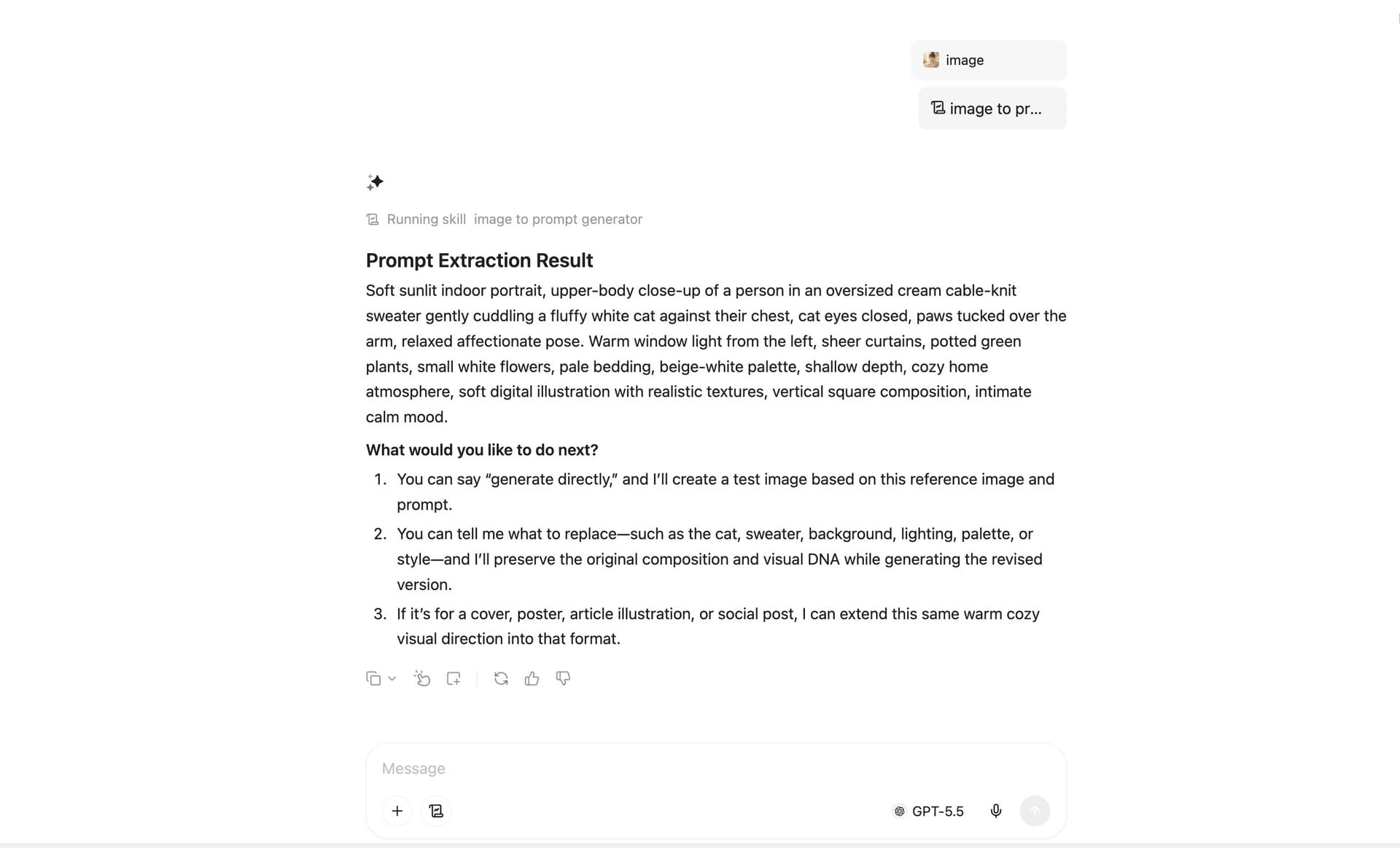
Image-to-prompt extraction should also stay in the draft bucket. YouMind’s own image-to-prompt documentation warns that busy compositions, abstract visuals, text-heavy images, and hallucinated details can make extracted prompts unreliable, so the resulting prompt is a starting point for testing rather than evidence of how the source asset was made.
- Create a small internal prompt set before production use.
- Store the source URL, license notes, model name, date tested, output sample, and approved use cases.
- Retest prompts when the model, campaign format, or rights context changes.
The practical takeaway: use YouMind to find patterns faster, then run your own rights review, model test, and approval trail before the prompt enters a production workflow.
Frequently asked questions
Is YouMind launching a new image or video model?
No. YouMind is best understood as a prompt discovery hub and workflow layer, not a foundation-model launch. Its public prompt library is organized around existing image, video, and webpage models, including GPT Image 2, Seedance 2.0, Grok Imagine, and Gemini 3 Pro webpage prompts . The practical value is search, filtering, copying, and adapting prompts that already encode style, composition, motion, or format decisions.
How many YouMind AI prompts are available?
YouMind publicly claims more than 30,000 AI prompts . During research, the visible category counts included 29,400 image prompts, 7,602 video prompts, and 91 webpage prompts, but those page-level buckets should not be treated as a unique audited total because dynamic catalogs can overlap across model, media, and category filters .
Can I use YouMind prompts for commercial work?
Maybe, but you should verify provenance before using a copied prompt in paid work. YouMind-OpenLab describes prompt data as curated from public community material and YouMind community creations, while YouMind’s terms identify MIND MOTOR PTE. LTD. as the service operator and set rules for user content and automated retrieval, with terms effective October 24, 2024 . For commercial reuse, check creator rights, source-platform terms, reference-asset ownership, and the policy of the model you will actually run.
Which creators benefit most from YouMind prompts?
YouMind prompts are most useful for marketers, social teams, ecommerce operators, YouTubers, designers, game-asset prototypers, and developers building assistant workflows. The catalog exposes practical categories such as social media posts, YouTube thumbnails, product marketing, ecommerce main images, game assets, posters, app or web design, short films, brand commercials, and explainer videos .
Why do copied prompts produce different outputs?
Copied prompts produce different outputs because generative systems are sensitive to model versions, seeds, safety filters, hidden system behavior, missing reference assets, and each model’s interpretation of the same language. YouMind’s own image-to-prompt guidance warns that busy compositions, abstract images, text-heavy inputs, and hallucinated details can make extracted prompts unreliable, so copied or extracted prompts should be treated as drafts to test rather than fixed production recipes .
Enjoyed this article? Subscribe to get new stories by email whenever they're published.