
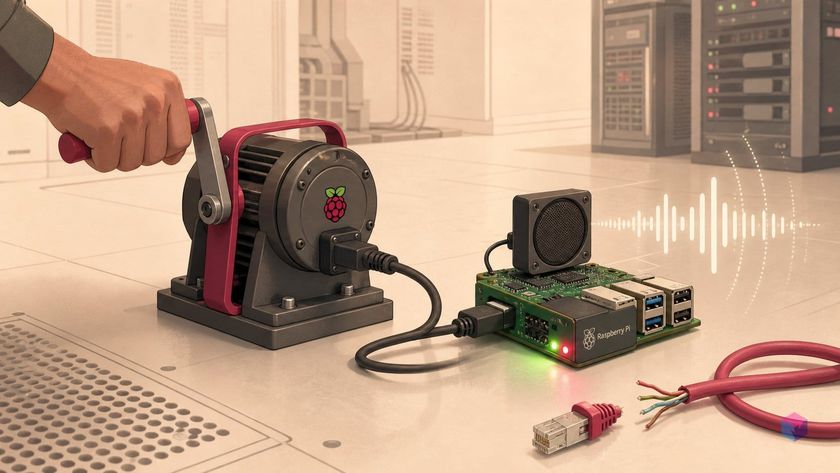
A hand crank, a Raspberry Pi 5, and no internet — CrankGPT turns "where does the power come from?" into a literal question. Before you build one, it helps to know what is actually a working project and what is just noise.
What CrankGPT Is, and What to Ignore
CrankGPT is a fully offline, human-powered local AI voice appliance built by Squeez Labs, co-founded by Katrin Tomanek and Alex Kauffmann. It is a working prototype and reference build — not a SaaS product, app, or device you can buy. Squeez Labs explicitly states it does not sell CrankGPT and is not affiliated with any token or meme coin using the name, so treat any "buy CrankGPT" listing as suspect .
The interaction loop is deliberately simple. You turn the crank to wake and power the box; keep cranking and it stays alive while it listens, thinks, and speaks. Moonshine ASR (with Silero VAD for endpointing) transcribes your request, a small local LLM through llama.cpp generates a reply, and Piper synthesizes speech sentence-by-sentence — so the device starts talking before the full answer is finished [1][2].
The landing page frames three tongue-in-cheek power tiers: a 20W hand-cranked "Synapse" tier for Q&A, a 150W pedal "Cortex" tier for heavier tasks, and a 2000W+ "Singularity" tier for agent swarms . The crank is the entry-tier demo. For anything you can actually wire up, the real entry point is the open-source ktomanek/edge_voice_agent repository — the satirical Squeez Labs page explains the concept, but the repo is where all the wiring lives.
Parts and Power: Pi 5, ReSpeaker, and the Crank
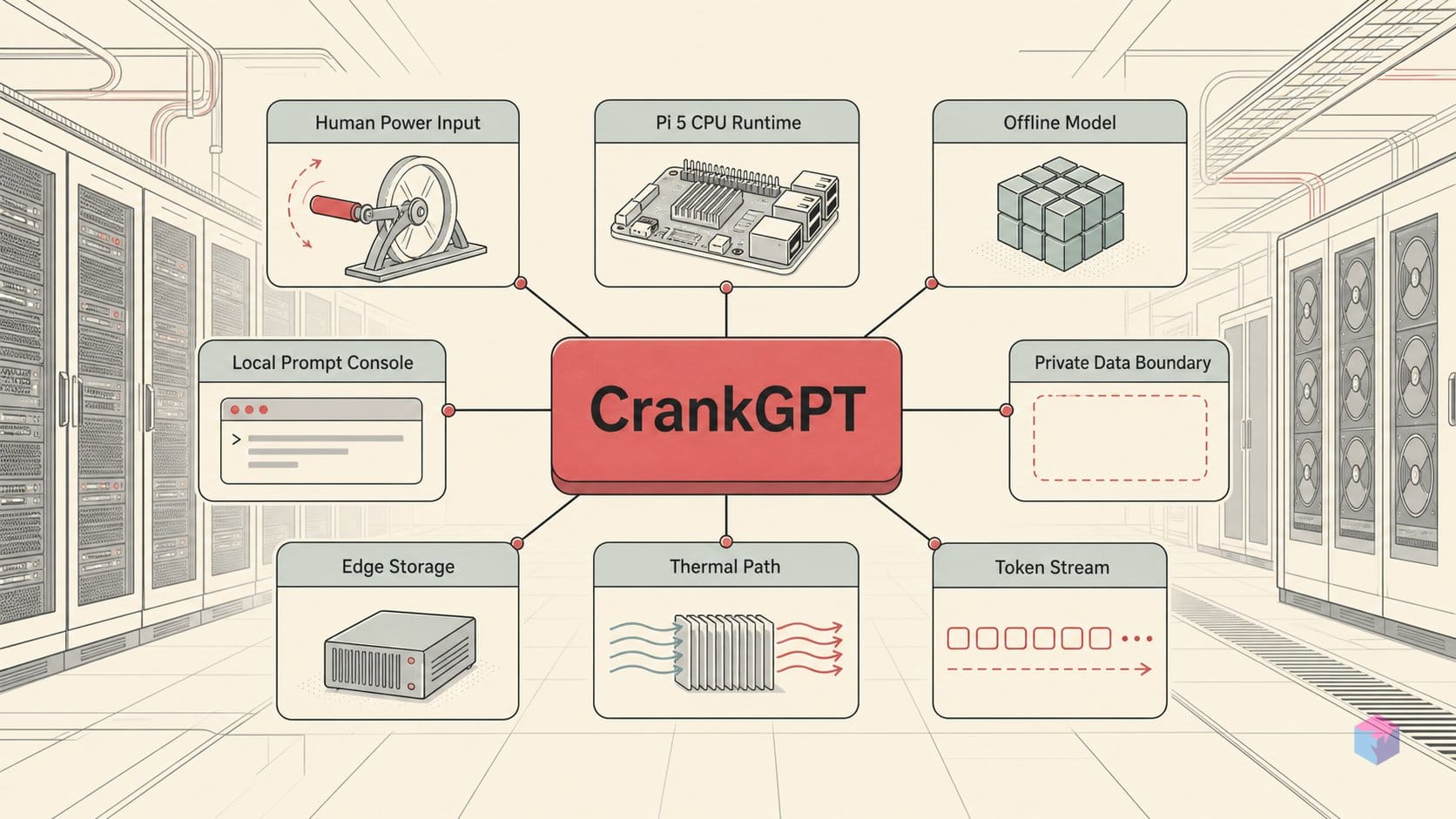
The CrankGPT reference build runs the entire voice loop on a stock Raspberry Pi 5 with 8 GB RAM plus a cooling fan HAT — no GPU, no accelerator, CPU only . Audio comes from a ReSpeaker 2-Mic Pi HAT (WM8960 codec, stereo MEMS mics), though Squeez Labs also tested USB sound cards with an external mic and speaker, so you are not locked into the HAT .
Power is where the build gets opinionated. The generator is an off-the-shelf switchable-voltage 20W hand-crank emergency USB charger, but the Pi alone will not survive on it. Under load the rail sags below the Pi's required voltage or trips overcurrent protection, so Squeez Labs added a custom capacitor/supercapacitor board that holds roughly a 20-second reservoir . Treat that buffer as mandatory: without it, a brief pause in cranking drops the rail and kills the Pi mid-sentence.
The draw figures explain why. Idle sits at ~4W (5V/0.8A), Moonshine ASR pulls ~8W (5V/1.6A), and combined LLM+TTS inference reaches ~15W (5V/3A), with transient spikes up to ~5A . Your generator must sustain a continuous 15W, not just peak there.
The OS choice follows the same boot-time logic. CrankGPT runs DietPi, a stripped Debian variant, with Bluetooth and Wi-Fi radio services disabled; Linux reaches usable userspace in about 3 seconds, against roughly 10 seconds longer on stock Raspberry Pi OS . When a human is cranking, every second of boot is a second of arm fatigue.
Cloning edge_voice_agent and Getting It Talking
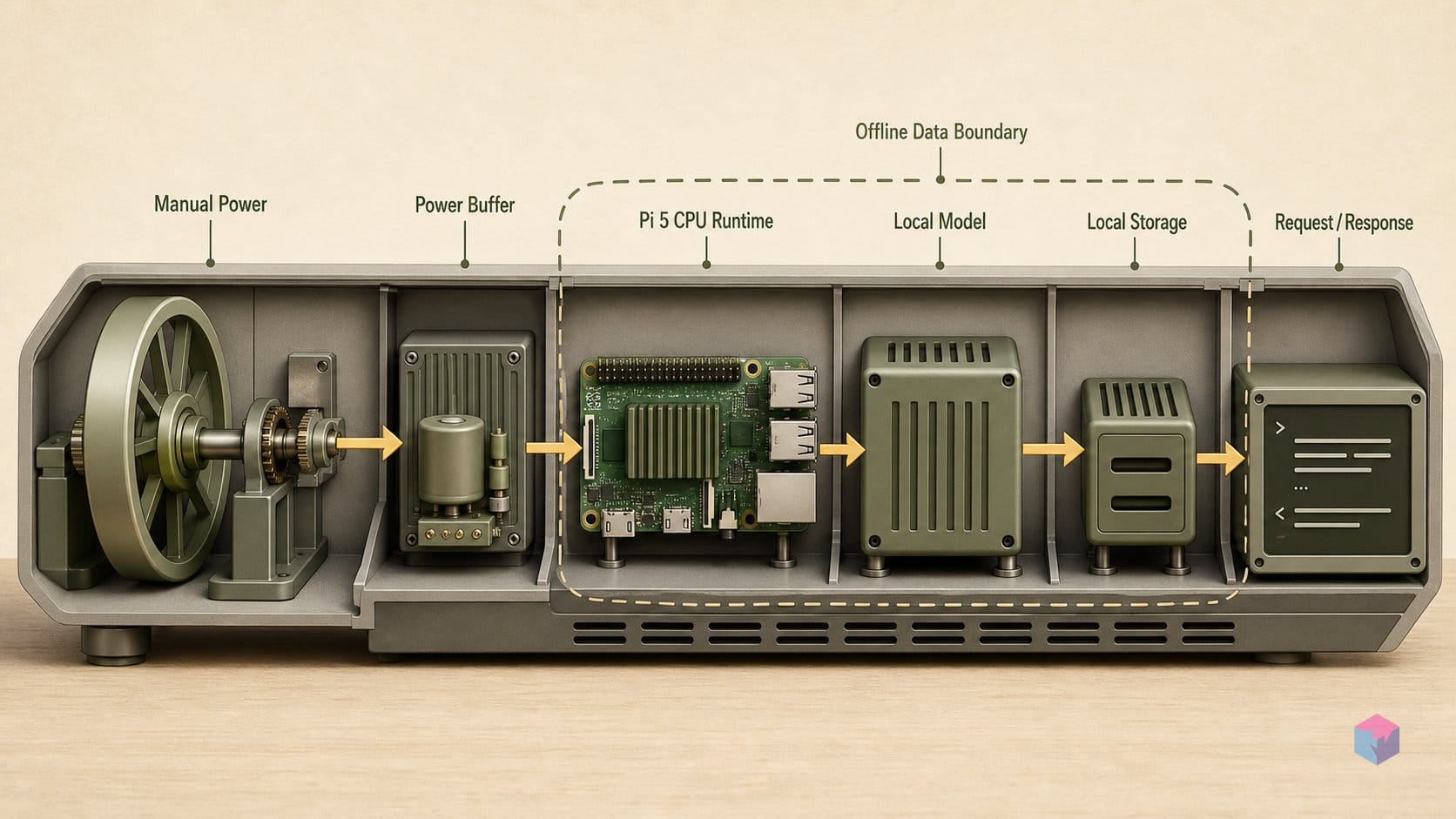
The control layer is Tomanek's open-source ktomanek/edge_voice_agent repository — start there, not the satire-styled landing page, if you want the pipeline running on ordinary hardware . It supports ASR backends Moonshine, FasterWhisper, Nemo FastConformer, and Vosk; TTS via Piper or Kokoro; and any llama.cpp-hosted LLM, with a default Pi 5 setup of Moonshine tiny + Piper + Gemma3:1b .
Step 1 — Build llama.cpp. Compile with the server target enabled and confirm llama-server is on your PATH:
cmake -B build -DLLAMA_BUILD_SERVER=ON
cmake --build build --config Release
# confirm it resolves
which llama-server
Step 2 — Clone and run setup. The setup.py script downloads Piper, Moonshine, Silero, and the default LLM automatically:
git clone https://github.com/ktomanek/edge_voice_agent
cd edge_voice_agent
python -m venv .venv && source .venv/bin/activate
python setup.py
Step 3 — Manual two-process startup. Run the LLM server in one terminal, then the agent CLI in a second :
# terminal 1
llama-server -m models/llms/LFM2-350M-Q4_K_M.gguf --port 8080

# terminal 2
python voice_agent_cli.py --platform rpi5 --prompt_file prompts.json
Laptop shortcut (no physical buttons). If you are testing without the rotary dial and interrupt button, drive it from the keyboard: python voice_agent_cli.py --enable_keyboard_control. Enter interrupts current speech, Space toggles mic mute, and g/s/f switch among the three prompt slots .
LFM2.5 350M in Q4_K_M is the recommended default on a Pi 5: it loads in 354 MiB, generates 48.86 tokens/s, and returns first byte in about 0.8s . Trade memory for quality with the larger options below.
| Model (Q4_K_M) | RAM | Tokens/s | Avg TTFB |
|---|---|---|---|
| LFM2.5 350M | 354 MiB | 48.86 | ~0.8s |
| LFM2.5 1.2B | 762 MiB | 15.01 | ~1.5s |
| Gemma3 1B | 762 MiB | 14.31 | ~2.9s |
Figures are vendor-reported (llama.cpp pp512/tg128, 4 threads) and not independently benchmarked .
Power Spikes, ASR Limits, and Where to Go From Here
The ~30-second cold start is the price of running everything locally, and it breaks down into three measurable stages: 10–15s of Raspberry Pi 5 firmware boot, ~3s from Linux kernel to usable userspace, and another 10–15s for Python imports and model loading . The software stack runs on ONNX Runtime with PyTorch dependencies stripped out where possible, which trims both RAM use and that final load stage noticeably . If startup feels slow, that import-and-load window is where to optimize first.
Moonshine is fast on a CPU but pays for it in robustness: it is less reliable under crank mechanical noise and non-native accents than Whisper-base-sized models or NVIDIA FastConformer . If transcription quality degrades, swap the ASR backend to FasterWhisper in edge_voice_agent — the repo supports it alongside Moonshine, Nemo FastConformer, and Vosk .
For more headroom, the Orange Pi 5 Pro raises generation rates 29–58% over the Pi 5 thanks to DDR5 RAM — confirming that memory bandwidth, not raw compute, is the autoregressive decoding bottleneck . Pass --platform opi5 to use it. From there, two experiments are worth running: step up to LFM2.5 1.2B Q4_K_M (762 MiB, ~1.5s time-to-first-byte) for richer answers at still-usable latency , and try voice_translate_cli.py, which maps the 3-position rotary dial to offline German, Spanish, and French translation . The takeaway: start with the 350M default to prove the loop, then trade memory bandwidth for answer quality only where your hardware and patience allow.
Frequently asked questions
Do I need the physical hand-crank hardware to try CrankGPT's software?
No. The crank is only the power source — the actual intelligence lives in the open-source edge_voice_agent repo, which runs on any Raspberry Pi 5 or an ordinary laptop. To exercise the full ASR→LLM→TTS loop with no hardware build, run python voice_agent_cli.py --enable_keyboard_control: Enter interrupts speech, Space toggles mic mute, and g/s/f switch among the three prompt or translation positions .
Which GGUF model gives the best quality-speed tradeoff on Raspberry Pi 5?
For lowest latency, use LFM2.5 350M in Q4_K_M quantization: on a Pi 5 (llama.cpp, 4 threads) it generated 48.86 tokens/s with ~0.8s time-to-first-byte and used just 354.48 MiB . Step up to LFM2.5 1.2B (762.49 MiB, ~1.5s TTFB, 15.01 tok/s) for richer answers. Gemma3 1B occupies similar memory but its prefill is roughly 5× slower (46.12 vs 222.65 prefill) and TTFB climbs to ~2.9s .
Why does stopping the crank kill the Raspberry Pi?
The Pi 5 draws up to ~5A in brief current spikes during combined LLM+TTS inference (~15W steady) , and a 20W hand-crank generator sags below the required voltage or trips its overcurrent protection without a buffer. Squeez Labs' custom capacitor/supercapacitor board supplies roughly a 20-second reservoir to smooth those dips. Without it, any pause in cranking causes a brown-out reset, so this power-smoothing layer is not optional .
Can Moonshine ASR be swapped for Whisper on this pipeline?
Yes. edge_voice_agent treats ASR as a pluggable backend and supports FasterWhisper as a drop-in alternative to Moonshine (alongside Nemo FastConformer and Vosk) . Whisper-class models are more robust under noise and diverse accents — a known weak spot for Moonshine — but run slower on the Pi 5's CPU. The LLM and Piper TTS stages stay unchanged, so you only trade latency for transcription accuracy .
Is CrankGPT available to buy or download as a ready-made app?
Neither. Squeez Labs explicitly states it does not sell CrankGPT and is not affiliated with any token or meme coin using the name, so treat any "buy CrankGPT" listing as suspect . There is no pre-built app, published price, or full bill of materials — only the constituent open-source projects . To use it, clone edge_voice_agent, source the parts separately, and optionally build the crank enclosure yourself from the reference design.