

A Lindy promo video pitching five ready-made AI agents is easy to dismiss as marketing — but it points at a real 2026 question: not whether to delegate work to a no-code agent, but exactly where each platform stops.
What no-code AI delegation looks like in 2026
No-code AI delegation in 2026 means installing a working agent, not wiring one from scratch. Lindy and n8n now bracket the serious end of the no-code-to-low-code spectrum: Lindy sells plain-language "AI employees," while n8n offers a source-available node canvas that grew from a Zapier alternative into a full agent builder . The five templates in the seed Lindy video — an email responder, appointment scheduler, daily Slack digest, meeting notetaker, and lead notifier — are installable Lindies you add and configure in a few clicks, not demos .
On the other side, n8n carries roughly 195,816 GitHub stars, and since version 1.82.0 every AI Agent node runs as a Tools Agent that must connect at least one tool sub-node . That much production structure landing in a single minor release signals how seriously the platform took the agent turn.
The broader shift: in roughly two years, no-code agent builders moved from prototype toys to genuine delegation options . The useful question is no longer "should you use one" but "where does each one stop."
Lindy's template library: what you get when English is the interface
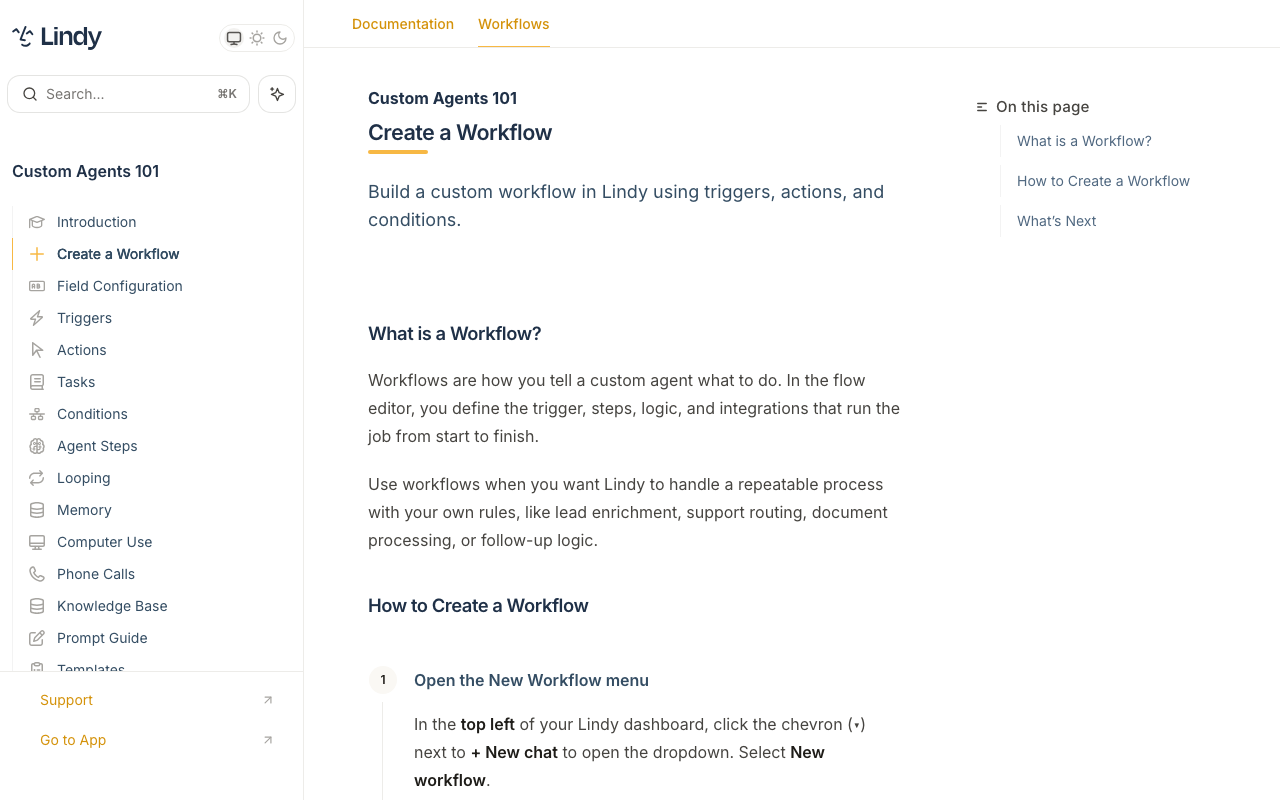
Lindy's answer to that question starts with its library: more than 100 installable templates , added via an Add button plus account configuration and organized by use case, industry, complexity, and popularity. Rather than a blank node canvas, you describe a task in plain language — "English as code" — and Lindy assembles the triggers, actions, and integrations. The Meeting Notetaker template is representative: it attends Zoom, Google Meet, and Teams calls, records and transcribes them, delivers summaries and action items to Slack or email, and can update a CRM or draft follow-ups automatically .
The editor surfaces more than the gallery suggests: triggers, conditions, integrations, an AI Agent step, Computer Use (agents navigate sites and fill forms when no API exists), the Gaia voice layer for phone calls, Human-in-the-Loop confirmation toggles, and multi-agent "Societies" . The important caveat comes from Lindy's own docs. Agent Steps — where an agent autonomously selects skills until an exit condition is met — are described as "more expensive and less reliable than standard actions," and Lindy recommends ordinary actions and conditions when the path is predictable. That is the clearest official statement of where the no-code ceiling sits: reliability and cost become design problems the moment uncertainty rises.
Lindy extends the ceiling with escape hatches. Code actions run Python or JavaScript against pinned libraries — pandas 1.5.3, numpy 1.26.4, scikit-learn 1.4.1.post1, requests 2.26.0, beautifulsoup4 4.12.3 — and HTTP Request actions support GET, POST, PUT, PATCH, and DELETE with custom headers, JSON bodies, and response-based branching . The gallery gets you started; the code and HTTP actions are what you reach for when a template stops matching the job.
Lindy versus n8n: what the pricing comparison reveals
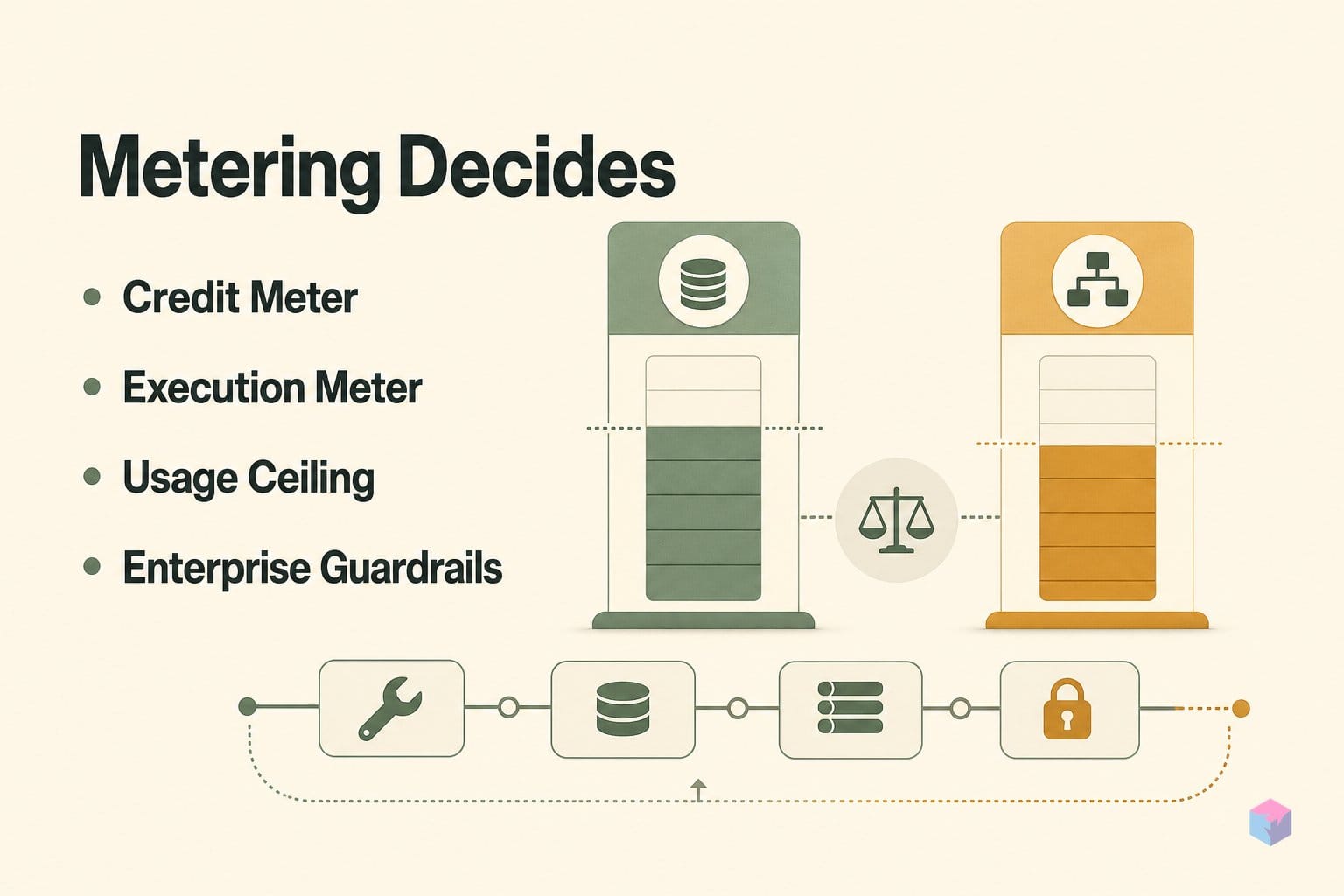
Pricing is where the two platforms stop looking similar. Lindy meters usage in credits, while n8n meters full workflow executions — and that single design choice decides which one is cheaper for you. Lindy's paid ladder runs Plus at $49.99/month (2 inboxes, email drafting, scheduling, meeting notes, 100+ integrations), Pro at $99.99/month (3× Plus usage, Computer Use, 3 inboxes), and Max at $199.99/month (7× Plus usage, 5 inboxes) . Enterprise layers on SSO, SCIM, HIPAA with a signed BAA, and audit logs .
The forecasting problem lives in the credits. Most tasks cost 1–3 credits on basic models and about 10 credits on large models, with a 1-credit minimum per action; credits don't roll over, and the agent pauses when the balance hits zero . Predictable task sequences are easy to budget; open-ended agentic runs, where step counts vary, are not.
| Tier | Lindy | n8n Cloud |
|---|---|---|
| Entry | Plus $49.99/mo — 2 inboxes | Starter €20/mo — 2,500 executions, 2,300 AI credits |
| Mid | Pro $99.99/mo — Computer Use, 3 inboxes | Pro €50/mo — 10,000 executions, 13,700 AI credits |
| Top | Max $199.99/mo — 5 inboxes | Business €667/mo — 40,000 executions, Git, SSO/SAML/LDAP |
| Metering | Credits per action | One execution = one full run |
n8n's structural advantage: all plans include unlimited users and unlimited integrations, and there is no platform-level AI surcharge — the LLM token bill is yours . One execution equals one full workflow run regardless of node count, so a 50-node agent costs the same as a Slack ping . Self-hosting the Community Edition pushes costs lower still.
"Practitioners report running production n8n from roughly $5.51/month on a Hetzner VPS plus domain, up to $24–30/month for PostgreSQL with backups — which beats n8n Cloud above about 5,000 executions per month if the team has DevOps capacity," per the Low Code Agency comparison.
The takeaway: Lindy sells convenience per action; n8n sells throughput per run. Above a few thousand executions a month, that math favors n8n .
Where the no-code ceiling bites and what to reach for next
The ceiling is not a wall you crash into — it is two documented failure points where configuration stops being enough. The first is the connector wall: sooner or later a job needs a tool with no prebuilt node, and raw API and webhook knowledge becomes mandatory rather than optional, per the Low Code Agency comparison. The second is observability. Visual canvases that pass local testing fail unpredictably in live runs, and execution tracing, rollback, and monitoring become the deciding factors for sustained operation.
Lindy's own documentation draws the line plainly for its autonomous Agent Steps:
"Agent steps are more expensive and less reliable than standard actions — use ordinary actions and conditions when the path is predictable," per Lindy's AI agents documentation.
Two more signals shape the decision. Vendor lock-in is measurable: Zapier's own research reportedly found 74% of stalled AI projects cite dependence on narrow proprietary tooling as the primary cause. And n8n's Sustainable Use License, created in 2022, is source-available, not OSI open source: internal use, modification, and derivative works are permitted, but hosting n8n and charging external customers to access that instance is prohibited without an Enterprise agreement — relevant for any startup planning to embed or resell agent infrastructure.
The decision map: reach for Lindy when the job stays close to its assistant templates and speed plus UX matter; reach for n8n when the job is a many-branch graph with data transforms and self-hosting; reach for LangGraph or the OpenAI Agents SDK when reliability, governance, or product-specific behavior are non-negotiable. The takeaway: no-code buys you the first 80% for the price of a subscription — the last 20% is paid in engineering, monitoring, security review, regression tests, and model-spend management. Pick the tier that matches where your job actually sits, not where the demo ends.
Frequently asked questions
Is there a free tier for Lindy?
No. Lindy offers trial credits at signup, but there is no ongoing free plan — all sustained usage requires a paid tier starting at $49.99/month for Plus (up to 2 inboxes, email drafting, scheduling, meeting notes). Credits do not roll over, so any unused monthly allocation is forfeited at renewal . If your workload is intermittent, that reset means you pay for headroom you may never use.
How do Lindy credits work, and why is spend hard to predict?
Lindy meters usage in credits rather than flat per-task pricing. Per its docs, most tasks cost 1–3 credits on basic models and about 10 credits on large models, with a 1-credit minimum per action. Credits do not roll over, and the agent pauses when the balance hits zero. The forecasting problem is that Agent Steps — where the agent autonomously chooses skills until an exit condition is met — can loop through many billed actions on a single run, so a workflow that looks like one task can drain credits far faster than a flat task count implies. Lindy's own docs recommend standard actions and conditions over Agent Steps when the path is predictable, precisely because they are cheaper and more reliable.
What does n8n's Sustainable Use License mean for a company building on it?
n8n is source-available under the Sustainable Use License (introduced in 2022), not OSI open source. Internal business use, modification, and building derivative internal tooling are all permitted. What is prohibited is hosting an n8n instance and charging external customers to access it — reselling automation infrastructure — without a separate Enterprise agreement . If your product plan involves embedding or reselling a hosted n8n backend, review the license before you architect around it.
When does self-hosting n8n actually beat n8n Cloud on cost?
Self-hosting the Community Edition is free software; the real cost is infrastructure. Practitioners report roughly $5.51/month on a Hetzner VPS plus domain, up to $24–30/month for production Postgres with backups. The break-even against n8n Cloud lands around 5,000 executions per month — but only if your team can operate PostgreSQL, a Redis queue, and a backup strategy. Below that volume, or without DevOps capacity, Cloud (Starter at €20/month billed annually) usually wins on total cost of ownership.
Can Lindy handle HIPAA-regulated data?
Yes, but only on the Enterprise tier with a signed Business Associate Agreement (BAA). SOC 2 compliance is available on lower tiers, but a HIPAA BAA — the contract that legally permits processing protected health information — requires Enterprise, which also adds SSO, SCIM, and audit logs . If you handle patient data, do not build on Plus, Pro, or Max and assume coverage; the BAA is the gating requirement.
Enjoyed this article? Subscribe to get new stories by email whenever they're published.