
xAI's new plugin marketplace ships with one design decision worth pausing on: every remote plugin source pins a 40-character commit SHA, yet xAI explicitly says it does not vet what those commits contain. The catalog is reproducible; the trust is yours.
What is Grok Build's extension marketplace, and who can use it?
The Grok Build Plugin Marketplace is an open, in-terminal catalog of extensions for Grok Build — xAI's terminal coding agent — that entered beta on June 11, 2026 . It is not a centralized commercial app store. The catalog is a public GitHub repository, xai-org/plugin-marketplace, where first-party plugins authored by xAI live in plugins/ and third-party entries — vendored locally or referenced remotely — live in external_plugins/ . New listings arrive by pull request, not by upload to a hosted backend.
Quick Answer: Grok Build's plugin marketplace is a PR-driven GitHub catalog (xai-org/plugin-marketplace) of installable extensions for xAI's terminal coding agent, launched in beta on June 11, 2026. The CLI is gated behind a SuperGrok or X Premium+ subscription, but the underlying model is also reachable via direct API key.
Access has two doors. The CLI installs with curl -fsSL https://x.ai/cli/install.sh | bash and is gated behind a SuperGrok subscription or X Premium+ membership . The model behind it, grok-build-0.1 (aliased grok-code-fast-1), is a 256,000-token-context coding model priced at $1.00 per 1M input tokens and $2.00 per 1M output, with $0.20 cached input . That model is also reachable through a direct API key without a subscription, so teams can script against it even where the interactive CLI tier does not apply.
For automation, Grok Build is built to run without a human at the prompt. Headless mode exposes grok -p for one-shot prompts, --output-format with plain, json, or streaming-json, and --always-approve to skip permission gates in trusted pipelines . Orchestrators can embed it via grok agent stdio, which serves an Agent Client Protocol agent over JSON-RPC and authenticates from a cached login or XAI_API_KEY .
One caveat to carry through the rest of this guide: the marketplace is explicitly beta, so its schemas, commands, and access tiers may still shift . Treat the specifics here as a snapshot of mid-June 2026, not a frozen contract.
How are Grok Build plugins structured — skills, hooks, and what they bundle
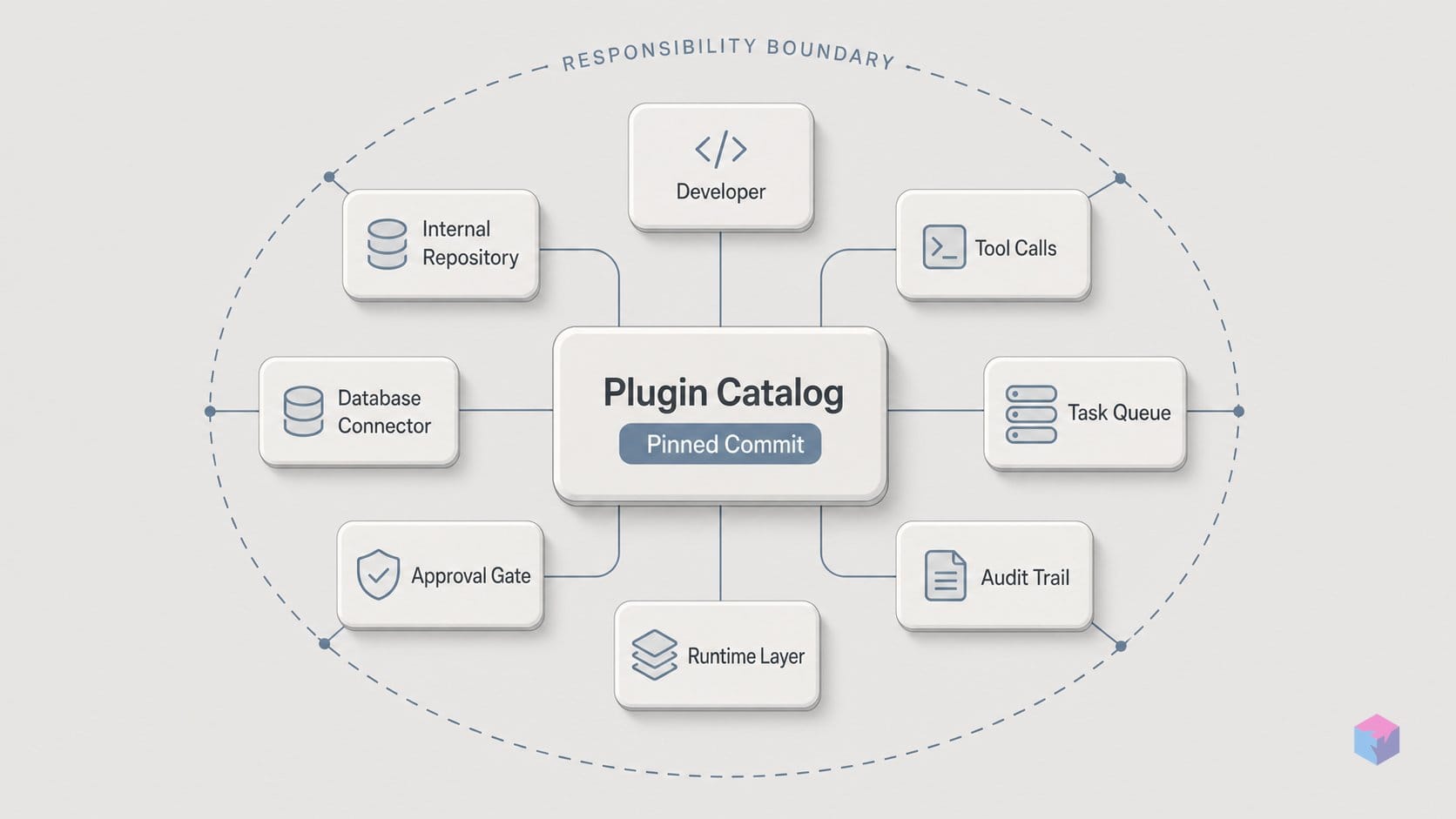
Grok Build's extension model rests on three primitives — skills, hooks, and plugins — that nest inside one another. Skills are the smallest unit: reusable folders of markdown instructions, scripts, and resources, and any user-invocable skill also surfaces as a slash command like /<skill-name> . Hooks are lifecycle scripts that fire before or after tool calls, or on session events. Plugins are the bundle: a single install can carry skills, slash commands, subagent (Agent) definitions, hooks, MCP servers, and LSP (language-server) configs behind one name .
That bundling is the point. Instead of wiring each capability up individually — registering an MCP server, dropping in a skill folder, configuring a language server, declaring a subagent — one grok plugin install <name> --trust pulls the complete set in a single step . The plugin is the deployment artifact; the primitives are its components.
Discovery follows a fixed order of locations, so you can predict which version of a skill or plugin actually loads:
- Project paths —
./.grok/skills/and./.grok/plugins/, scoped to the repo you are in. - User paths —
~/.grok/..., applied across all your projects. - Marketplace installs — vendored under
~/.grok/plugins/marketplaces/. - Configured extra paths, plus anything passed explicitly with the
--plugin-dirCLI flag.
Marketplace sources themselves are declared through [[marketplace.sources]] blocks in ~/.grok/config.toml, backed by ~/.grok/plugins/known_marketplaces.json . This layering means a project-local skill can shadow a user-level or marketplace one — useful for pinning a repo to a specific behavior, but worth keeping in mind when a slash command resolves to something other than what you expected.
Hooks receive context through environment variables, which is how a lifecycle script knows what it is running inside. Every hook gets GROK_HOOK_EVENT, GROK_HOOK_NAME, GROK_SESSION_ID, and GROK_WORKSPACE_ROOT. Hooks that ship as part of a plugin additionally receive GROK_PLUGIN_ROOT and GROK_PLUGIN_DATA, so plugin-bundled scripts can locate their own files and persisted state rather than guessing at paths . Project hooks require explicit trust before they will execute — a gate that matters because hooks run arbitrary code around your tool calls .
The structure is still settling. The v0.2.52 changelog of June 15, 2026 shipped fixes for plugin skill loading, plugin-MCP authentication, and marketplace listings that failed to show skills, MCP servers, and commands — a reminder that the packaging mechanics described here are a mid-June 2026 snapshot, not a frozen interface.
Which plugins are in the Grok Build catalog right now?
The launch marketplace opened with six partner plugins, and all six target the infrastructure layer of real software work — none are generic chat helpers . They cover the databases, deploys, error tracking, browsers, and edge runtimes a coding agent actually touches: MongoDB for data exploration and query work, Vercel for deployments, Sentry for production debugging, Chrome DevTools for live browser control, Cloudflare for Workers and Durable Objects, and Superpowers as a bundle of popular agentic workflows .
| Plugin | What it lets the agent do |
|---|---|
| MongoDB | Explore data, manage collections, optimize queries |
| Vercel | Manage deployments, check build status, configure domains |
| Sentry | Analyze stack traces, debug production errors |
| Chrome DevTools | Control a live browser, record performance traces, inspect network requests |
| Cloudflare | Skills for Workers, Durable Objects, and more |
| Superpowers | Bundle of popular agent-driven workflows |
That bias toward infrastructure is the point. The first-party set reads less like a demo of what an LLM can chat about and more like the surface area where an agent breaks things: a bad query, a failed deploy, an uncaught exception, a flaky network call. xAI's own product page also surfaces third-party and project listings alongside the launch six — community entries such as browser-review v0.8.2, github-flow v2.1.0, and xai-code-review v1.0.0, plus a project plugin team-tool . The versioning tells you these are independently maintained packages, not a frozen vendor bundle.
The catalog you see in the terminal is also still being repaired underneath you. The v0.2.52 changelog of June 15, 2026 shipped fixes for marketplace listings that failed to display skills, MCP servers, and slash commands correctly in the TUI, alongside fixes for plugin install suggestions, plugin skill loading, and plugin-MCP authentication . In other words, four days after launch xAI was still hot-patching whether a listed plugin's components even rendered. For a developer evaluating the catalog, the practical read is that the partner roster is solid and infrastructure-focused, but the browsing surface around it is moving fast enough that what you saw last week may not match what loads today.
None of this changes the install model — every remote source still pins a full commit SHA and installs behind an explicit trust step — but it does set expectations: the catalog is a live, beta-grade directory, not a curated storefront, and its contents are expanding through third-party submissions as fast as the tooling around them is being fixed.
Does Grok Build pick up extensions written for other runtimes?
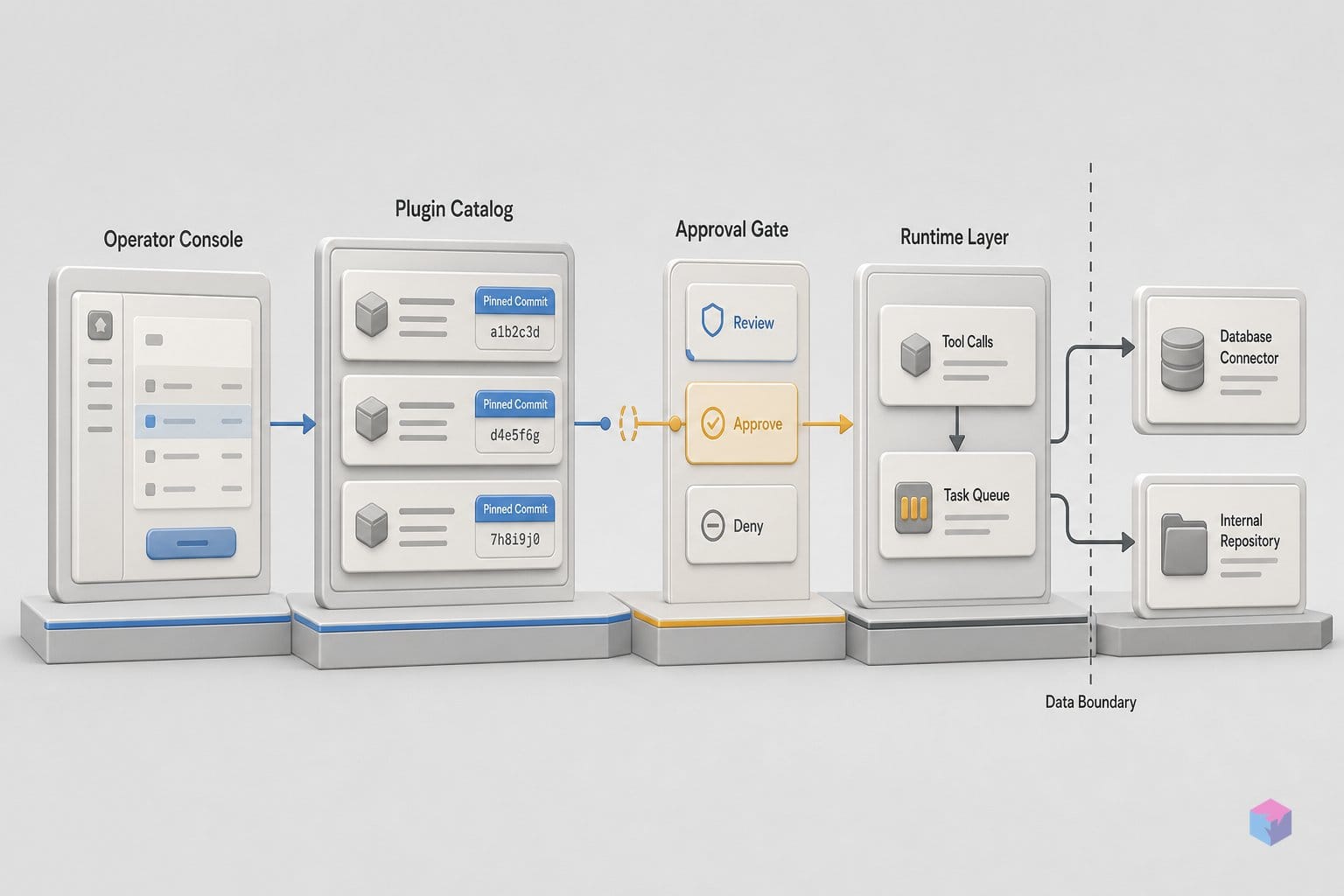
Yes — Grok Build reads extensions built for Claude Code and the AGENTS.md ecosystem with no extra configuration, so an existing library loads as-is. According to xAI's skills, plugins, and marketplaces docs, the CLI ingests Claude Code marketplaces, plugins, skills, MCPs, agents, hooks, and instruction files including CLAUDE.md and .claude/rules directly . This is a deliberate compatibility choice, not an import wizard: the same artifacts you already maintain for another agent runtime resolve at startup.
The reach extends beyond Anthropic's conventions. Grok Build also reads the AGENTS.md family — AGENTS.md, Agents.md, and AGENT.md — plus user-level ~/.agents/skills and ~/.agents/commands . Practically, that covers two of the most widely adopted ways teams already encode agent context and reusable commands, so the discovery surface is a superset of Grok's own ./.grok/ and ~/.grok/ paths rather than a walled garden.
The strategic read is straightforward: xAI is positioning Grok Build as a compatible runtime for existing extension libraries, not a clean-slate platform that demands a rewrite. The cross-tool support lowers switching cost for teams already invested in Claude Code or AGENTS.md conventions . That framing matters when you weigh adoption — you are evaluating an alternative executor for capabilities you have already written, not committing to a parallel toolchain you would have to keep in sync by hand.
For evaluation, the implication is concrete. Point Grok Build at a team's existing extension directory and run it immediately — there is no migration script to author, no schema translation step, and no parallel rebuild of skills, hooks, or MCP servers. You can test whether your current CLAUDE.md rules and slash commands behave the same under grok-build-0.1 before deciding anything .
One caveat carries over from the rest of the catalog: compatibility governs discovery and loading, not provenance. Whether an extension was authored for Claude Code or for Grok Build, xAI still does not author, control, or verify third-party code , so reusing an existing library does not transfer any vetting you have not done yourself.
Who vets plugins from the Grok Build catalog — and who doesn't?
No one at xAI vets the plugins you install. Grok Build's catalog enforces integrity through SHA pinning, but it makes no claim about intent: xAI states plainly that it "does not author, control, or verify third-party plugins," which ship AS-IS . The practical consequence is that the developer running grok plugin install carries the full vetting burden — the marketplace is a distribution mechanism, not a security review.
SHA pinning is the one hard guarantee. Every remote (url) source in a catalog entry must supply a full 40-character lowercase commit SHA, which Grok Build re-verifies after cloning at install time . That pin does two useful things: it blocks silent code injection via force-push (the upstream author cannot swap the contents of a tag or branch out from under you), and it makes installs reproducible — the bytes you audit today are the bytes that land tomorrow .
What SHA pinning does not tell you is whether the code at that commit is safe. A pinned SHA can point at a plugin that is malicious, over-scoped, or simply wrong for your environment — pinning verifies that you got the exact commit the catalog advertised, not that the commit deserves trust. A hook that exfiltrates secrets or an MCP server with broad filesystem access is just as reproducibly installed as a benign one.
"xAI does not author, control, or verify third-party plugins" — xAI, Grok Build plugin marketplace documentation (source: xai-org/plugin-marketplace).
Two additional gates sit between you and execution, but both are consent prompts rather than reviews. Installs require an explicit --trust step, and project-level hooks are gated behind a separate /hooks-trust modal before they are allowed to run . These exist precisely because plugins can bundle hooks, subagents, and MCP servers that run with workspace access — recall that plugin hooks receive GROK_PLUGIN_ROOT and GROK_PLUGIN_DATA and can fire before or after every tool call .
Neither gate substitutes for reading the source. Because the catalog uses PR-based, code-owner-reviewed submissions with no security certification, package signing, or submission-ranking policy , the realistic workflow for any team is to read a plugin's hooks and MCP definitions, confirm the SHA matches what you reviewed, then install with --trust — in that order.
How do you add a plugin to the public catalog?
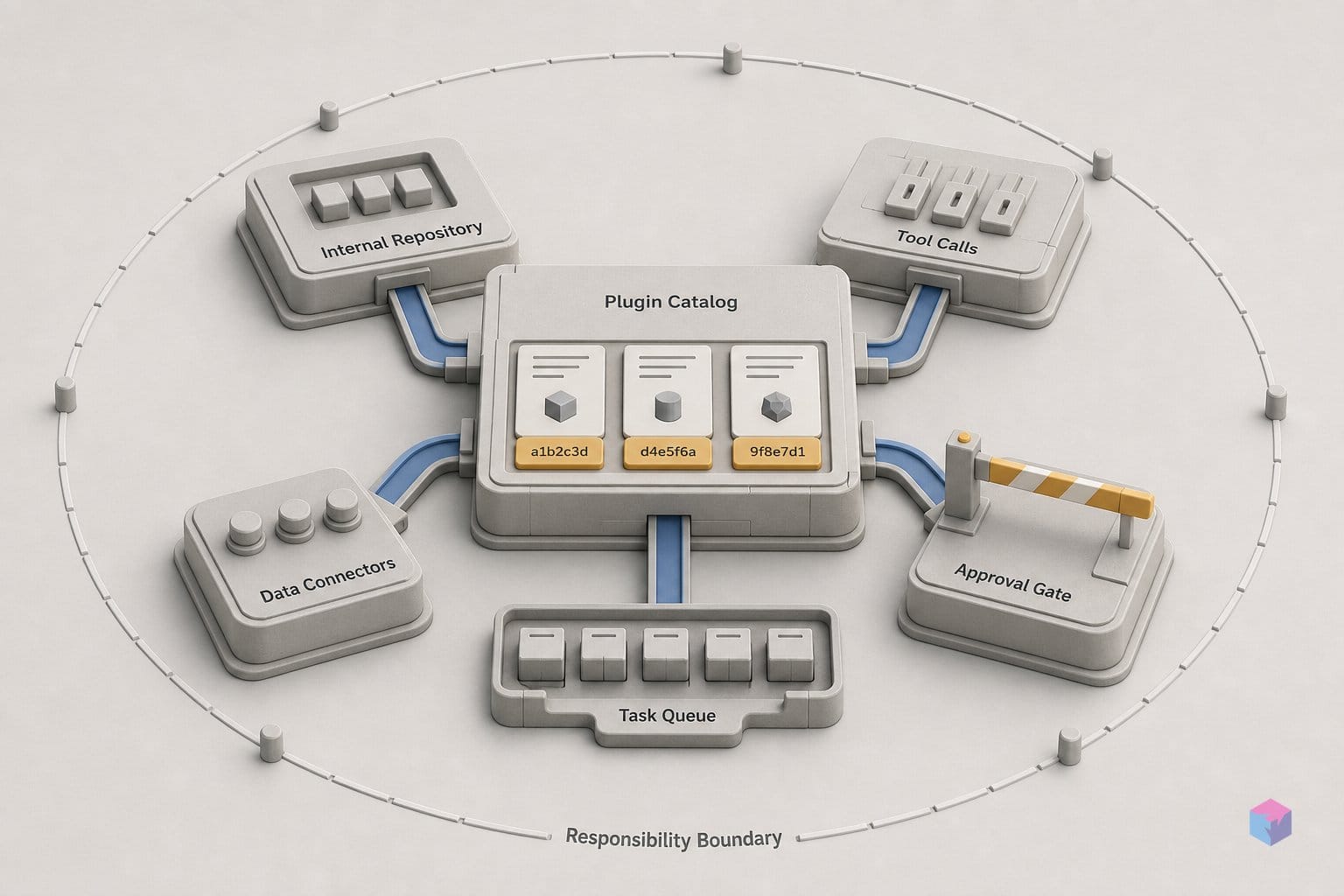
Publishing to the Grok Build catalog is a Git pull-request workflow against the xai-org/plugin-marketplace repo — there is no upload form, review dashboard, or approval queue. You place your plugin in one of two directories, add a catalog entry, regenerate the index, validate locally, and open a PR that a code owner must approve before it merges [2].
The directory choice signals provenance. First-party plugins authored and vendored by xAI live under plugins/; everything else goes in external_plugins/, either vendored locally or referenced as a remote source [2]. The catalog entry itself sits in .grok-plugin/marketplace.json. Two fields are required — name (kebab-case) and source — and the rest are optional metadata: description, category, homepage, keywords, domains, version, author, and tags [2][4]. Remote url sources must pin a full SHA, the same constraint that governs every install.
The two-script preflight is mandatory before the PR. Regenerate the component index, then validate the catalog:
python3 scripts/generate-plugin-index.py
python3 scripts/validate-catalog.py
Skip either and a reviewer will bounce the PR. Once both pass, open the pull request; merge requires code-owner review [2]. That review is the entire gate. xAI documents no submission SLA, no ranking or ordering policy, and no security certification for the beta, so your merge timeline is undefined and depends on maintainer throughput — an unproven bottleneck as submission volume grows [2][7].
You do not need the public catalog at all. Any Git repo can act as a private marketplace source by adding a [[marketplace.sources]] block to ~/.grok/config.toml [3]. For proprietary or internal plugins, this is the path: teams self-host from their own repository, share install access with whoever they choose, and skip both the PR review and public exposure. The choice comes down to distribution reach versus control — submit to xai-org/plugin-marketplace for discoverability, or self-host when the plugin should stay inside your org.
Should your team adopt Grok Build's plugin extensions now?
Adopt Grok Build's plugin extensions now if you hold a SuperGrok subscription or X Premium+ membership and already run MongoDB, Vercel, Sentry, or Cloudflare in production — the six launch partner plugins give you agent-assisted infrastructure workflows without wiring custom MCP servers from scratch . Wait if schema stability is a hard requirement: commands, manifest fields, and access tiers are explicitly beta, and v0.2.52 was still patching marketplace listing and plugin-install regressions as recently as June 15, 2026 .
| Signal | Adopt now | Wait |
|---|---|---|
| Access | SuperGrok / X Premium+ already in place | No subscription; cost not yet justified |
| Stack fit | Run MongoDB, Vercel, Sentry, or Cloudflare today | Stack not covered by the six launch plugins |
| Schema tolerance | Can absorb breaking changes in beta | Need frozen manifest fields and stable commands |
| Goal | Agent-driven infra workflows without custom MCP wiring | Production-grade certified plugin supply chain |
There is a low-risk evaluation path that does not require committing to xAI's runtime first. Grok Build reads Claude Code marketplaces, plugins, skills, MCPs, agents, hooks, and instruction files such as CLAUDE.md and .claude/rules with no extra setup, plus the AGENTS.md family and user-level ~/.agents/skills . So you can point Grok Build at an existing extension library and benchmark it against your current agent before changing anything in your distribution model.
Before any shared deployment, audit the enterprise controls in a test environment. xAI documents requirements.toml as a non-overridable policy layer (at both ~/.grok/ and /etc/grok/), five sandbox profiles — off, workspace, devbox, read-only, and strict — backed by Landlock on Linux and Seatbelt on macOS, plus permission rules over Bash, Edit, Read, Grep, MCPTool, and WebFetch and an option to disable bypass-permissions mode deployment-wide . Note that child-process network blocking in read-only and strict modes is Linux-only — verify that gap matters for your macOS developers before relying on it.
The concrete takeaway: treat Grok Build's plugin extensions as a configurable team-distribution layer with strong cross-runtime compatibility, not a hardened public app store. Pilot it against your existing Claude Code or AGENTS.md library this quarter, pin every remote source to its 40-character commit SHA, and keep proprietary plugins self-hosted until xAI publishes a package-signing and review-throughput model .
Frequently asked questions
What is a Grok Build plugin and how does it differ from a skill?
A skill is a single-purpose folder of markdown instructions, scripts, and resources; user-invocable skills surface as one slash command (/<skill-name>). A plugin is the package abstraction over those primitives: it bundles multiple skills, slash commands, subagent (Agent) definitions, hooks, MCP servers, and LSP configs behind a single install . In short, a skill is one capability; a plugin wires several together so you install them as a unit instead of configuring each by hand.
Does Grok Build work with Claude Code extensions and AGENTS.md conventions?
Yes. Grok Build reads Claude Code marketplaces, plugins, skills, MCPs, hooks, and agent definitions — plus instruction files like CLAUDE.md and .claude/rules — with no extra setup. It also reads the AGENTS.md family (AGENTS.md, Agents.md, AGENT.md) and user-level ~/.agents/skills and ~/.agents/commands . That makes it a compatible runtime for existing agent extensions rather than a clean-slate platform, lowering switching cost for teams already on those conventions.
How safe is it to install a third-party Grok Build plugin?
Every remote (url) source must pin a full 40-character lowercase commit SHA, which Grok Build re-verifies after cloning at install time — preventing silent code injection via force-pushes and keeping installs reproducible . But SHA pinning only guarantees the code matches what was published at that commit; xAI explicitly states it "does not author, control, or verify third-party plugins," which ship AS-IS . Read the plugin source and gate project hooks via --trust before running it in a shared or production environment.
Can I self-host a Grok Build marketplace for proprietary team extensions?
Yes. Configure [[marketplace.sources]] in ~/.grok/config.toml (alongside ~/.grok/plugins/known_marketplaces.json) pointing to any git repo you control . Discovery, the TUI Marketplace tab (/marketplace or /plugins), and install commands such as grok plugin install <name> --trust all work identically — with no dependency on the public xai-org/plugin-marketplace GitHub catalog. This is the recommended path for keeping internal plugins private.
What does the Grok Build access tier cover, and is there an API alternative?
The Grok Build CLI is gated behind a SuperGrok subscription or X Premium+ membership . The underlying model — grok-build-0.1, aliased grok-code-fast-1 — is also reachable by API key with a 256,000-token context at $1.00 per 1M input tokens, $0.20 cached input, and $2.00 per 1M output tokens . So you can use the model directly for headless or programmatic work without a consumer subscription, though the plugin/marketplace tooling lives in the gated CLI.