
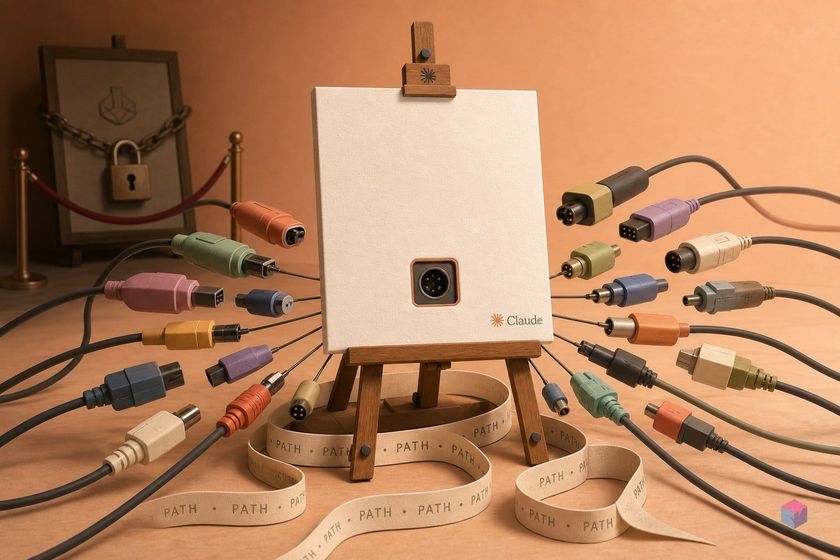
Anthropic's Claude Design keeps its artifact canvas behind a subscription and inside Anthropic's cloud. Open Design takes the same interaction model — a live canvas you keep prompting — and hands the whole thing to you as open-source software that drives agents already on your machine.
What Open Design ships that a paywall-gated canvas cannot
Open Design is an open-source, local-first design workspace that generates real, exportable files instead of pixels trapped in a hosted canvas . It produces single-page HTML prototypes (landing pages, dashboards, app mockups), pitch decks exportable to PPTX and PDF, still images, and MP4 motion graphics . The animation subsystem, branded HyperFrames, renders HTML+CSS+GSAP motion to real video — for example 1920×1080 at 30fps .
The economics differ from a gated canvas in one concrete way. The application is licensed Apache-2.0, so the software itself costs nothing; inference charges come from whichever CLI or API you already own, and Open Design adds no markup . That contrasts with Claude Design, which Anthropic's 2026 pricing bundles into plans starting at $17/month billed annually .
Ownership is the other distinction. Artifacts render in a sandboxed iframe for live preview and download as raw source files that land on your own disk — committable to your repo, not parked in a vendor's cloud . Refinement happens on-canvas without a full re-prompt: click any rendered element to edit font, width, or color, or use screenshot-plus-comment to send a scoped region back to the CLI rather than regenerating the whole page and burning extra tokens . The framing as a "clone of Claude Design" traces to the community, including a viral demo video , rather than to a first-party launch note.
What must be on your machine before you begin
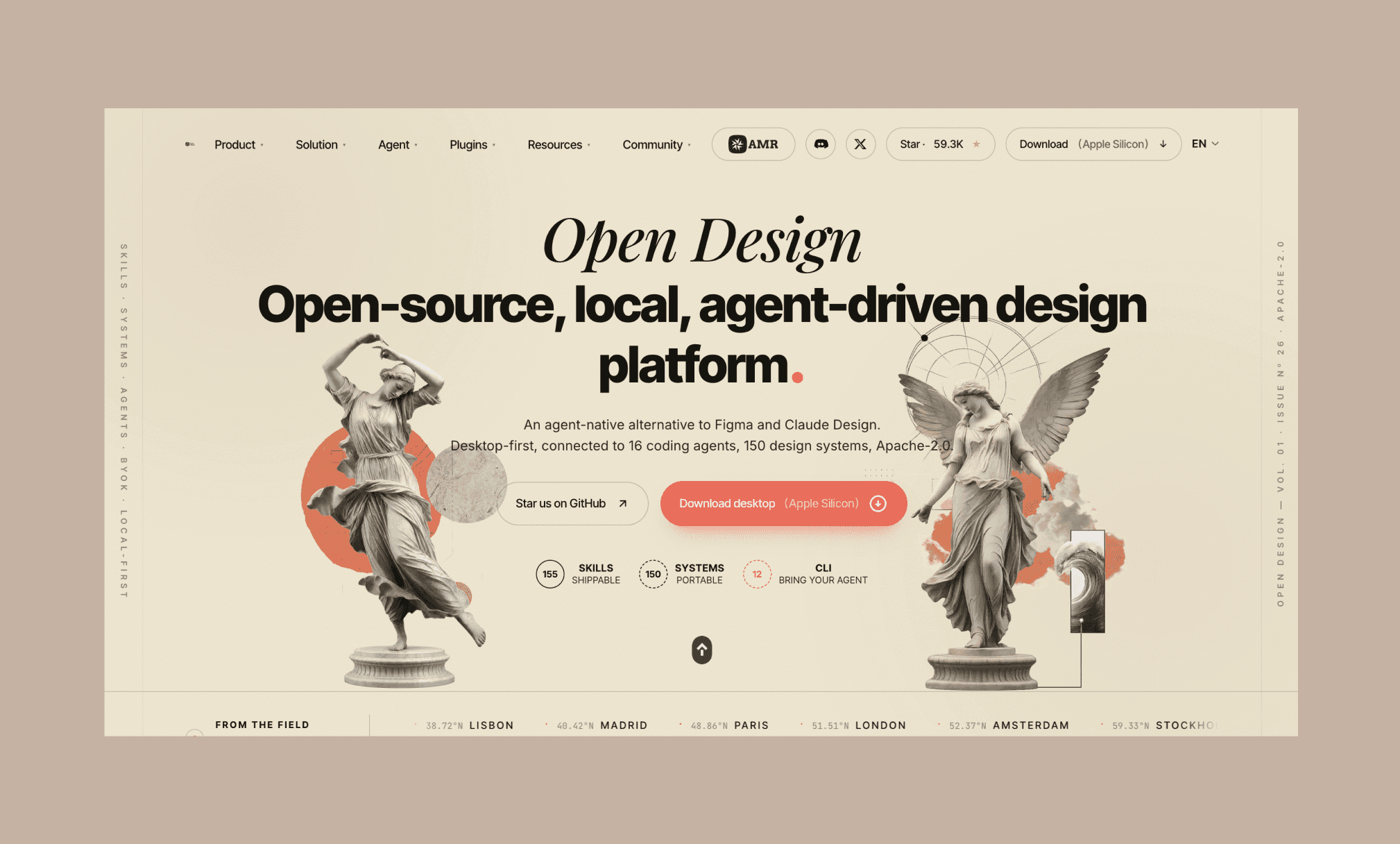
Open Design delegates generation to an agent that is already installed on your machine, so setup is mostly about what you already run. The one hard dependency is Node 24: the daemon, desktop app, and skill runtime need it, and the daemon binds to 127.0.0.1 by default with no telemetry and SSRF protection that blocks internal IP ranges . Native builds cover macOS (Apple Silicon and Intel), Windows x64, and Linux (AppImage), with Docker deployment and a Sealos cloud template if you prefer a hosted daemon .
Beyond the runtime, you need at least one supported backend reachable. Open Design advertises 20+ coding-agent CLIs — Claude Code, Codex, Cursor, GitHub Copilot, Gemini CLI, Qwen, DeepSeek, Grok, Aider, Trae, OpenCode among them — plus a BYOK proxy that accepts any OpenAI-, Azure-, or Google-compatible baseUrl + apiKey + model triple . That proxy is what lets OpenRouter — a single endpoint fronting hundreds of models as a drop-in OpenAI SDK replacement — Groq, vLLM, LM Studio, or a private endpoint all drive the same loop. For a fully local, no-per-token path, point it at Ollama, whose REST API listens on localhost:11434 for open models like Qwen, DeepSeek, and Gemma .
No Open Design account is required, and any subscription or key you already pay for is reused as-is . Pick where your billing lands:
| Backend | Connection | Billing model |
|---|---|---|
| Claude Code / Codex / Cursor / Copilot / Gemini CLI | Named CLI on PATH | Existing coding-agent subscription |
| OpenRouter | BYOK proxy (OpenAI-compatible) | Per-token, many models via one key |
| Groq / vLLM / private API | BYOK proxy (baseUrl + apiKey) | Per-token or self-hosted compute |
| Ollama / LM Studio | Local endpoint | Free — runs on your hardware |
Spin up the daemon, select a backend, and prompt your first HTML page
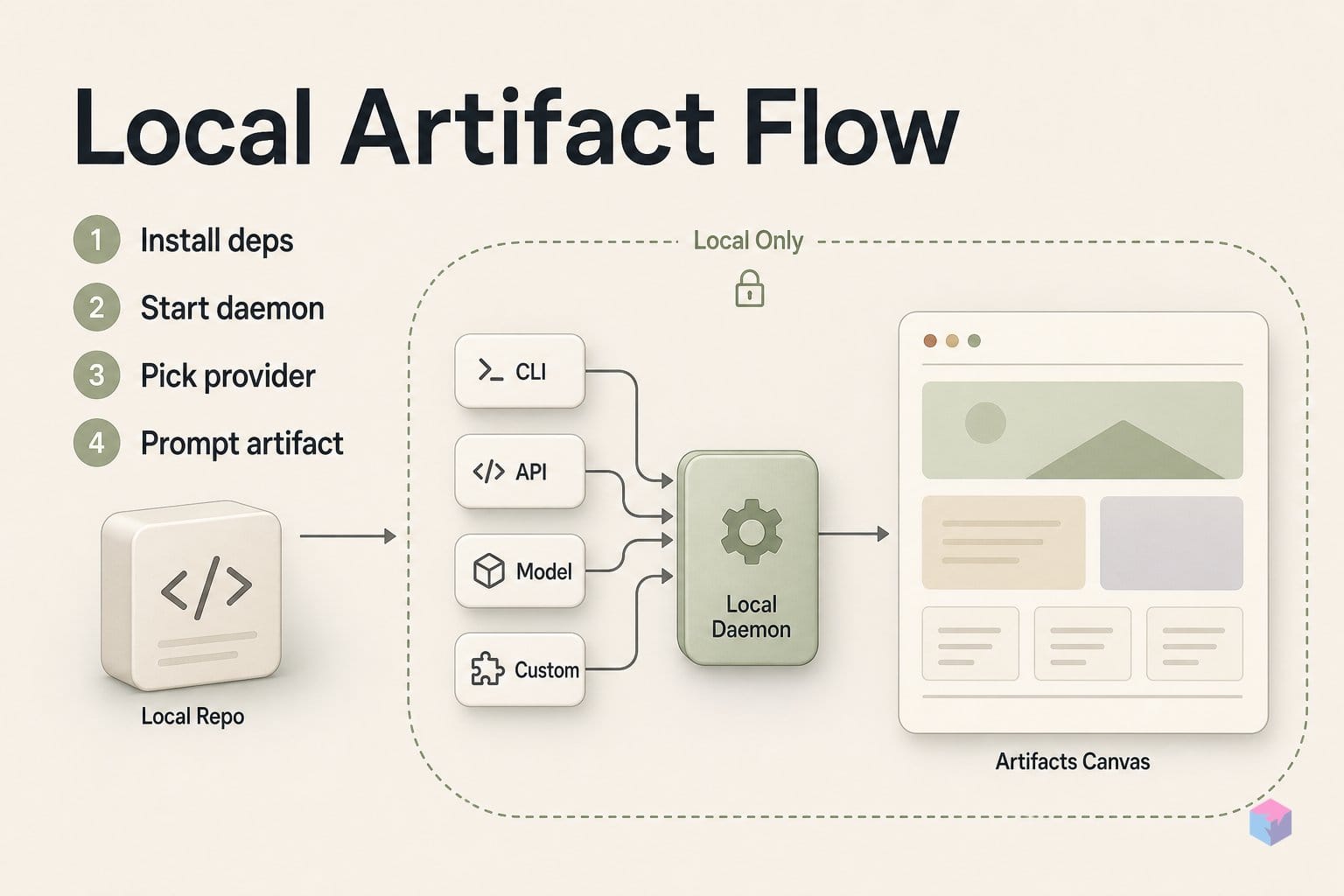
Getting from clone to a rendered artifact takes four moves: install, start the daemon, pick a provider, and prompt. Clone github.com/nexu-io/open-design, install dependencies, and launch the daemon. It binds to 127.0.0.1 by default with no telemetry, and its SSRF protection blocks internal IP ranges out of the box — so a prompt cannot coax the agent into probing your local network. It runs anywhere Node 24 runs, with native builds for macOS, Windows x64 and Linux AppImage .
With the daemon up, open the UI and go to Provider Settings. Select a named CLI already on your PATH — Claude Code, Codex, Cursor, Gemini CLI — or enter a custom baseUrl + apiKey + model string for any OpenAI-, Azure- or Google-compatible endpoint . That BYOK proxy is how Ollama, LM Studio, vLLM, Groq and OpenRouter all drive the same loop; provider swaps are a one-click change, not a reinstall .
Now prompt. Type something concrete — "SaaS landing page, dark mode, three-column pricing table" — and the CLI agent writes the HTML. The canvas renders a live preview in a sandboxed iframe with a Download Source button, so the output is a real file you own, not pixels in a hosted account . For refinement, on-canvas tools (screenshot, element comment, marker highlight, direct edits to fonts, width and colors) let you adjust small details without a full regeneration or extra tokens .
The contract between the UI and whatever backend you chose stays fixed regardless of provider — this verified illustration renders a single canvas from 22 named backends to make the pattern concrete:
"""20+ agent backends, one self-hosted Artifacts canvas.

Run: python snippet.py
Output: artifacts_canvas.html
"""

from html import escape
from pathlib import Path


BACKENDS = [
    "OpenAI", "Anthropic", "Gemini", "Mistral", "Cohere", "Groq", "Ollama",
    "vLLM", "llama.cpp", "TGI", "Bedrock", "Vertex AI", "Azure OpenAI",
    "Together", "Fireworks", "Perplexity", "DeepSeek", "xAI", "NVIDIA NIM",
    "HuggingFace", "Replicate", "Local Mock",
]


def call_agent(backend: str, task: str) -> dict:
    # Replace this adapter with real SDK/API calls; the canvas contract stays fixed.
    return {
        "agent": backend,
        "title": f"{backend} artifact",
        "body": f"{backend} handled: {task}",
    }


def render_canvas(artifacts: list[dict]) -> str:
    cards = "\n".join(
        f"<article><h2>{escape(a['title'])}</h2><p>{escape(a['body'])}</p></article>"
        for a in artifacts
    )
    return f"""<!doctype html>
<meta charset="utf-8">
<title>Artifacts Canvas</title>
<style>
body{{font:14px system-ui;margin:0;background:#f6f7f9;color:#18202a}}
main{{max-width:1100px;margin:auto;padding:24px}}
section{{display:grid;grid-template-columns:repeat(auto-fit,minmax(220px,1fr));gap:12px}}
article{{background:white;border:1px solid #d8dde6;border-radius:8px;padding:14px}}
h1{{margin:0 0 16px}} h2{{font-size:15px;margin:0 0 8px}} p{{margin:0;color:#485465}}
</style>
<main><h1>One Artifacts canvas, {len(artifacts)} agent backends</h1><section>{cards}</section></main>"""


if __name__ == "__main__":
    task = "summarize a customer support transcript"
    artifacts = [call_agent(backend, task) for backend in BACKENDS]
    Path("artifacts_canvas.html").write_text(render_canvas(artifacts), encoding="utf-8")
    print(f"wrote artifacts_canvas.html with {len(artifacts)} backend artifacts")
Beyond static HTML, switch to HyperFrames mode for video: the official GSAP plugin converts animated HTML+CSS motion to a real MP4, with 1920×1080 at 30fps as the documented default . For slides, the deck export path produces PPTX and PDF that land as files in your project directory, not a cloud account . As Open Design's makers put it plainly, the tool "is not an infinite pixel canvas or a Figma replacement" (source: open-design.ai) — it outputs code and media you can commit and version.
Honest expectations: per-token charges, hardware bounds, and early-stage caveats
"Free" here means the application code is free, not the inference behind it. Open Design ships under a permissive license and never bills you directly, but the moment you point it at a hosted frontier model you pay that provider's normal rates. Anthropic's Claude Sonnet launched at $3 per million input tokens and $15 per million output tokens, and a Claude Pro seat runs $17/month billed annually with its own usage caps — Open Design absorbs none of that. If you drive the canvas with your existing ChatGPT or Claude subscription key, you inherit that plan's limits, not a fresh unlimited tier.
The genuinely zero-cost path is local. Pairing the daemon with Ollama running Qwen, DeepSeek, or Gemma keeps every prompt and generated file on your machine at no per-token charge. The trade-off is hardware: a community hands-on at XDA notes local models work but can be slow on mid-range machines, especially for complex multi-section UI layouts where frontier models still produce cleaner code.
Treat both projects as early-stage. Open Design and the adjacent Open CoDesign — an MIT-licensed Electron alternative that bundles its own runtime instead of calling a CLI already on your PATH — are moving fast. Before you wire either into a production pipeline, verify that the headline features actually work in the release you install: generate a HyperFrames MP4 and export a deck to PPTX with your own model, and confirm the output against the claims on the official repo rather than trusting the marketing page.
Finally, mind the security surface. API credentials sit in local storage and are your responsibility to protect; the canvas executes generated HTML and JavaScript inside a sandboxed iframe; and while the daemon binds to 127.0.0.1 with SSRF protection on by default, audit your endpoint configuration before exposing it beyond localhost. The concrete takeaway: budget for inference, benchmark on your own hardware, and pin a known-good release — then you own the files, the keys, and the loop.
Frequently asked questions
Is Open Design free to use?
The application is free. Open Design is licensed Apache-2.0 and free to download, but inference is billed separately by whichever provider you connect. Pairing it with Ollama running an open model — Qwen, DeepSeek or Gemma — is the genuinely zero-cost path. Connecting OpenAI or Anthropic instead adds their standard per-token charges, so "free" means the app code, not frontier inference.
How does Open Design differ from Anthropic's Claude Artifacts?
Claude Artifacts is a cloud-only feature: Anthropic introduced it with Claude 3.5 Sonnet on June 21, 2024 as a window beside the chat, and generated artifacts stay inside claude.ai behind subscription tiers . Open Design instead runs on your own machine, saves every artifact as real files on your disk, is model-agnostic through BYOK, and is open-source under Apache-2.0 . You own the files, the keys and the loop rather than renting a hosted canvas.
Which CLIs and providers are supported out of the box?
Open Design advertises 20+ coding-agent CLIs, including Claude Code, Codex, Cursor, GitHub Copilot, Gemini CLI, Qwen, DeepSeek, Grok, Aider, Trae and OpenCode . Beyond the named agents, a BYOK proxy accepts any OpenAI-, Azure- or Google-compatible baseUrl + apiKey + model, which extends coverage to Ollama, OpenRouter, Groq, vLLM and LM Studio . You pick the provider in the UI and can swap with one click.
Can Open Design actually export MP4 video?
Yes, through a subsystem branded HyperFrames, which renders HTML+CSS+GSAP animations to real MP4 at a documented default of 1920×1080 at 30fps . An official GSAP plugin brings the web animation into the agent loop. Treat the claim as verifiable rather than assumed: test the export with your specific CLI and prompt before relying on it in any production workflow, since output quality depends on the model you connect.
What is Open CoDesign and how does it compare to Open Design?
Open CoDesign (opencoworkai/open-codesign) is a separate MIT-licensed, Electron-based "Claude Design alternative" with similar BYOK, ChatGPT-subscription login and local Ollama support . The key architectural difference is bundling: Open CoDesign ships its own runtime inside the app, whereas Open Design bundles no agent and instead delegates to whichever CLI is already on your PATH. If you dislike installing a separate agent binary, Open CoDesign's self-contained approach may suit you better.
Enjoyed this article? Subscribe to get new stories by email whenever they're published.