
Chrome now ships generative text features that run on your laptop instead of Google's servers — drafting prose, rewriting copy, and catching grammar errors with no network round-trip. But the three Writing Assistance APIs sit at different maturity levels, and a polyfill release on June 12, 2026 made that gap impossible to ignore.
What Writer, Rewriter, and Proofreader Do — and What Runs Them
Writer, Rewriter, and Proofreader are three browser-native text APIs that run a generative model entirely on-device. In Chrome they are powered by Gemini Nano, Google's on-device model; Microsoft Edge implements equivalents on its own small language model (SLM) against the same explainers . Because inference is local, Chrome states that once the model is downloaded no network is needed and no data is sent to Google or third parties — the core latency and privacy pitch . There is no API key, no per-token billing, and no data egress after that one-time download.
Quick Answer: Writer generates new prose, Rewriter revises existing text for tone or length, and Proofreader returns corrected text plus an index-mapped corrections array. All three run on-device — Gemini Nano in Chrome, a built-in SLM in Edge — so after the initial model download (≥22 GB free storage required) no API key or network call is involved.
The three APIs share a two-step lifecycle: you call create() to configure and load the session, then call the action method — rather than firing one-shot calls. This design lets the multi-gigabyte model be loaded and released efficiently . Each exposes feature detection (e.g. 'Writer' in self), download-progress monitoring, streaming variants, and an explicit destroy() for memory cleanup .
Functionally they split cleanly. The Writer API creates new content from a task description — expanding structured data into prose, drafting posts, generating bios . The Rewriter API revises and restructures existing text for tone, length, or format . The Proofreader API returns a ProofreadResult carrying the corrected string (correctedInput) plus a corrections array with location indices and replacements .
Before any of that runs, the model has to be present. All three expose four availability states — unavailable, downloadable, downloading, and available — through an availability() check, giving you a hook for progressive enhancement while the download completes . The table below compares the three side by side.
| API | What it does | Key options | Methods | Typical use cases |
|---|---|---|---|---|
| Writer | Creates new prose from a task description | tone (formal / neutral / casual), format (markdown / plain-text), length (short / medium / long), sharedContext |
write(), writeStreaming() |
Drafting posts from product data, expanding structured data, generating bios |
| Rewriter | Revises and restructures existing text | tone (more-formal / as-is / more-casual), length (shorter / as-is / longer), format |
rewrite(), rewriteStreaming() |
Fitting a word limit, re-targeting an audience, softening tone |
| Proofreader | Grammar, spelling, and punctuation correction | expectedInputLanguages (label/explanation flags not yet supported) |
proofread() |
Interactive correction in editors, comment boxes, extensions |
One caveat worth setting up front: this on-device surface is bounded by the small models behind it (Gemini Nano in Chrome, Edge's SLM), which trail server-grade models in reasoning and multilingual breadth, and the proposals are explicit early sketches "not approved to ship in Chrome" . The sections ahead unpack each interface, the polyfill that covers Writer and Rewriter but not Proofreader, and the trial-expiry and platform limits you have to design around.
The Writer Interface: create(), Tone, Format, and Streaming
The Writer API creates new prose from a task description, and every interaction starts with Writer.create() — a configuration step that loads the on-device model once so you can reuse it across drafts. You pass an options object that fixes the output shape, then call a write method. The interface is documented on Chrome's Writer API page, published October 22, 2025, and it currently runs in an origin trial spanning Chrome 137 through 148, backed by Gemini Nano in Chrome.
Four options control the result:
tone—formal,neutral(default), orcasual.format—markdown(default) orplain-text.length—short(default),medium, orlong.sharedContext— a context string applied across repeated, related drafts so you don't restate the same framing on every call.
Two output methods follow. write() resolves to the complete string in one shot; writeStreaming() returns a ReadableStream that yields the text incrementally. For anything longer than a single sentence, prefer the streaming variant — on a small on-device model, the full write() latency is noticeable, and streaming lets you paint tokens into the editor as they arrive instead of blocking on a spinner. A minimal call looks like this:
const writer = await Writer.create({
  tone: 'casual',
  format: 'plain-text',
  length: 'medium',
  sharedContext: 'Product changelog entries for a developer audience.',
});

const stream = writer.writeStreaming('Announce on-device text APIs.', {
  signal: controller.signal,
});
for await (const chunk of stream) render(chunk);
Two constraints matter before you embed this anywhere. First, the Writer API exposes a Permission-Policy token (writer), and it is not available in Web Workers per Chrome's documented surface. If you plan to run it inside a cross-origin iframe — common in third-party widgets and embedded editors — the host page has to delegate that token via Permission-Policy, or create() will not run. Confirm the iframe story before you ship into someone else's page.
Second, treat cleanup as required, not optional. AbortSignal (via an AbortController) cancels an in-flight generation — essential when a user edits the prompt or navigates away mid-stream — and destroy() explicitly releases the multi-gigabyte model session from memory as defined in the Writing Assistance APIs explainer. Skip destroy() and a long-lived tab holds the model resident; skip the abort wiring and you stream tokens the user no longer wants. In production both are part of the baseline lifecycle, and the Rewriter API — covered next — mirrors this same two-step, abortable, destroyable pattern.
Rewriter Mechanics: Tone Adjustment, Length Trimming, and Streaming Variants
The Rewriter API revises existing text rather than generating it from scratch, configured through Rewriter.create() with three options: tone (more-formal / as-is default / more-casual), length (shorter / as-is default / longer), and format (as-is default / markdown / plain-text) . The defining detail is that every default is as-is: the Rewriter preserves the original input unless you explicitly tell it what to change. A bare call with no configured options is effectively a no-op, returning text materially equivalent to what you passed in. You drive behavior by overriding at least one axis.
const rewriter = await Rewriter.create({
  tone: 'more-casual',
  length: 'shorter',
  format: 'plain-text',
  sharedContext: 'Customer support replies for a SaaS dashboard',
});
const revised = await rewriter.rewrite(draft);
The method surface mirrors the Writer API's two-step lifecycle: rewrite() returns the full string, and rewriteStreaming() yields tokens incrementally for responsive editors . The same AbortController/AbortSignal cancellation, availability checks, and destroy() cleanup defined in the Writing Assistance APIs explainer apply unchanged , so the resource discipline carries over: streaming long rewrites without abort wiring produces tokens the user has moved on from.
The practical use cases follow directly from the three axes:
- Length trimming — set
length: 'shorter'to fit a response inside a hard word or character limit, such as a meta description or a chat bubble. - Formality adjustment — set
tone: 'more-formal'ormore-casualto re-target auto-generated support replies for the right audience without rewriting them by hand. - Format conversion — set
format: 'markdown'to convert plain prose into markdown for CMS ingestion, orplain-textto strip formatting out.
For sessions that rewrite several related passages, rewrite() accepts an optional per-call context string: rewrite(input, { context }). This disambiguates a single fragment against the broader document — for example, telling the model that a clause belongs to a legal disclaimer versus a marketing blurb — while the session-wide sharedContext set at creation covers what stays constant across calls . Per-call context is the lever for consistency when one configured Rewriter object is reused across a batch, sparing you a fresh model load per passage.
As with every Gemini Nano task API, output quality is bounded by the on-device model, and the proposal remains an early design sketch not approved to ship in Chrome . Scope expectations to Chrome and Edge, and check availability() before assuming the Rewriter is present.
Proofreader in the Active Trial: Corrections, Index Offsets, and Omitted Labels
The Proofreader API gives web apps and extensions on-device grammar, spelling, and punctuation correction, but the version you can use today returns less than the proposal describes. You call Proofreader.create() with an expectedInputLanguages option, then call proofread(), which resolves to a ProofreadResult carrying the fully corrected string in correctedInput plus a corrections array, where each entry holds the location indices in the original text and the replacement string for that span . That offset-plus-replacement shape is what lets you highlight edits inline rather than swapping the whole field.
Here is the gap that matters. The W3C explainer defines a richer surface: correction labels covering spelling, punctuation, capitalization, preposition, missing-words, and grammar, alongside human-readable explanations for each fix . In Chrome's current documented trial, though, the two flags that expose those — includeCorrectionTypes and includeCorrectionExplanation — are explicitly not supported . So they remain part of the proposal, not the shipped trial.
In practice, you get the corrected text and positional offsets, and nothing else structured. You can show a user that "their" should become "there" at a given index, but the API will not tell you that the change is a spelling fix versus a grammar fix, and it will not hand you a plain-language reason to surface in your UI. If your editor needs categorized error badges or explanation tooltips, you have to infer the category yourself or wait until the proposal matures and the flags land in a stable release.
Timing is the other constraint. The Proofreader origin trial runs in Chrome 141–145 only , and on the other implementer, Microsoft Edge 147 listed Proofreader among its active origin trials with a hard expiry of May 19, 2026 — a date already behind us. The explainers are blunt about that risk:
"This proposal is an early design sketch ... to describe the problem ... and solicit feedback. It has not been approved to ship in Chrome," — Writing Assistance APIs explainer, Web Machine Learning Community Group (source: webmachinelearning/writing-assistance-apis).
Verify the trial's expiry and your target browser version before shipping any Proofreader integration, register a fresh origin-trial token, and check availability() at runtime so a corrected-text feature degrades cleanly when the engine is absent.
Polyfill Mechanics: The Writer and Rewriter Browser Globals Explained
A polyfill here is a JavaScript shim that installs the built-in AI task APIs as browser globals so your code can call them even when the browser has no native implementation. On June 12, 2026, Chrome published a post describing experimental polyfills for the Summarizer, Writer, Rewriter, Translator, and Language Detector APIs, backed by the experimental Prompt API polyfill underneath . When native support is absent, the polyfill exposes the task surfaces as globals such as window.Writer and window.Rewriter, so feature-detection patterns like 'Writer' in self continue to resolve and your create() calls route through the shim instead of failing outright.
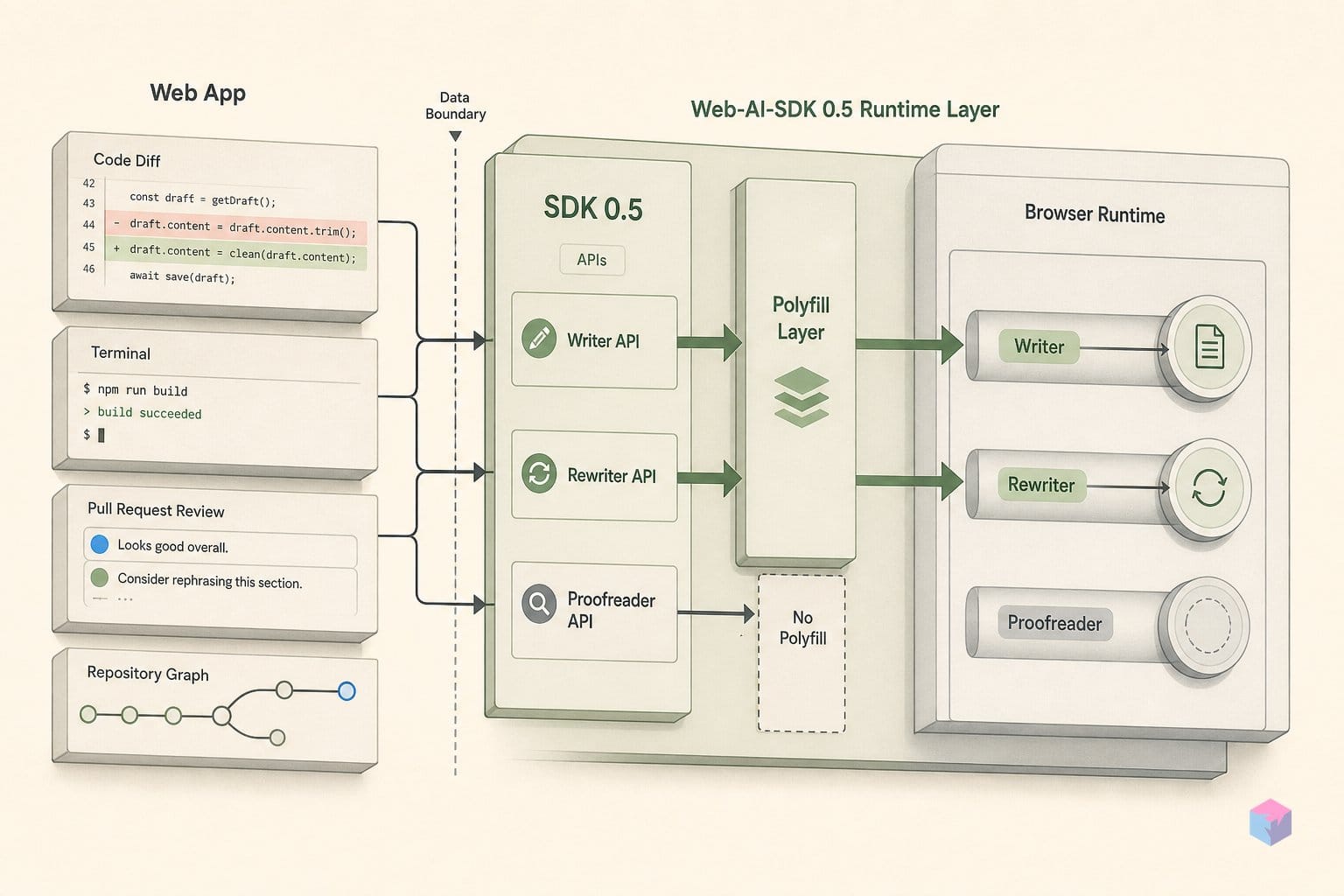
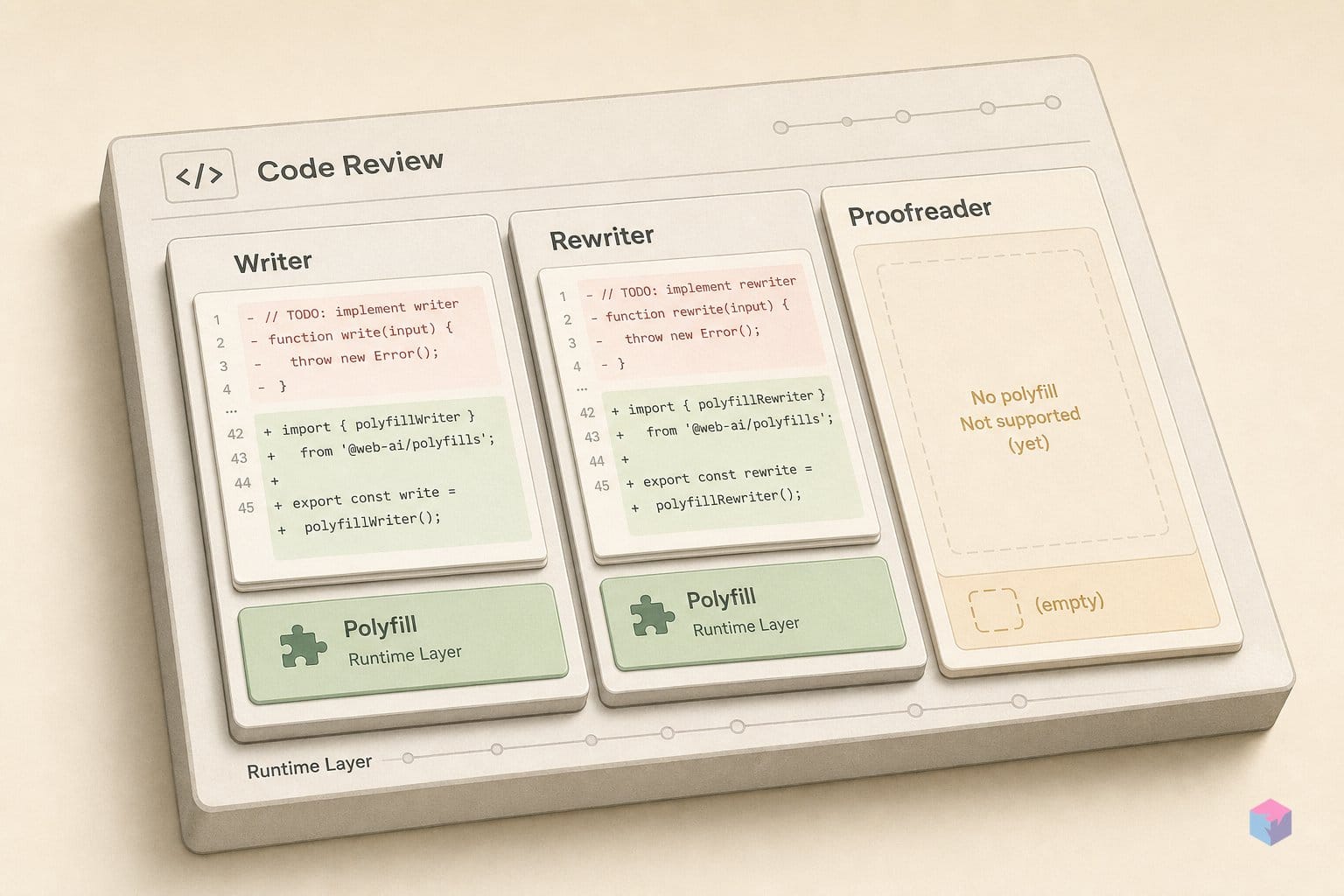
The artifact is concrete. The GoogleChromeLabs built-in-ai-task-apis-polyfills package is at version 1.14.0 and exports writer and rewriter, and it depends on prompt-api-polyfill ^1.19.0 — the free-form Prompt API shim does the actual model work that the higher-level task APIs sit on top of . That dependency chain explains the design: rather than reimplement each task, the polyfills express Writer and Rewriter as constrained prompts against whatever generative model the Prompt API polyfill can reach.
What it does not ship is the point of this article. The package has no proofreader export . Proofreader's absence is consistent rather than accidental. Its origin trial is a narrower window than the Writer and Rewriter trials, and the interactive correction surface is incomplete in Chrome's current trial: includeCorrectionTypes and includeCorrectionExplanation are documented as not supported, so the correction-label and plain-language-explanation parts of the proposal are not yet exposed . There is no complete, stable API contract for a polyfill to back — you cannot faithfully shim a surface whose shape is still in flux.
Treat these for what Chrome calls them: experimental. The announcement frames the polyfills as a way to test code paths and progressive enhancement, not as a production-grade cross-browser compatibility layer . Output quality, latency, and memory behavior depend on the underlying model the Prompt API polyfill resolves to, which varies by device, OS version, and available hardware. Before relying on a polyfilled Writer or Rewriter in shipped code, test across the device and OS matrix you actually support, keep availability() checks at runtime, and design the feature to degrade cleanly — the same discipline you would apply to the native trial APIs.
Origin Trial Expiry Dates and Where Chrome Diverges From Edge
The Writer, Rewriter, and Proofreader APIs are origin-trial features, not stable platform APIs — which means each carries a Chrome version window and, in production, requires a registered origin-trial token sent as an HTTP header (or an equivalent meta tag) before the API leaves its flag gate. In Chrome, the Writer and Rewriter trial spans versions 137 through 148 , while the Proofreader trial runs a narrower 141 through 145 . Without a valid token, end users hit a flag-gated API that silently reports as unavailable.
Edge mirrors the same explainers but runs them on its own small language model rather than Gemini Nano, and its trial calendar is independent and tighter. Edge 147, released April 9, 2026, listed all four APIs as active origin trials with hard expiration dates: the Writer and Rewriter trials expired April 21, 2026; the Proofreader trial expired May 19, 2026; and the Prompt API trial expires June 16, 2026 . As of this writing on 2026-06-13, the Edge Writer, Rewriter, and Proofreader trials have already lapsed, and the Edge Prompt API trial closes within days — a reminder that token-gated features can disappear mid-quarter without a stable replacement.
| API | Chrome trial window | Edge trial status (from Edge 147) | Underlying model |
|---|---|---|---|
| Writer | Chrome 137–148 | Expired Apr 21, 2026 | Chrome: Gemini Nano · Edge: own SLM |
| Rewriter | Chrome 137–148 | Expired Apr 21, 2026 | Chrome: Gemini Nano · Edge: own SLM |
| Proofreader | Chrome 141–145 | Expired May 19, 2026 | Chrome: Gemini Nano · Edge: own SLM |
| Prompt API | Web trial Chrome 148+ | Expires Jun 16, 2026 | Chrome: Gemini Nano · Edge: own SLM |
The divergence matters because none of these three writing APIs is stable in any browser as of June 2026. By contrast, the Summarizer, Translator, and Language Detector APIs shipped to stable in Chrome 138 , so it is easy to assume the rest of the family is equally settled — it is not. The Writing Assistance explainer is explicit that the proposals are "not approved to ship in Chrome," and that surface area, options, and behavior may change before any stable version lands .
Practically, scope your dependency to Chrome and Edge, treat the token windows as expiry dates rather than launch dates, and gate every call behind a runtime availability() check so a lapsed trial degrades to your fallback path instead of throwing.
Why Android, iOS, and Most Non-Chrome Browsers Are Locked Out
The Gemini Nano writing APIs are desktop-and-ChromeOS-only by design: they run on Windows 10/11, macOS 13 (Ventura) or later, Linux, or ChromeOS on Chromebook Plus devices at Platform 16389.0.0 or newer . Chrome for Android, Chrome for iOS, and non-Chromebook-Plus ChromeOS are explicitly excluded from the Gemini Nano APIs, so a mobile-first user base cannot reach Writer, Rewriter, or Proofreader natively at all . That exclusion is the model's footprint, not a temporary gap.
The hardware floor narrows the audience further. The on-device model needs at least 22 GB of free storage on the profile volume, plus a GPU with more than 4 GB of VRAM, or — failing that — a CPU with at least 16 GB of RAM and 4 cores, and an unmetered connection for the initial multi-gigabyte download . Those requirements bar a meaningful share of consumer laptops, low-RAM machines, and metered or capped connections. A user who clears all four bars still has to wait through a one-time download before the first create() succeeds.
Cross-engine support is the other wall. Firefox (Gecko) and Safari (WebKit) have only open standards-position issues against these proposals, with no public commitment to implement . The W3C explainer is blunt that browsers are not required to ship a language model at all, so a conformant browser can decline the entire capability without violating the spec . Treat Safari and Firefox parity as unproven rather than imminent, and assume the polyfill or a server fallback is the only path for those engines.
Language coverage is also bounded. From Chrome 149, Gemini Nano supports English, Spanish, Japanese, German, and French for both input and output text; you select the active languages per session through the expected input, context, and output parameters passed at create() time . Anything outside that five-language set is unsupported on-device today. The practical takeaway for builders is to read these constraints as a capability matrix: a desktop Chrome or Edge user on adequate hardware, working in a supported language, is your addressable surface — everyone else routes to a fallback, which the closing section covers.
Quota Errors, destroy(), and Fallback When the On-Device Engine Is Absent
Shipping any of these APIs to production means treating the on-device engine as a fallible, shared resource rather than a guaranteed function call. Oversized input throws a QuotaExceededError, instances must be released explicitly, availability has to be re-checked on every page load, and the entire path can return unavailable for a given user — so a server-side route is not optional. The Writing Assistance and Proofreader proposals are early design sketches that the explainers state are "not approved to ship in Chrome," and output quality, stability, and cross-browser interoperability are explicitly not guaranteed . Build defensively.
Quota. Each session carries finite input capacity. Before calling write(), rewrite(), or proofread() in a production path, check your payload against the session's quota; oversized input raises QuotaExceededError rather than truncating silently . Catch it, chunk the text, or route the request elsewhere — never let it surface as an unhandled rejection in an editor or comment form.
Cleanup. Call destroy() on every Writer, Rewriter, and Proofreader object when you are finished with it. The multi-gigabyte model is a shared on-device resource, and the two-step lifecycle — create() then method — exists precisely so the engine can be loaded and unloaded efficiently . Chrome does not promise to reclaim that memory for you; leaked instances pin it.
Re-check availability, every load. The API exposes four states — unavailable, downloadable, downloading, and available . Device state transitions between sessions: a download starts, the profile volume fills below the 22 GB free-storage requirement, or an OS policy changes . Call availability() at runtime on each page load, not once at app init.
"A browser is not required to support these APIs or to download a particular language model" — Writing Assistance APIs explainer, W3C Web Machine Learning Community Group (source: webmachinelearning/writing-assistance-apis).
Graceful degradation. When availability() returns unavailable, route to a server-side LLM call — do not fail silently or block the user. Never assume the on-device path will be active: it is absent on Chrome for Android and iOS, on non-Chromebook-Plus ChromeOS, and on any device below the GPU/VRAM or 16 GB RAM threshold .
The concrete takeaway: wrap each API in a four-state guard, catch QuotaExceededError, destroy() on completion, and keep a server-side path warm. The on-device engine is a latency-and-cost optimization for the subset of users who qualify — treat it as progressive enhancement, never as the only path.
Frequently asked questions
Do Chrome's Writer and Rewriter APIs require an internet connection or API key?
No. There is no API key, no per-token billing, and no server round-trip during use. After a one-time model download — which does need an unmetered connection — all inference runs locally on Gemini Nano, and Chrome states that no data is sent to Google or third parties when using the model . That on-device execution is the core privacy and latency argument for these APIs. The practical caveat: until availability() returns available, your first call may block on the download, so gate the feature behind the four availability states .
What hardware does a user need for Chrome's on-device writing features to activate?
The Gemini Nano APIs require Windows 10/11, macOS 13+ (Ventura or later), Linux, or ChromeOS on a Chromebook Plus device (Platform 16389.0.0+); at least 22 GB free storage on the profile volume; and a GPU with more than 4 GB VRAM, or a CPU with at least 16 GB RAM and 4 cores . Chrome for Android, Chrome for iOS, and non-Chromebook-Plus ChromeOS are excluded entirely . If a device misses any threshold, availability() reports unavailable and you must fall back to a server path.
When do the Chrome Writer, Rewriter, and Proofreader origin trials expire?
In Chrome, the Writer and Rewriter origin trial spans Chrome 137–148, and the Proofreader trial spans Chrome 141–145 . In Edge 147 — released April 9, 2026 — the equivalent trials carry hard dates: Writer and Rewriter expired April 21, 2026, and Proofreader expired May 19, 2026 . Production use of any trial API requires registering an origin-trial token and supplying it in your HTTP response headers; behavior can still change before these APIs reach stable.
Why is Proofreader absent from the June 12 polyfill package?
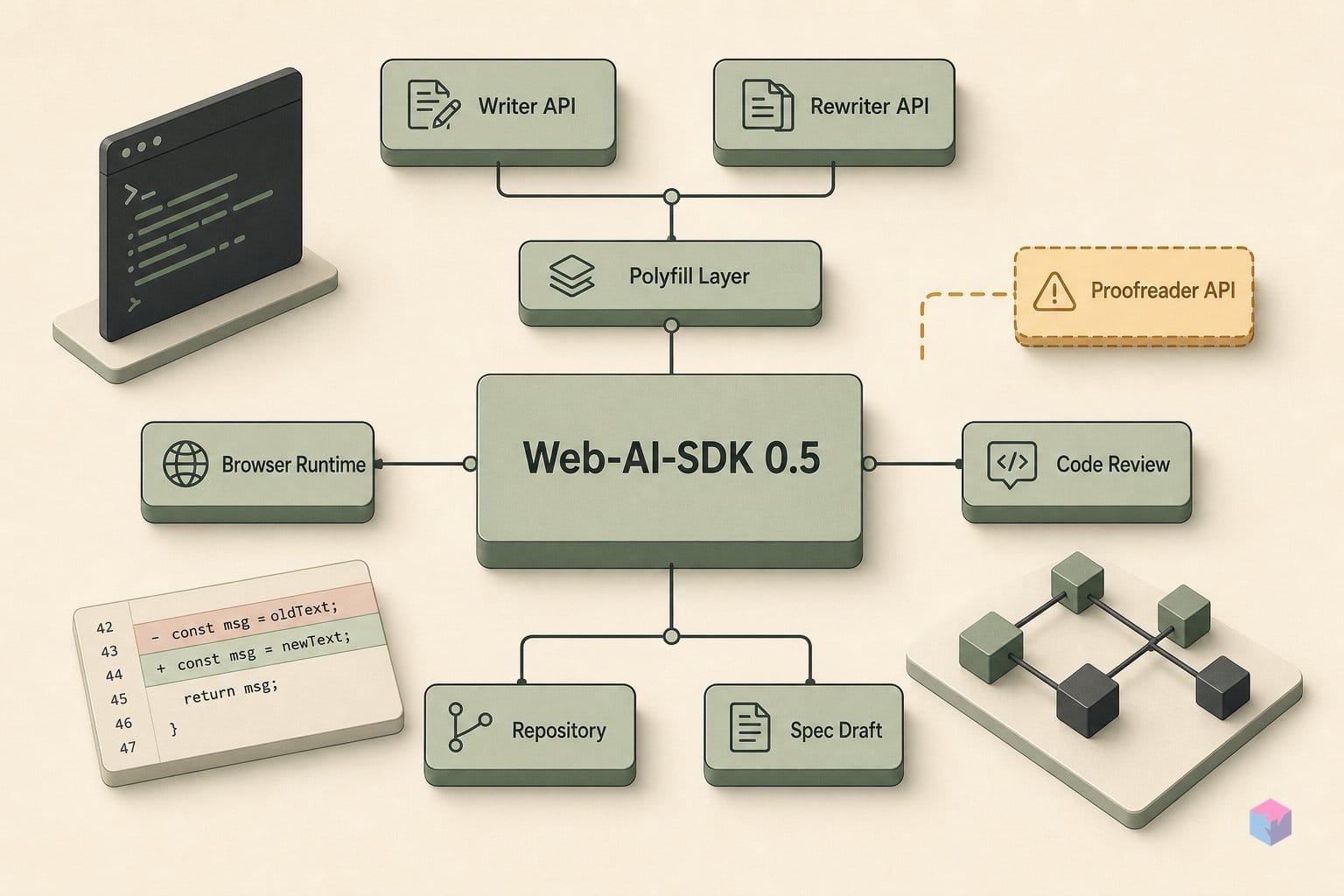
The GoogleChromeLabs built-in-ai-task-apis-polyfills package, at version 1.14.0, exports Writer and Rewriter (alongside Summarizer, Translator, and Language Detector) but ships no Proofreader export . Proofreader has a shorter, narrower origin-trial window, and its correction-type labels and explanations (includeCorrectionTypes, includeCorrectionExplanation) are not yet exposed in Chrome's current trial . With an incomplete and unstable surface, there is nothing solid for a polyfill to back — which is why the "Web-AI-SDK 0.5 adds Proofreader" framing is not corroborated by the actual artifact.
Will these browser writing capabilities ever work in Firefox or Safari?
There is no commitment from either vendor today. Gecko (Firefox) and WebKit (Safari) have only open standards-position issues, with no pledge to implement, and the W3C Writing Assistance explainer is explicit that browsers are not required to ship language models at all . For now, scope production claims to Chrome and Edge — the only engines with running implementations — and treat cross-browser parity as unproven rather than assumed.